


Synths Music article
Synths Music for Beginners: A Complete Guide
A synth looks intimidating but works on simple logic. This beginner guide covers oscillators, filters, envelopes and how to make your first sound.
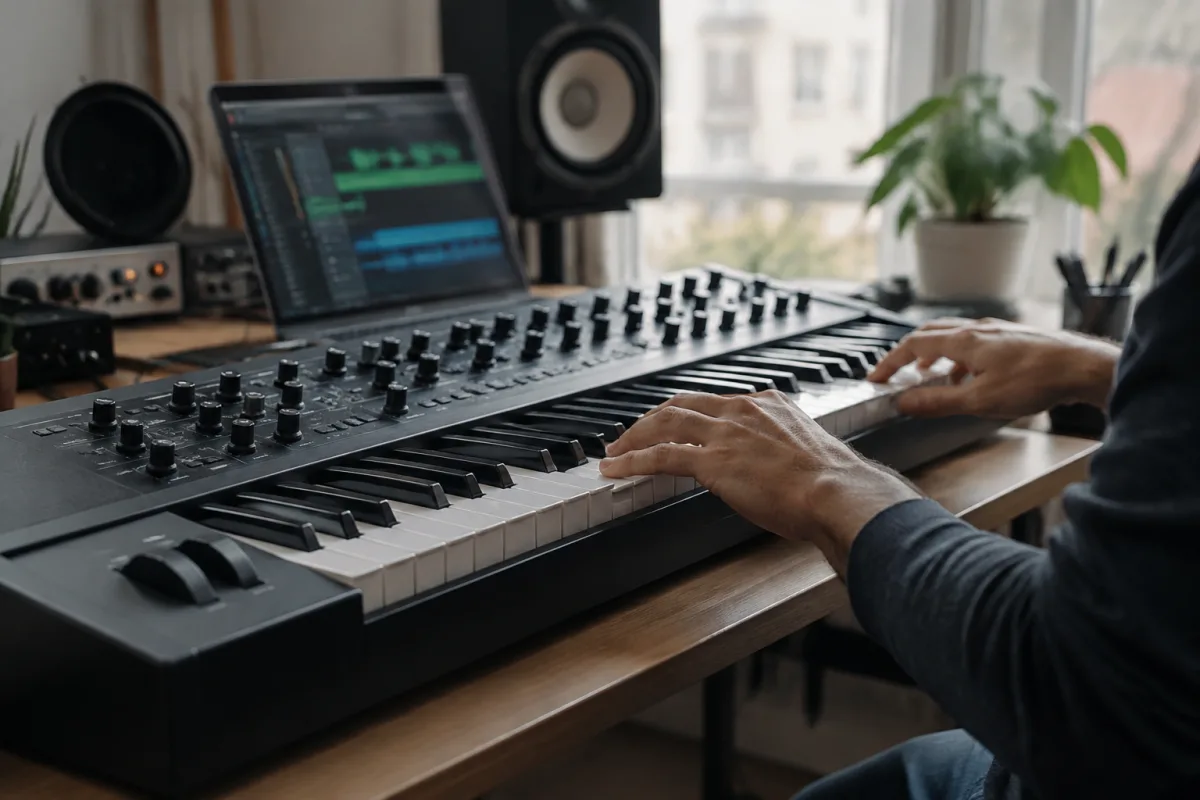
A synthesizer looks intimidating—dozens of knobs, patch cables dangling, alien controls with names like "LFO" and "envelope"—but a synth is actually quite logical once you stop panicking. Whether you’ve inherited an old Moog, bought your first software synth or are borrowing one from a friend, this guide demystifies the basics so you can stop being afraid and start making sounds.
What Is a Synthesizer, Really?
A synthesizer is a tool that generates and shapes sound electronically. It doesn’t play recordings of instruments—it creates sound from scratch. You control that sound with knobs, keys and wires. The payoff is extraordinary flexibility: you can make sounds that don’t exist in nature, or precise copies of real instruments, or anything in between.
That flexibility is also why synths seem overwhelming. But here’s the secret: all synths work on the same basic principle—oscillator, filter, envelope, output. Once you understand that flow, every synth makes sense. An old analogue synth, a modern software synth, a mini keyboard—they’re all doing the same fundamental job.
The Core Building Blocks of Every Synth
Oscillator: Generates the raw sound—a simple waveform like a sine wave, square wave or sawtooth. Think of it as the engine that produces vibration. The oscillator doesn’t sound musical yet; it sounds like a buzzing tone.
Filter: Shapes the tone by removing frequencies. If the oscillator is a raw engine sound, the filter is the muffler that makes it sound pleasant (or less harsh). Turn a filter knob and you’ll hear the tone get warmer or brighter in real time. This is the most immediate way to shape a synth sound.
Envelope: Controls how the sound evolves over time. When you press a key, does the sound attack (come in) immediately, or fade in slowly? Does it sustain (hold a level) or decay (fall away)? The envelope controls these shapes. This is how you make a synth sound like a piano (instant attack, decay) or a pad (slow fade-in, long sustain).
LFO (Low Frequency Oscillator): A slow oscillator that modulates other parameters. An LFO can wobble the pitch, fade the volume, or sweep the filter back and forth. It creates movement and life in static sounds. Most beginners ignore LFOs at first—that’s fine. You can add them later.
Output: Where the sound goes—to your speakers, your headphones, your mixer.
That’s it. Oscillator → Filter → Envelope → Output. Every synth is this chain, with extra bells and whistles added on top. Once you understand this flow, you can use any synth.
Your First Five Minutes With a Synth
Minute 1: Press a key. You hear a sound. Don’t panic if it sounds ugly—that’s normal. Synths usually sound harsh when you first touch them.
Minute 2: Find the filter knob (usually labelled "Cutoff" or "Filter Frequency"). Turn it down. The sound gets warmer and duller. Turn it back up. The sound gets brighter and more aggressive. You’ve just shaped the tone. This knob is your best friend.
Minute 3: Look for attack, decay, sustain or release knobs—these are envelope controls. Turn the attack knob up. When you press a key, the sound now fades in slowly instead of attacking instantly. You’ve changed the character of the sound fundamentally.
Minute 4: Try different waveforms if the synth has a waveform selector (sine, square, sawtooth, triangle). Each sounds different. Sine = smooth. Square = harsher. Sawtooth = bright and aggressive. Triangle = soft and mellow. Match the waveform to the character you want.
Minute 5: Play a melody. Press keys at different times and notice how your filter and envelope changes affect what you hear. You’ve made your first intentional synth sound.
That’s the whole game. Filter + Envelope = 80% of synth sound design. Everything else is refinement.
Common Beginner Mistakes With Synths
- Trying to understand every knob: A synth can have 50+ parameters. You don’t need to know them all on day one. Focus on filter, envelope and waveform. Master those, then explore others.
- Assuming patch cables are required: Old analogue synths need patch cables to route signals. Software synths and modern hardware route everything internally. If you’re stuck on patching, check if your synth is pre-patched or fully internal.
- Setting every parameter to maximum: Beginners often crank every knob to 100% thinking it sounds better. It usually sounds worse—muddy, harsh, uncontrollable. Start with knobs at 12 o’clock (noon position) and adjust from there.
- Not saving your sounds: When you dial in a sound you like, save it as a preset. Give it a name. If you tweak something and it sounds worse, you can recall the saved version. Software synths make this easy—use this feature religiously.
- Ignoring the manual: Synth interfaces vary wildly. When you don’t know what a knob does, look at the manual or search YouTube for tutorials. Don’t suffer in silence.
- Leaving the filter envelope at zero: Many beginners don’t realise the filter has its own envelope separate from the amplitude envelope. If your filter doesn’t sweep, the filter envelope is probably off. Turn up "Filter Envelope Amount" and suddenly the filter responds to your playing.
Making Your First Patch (Synth Sound)
Here’s a beginner-friendly workflow to create a warm, playable sound:
- Waveform: Choose sawtooth or square. Both are rich and responsive.
- Filter: Set the cutoff knob to about 2 o’clock (3/4 open). The sound is bright but not harsh.
- Filter Envelope: Increase the Amount knob to about 50%. This makes the filter sweep when you play.
- Attack time: Set to about 20ms (quick). The sound responds immediately when you press a key.
- Decay time: Set to about 200ms. The sound falls away slightly after the attack, adding shape.
- Sustain level: Set to about 80%. The sound holds at this level while you hold the key.
- Release time: Set to about 100ms. When you release the key, the sound fades out smoothly.
- Play and adjust: Press a key. If it sounds nice, try melodies. If not, adjust filter, attack or sustain slightly and try again.
That sound—warm, responsive, shaped by envelope—is instantly musical. You’ve made your first real synth patch.
Software vs. Hardware Synths for Beginners
Software synths: Run on your computer (Ableton Wavetable, Sylenth1, Serum, Vital—many free options exist). Advantages: cheap or free, no physical space needed, infinite presets to learn from. Disadvantage: less tactile than turning knobs.
Hardware mini keys: Compact, affordable keyboard synths (Volca, Korg Monotron, Teenage Engineering OP-1). Advantages: physical knobs feel great, portable, plug-and-play. Disadvantage: fewer controls than software, often limited to one voice.
Analogue synths: Vintage or modern synths using analogue circuitry (Moog, Oberheim, ARP). Advantages: legendary sound, beautiful controls, no menu diving. Disadvantage: expensive, complicated patching, hard to learn.
As a beginner, start with software synth. It’s free or cheap, you can pause and think, and tutorials are abundant. Once you understand synth basics, you’ll appreciate hardware synths when you encounter one.
Synth Terminology You’ll Encounter
- Voice: How many notes can play at once. A 1-voice synth can only play one note. An 8-voice synth can play 8 notes simultaneously (useful for chords). More voices = more flexibility.
- Polyphony: The number of voices. Monophonic = one voice. Polyphonic = multiple voices.
- ADSR: Attack, Decay, Sustain, Release—the four stages of an envelope. Beginner-friendly way to remember what envelope does.
- Patch: A complete synth sound (all settings dialled in). "I made a nice pad patch" means you created a sound and saved it.
- Modulation: Using one signal (LFO, envelope) to control another (filter, pitch). This adds movement and complexity.
Don’t memorise these. Just know they exist. You’ll pick them up naturally as you learn.
For a comprehensive look at synth types, famous synths and advanced techniques, see our complete guide to synths in music.
Inspiration: Listen to Synth-Heavy Music
Once you start exploring synths, listen to artists who use them creatively: Kraftwerk, Wendy Carlos, Trent Reznor, Jon Hopkins, Oneohtrix Point Never. Notice how synths sound in different genres—ambient, industrial, pop, electronic. You’ll start recognising what you want to create and work backwards to achieve it. This is how you develop taste in synth sound.
Your First Month With Synths
Week 1: Learn filter and envelope. Make sounds that surprise you.
Week 2–3: Explore different waveforms and presets. Notice patterns—which settings create which sounds?
Week 4: Try to recreate a sound you like. Match a synth patch to a reference. This teaches you how parameters map to perception.
By month two, you’ll be genuinely comfortable with synths. The initial panic will be gone. You’ll start having opinions about sound and reaching for the synth to explore them.
Conclusion: Synths Are Logical, Not Mysterious
A synth looks like a spaceship and sounds like an alien when you first encounter one. But the logic is straightforward—oscillator, filter, envelope, output. That flow is the same on every synth. Master it and you can walk up to any synthesizer and make a sound within minutes. The knobs are just different ways of adjusting the same fundamental components. Stop being afraid and start twisting knobs. The learning happens faster than you expect.


Comments