


Podcasting Kit article
The Complete Guide to Podcasting Kit
A quality podcasting kit combines microphone, headphones and interface for professional audio. Discover essentials and budget options to start your podcast.
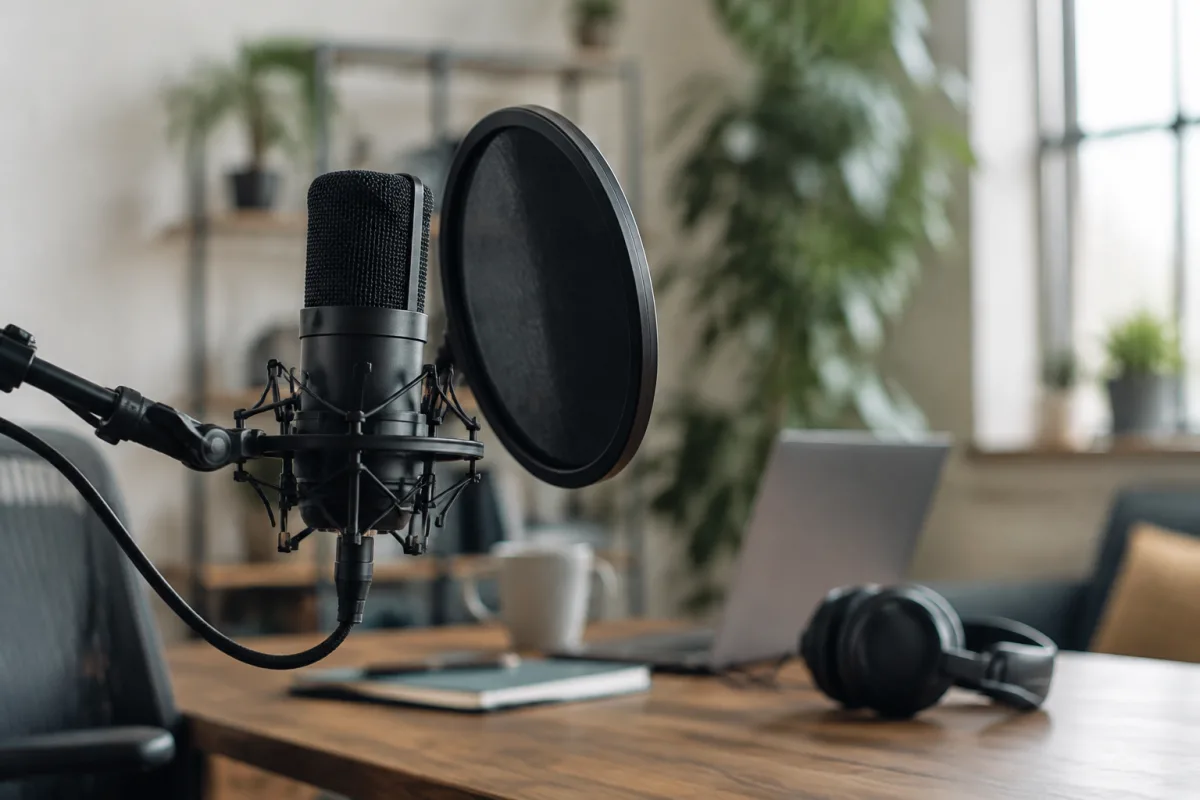
Launching a podcast need not require a massive investment in professional studio equipment. A quality podcasting kit—combining the essential microphone, headphones, stand and interface—delivers broadcast-standard audio at a fraction of what a full studio costs. Whether you're launching a music-focused podcast, interviewing fellow musicians or creating educational audio content, understanding what constitutes an effective podcasting kit helps you start recording and publishing immediately.
What Is a Podcasting Kit?
A basic podcasting kit comprises four essential components: a microphone (usually a USB or XLR condenser type optimised for voice), headphones for monitoring, a microphone stand or boom arm to position the microphone optimally, and an audio interface (if using XLR) or direct USB connection to your computer. Some bundled kits include cables, pop filters and shock mounts. This combination captures clear, professional-sounding audio suitable for uploading to podcast platforms, requiring no additional equipment or software purchases beyond a basic computer and free recording software.
The beauty of a modern podcasting kit is that most include all necessary connectors and adapters, so unboxing and recording your first episode requires minimal setup. Many kits are designed for solo podcasters or one-to-one interviews; for multiple speakers or more complex setups, a small mixer might be added to the basic kit.
Microphone Choice for Podcasting
The microphone is the most critical component of a podcasting kit. Dynamic microphones (typically unidirectional cardioid pattern) are ideal for voice podcasting because they reject background noise and room reflections. Popular choices include the Shure SM7B (professional standard, requires interface), Electro-Voice RE20 (similarly professional), or more budget-friendly alternatives like the Audio-Technica AT2020USB or Rode Wireless GO II for mobile podcasting.
Condenser microphones are also used for podcasting, particularly USB condensers like the Blue Yeti or Rode NT1 (with interface). They're more sensitive and capture broader frequency range, making them excellent for capturing nuanced voice, acoustic instruments and ambient sound. Choose based on your recording environment and budget; a £100–200 USB dynamic microphone delivers excellent voice quality for podcast production.
Headphones for Monitoring
Closed-back monitoring headphones allow you to hear yourself and detect any audio issues during recording—popping, hum, distortion, background noise. Avoid open-back or consumer headphones, which leak sound into the microphone and lack the flat frequency response needed for accurate monitoring. A basic set of closed-back headphones (£50–150) from brands like Audio-Technica, Sennheiser or AKG is appropriate. You don't need expensive audiophile headphones; you need isolation and reliability.
Microphone Stand and Pop Filter
A sturdy microphone stand keeps the mic positioned at mouth level and prevents hand-held handling noise. A boom arm allows flexible positioning and doesn't require desk space. A pop filter (foam windscreen or metal mesh) sits between your mouth and the microphone, reducing harsh plosive sounds (the "P" and "B" consonants that cause distortion). Most budget podcasting kits include a basic stand and pop filter; upgrading is rarely necessary unless you want more flexibility or aesthetic refinement.
Audio Interface Considerations
If using an XLR microphone, you need an audio interface to convert the microphone's analog signal to digital audio for your computer. Even modest interfaces (£50–150) like the Behringer U-Phoria series or Focusrite Scarlett 2i2 provide reliable, clean audio conversion. If using a USB microphone, you skip the interface entirely; the microphone connects directly to your computer and includes a built-in interface. USB microphones offer convenience; XLR setups via interfaces offer more flexibility and upgrade potential.
Recording Software
Free or inexpensive recording software handles podcast production. Audacity (free, open-source) offers basic recording and editing. GarageBand (free on Mac) and Windows Sound Recorder (free on Windows) provide simple recording. More advanced users might invest in Adobe Audition or Reaper. For most podcasters, free software is entirely adequate; the microphone quality matters far more than software sophistication.
Optional Additions
Beyond the core kit, several optional additions improve workflow. A microphone isolation shield reduces room reflections and ambient noise. A shock mount absorbs vibrations from desk movement. A second microphone allows interviewing guests with separate channels. A small mixer enables combining multiple audio sources—your voice, a guest via phone, background music—if interviewing remotely. These additions cost £30–300 each; add them as your podcast grows.
Budget Podcasting Kits
Complete bundles are available from £100–300, combining microphone, stand, pop filter, cables and sometimes headphones. These starter kits deliver surprising quality given the price; they're specifically engineered for podcasters and offer excellent value. Brands like Rode, Audio-Technica, Blue Microphones and Shure all offer entry-level bundles suited to podcast production. For budget-conscious creators, these bundles are the most sensible starting point.
Recording Environment
Equally important as equipment is recording environment. A quiet room with soft furnishings (carpets, curtains, bookshelves) absorbs sound and reduces echo. Avoid hard floors, bare walls and large empty spaces, which create harsh reflections. Closing windows and doors reduces outside noise. A basic closet lined with blankets creates an effective DIY recording booth. Many successful podcasters record in bedrooms, spare rooms or home offices with minimal acoustic treatment. The microphone's directional pattern does most of the heavy lifting; your contribution is maintaining a quiet, semi-treated space.
Conclusion
A quality podcasting kit removes barriers to podcast production. For £200–400, you can assemble everything needed to record broadcast-quality audio—microphone, interface or USB connection, headphones, stand and pop filter. The remaining requirements are a quiet room, free or cheap recording software, and commitment to regular episodes. Equipment doesn't create good podcasts; thoughtful content and clear audio do. A modest podcasting kit provides the latter; your ideas and persistence provide the former.


Comments