


Podcasting Kit article
Podcasting Kit for Beginners: A Complete Guide
Starting a podcast is simple with the right equipment. This guide covers essential podcasting kit components, recording, editing, and publishing your first episode.
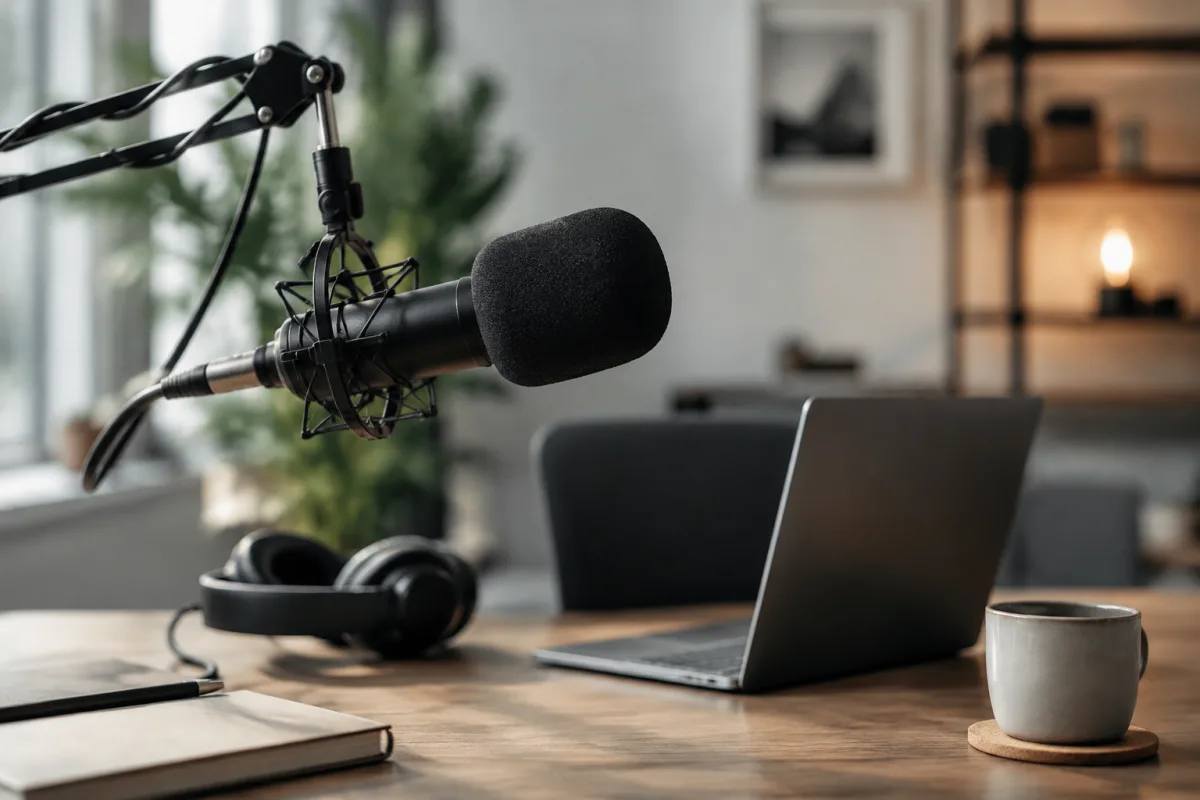
Starting a podcast feels daunting, but a beginners podcasting kit makes it genuinely simple. You don't need studio-grade equipment or technical expertise — just a decent microphone, basic recording software, and a plan. This guide walks you through assembling your first setup and recording your first episode without overthinking it.
What's in a Beginner Podcasting Kit?
A basic podcasting kit includes four essentials: a microphone, headphones, a pop filter, and recording software (often free). That's it. You might add an audio interface later for flexibility, but beginners often skip it initially. Many people record their first episodes with just a microphone and laptop, which works fine.
The microphone is the heart of your setup. A USB microphone sits on your desk and connects directly to your computer — no extra hardware needed. Popular entry-level options include the Audio-Technica AT2020USB+, Blue Yeti, and Shure MV5. These range from £50–150 and sound professional enough for most podcasts. If you already own a decent headset microphone, you can start with that and upgrade later.
Choosing a Microphone for Your First Podcast
USB microphones are ideal for beginners because they require no additional equipment. Plug into your laptop, open recording software, and start recording. No phantom power, no XLR cables, no audio interfaces — just simplicity.
Avoid cheap plug-and-play mics under £20 — they sound thin and unprofessional. Jump to at least £40–50. At that price point, you'll get usable audio that sounds intentional rather than rushed. USB condensers (like the Blue Yeti) offer good sensitivity and clear capture; USB dynamic microphones (like the Audio-Technica) are slightly more forgiving of background noise and room reflections.
For beginners, condensers are easier to use because they pick up more detail with less technique required. If your room has background noise (traffic, HVAC, roommates), a dynamic mic is more forgiving. Choose based on your environment, not just price.
Headphones and Audio Monitoring
Invest in decent headphones for monitoring. You need to hear yourself and any guests clearly while recording — this prevents awkward silence, talking over guests, and audio problems that only show up during playback.
Closed-back headphones (which isolate sound) are better for recording than open-back (which leak sound into the microphone). A £30–60 pair of closed-back headphones works fine. Avoid cheap earbuds; they're uncomfortable for long sessions and don't isolate well.
Pop Filters and Mic Technique
A pop filter (a mesh screen between you and the microphone) reduces harsh consonant sounds. They cost £10–20 and are genuinely useful. It's one of the best investments for a podcasting kit because it immediately improves audio quality without requiring technique or skill.
Microphone technique matters. Speak across the mic rather than directly into it (slightly off-axis reduces plosives). Keep your mouth 6–8 inches away. Speak at a consistent distance — don't drift closer and farther. These habits develop naturally with a few recording sessions.
Recording Software: Free Starts Here
Audacity is free, open-source, and perfectly capable for podcast recording and editing. It's not glamorous, but it works reliably. Other free options include GarageBand (Mac only) and Reaper (technically paid, but unlimited trial). For beginners, Audacity removes the need to pay subscription fees while you learn.
The workflow is simple: open Audacity, set your microphone as the input device, press Record, and start speaking. When done, save the file as an MP3. That's genuinely all you need for your first episode.
Recording Your First Episode
Plan loosely, but don't over-script. Write bullet points of topics to cover, but allow natural conversation. Podcasts feel best when they're conversational, not read. Practice your opening (3–5 sentences introducing the show and episode topic) so you sound natural and confident.
Record in a quiet room. Close windows, turn off notifications on your phone, and ask anyone in the house to be quiet for 30 minutes. Even small background noise becomes obvious on playback. A bedroom closet works surprisingly well because clothes absorb reflections and ambient sound.
Record longer than you think you need. Cutting filler and awkward pauses happens in editing. If your target length is 30 minutes, record 40 and trim. This approach takes pressure off while recording — you can be relaxed, not rushed.
Editing Basics: Less Is More
Beginners often over-edit. Remove obvious mistakes, awkward silence longer than 2–3 seconds, and any audio that sounds technically broken. Otherwise, leave it alone. Podcasts are meant to feel conversational — over-editing removes personality and authenticity.
Use your recording software's Normalise function to ensure consistent volume across the episode. This single step makes amateur recordings sound more polished immediately. Beyond that, basic editing (cutting, fading) is sufficient.
Hosting and Distribution
After recording and editing, you'll upload your episode to a podcast host (Buzzsprout, Anchor, Transistor). These services distribute your podcast to Apple Podcasts, Spotify, and other platforms automatically. Most offer free tiers sufficient for beginners.
Creating a podcast feed is the host's job — you don't write code or manage servers. Upload your MP3, add a title and description, and they handle the rest. Within hours, your episode appears on major platforms.
Common Beginner Mistakes to Avoid
Don't obsess over audio quality before you've recorded anything. Your first episodes will be imperfect. That's fine. Listeners care more about content than pristine production. Invest in better equipment after you've proven you'll stick with podcasting.
Don't record without a plan. You don't need a full script, but notes prevent awkward silence and rambling. Spend 10 minutes outlining your episode — it transforms recordings immediately.
Don't upload without at least one listen. Play your final mix the whole way through. You'll catch audio issues, awkward cuts, and pacing problems that editing software doesn't flag.
And avoid uploading at random intervals. Choose a schedule (weekly, biweekly, monthly) and stick to it. Consistency builds audience habit far more than sporadic "whenever I feel like it" uploads.
Growing Your Audience
Share each episode on your social media. A one-sentence teaser or short clip gets people interested. Ask listeners to rate, review, and subscribe — this helps discoverability enormously on platforms like Spotify and Apple Podcasts.
Invite guests to interview. Guest episodes introduce your show to new audiences (their listeners) and reduce the pressure of solo recording. Collaboration makes podcasting feel less isolating.
Your First Podcast Awaits
Starting a podcast is genuinely achievable with a modest podcasting kit and willingness to learn by doing. Your first episodes won't be perfect, and that's okay. They'll improve as you develop technique and confidence. Pick a topic you're passionate about, hit Record, and get started. The barrier to entry has never been lower.
Cross-link: For a comprehensive technical guide to podcasting equipment, microphone specifications, and production workflows, read our complete guide to podcasting kits.



Comments