


Synth Pedal for Bass article
Synth Pedal For Bass for Beginners: A Complete Guide
Bass synth pedals transform your bass guitar with electronic sounds, but they're beginner-friendly once you understand the basics. This guide walks you through simple setup and fundamental techniques.
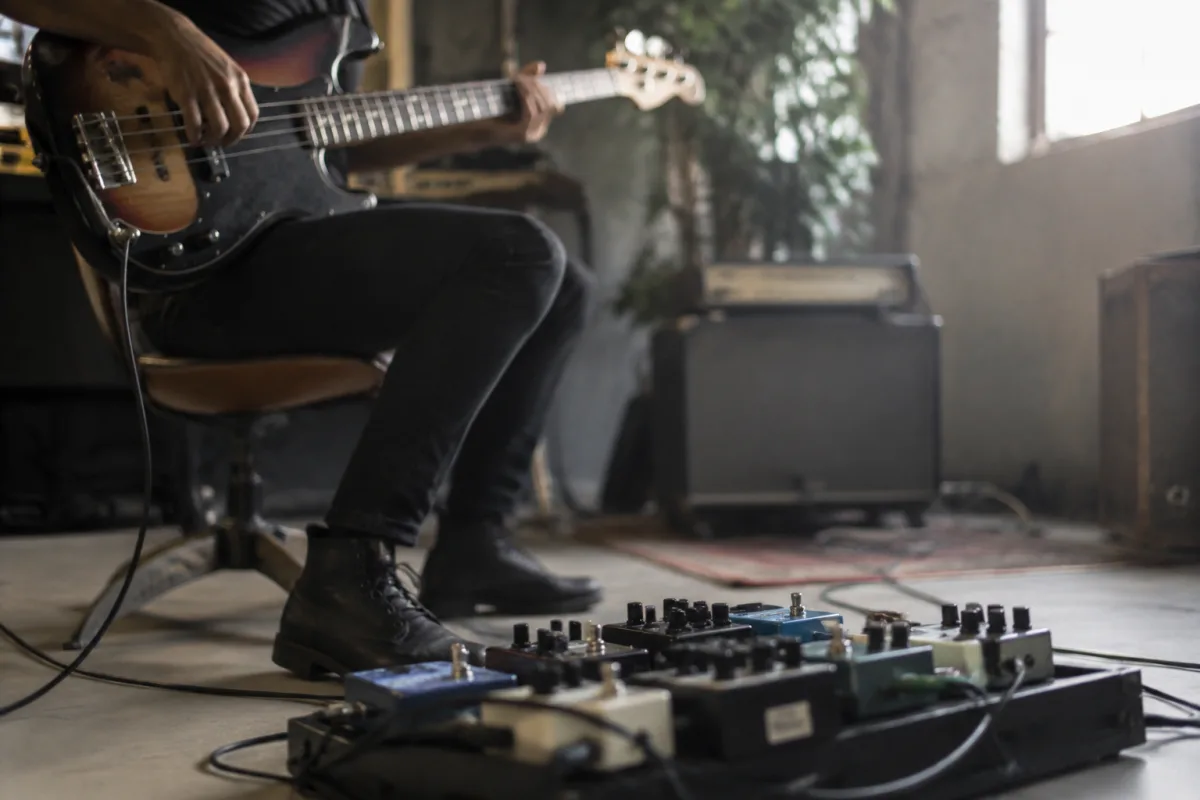
Bass synth pedals transform your bass guitar into an instrument capable of electronic, otherworldly sounds utterly unlike traditional bass tone. If you're new to these effects, the possibilities feel exciting yet intimidating—buttons, modes, and synthesis parameters creating mystery rather than clarity. Here's the reassuring truth: bass synth pedals are genuinely beginner-friendly. You can create impressive sounds within minutes of powering on. This guide walks you through basic setup, fundamental sound-creation, and common mistakes, so you start producing extraordinary bass sounds immediately.
Understanding What Synth Pedals Actually Do
A bass synth pedal listens to your bass notes and generates synthetic tones alongside (or replacing) your original bass tone. Think of it as adding an invisible synthesizer responding to every note you play. You control the fundamental sound character through knobs and mode selection. For detailed exploration of bass synth options, consult the complete guide to synth pedals for bass.
Unlike delay or distortion (which modify your existing bass tone), synth pedals replace or supplement your tone with entirely new sounds. This demands different playing technique and creative thinking—but that's precisely what makes them endlessly fun.
Your First Hour Setup: The Simplest Path
Begin with this bare-bones approach:
- Power and audio: Connect the pedal to mains power. Connect your bass to the "IN" jack. Connect the "OUT" jack to your amplifier. Audio now flows through the pedal.
- Select a preset: Most pedals power on with a default synth mode. Don't adjust anything—simply play a note on your bass. You should hear a synth tone alongside or instead of your bass.
- Adjust volume: If the synth is too loud or too quiet relative to your bass, locate the "Output" or "Level" knob. Adjust until the balance feels comfortable.
- Toggle on/off: Find the bypass footswitch. Engage and disengage the effect repeatedly, noticing how dramatically it changes your tone. You now control the pedal's fundamental function.
You've mastered the essentials. Everything beyond this serves creative expression, not core function.
The Three Essential Controls
Ignore complexity initially. Focus on three parameters that cover 90% of beginner exploration:
The Mode or Synth Type Selector: This chooses the fundamental synthesizer character—"Lead Synth" sounds thin and bright; "Pad Synth" sounds thick and lush; "Sequencer Synth" pulses rhythmically. Experiment by switching between modes while playing the same bass note. The dramatic tonal differences become instantly apparent. No mode is "wrong"—choose what sounds interesting.
The Tone or Filter Knob: This shapes tonal brightness. Turning counterclockwise (left) makes the synth darker and muffled; turning clockwise (right) makes it brighter and more defined. Start at the centre and adjust based on your preference. Brighter synths cut through a band mix; darker synths create atmospheric texture.
The Mix or Blend Knob: This balances the synth effect against your original bass tone. At fully counterclockwise, you hear only your bass. At fully clockwise, you hear only synth. Centre position blends both equally. A beginner mistake: pushing mix fully to synth, losing the bass note's definition. Start at the centre and increase synth amount gradually.
Playing Technique for Synth Pedals
Bass synth pedals respond to your playing technique differently than standard bass:
Pick vs. fingers: Pick playing produces sharper synth attacks; finger playing produces softer attacks. Both work beautifully—experiment to discover which serves your creative vision.
Velocity sensitivity: Many synth pedals respond to playing dynamics (how hard you play). Soft playing produces quiet, subtle synth response; hard playing produces aggressive, bold response. This gives you immediate expressive control without external manipulation.
Single notes work better than chords: Most bass synth pedals track single notes reliably but struggle with simultaneous multi-note chords. Play individual bass lines rather than strummed chords. This often feels more natural anyway—bass typically plays single-note lines rather than chordal stabs.
Common Beginner Mistakes and Solutions
Mistake One: "The synth doesn't respond to my notes—it's broken!"
The pedal probably isn't receiving clear bass signal. Check that your bass connects securely to the input jack. Try playing louder and clearer notes—synth pedals need clean signal to track properly. If you're using extremely low notes on the lowest fret, some pedals struggle tracking ultra-low frequencies. Move up the neck and retry.
Mistake Two: "The synth sounds horrible and glitchy—is it defective?"
You've likely activated a complex mode or sequencer setting. Press buttons to cycle through modes until you find simpler, cleaner synth options. The "Lead" or "Classic" modes typically sound smoother and more stable than experimental sequencer or modulation modes.
Mistake Three: "The synth is so loud it drowns out my bass completely."
The Mix knob is pushed fully toward synth. Turn it counterclockwise (left) to increase bass proportion. Aim for a blend where both bass and synth are audible and balanced. Full synth without any bass loses the fundamental bass definition.
Mistake Four: "I changed something and now I want the original sound back."
Find the "Reset" or "Preset" button. Most pedals return to factory default when you press and hold this button. Alternatively, power-cycle the entire pedal (disconnect power, wait 10 seconds, reconnect). The default preset reloads automatically.
Exploring Octaves and Range
Many bass synth pedals include octave selectors—allowing you to shift the synth output up or down octaves from your actual played note. This creates dramatic range flexibility:
- Octave down creates sub-bass frequencies below your actual playing range
- Octave up creates melodic synth lines above your bass frequency
- Multiple octaves simultaneously create rich, layered textures
Initially, keep the synth at your played octave (no octave shifting). Once comfortable, explore single-octave shifting. Multi-octave layering becomes relevant only after developing baseline comfort.
Your First Week Practice Routine
| Day | Focus | Time Needed |
|---|---|---|
| One | Engage/disengage the pedal; play simple melodies with default mode | 30 minutes |
| Two | Cycle through different synth modes; notice tonal character variations | 45 minutes |
| Three | Adjust the Tone knob; discover how brightness affects the character | 30 minutes |
| Four | Experiment with Mix knob; find optimal balance between bass and synth | 45 minutes |
| Five–Seven | Explore octave shifting; discover range expansion possibilities | 1.5 hours total |
By week two, you'll feel genuinely comfortable with the pedal's fundamental operation.
Advanced Techniques (After Week Two)
Once basic operation feels natural, gradually introduce additional complexity:
Sequencer modes: These create rhythmic, pulsing synth patterns. Experiment after mastering basic synth modes.
Modulation effects: Chorus, phaser, and flanger effects add movement and texture. Introduce these gradually—they sound impressive but complicate control schemes.
Expression pedal control: Some pedals accept external expression pedals for real-time parameter manipulation. This becomes relevant only after mastering basic operation.
Building Confidence Through Experimentation
You cannot damage the pedal through exploration. Every button, mode, and knob adjustment is reversible. Worst case: power-cycle to factory reset. The pedal is indestructible to normal experimentation.
There's no "correct" setting. Some mode/tone/mix combinations sound better than others, but nothing damages the pedal or your bass. Exploration is genuinely consequence-free.
Synth pedals reward curiosity. The most useful sounds come from adventurous experimentation, not by-the-book instruction. Your unique blend of settings creates your unique sound—there's no generic "right" approach.
Integration Into Your Playing
Start using the synth pedal in actual band practice or jam sessions immediately. Begin simple—toggle the effect on for specific sections, creating dynamic contrast. As comfort grows, use the synth for entire songs or specific fills.
Hint: Bass synth pedals typically serve best as occasional texture rather than constant effect. They're dramatic and attention-grabbing—use them strategically for maximum impact.
Encouragement for Nervous Beginners
Bass synth pedals represent genuine creative tools used by professional musicians across jazz, funk, electronic, and rock genres. Their apparent complexity masks straightforward fundamental operation. Within one week of casual experimentation, you'll wonder why they ever seemed intimidating.
Your first synth sounds might sound strange, digital, or unconvincing. This is normal—aesthetic adjustment comes with familiarity. After 10–15 hours of experimentation, you'll develop intuitive understanding of how to achieve the sounds you envision.
Power it on, twist some knobs, and enjoy discovering the sonic possibilities. The synth pedal rewards creative exploration.



Comments