


Delay Strymon article
Delay Strymon for Beginners: A Complete Guide
Strymon delay pedals intimidate beginners, but they're incredibly beginner-friendly once you understand the basics. This guide covers core controls, tap tempo, and common mistakes.
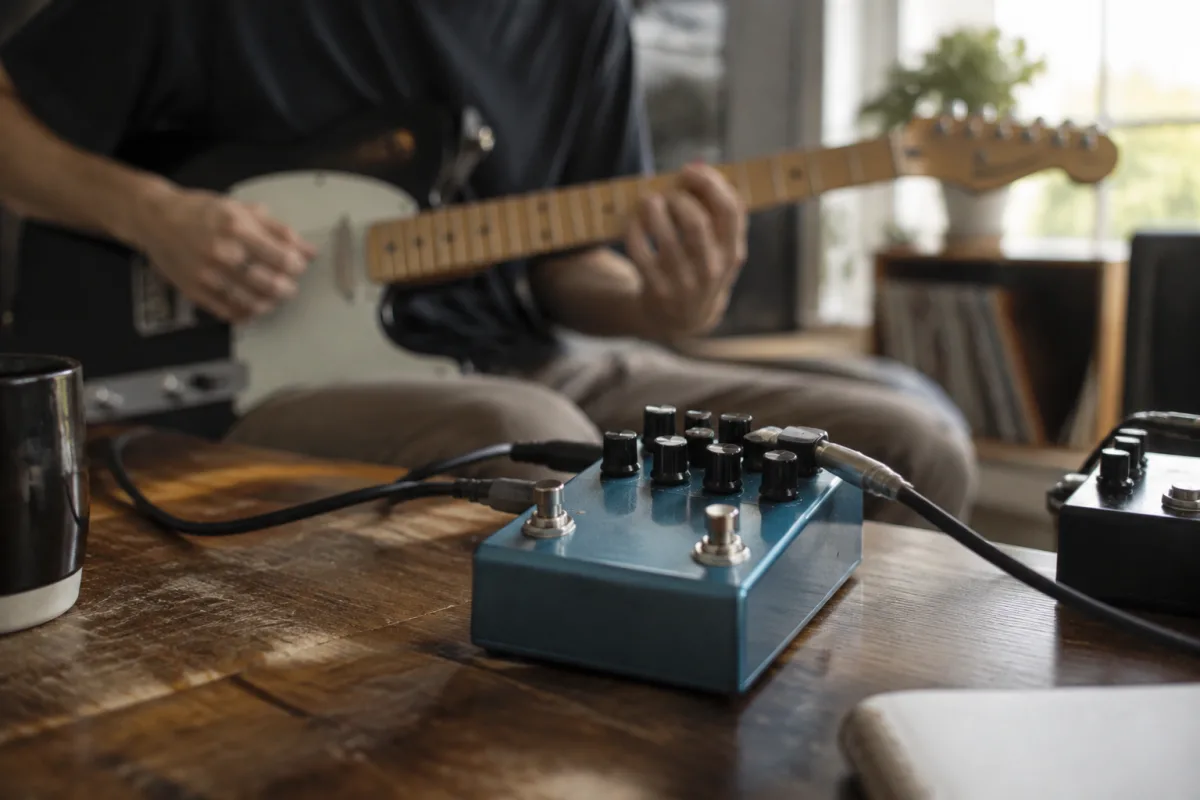
Strymon delay pedals are legendary among guitarists, but they can intimidate beginners. Those knobs, menus, and settings can feel overwhelming when you're just starting to explore effects. The truth? Strymon pedals are incredibly beginner-friendly once you understand the basics. This guide walks you through your first steps with Strymon delay, demystifies the controls, and shows you how to dial in beautiful sounds without getting lost in the deep menus.
Why Strymon for Your First Delay?
If you're considering your first delay pedal, Strymon is an inspired choice. Unlike budget delay units that sound hollow and cheap, Strymon delays sound professional from the moment you hit your first note. They'll inspire you to experiment, and you'll hear why they're used by touring musicians on major stages.
More importantly for beginners, Strymon pedals have excellent user interfaces. Yes, they have deep editing menus, but you can achieve stunning, usable sounds by learning just a handful of core controls. You don't need to master the algorithm or dive into advanced parameters to sound amazing. That's what makes Strymon ideal for beginners: they reward simple, instinctive tweaking.
Understanding the Core Controls
Mix (or Wet)
This controls the balance between the original (dry) signal and the delayed (wet) signal. Think of it as: how much of the delay do you hear? Start at around 50% if you want a subtle effect that lays beneath your original tone. For a more pronounced effect, push it toward 70%. Most beginners start too wet (100%), which drowns the original note. Your ears need to hear both the dry signal and the delay working together.
Time/Delay
This is the length of the delay—how long after you pick a note does the echo return? In milliseconds (ms), typical settings range from 50ms (very quick, tight) to 2000ms or longer (spacious, ambient). Start at 500ms and adjust by ear. If you want the delay to sync with your song's tempo, use Strymon's built-in tap tempo by pressing the footswitch to the beat. The pedal calculates the correct delay time automatically.
Feedback
This determines how many times the delay repeats. Low feedback (20–30%) gives you a single repeat that fades. Medium feedback (50%) gives 2–3 repeats. High feedback (80%+) creates a decay that extends the effect. For beginners, keep feedback moderate (30–50%) so you don't get lost in a sea of repeats.
Tone/Tone Stack
Some Strymon delays include a tone control that colours the delayed signal. Bright tones sound crisp and cutting; darker tones sound warm and smooth. Start in the middle and adjust based on whether you want the delay to sit forward in the mix (brighter) or blend with your tone (darker).
Getting Started: Your First Settings
When you first power on a Strymon delay, use these safe starter settings:
- Mix: 50%
- Time: 500ms (or tap in tempo)
- Feedback: 35%
- Tone (if available): midway
- Algorithm: Classic (or the most natural-sounding option available)
Play a simple chord progression. You should hear your playing with a single, clear repeat underneath. It's subtle but noticeable. This is the foundation. From here, you can slowly adjust Mix and Feedback to taste without getting lost.
Learning the Tap Tempo Feature
One of Strymon's superb features for beginners is tap tempo. Instead of calculating delay time in milliseconds, you simply tap the footswitch to the beat of your song. The pedal listens to your taps and automatically sets the delay time so the repeats stay rhythmically locked to your playing.
To use it: hold down the footswitch and tap it in time with your song's tempo. Tap at least three times so the pedal registers your rhythm. Once it locks, the delay repeats will feel glued to your music. This transforms the delay from a standalone effect into something that feels like part of your song.
Common Beginner Mistakes to Avoid
Setting Mix Too High
If you can barely hear your original note and mostly hear echoes, the mix is too wet. Pull it back. The delay should enhance your tone, not mask it. A good rule of thumb: you should always recognise your original guitar sound within the effect.
Ignoring Feedback Buildup
High feedback with long delay times can create feedback loops that build on themselves and wash out your tone. Start conservative with feedback (20–40%) until you're comfortable controlling it. As you gain experience, you can experiment with higher feedback for ambient textures.
Not Using Tap Tempo
Strymon pedals make tap tempo easy and accurate. Using it transforms your delay from sounding random to sounding perfectly integrated with your song. Don't skip this step—it's one of the biggest confidence boosters for beginner delay users.
Overthinking Algorithm Selection
Many Strymon delays include multiple algorithms (digital, tape, spring, etc.). For beginners, pick one that sounds natural to you and stick with it. As your ears develop, you'll start to hear the subtle differences and prefer certain algorithms for certain sounds. But initially, choose one and focus on learning the controls rather than switching between algorithms.
Neglecting the Bypass Switch
Always know how to toggle the delay on and off via the footswitch. In a live or recording scenario, you need to cut the effect instantly if something doesn't sound right. Practice flicking between on and off so it becomes automatic.
Building Your Skills
Start with Clean Guitar
Don't dive into delay with heavy distortion. A clean or lightly overdriven tone makes it much easier to hear what the delay is doing. Once you're comfortable, layer delay on top of your preferred tone.
Play to Click or Metronome
When using tap tempo, practising with a click track (even a simple one from your DAW or phone) helps you tap in consistent timing. Tight tapping means tight delay sync.
Experiment Slowly
Change one control at a time and listen. If you tweak Time, Feedback, and Mix simultaneously, you won't learn what each one does. Patience builds instinct faster than random fiddling.
Listen to Professional Users
Watch guitarists using Strymon delays on YouTube. Pay attention to how they set parameters. You'll start recognising common settings and develop an ear for what sounds professional versus amateur.
Moving Beyond the Basics
Once you're comfortable with Mix, Time, Feedback, and Tone, Strymon pedals open into deeper territory. Many models include secondary parameters, reverse delay modes, and modulation options. Don't feel pressured to explore these immediately. Master the fundamentals first. The pedal will reward you with increasingly sophisticated sounds as your skill grows.
Conclusion: Your Strymon Journey Begins
A Strymon delay pedal is a long-term investment in your tone. Beginners often worry these pedals are too advanced, but they're actually designed so you can sound professional immediately whilst having infinite room to grow. Start with the core controls, master tap tempo, and let your ear develop naturally. For deeper technical insight into Strymon's capabilities and comparison of different Strymon models, check out the complete guide to delay Strymon. Now power up, tap in your tempo, and enjoy creating beautiful, spacious sounds.


Comments