


Delay Boss article
Delay Boss for Beginners: A Complete Guide
Boss delay pedals are perfect for beginners. This guide covers how delay works, essential controls, common mistakes to avoid, and practical techniques for your first month of playing.
Boss Delay Pedals for Beginners: A Complete Guide
If you're just starting to explore delay effects and you're considering a Boss delay pedal, you've picked a genuinely good place to start. Boss makes some of the most beginner-friendly, reliable delay pedals on the market. This guide is for someone who's never used a delay pedal before, feels uncertain about whether they'll understand how it works, and wants to know exactly how to approach learning without feeling overwhelmed by the controls and knobs.
Why Start with Delay Boss Pedals for Beginners
Boss delay pedals are legendary because they work reliably, sound great, and are designed to be intuitive. A delay boss pedal won't confuse you with confusing menus or hidden features. They have clear, straightforward controls: you turn knobs, you hear the effect. That's it. The learning curve is gentle, which means you'll make enjoyable music quickly rather than spending weeks just figuring out the basics.
Delay boss models are also sturdy. These are road-tested instruments designed to survive gigging, dropped cables, and the chaos of a rehearsal space. You're buying something that will last years with normal care. For your first delay pedal, this durability matters. You won't be replacing it after three months because a cheap switch broke.
The used market for delay boss pedals is excellent. If you buy a delay boss and later decide the effect isn't for you, you can sell it for 60–75 percent of what you paid. That's not true for cheaper, lesser-known brands. Your investment is protected with quality delay boss equipment.
Understanding What Delay Actually Does
Delay is simple: you play a note, the pedal records it briefly, then plays it back to you after a short time gap. That repeated note is the "delay." You can control how far apart each repeat is, how many times it repeats, and how loud those repeats are compared to your original note.
Imagine you play a chord. With no delay, you hear the chord once. With delay enabled, you hear the original chord, then a quieter repeat of it a split-second later, then another repeat fainter still. This stacked effect is what gives delay its dreamlike, spacious quality. It's not complicated, but it sounds professional and musical.
Boss delay pedals make this simple. You don't need to understand how digital audio processing works. You just need to know: turn up the "delay time" knob and repeats come further apart. Turn up the "repeats" or "feedback" knob and you get more echoes. Turn up "level" and those echoes get louder. That's literally everything.
The Essential Controls: What Each Knob Does
A typical delay boss pedal has five basic controls. "Delay time" controls how far apart the repeats are—measured in milliseconds. Short delay times (50–100ms) are tight and slap-back sounding. Long delay times (500ms+) are spacious and ambient. Start with medium values (200–400ms) while learning delay boss controls.
Feedback (sometimes called "repeats" or "decay") controls how many times the delay repeats. Low feedback gives you one or two echoes. High feedback gives you many repeats that take a long time to fade away. Beginners often set this too high and get lost in feedback noise. Start low and turn it up gradually.
Level (or "mix") controls how loud the delay is compared to your original sound. Low level keeps it subtle—you barely hear it. High level makes the delay as loud as your original sound. Most players keep this in the middle so the delay sits nicely in the mix without dominating.
Some Boss delay pedals also have "tone" control, which brightens or darkens the delayed repeats. This doesn't matter for learning. Leave it at default and explore later once you understand the basics.
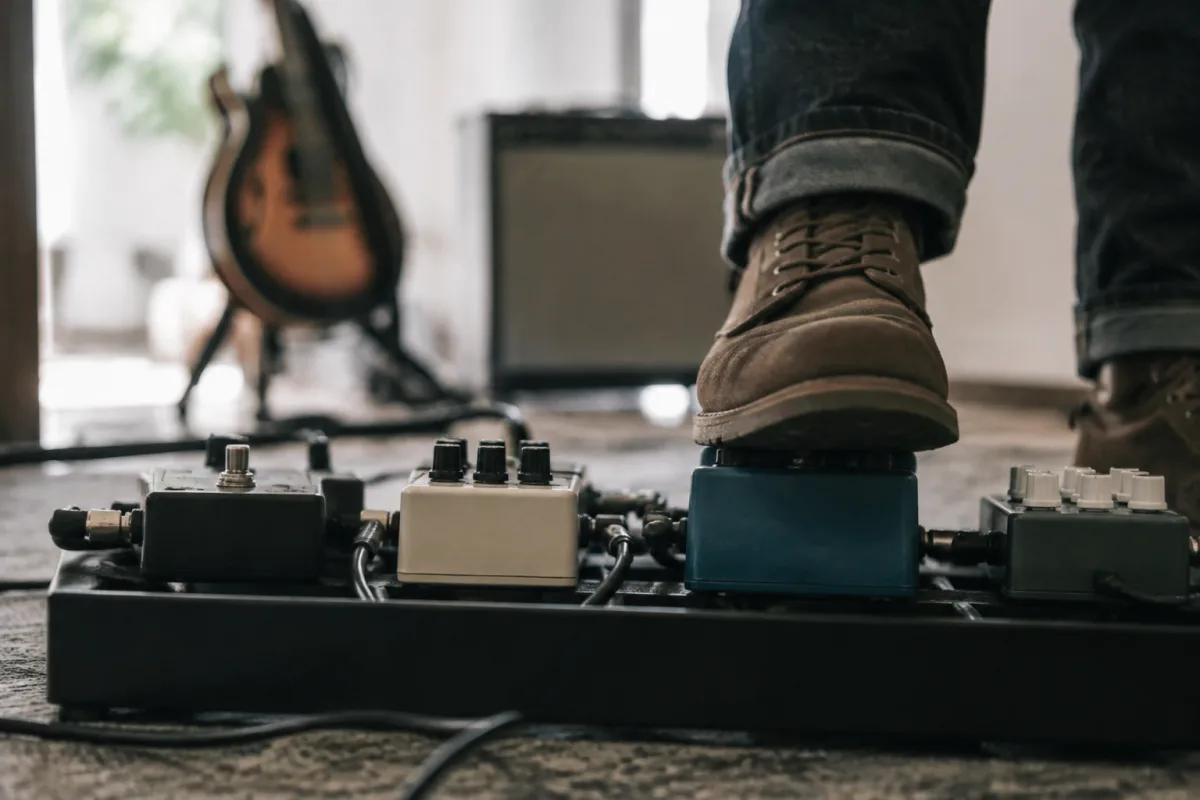
The most important thing: there's a foot switch (usually a big button on top). Step on it to turn the delay on and off. That's how you control whether the effect is active. Many beginners forget this is how pedals work—you toggle it on and off with your foot while playing.
Your First Session: How to Start with Delay Boss
Plug your delay boss pedal into a power supply (it comes with one). Plug your guitar into the pedal's input jack. Plug the pedal's output into your amp or audio interface. These connections are simple—they work just like guitar cables.
Turn everything on. The delay boss pedal should show a light indicating it's powered. Play a single note on your guitar. You should hear it come through clear and strong—that's your guitar's normal sound without delay. Now press the foot switch. Boom—the delay turns on and you'll hear repeats of whatever you play.
Now play a chord and hold it. You'll hear the original chord, then repeats of it coming in. This is the delay working. Turn the "delay time" knob slowly and watch how the repeats space out and bunch up. Turn the "feedback" knob and notice how many repeats you get. Turn the "level" knob and the repeats get louder or quieter.
This experimentation is exactly what learning looks like. You're not doing anything wrong. Every setting you try is teaching you how this pedal responds. Spend your first fifteen or twenty minutes just playing with each knob, listening to how it sounds, and getting a feel for the ranges.
Common Beginner Mistakes with Boss Delay
The biggest mistake is setting feedback too high. A beginner turns this all the way up thinking "more delay = better," and then the pedal just echoes forever into a swampy mess of noise. The solution is easy: start with feedback at zero or very low (less than a quarter of the way up). Once you understand how it works, you can experiment with higher values.
Another mistake is forgetting to turn the pedal off. You step off the delay foot switch at the end of a song and it's still going. The delay keeps echoing while you play the next song unplugged, and you don't realise it's ruining your tone. Develop the habit: at the end of a song, step on the switch and watch for the light to go off. Confirm the delay is off.
Some beginners set delay level too high and lose their original guitar sound under the effect. The delay should be supportive, not dominant. If you can't clearly hear your original note before you hear the repeats, your level is too high. Turn it down until the original sound is clear and the delay sits underneath it nicely.
A common beginner assumption is that delay makes everything sound good. It doesn't. A sloppy, out-of-time rhythm sounds even worse with delay because the echoes highlight every timing mistake. Delay actually requires tighter playing. Use it to enhance good playing, not to fix bad playing.
Finding Good Settings: A Starting Approach
Start by setting delay time to 300 milliseconds. This is a medium value that sounds musical without being extreme. Set feedback to about one-quarter up (so around two or three repeats). Set level to about half, so the delay sits behind your original sound.
Play a chord progression with these settings. How does it sound? Too muddy? Turn feedback down. Too bright and snappy? Turn delay time up to 400ms. Once you have a sound you like, save it. Boss pedals have memory slots where you can store settings. Save this one as "My First Preset."
Now experiment: turn feedback to almost zero and play. Hear the difference? Then turn it up and listen again. Try delay times from 100ms up to 600ms. Play at each setting and listen. Over a week of playing, you'll develop taste and intuition about what sounds good for different songs and styles.
Delay Pedal Techniques Beginners Should Know
Using delay rhythmically is powerful. If you set delay time to match your song's tempo—for example, if the song is 120 BPM, set delay to around 250ms and the repeats will align with the beat—the delay feels like it's part of the song instead of just an effect on top. This takes a bit of math (divide 60,000 by your BPM to find the millisecond value), but once you try it, you'll hear how musical it sounds.
Stacking notes with delay is another technique: play a note, wait a moment for the first repeat to come in, then play another note slightly offset. The repeats blend together into a shimmering texture. This is genuinely fun and sounds impressive. Try it and see what happens.
Turning delay on and off rhythmically in a song is effective. In verses, maybe delay is off or very subtle. When the chorus hits, tap the foot switch and suddenly there's spacious, lush delay. Then tap it off again for the next verse. This contrast draws attention and makes your playing sound intentional and arranged.
Troubleshooting Common Problems
If you plug in and hear nothing, check your cables. Make sure the input and output cables are secure. Check that your amp or audio interface is turned on. Check that the delay pedal is powered. Nine times out of ten, a silent setup is just a loose cable.
If the delay sounds fuzzy or distorted, your level is probably too high or feedback is too high. Both cause the signal to overload. Turn level and feedback down. Also check your amp volume—if you've turned the amp way up, the delay might be feeding back wildly. Turn the amp volume down first.
If you hear the original signal clearly but don't hear any delay, the pedal might be off. Check if the light is on. If the pedal is on but there's no delay sound, your level might be set all the way to zero. Turn it up. If that doesn't work, try resetting the pedal to factory defaults—Boss pedals usually have a reset button somewhere on the back.
Learning Progression: After Your First Month
Week one: just explore. Play with each control and listen. Get comfortable with how Boss delay responds. Create one preset that you like.
Week two: try using delay rhythmically. Set the delay time to match your song's tempo and play along. Notice how good it feels when the repeats sit in time with the beat.
Week three: start creating your own presets for different songs. A subtle delay for quiet songs, a spacious delay for ambient parts, a tight, slap-back delay for fast songs. Build a small library.
Week four: experiment with combining delay with other effects. If you have a reverb pedal, try using both together. If you have an overdrive pedal, try putting the delay after it (connected in series). This is how you develop your unique sound.
Resources for Continuing Learning
Your Boss delay pedal manual is genuinely useful. Read the section that explains each knob. This takes ten minutes and will answer most of your questions. Don't skip the manual thinking it's too technical—it's written for people like you.
YouTube has thousands of tutorial videos on Boss delay pedals. Search "Boss DD-3 tutorial" or "Boss DD-7 tutorial" (depending on your model). Watch a couple of videos. See how experienced players set up their pedals and what sounds they create. This gives you inspiration and new ideas.
The key to learning is simple: play for fifteen minutes most days with your Boss delay pedal. Experiment. Try new settings. Play songs you know and listen to how delay changes them. This consistent, playful exploration teaches you far more than reading a book about delay.
Our Complete Guide
Once you've mastered the basics, our complete guide to Boss delay pedals covers the deeper technical details, comparing different models, and advanced techniques for experienced players.
Conclusion
Boss delay pedals are genuinely beginner-friendly. The controls are straightforward, the sound is professional, and the learning curve is manageable. Start with medium settings, experiment without fear, and give yourself permission to sound imperfect as you learn. Every player who uses delay professionally was exactly where you are now—holding a pedal for the first time, twisting knobs, and listening to what happens. That curiosity and experimentation is exactly how you develop good tone and musical taste with delay.


Comments