


Mic with Recorder article
Mic with Recorder for Beginners: A Complete Guide
You don't need expensive gear for a good first recording — just a handful of small habits done in the right order. Here's exactly how.

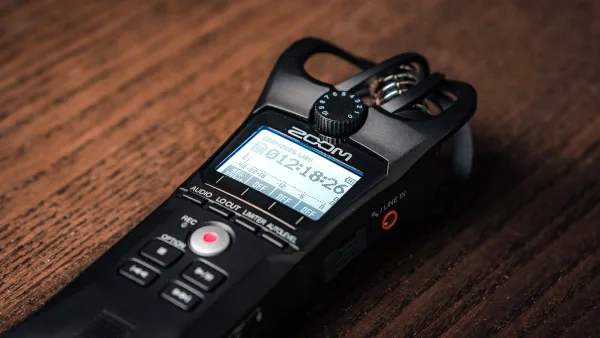
Right, so you've got a mic, a recorder, and absolutely no idea which button does what — I promise this is more forgiving than it looks. Getting a genuinely good first recording out of a mic with recorder setup mostly comes down to doing a handful of small things in the right order, not owning expensive gear. I've watched people wrestle needlessly with a perfectly good mic with recorder pairing simply because nobody showed them the order to do things in — so let's fix that now.
Your First Recording, Step by Step
- Check your memory card and power. Format the card if it's new, and put in fresh batteries or connect reliable power — nothing kills enthusiasm like a dead recorder five minutes in.
- Pick your input. Built-in mics for a quick and easy start, or your external microphone if you've got one plugged in and ready.
- Choose stereo or mono. Stereo for music, room sound or an ensemble; mono for a single voice or an instrument that's going into a mix later.
- Set your recording format. WAV over MP3 if you'll ever edit the recording — it's a slightly bigger file for a genuinely better starting point.
- Position it and make a test recording. Play or speak at your loudest expected level and check nothing's clipping on the meters.
- Put headphones on and actually listen back. Not just glance at the level meter — actually listen for hum, noise or anything sounding off.
- Record the real thing. Once the test sounds right, you're good to go.
- Back the files up immediately. Copy them off the card the same day, and label them properly while you still remember what's what.
The One Setting That Matters Most
Input gain. Set it too high and loud moments turn into a harsh, unfixable mess called clipping. Set it too low and you'll be fighting hiss and noise later when you turn everything up in editing. Do a proper test at the loudest point of whatever you're recording, leave yourself a bit of headroom, and you'll avoid nearly every beginner disaster in one go.
Built-In Mics Are Genuinely Fine to Start With
Don't feel like you need an external microphone on day one. A recorder's built-in stereo pair is honestly a great place to begin — it's already positioned sensibly, there's no extra cable to worry about, and it'll teach you what a decent recording actually sounds like before you start chasing upgrades. Our complete guide gets into external mics in more depth once you're ready for that step.
If You're Recording a Recorder (the Instrument)
Slightly confusing, I know — but if you actually play the recorder and want to capture practice or a recital, don't point the microphone straight at the finger holes or the windway. Start with the mic sitting just above the instrument instead. That single tweak alone fixes most of the breathy, hissy sound beginners get on their first attempt.
Small Things That Save You Big Headaches
- Do a test recording every single time, even if you've recorded a hundred times before. Rooms and setups change.
- Use headphones while recording, not just afterwards — you'll catch problems while there's still time to fix them.
- Keep a spare battery and memory card in your bag. The moment you don't, you'll need them.
- Don't obsess over gear before you've mastered gain and placement. Both matter more than the price tag.
What to Learn Next
Once your first few recordings sound clean and usable, it's genuinely worth reading through the common mistakes people make just past the beginner stage — most of them are one small habit away from never happening at all. And if you're still deciding what to actually buy, our buyer's guide and best value roundup will save you some trial and error.
The Bottom Line
A good first recording is mostly about doing simple things in order: charge it, format the card, set your gain properly, and actually listen back before you commit to the real take. Get those habits down and every future mic with recorder session gets easier from here — that's really the whole trick to any mic with recorder setup at the beginning.



Comments