
Stand Studio Monitor article
The Complete Guide to Stand Studio Monitor
A proper studio monitor stand positions speakers at ear level, isolates vibrations and angles speakers toward your listening position for accurate, revealing mixes.
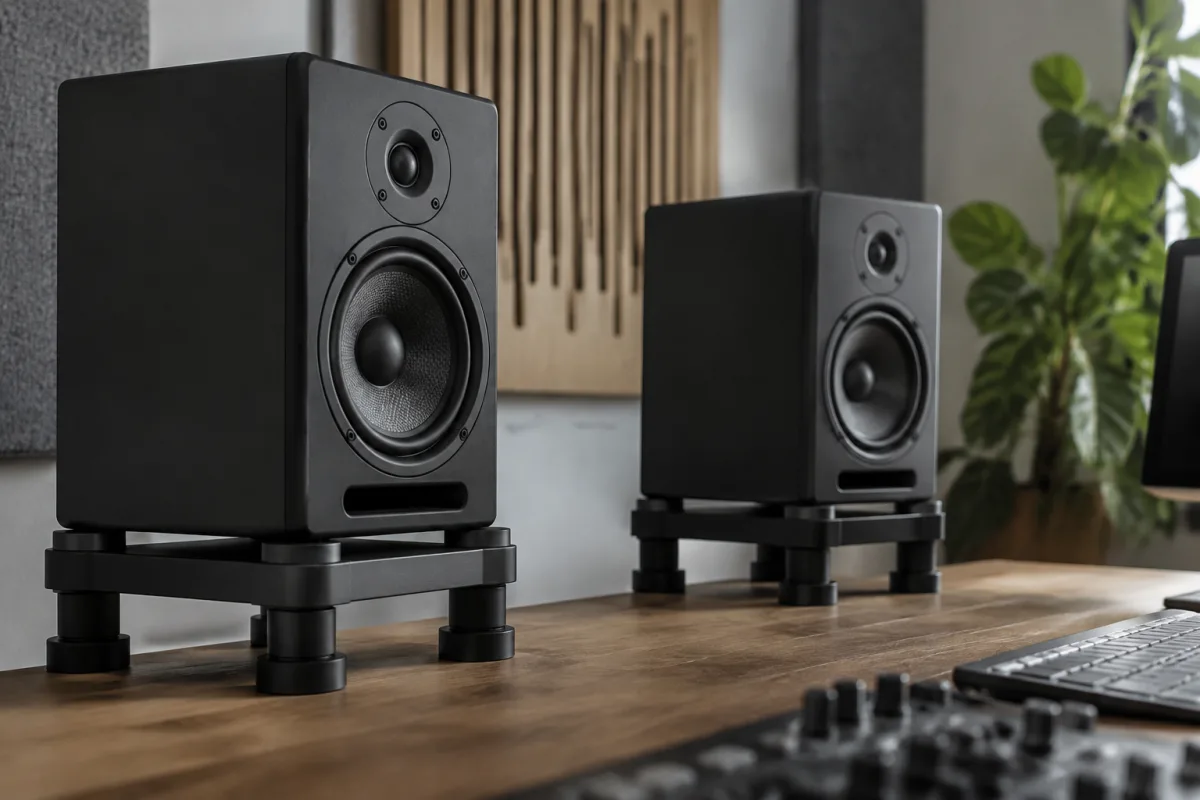
Your studio monitor speakers sit on the floor or desk, pointing randomly at walls, and you're wondering why your mixes sound thin or confused. The problem isn't always your speakers—it's often how they're positioned. A proper studio monitor stand elevates your monitors to ear level, angles them toward the listening position, isolates them from floor vibrations and acoustic reflections, and ensures consistent, accurate sound that reveals problems you can't hear when speakers are positioned carelessly. Understanding what makes a quality studio monitor stand and how proper positioning transforms your monitoring experience helps you invest in a relatively inexpensive component that improves your work dramatically.
Why Studio Monitor Stands Matter
Monitors need to be at ear level when you're seated at your mixing position. If they're on the floor, sound waves reflect off the floor before reaching your ears, creating phase cancellation that darkens bass and muddies the midrange. If they're too high, reflections from the ceiling cause similar problems. A proper studio monitor stand positions speakers at approximately 45-degree angles toward your ears from your seated position, ensuring you hear the direct sound from the speakers without confusing reflections.
Isolation is equally important. If speakers vibrate directly on desks or floors, vibrations couple with the surface and radiate sound unpredictably, coloring the sound you hear. A good monitor stand decouples speakers from the surface through vibration isolation feet, ensuring what you hear is the speaker's direct output, not vibrations from the desk or floor.
Types of Studio Monitor Stands
Several stand types serve different spaces and needs:
- Desk stands (iso-pads or small risers): Simple platforms with isolation feet, positioning monitors at appropriate height on your desk. Compact, affordable (£40–100 per pair), ideal for small studio spaces. They don't offer adjustability but work well if your desk is at the right height.
- Adjustable isolation stands (pedestal style): Height-adjustable stands on legs, typically 60–120cm tall, with isolation feet. Usually require floor space near your mixing position. More flexible than desk stands, allowing precise height and angle adjustment. Cost £150–400 per pair.
- Wall-mounted stands: Brackets that mount monitors directly to walls, eliminating floor/desk coupling entirely. Excellent for small rooms where floor stands consume space. More difficult to install and adjust, but offer clean aesthetics and superior isolation. £100–300 per pair depending on quality.
- Monitor controller stands: Integrated stands with a mixing console or workstation, positioning monitors at fixed optimal positions. Found in professional studios and broadcast facilities, they're expensive and less relevant for home studios.
Height and Positioning
Proper monitor height places tweeter (high-frequency speaker) at approximately ear level when you're seated at your mixing position. This ensures tweeters project directly at your ears without reflections. If monitors must sit on a desk, they're usually too high; a desk stand brings them to ear level. If monitors are on the floor, they're almost always too low.
Angle matters equally. Both monitors should angle inward toward your ears at approximately 45 degrees (forming an equilateral triangle between you and both speakers). This ensures you hear both speakers with roughly equal intensity and phase coherence. Monitors pointing straight ahead or at extreme angles cause comb filtering (phase cancellation) that ruins your ability to judge bass and stereo imaging.
Isolation and Decoupling
Quality monitor stands include isolation feet—rubber, gel or spring-loaded components that prevent vibrations from coupling between the speaker and the surface below. Cheap stands lack isolation, allowing desk or floor vibrations to colour the sound. Test this: tap your desk or stand while listening—if the sound changes, isolation is inadequate.
Some isolation feet include tuning dials, letting you dial in isolation stiffness for your speaker weight. Properly tuned isolation feet make a surprising difference in clarity and punch, especially in bass frequencies.
Material and Build Quality
Quality stands use solid steel or aluminium construction that resists vibration itself. Flimsy stands made of thin plastic or cheap metal resonate at certain frequencies, adding colouration. Check that the stand feels solid when you press on it—no flex or vibration. The heavier the stand (within reason), the better—mass increases stability.
Connections between the stand and speaker should be solid and positive. Some stands use threaded inserts for speaker mounting; others use pads or clips. Threaded connections are most secure and least likely to slip during setup or transport.
Room Acoustics Interaction
Proper monitor positioning works in conjunction with room acoustics. Monitors in untreated rooms still suffer reflections from walls, ceiling and floor, but correct stand positioning at least ensures you hear the direct speaker output clearly. For serious mixing, add acoustic treatment (bass traps, absorption panels) to improve the entire room. A good monitor stand is only one part of proper monitoring—it's essential but not sufficient alone.
Space Considerations
Floor stands require space beside or behind your mixing position. If your room is tiny, wall mounts or desk stands are more practical. Consider whether you'll need to move stands frequently (portable options are easier) or whether they'll remain in one position long-term (permanent installations allow more flexibility).
Budget Considerations
Basic isolation pads cost £20–50 but offer minimal adjustability. Desk stands range £40–100 and work well on desks. Adjustable pedestal stands cost £150–400 and offer flexibility. Wall mounts range £100–300 depending on quality and adjustability. Professional broadcast stands can cost £500+ but are excessive for most home and mid-size studios. For most home studios, mid-range adjustable stands (£200–300 per pair) offer excellent value.
Listening Position Calibration
Once stands are properly positioned, calibrate your listening position. Sit at your mixing position and verify that both monitors are at ear level and angled toward you symmetrically. Use a sound pressure level (SPL) meter to ensure both speakers produce equal volume at your position. This calibration step is crucial—improperly positioned monitors undermine everything you do.
Conclusion
A proper studio monitor stand is one of the highest-return investments you can make in your monitoring setup. Correct positioning reveals problems in your mixes that improper positioning masks, making you a better mixer immediately. Whether you choose adjustable pedestal stands, wall mounts or desk solutions, invest in quality isolation and correct positioning at ear level angled toward your listening position. Your mixes will be more accurate, more consistent and will translate better to other playback systems—the ultimate measure of mixing success.


Comments