


SSL Audio Mixer Buying guide
Ssl Audio Mixer: A Complete Buyer's Guide
Choosing an SSL audio mixer requires understanding your mixing workflow, budget constraints, and feature requirements. This guide explains the key specifications, form factors, and decision points for selecting the right SSL console for your studio.
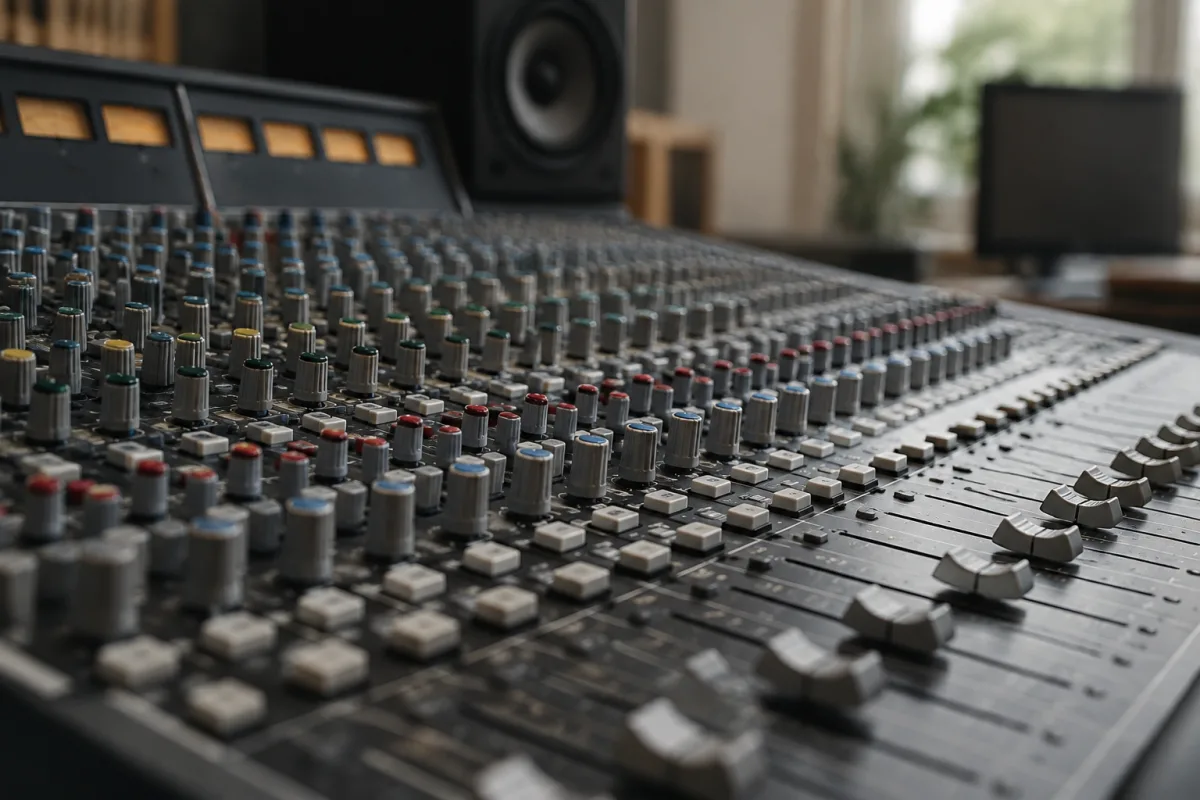
SSL audio mixers have established themselves as industry standard control surfaces in professional studios worldwide. Whether you're upgrading a mixing setup or investing in your first SSL system, understanding what to prioritise will ensure you choose the right model for your workflow and budget. This guide walks you through the key decisions you'll face, the specifications that actually matter, and the common traps that catch uninformed buyers.
Understanding SSL Mixing Workflows
Before examining specific models, consider how you'll use your mixer. SSL surfaces excel at detailed mix recall, fast tactile navigation through complex sessions, and intuitive control over plugin parameters. They're built for engineers who spend hours refining mixes and need quick access to every mixing tool without diving into menus. If your primary task is recording or playing back audio, a mixer might not justify the investment—but if you're mixing professionally, the efficiency gains often pay for themselves quickly through time saved.
Form Factor: Desk vs. Console vs. Compact
SSL manufactures several distinct product lines, and choosing the right physical format saves frustration later. Desk-style consoles (like the recent UX Series) sit atop studio desks and integrate with DAWs via Dante or Thunderbolt. These offer full mixing capabilities in a compact footprint. Classic console designs occupy larger floor space but provide a more tactile, immersive mixing environment for mixing engineers who work across multiple rooms. Compact control surfaces target home studios and traveling professionals where space is critical. Assess your studio layout honestly—an oversized desk console becomes unusable if it doesn't fit, whilst a cramped control surface frustrates daily use.
Input Channel Count: What You Actually Need
SSL mixers range from 8 to 128+ channels. Most home and mid-tier studios never simultaneously mix more than 16–32 channels actively (the rest often muted or submixed). Purchasing a 64-channel console just because it exists wastes money on unused capability and takes up valuable studio real estate. Consider your typical session size: if you're mixing rock or pop, a 16–24 channel surface often covers drums, bass, guitars, keys, and vocals comfortably. Electronic music and orchestral projects might justify 32–48 channels. Real-world tip: SSL allows channel expansion on many models, so a 16-channel surface can grow to 24 or 32 later without replacing the entire mixer.
Master Section and Monitoring Quality
The master section—the controls governing overall mix output, metering, and talkback—directly affects your mixing comfort. Prioritise high-quality meters that read clearly under varying studio lighting. Soft-touch faders are preferable to hard actuators; they reduce fatigue during long sessions and provide superior control precision. Ensure talkback functionality includes selectable speaker options and independent level control, especially if you supervise recording sessions or communicate with remote contributors. Some SSL models include integrated monitoring capabilities; others require external monitor controllers. Clarify this before purchase if your studio isn't yet equipped with monitoring control.
Fader and Button Build Quality
Faders endure constant use in a professional studio. SSL motorised faders with high-grade potentiometers resist wear far better than budget alternatives; they're an expense worth confirming in product specs. Similarly, buttons should feel responsive without requiring excessive pressure. Push any demo unit thoroughly: wiggle faders, toggle buttons repeatedly, and check for loose connections or rattling components. Used SSL equipment can be a bargain, but inspect fader mechanisms closely—replacement fader modules cost several hundred pounds and aren't quick to install.
Connectivity: Dante, Thunderbolt, Analogue, and USB
Modern SSL mixers communicate with your DAW via Dante (professional networking), Thunderbolt (high speed, Mac-focused), USB, or analogue connections. Dante provides reliable low-latency performance and future-proofing for larger studios; Thunderbolt offers excellent speed for home studios running Mac systems; USB suits Windows users and smaller setups; analogue remains the most reliable fallback. Inspect the physical connectors on any mixer you're considering—ensure USB ports aren't recessed (which makes cable connections awkward), and confirm Dante or Thunderbolt specs match your studio's existing infrastructure. Incompatibility discovered after purchase is expensive to remedy.
Integral Processing vs. External Plugins
Entry-level SSL surfaces often provide limited onboard processing—faders, muting, and routing only. Mid-tier and professional models incorporate channel strip emulations (compressors, EQs) directly into the control surface, reducing reliance on software plugins during mixing. Decide whether hands-on processing control justifies the cost increase. Many mixing engineers prefer the tactile precision of physical faders for EQ and compression, whilst others find DAW plugins entirely adequate. Test both workflows before committing.
Price Tiers and Value
SSL audio mixers span a wide budget range. Entry-level surfaces (£5,000–£15,000) offer basic mixing control and DAW integration. Mid-tier options (£15,000–£40,000) add channel strip processing, expanded connectivity, and improved build quality. Professional consoles (£40,000+) deliver maximum channel count, modular expansion, and heritage reliability from SSL's studio legacy. First-time buyers often overestimate their needs; start with mid-tier specifications and upgrade later rather than purchasing overcomplicated equipment you'll never fully explore. Rental trials—available for premium models—let you test before investing.
Warranty, Support, and Software Updates
SSL's reputation rests partly on customer support and continuous software refinement. Confirm warranty coverage (typically 1–3 years) and the availability of spare parts in your region. Check whether the manufacturer provides regular firmware updates addressing new DAW versions and adding features. Older secondhand models may no longer receive support, creating risk if problems emerge. A newer model with active development often justifies the extra cost over a discontinued alternative, even if specs appear comparable.
Common Buying Mistakes to Avoid
Don't purchase based on visual aesthetics or brand heritage alone—aesthetics fade but poor ergonomics frustrate daily. Avoid oversizing your console; excess unused channels complicate navigation and waste money. Never skip a hands-on trial if possible; some control surfaces feel awkward to specific hand sizes or working styles. Don't assume vintage SSL consoles are automatically better than modern offerings—newer models often include refined faders, quieter cooling, and superior digital connectivity that older equipment lacks.
Where to Learn More
For a broader overview of SSL mixers and their role in modern studios, consult our complete guide to SSL audio mixers. That resource covers the history, technical foundations, and typical use cases across different studio types.
Making Your Final Decision
Purchasing an SSL audio mixer represents a significant investment in studio infrastructure. Prioritise hands-on testing, honest assessment of your mixing workflow, and realistic channel and feature requirements. Consult mixing engineers using the models you're considering—their candid feedback often reveals day-to-day nuances that manufacturer specs omit. Consider your studio's growth trajectory: will you be mixing more complex sessions in three years? Plan accordingly, but avoid over-purchasing today for speculation tomorrow. A thoughtfully chosen SSL mixer will serve your mixing work reliably for decades.


Comments