


Mic and Mixer article
Mic And Mixer for Beginners: A Complete Guide
Home recording doesn't require professional-grade gear. This beginner-friendly guide shows you the simplest way to set up a mic and mixer, plus common pitfalls to avoid.
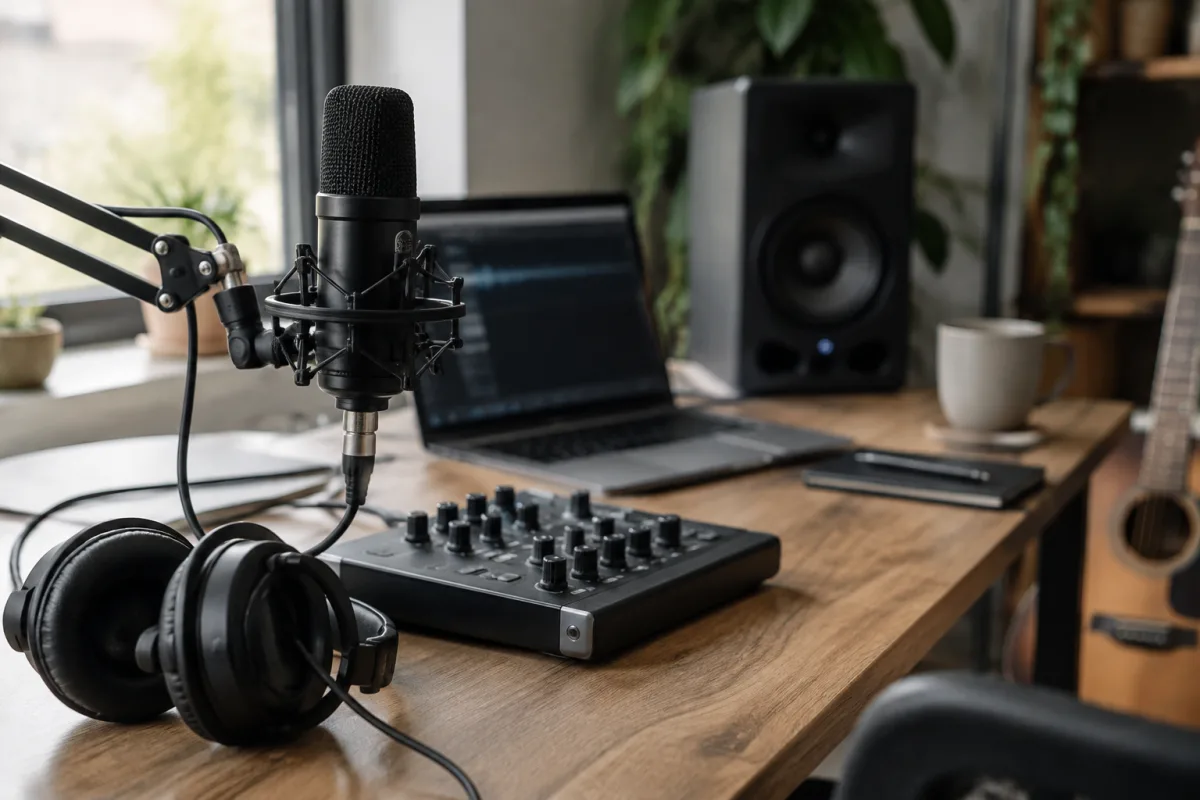
Starting your first home recording setup feels daunting, but pairing a microphone with a mixer is simpler than it sounds. This beginner's guide strips away the jargon and walks you through the essentials, from picking gear you can actually afford to plugging everything in with confidence.
You Don't Need Much to Start
The beautiful truth about home recording is that you can begin with minimal investment. Many beginners worry they need a professional-grade microphone and mixing console, but you genuinely don't. A decent USB microphone (£30–£80) connects directly to your computer without any mixer at all. A simple audio interface with built-in mixing controls (£50–£150) covers 90% of home recording needs. You'll spend less starting out than buying a decent guitar amplifier.
Don't let perfectionism stop you. Thousands of musicians record albums and podcasts on setups costing under £200. The difference between beginner gear and professional equipment is refinement, not capability.
Understanding What Each Piece Does
A microphone captures sound. A mixer combines multiple audio sources and controls their volume. When you're starting out, you might use just one microphone and need only basic volume control, so you're looking at a simple setup rather than a studio rack.
Your microphone converts vibrations into electrical signals. Your mixer (or audio interface) accepts those signals, lets you adjust levels so nothing distorts, and sends everything to your computer or recording device. That's genuinely all that happens in the background.
The Easiest Path: Start with a USB Microphone
If you're genuinely brand new to recording, buy a USB microphone first. Plug it into your computer's USB port, install any drivers it needs, and you're recording within minutes. No mixer required. Popular beginner-friendly USB microphones include the Audio-Technica AT2020USB, Rode NT1-AI, and Blue Yeti—all respectable options in the £40–£100 range.
A USB microphone skips the mixer entirely and connects its own built-in mixing controls. You adjust levels in your recording software, hit record, and capture audio. This is genuinely the fastest way to start, and you can upgrade your mixer later if needed.
Moving to a Proper Mixer (When You're Ready)
Once you've recorded a few songs with a USB microphone and understand your workflow, you might want a dedicated mixer. This setup lets you manage multiple microphones, adjust EQ (bass and treble), and add simple effects. A basic mixer aimed at beginners typically costs £60–£150 and connects to your computer via USB.
A beginner mixer offers a few basic channels (usually 2–4), phantom power to run condenser microphones, and simple controls for gain and volume. You don't need a huge mixing desk with 16 channels—that's overkill if you're recording one vocalist or instrument at a time. Many beginners use just two channels for years.
Connecting Everything: The Simple Setup
Here's how a basic recording chain works: your microphone connects to the mixer's XLR input. You adjust the gain (input level) on the mixer until the signal sits comfortably in the green zone without clipping (distorting). The mixer connects to your computer via USB. Your recording software picks up the audio from this equipment. You hit record and play.
That's it. One microphone, one mixer input, one USB cable, and you're capturing audio. Don't overthink it—most problems come from either too much gain (everything sounds distorted) or too little gain (the recording is barely audible). You'll dial this in on your second or third recording session.
Common Beginner Mistakes to Avoid
The biggest error beginners make is running the gain too high, which distorts everything no matter what else you do. If your recording sounds crunchy or harsh, dial down the microphone's input level on your mixer—this fixes 80% of home-recording complaints.
Another common mistake is buying expensive equipment before understanding your workflow. You genuinely don't know yet whether you'll need two microphones, phantom power, or complex EQ controls. Start simple, use what you have for a month, then upgrade based on real needs rather than imagined ones.
Many beginners also skip reading the microphone's manual, missing out on polar patterns (directional settings) or phantom-power switches that dramatically affect sound quality. Spend 10 minutes reading the manual—seriously, it helps.
Encouragement and Next Steps
You're joining a tradition spanning decades: artists recording at home with whatever gear they could afford. Your first recordings won't sound like a major-label production, and that's completely fine. They'll sound like you, and that's the whole point. Thousands of musicians and podcasters use basic setups because the fundamentals—a reasonable microphone and a functioning mixer—are all you truly need to begin.
Your first session will probably feel clumsy. You'll fiddle with gain levels, accidentally record at too quiet a volume, or spend an hour figuring out why the microphone isn't being detected. This is normal. Every recording engineer started exactly where you are now.
Once you've finished a couple of recordings, you'll develop instincts. You'll know instantly whether the gain is set right. You'll discover which microphone position sounds best in your room. You'll learn whether you need additional channels or if everything you're recording can go through a single microphone setup. That experience is worth far more than expensive equipment.
Your First Mic and Mixer Setup Checklist
To get started with a mic and mixer, you need: a microphone (USB or XLR), a mixer or audio interface (if using XLR), an XLR cable if needed, USB cable, recording software (many free options exist), and headphones so you can monitor your recording as it happens. You probably already have headphones and recording software on your computer. The essential items for a basic mic and mixer setup cost under £200 total.
Connecting to Other Resources
Once you're comfortable with the basics, explore the complete guide to microphones and mixers for a deeper dive into the full range of options and techniques available.
You've Got This
Starting home recording feels scary until you plug everything in and capture your first usable take. Then it clicks. A mic and mixer are glorified plumbing—sound goes in one end, comes out the other, and you control the volume in between. Master that concept, buy simple equipment, and start recording. Everything else builds from there.



Comments