
Thunderbolt 3 Cable article
The Complete Guide to Thunderbolt 3 Cable
Thunderbolt 3 cables deliver the high-speed, reliable connections that modern recording studios depend on. Discover what makes them essential for professional audio work and how to choose the right one.
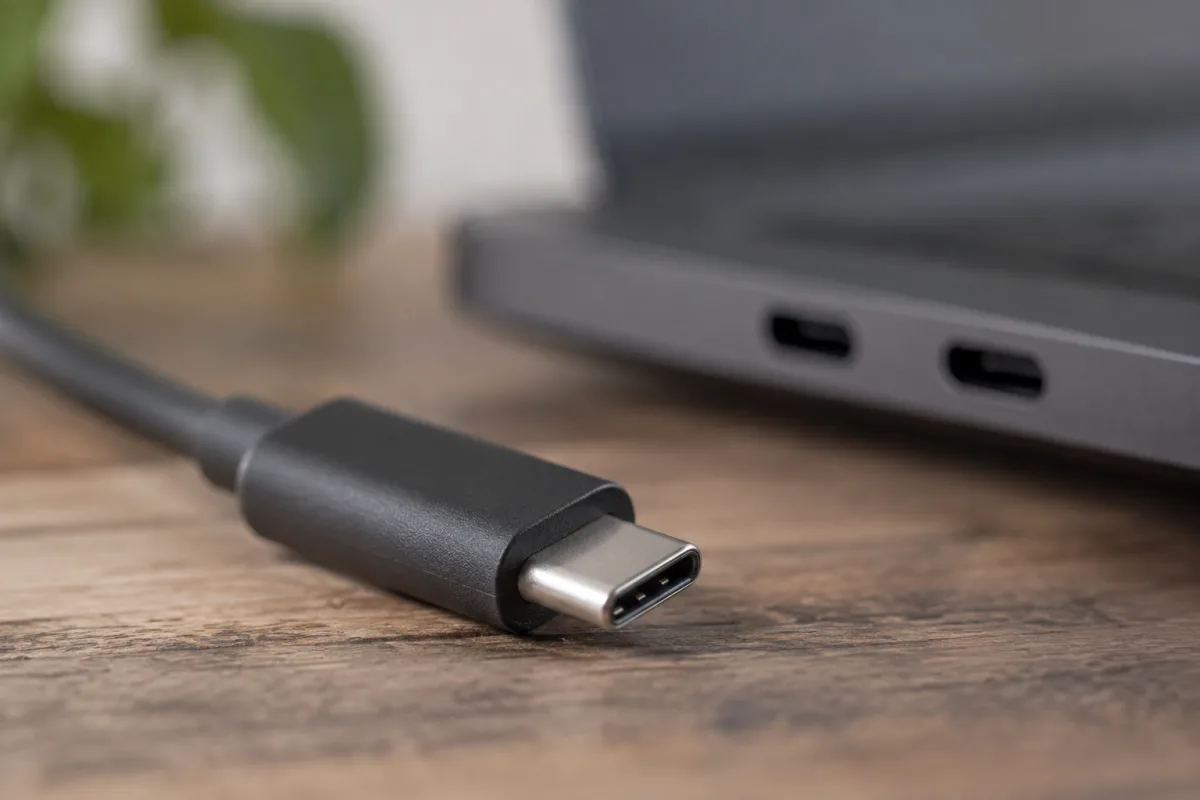
Thunderbolt 3 cables are among the most important connections in modern studios, offering exceptional speed and versatility for professional audio and video work. Whether you're connecting an external audio interface, hard drive, or display to your computer, a quality Thunderbolt 3 cable forms the backbone of a reliable recording setup. This guide explores what makes a Thunderbolt 3 cable essential, how to choose the right one, and what to look for in this vital piece of studio equipment.
What is a Thunderbolt 3 Cable?
Thunderbolt 3 is a technology standard developed by Intel and Apple that combines several protocols—PCIe, DisplayPort, and USB Power Delivery—into a single connection type. The Thunderbolt 3 cable physically looks like a USB-C connector but carries far more sophisticated data and power capabilities than a standard USB-C cable. This makes it uniquely valuable for studios requiring high-bandwidth connections.
The key distinction is that not all USB-C cables are Thunderbolt 3 cables, even though they share the same physical connector shape. A true Thunderbolt 3 cable carries Intel's certification and supports the full bandwidth and protocol set that makes Thunderbolt 3 so powerful. This is crucial: using an inferior USB-C cable in place of a genuine Thunderbolt 3 cable can result in data corruption, dropped connections, or mysterious stability issues that plague your sessions.
Bandwidth and Speed
Thunderbolt 3 delivers up to 40 gigabits per second of throughput—that's roughly five times faster than the previous generation (Thunderbolt 2) and far exceeding what USB 3.1 offers. For studios, this raw speed translates into practical benefits. A multi-channel audio interface connected via Thunderbolt 3 experiences negligible latency, and backing up a day's recording sessions to an external drive takes seconds rather than minutes.
For musicians and recording engineers, low latency is non-negotiable. The faster your interface can communicate with your computer, the lower the latency you experience when monitoring vocals or instruments through your DAW. Thunderbolt 3 enables the near-instantaneous communication required for a professional mixing experience.
Power Delivery Capabilities
Beyond raw data speed, Thunderbolt 3 cables incorporate USB Power Delivery technology, allowing them to supply up to 100 watts of power through the same connection used for data. This means you can charge and communicate with compatible devices through a single cable—a genuinely useful feature in a cluttered studio environment.
Many professional audio interfaces, especially high-channel-count models, draw sufficient power that they benefit from this capability. Rather than requiring both a data cable and a separate power supply, a single Thunderbolt 3 cable can handle both responsibilities. For mobile musicians working with laptops in smaller spaces, power delivery reduces cable clutter significantly.
Choosing the Right Thunderbolt 3 Cable
Not all Thunderbolt 3 cables are created equal, and a few specific factors matter when selecting one for your studio. The most important consideration is certification. Look for Intel's official Thunderbolt 3 certification—usually displayed prominently on the packaging or product listing. This certification guarantees that the cable supports the full 40 Gbps bandwidth and all Thunderbolt 3 protocols.
Cable length is another practical consideration. Whilst Thunderbolt 3 technology theoretically supports longer cables, passive cables (those without additional electronics) typically work reliably up to about 2 metres. If you need a longer connection, active cables (which contain signal regeneration electronics) can extend to around 4 metres. For most studios, 1–2 metres is sufficient, but if your setup demands a longer cable run, plan accordingly and invest in an active cable to ensure reliability.
The build quality of the connector matters too. Thunderbolt 3 connectors are relatively fragile, and the cables that protect them best tend to be those from established manufacturers. Look for rubberised strain relief around the connectors and robust shielding in the cable itself. A cable that survives years of daily plugging and unplugging is far cheaper than replacing an expensive audio interface whose port has been damaged by a flimsy connection.
Compatible Devices
Before purchasing a Thunderbolt 3 cable, verify that your equipment supports it. Modern Macs (2016 and later) all feature Thunderbolt 3 ports. Many Windows machines—particularly high-end laptops and desktop workstations—also include Thunderbolt 3, though it is less universal than on macOS. Professional audio interfaces from manufacturers like RME, MOTU, Universal Audio, and Apogee offer Thunderbolt 3 versions of their products.
Check your computer and interface documentation to confirm Thunderbolt 3 compatibility. A Thunderbolt 3 cable connected to a device lacking Thunderbolt 3 support will not function at full speed, and may not work at all. Likewise, older equipment may require specific driver updates to work properly with Thunderbolt 3 cables and audio interfaces.
Common Issues and Troubleshooting
Despite their sophistication, Thunderbolt 3 cables sometimes exhibit problems. One frequent issue is the "Thunderbolt device not recognised" message that appears when connecting a Thunderbolt 3 audio interface to a Mac. This often stems from outdated drivers or firmware on the audio interface itself. Updating to the latest manufacturer firmware frequently resolves the issue.
Another problem is intermittent connection dropout, where the device occasionally disconnects and reconnects during use. This can indicate a faulty cable, a dirty connector, or insufficient power delivery if the cable lacks proper Power Delivery certification. Try a different cable if available, and gently clean both the cable connector and the device port with a soft, dry cloth before assuming the worst.
Some studios experience crackling audio or data corruption when using uncertified or third-party Thunderbolt 3 cables. This reinforces the importance of choosing Intel-certified cables from reputable manufacturers. The cost difference between a genuine cable and a cheap imitation is small compared to the risk of losing recordings or suffering unreliable performance during sessions.
Investing in Quality
A professional Thunderbolt 3 cable is a modest investment—most certified cables cost between £10 and £30. Given that you may be sending thousands of pounds' worth of audio equipment data through this single connection, buying the best cable you can afford is sensible economics. Similarly, a backup cable kept in your equipment bag costs little but can save a session if your primary cable fails unexpectedly.
Consider treating your Thunderbolt 3 cables with the same care you would apply to any precision instrument cable. Avoid sharp bends, don't wrap them too tightly, and always unplug gently rather than yanking. A well-maintained Thunderbolt 3 cable can provide years of reliable service, whilst a poorly treated cable may fail within months.
Conclusion
Thunderbolt 3 cables are no longer a luxury in professional studios—they are essential infrastructure. Their combination of raw speed, power delivery, and reliable protocol support makes them the obvious choice for anyone working with high-end audio interfaces or requiring fast, stable communication between computers and external devices. By selecting a certified cable, treating it with care, and verifying compatibility with your equipment, you create the foundation for a studio that performs reliably session after session.


Comments