
Desk Mixer article
The Complete Guide to Desk Mixer
Explore desk mixers: the essential tools for combining audio sources in studios and live venues, from entry-level to professional broadcast consoles.
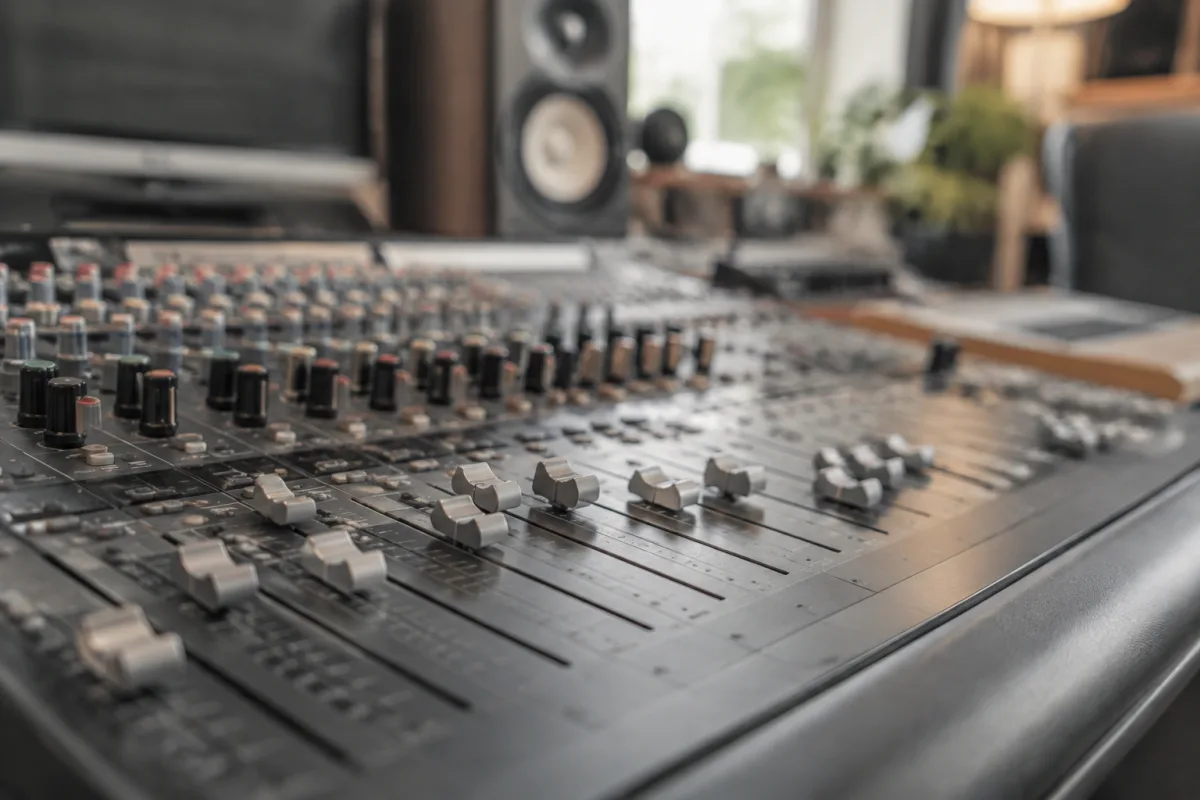
A desk mixer (also called a mixing console or audio mixer) is the nerve centre of any recording studio, live sound system or musician's workspace, allowing precise control over multiple audio sources and their routing to speakers or recording devices. Whether you're operating a professional broadcast setup, mixing a live event or recording at home, understanding how this technology functions and what specifications matter helps you choose equipment that matches your needs and budget.
What Is a Mixing Console?
A desk mixer is an electronic device that accepts multiple audio input signals, allows adjustment of their levels and characteristics, and combines them into a unified output. A simple unit might have four input channels and one stereo output. A professional broadcast console might feature dozens of channels, each with sophisticated equalization, dynamics processing and routing capabilities.
The core function is one of organisation and control: taking chaos (many separate audio sources) and creating order (a cohesive, balanced final mix).
Key Components and Functions
Every mixer shares fundamental components: input channels (each receiving one audio source), faders or rotary knobs controlling individual channel levels, and master output controls. Most designs include equalization controls allowing tone shaping. Professional desk mixer models add insert points for connecting external processors like compressors or reverb units.
- Input channels — Each channel receives audio from a microphone, instrument or playback device. A channel might be mono or stereo.
- Level control (fader) — Adjusts how loud a channel is in the mix.
- EQ section — Basic models offer a 3-band EQ (low, mid, high). Professional designs provide parametric EQ with more precise control.
- Auxiliary sends — Allow sending channel audio to external devices like reverb units, creating effects sends.
- Master fader — Controls the overall output level.
- Metering — LED or VU meters display signal levels, helping prevent clipping and distortion.
Types and Categories
Categories include entry-level models (4-8 channels, basic features, £100-300), mid-range studio and live sound versions (12-24 channels, good EQ and routing, £500-2000), and professional broadcast-grade consoles (32+ channels, sophisticated processing, £5000+).
Each category serves different purposes: small desk mixer units suit home recordists and small venues. Larger installations handle professional touring and broadcast environments.
Mixing for Live Sound vs. Studio Recording
Live sound operation differs from studio mixing. Live engineers adjust levels in real-time as performances happen, making split-second decisions. Studio mixing allows careful adjustment over hours or days. Live setups emphasise durability and quick feedback. Studio versions prioritise sonic character and precision. Many modern desk mixer designs serve both purposes, though specialised equipment excels in each domain.
Digital vs. Analogue Technology
Traditional mixers are analogue, using voltage to represent audio signals. Modern technology increasingly includes digital components or fully digital operation, offering advantages: recall of mixing settings, smaller physical footprint, advanced processing built-in. Digital desk mixer designs allow storing and retrieving complete mixing configurations instantly.
Purists argue analogue designs sound warmer. Professionals appreciate digital efficiency and recall capability. Modern hybrid approaches combine both.
Connecting and Basic Workflow
A typical desk mixer workflow: audio sources connect to input channels via XLR, 1/4" or RCA connectors. Each channel's fader adjusts its contribution to the mix. The master fader controls overall output level. The mixed signal outputs to powered speakers, an amplifier or recording device. A monitoring system (headphone sends or wedge monitor speakers) allows performers to hear themselves.
Cost Considerations
Entry-level prices start around £100 for very basic 4-channel models. Reliable mid-range options cost £400-1200. Professional broadcast-grade consoles cost thousands. Your investment depends on whether you're recording podcasts at home or mixing a festival main stage. The desk mixer choice should reflect your specific application needs.
Conclusion
A mixing console remains an essential tool for anyone combining multiple audio sources. Whether you're setting up your first home studio, running live sound for a band or managing a professional broadcast facility, selecting the right desk mixer—one that matches your channel count, processing needs and budget—ensures that your audio work flows smoothly and sounds professional from beginning to end.


Comments