


Portable Audio Interface article
The Ultimate Guide to Audio Interface Portable
A portable audio interface transforms your laptop into a complete recording studio. This guide explores specifications, connectivity options and how to select the perfect solution for your recording needs.
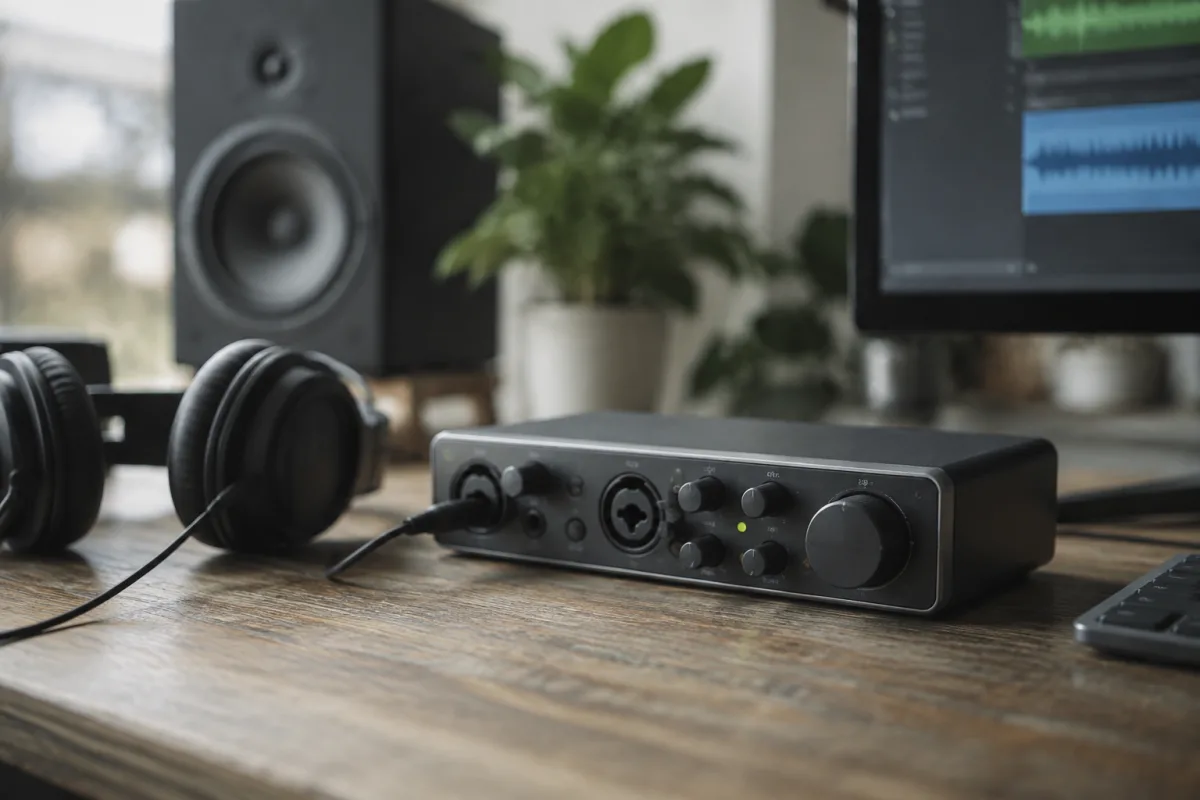
Recording music on the go has become genuinely practical thanks to advances in compact recording hardware. A portable audio interface bridges your microphone or instruments to a laptop or tablet, enabling professional-quality recordings anywhere you have power. Whether you're recording podcasts, capturing acoustic performances or building tracks remotely, understanding interface capabilities helps you select the right solution.
What a Portable Audio Interface Does
The device converts analogue sound from microphones and instruments into digital data your computer understands, then converts digital output back to sound for monitoring. This two-way conversion happens through specialised circuitry carefully designed to preserve audio fidelity whilst remaining compact and power-efficient.
Beyond simple conversion, quality solutions offer preamps that amplify microphone signals to usable recording levels, headphone outputs for monitoring, and connectivity options letting you work with various instruments and microphones. The best models add features like built-in effects processing and MIDI connectivity for broader production capabilities.
Connectivity and Compatibility
Modern devices typically connect via USB-C or Lightning (on Apple devices), offering single-cable connection providing both audio connectivity and power simultaneously. This streamlined approach eliminates cable clutter and simplifies setup.
Compatibility matters significantly. Check operating system requirements carefully—Windows, macOS and iPad each have specific driver requirements. Some interfaces work seamlessly across platforms; others require platform-specific drivers. Researching compatibility before purchasing prevents frustrating incompatibilities and compatibility headaches later.
Channel Count and I/O Options
Channel count determines how many simultaneous inputs and outputs the equipment supports. Simple two-channel models handle one microphone and one instrument simultaneously. Four-channel options accommodate two microphones plus stereo instruments. Higher-channel options exist for more complex setups.
Most portable solutions prioritise simplicity with straightforward channel configurations. Determine your typical recording scenarios—solo podcasting requires different capabilities than recording guitar and vocals simultaneously. Match specifications to actual needs rather than pursuing unnecessary complexity.
Preamp Quality and Gain Structure
The onboard preamp amplifies microphone signals from extremely low levels to recordable heights. Quality preamps introduce minimal noise whilst preserving dynamic detail. Budget models sometimes produce audible noise floor that compromises quiet performances. Professional-grade versions deliver extremely clean amplification even with sensitive microphones.
Gain structure—how the preamp level controls interact with overall output—varies significantly. Good implementations let you set recording level precisely without excessive noise. Poor designs require unusually high gain settings, amplifying background noise unacceptably.
Latency and Monitoring
Latency—the delay between audio input and output—affects real-time monitoring experience. Excessive latency makes playing along to backing tracks frustrating. Most modern devices keep latency low enough for comfortable performance, though specifications vary. Check published specifications and user feedback regarding real-world latency performance.
Monitoring options matter for musicians tracking performances. Zero-latency monitoring through the interface lets you hear yourself playing without computer-introduced delay. This feature proves essential for satisfying recording experiences, particularly when performing with headphones.
Power and Portability Considerations
Battery-powered models offer genuine portability for field recording or busking contexts. USB-powered units require computer connection but eliminate battery concerns. Some solutions accept optional batteries, providing flexibility for different scenarios.
Weight and size vary dramatically. Ultracompact models slip into bags easily; larger solutions offer more features but demand dedicated carrying space. Your mobility requirements should guide sizing decisions.
Sound Quality and Build Construction
Professional-quality designs use high-resolution converters and careful circuit design delivering superior fidelity. Budget equipment sometimes exhibits audible distortion or noise characteristics. If recording quality matters significantly—professional podcasting, serious music production—investing in quality pays obvious dividends.
Build quality affects durability. Metal chassis offer better protection than plastic, surviving rough transportation and occasional drops. Premium units feature reinforced jacks and solid connector construction. Consider whether your workflow involves frequent transportation or stable studio use.
Feature Set and Software Integration
Some solutions include software suites—DAW bundles, effects plugins, loop libraries—adding significant value. Others sell hardware only. Evaluate bundled software carefully; sometimes included applications prove genuinely useful, other times they're outdated or limited. You might prefer purchasing recording software separately anyway.
Integration with your preferred DAW matters for smooth workflows. Some devices integrate directly with Logic, Ableton or other software; others require manual configuration. Research user experiences with your specific workflow.
Price and Value Assessment
Entry-level models cost £40–100, offering basic functionality for hobbyists and learners. Mid-range solutions range £150–400, balancing features and quality. Professional-grade equipment exceeds £400, offering superior sound and extensive connectivity.
Value depends entirely on your needs and budget constraints. A £60 solution serves many purposes adequately; professional applications justify £500+ investment. Purchase based on actual requirements rather than perceived prestige or unnecessary features.
Making Your Selection
List your specific requirements—channel count, connectivity, monitoring needs, portability demands. Then research models matching those specifications, reading professional reviews and user feedback. If possible, borrow or demo equipment before purchasing.
The right choice depends on your unique situation, budget and artistic goals. Whether recording acoustic performances, podcasting, producing electronic music or capturing rough song ideas, quality equipment at every price point enables satisfying creative work.




Comments