


Native Instruments Audio Interface Buying guide
Native Instruments Audio Interface: A Complete Buyer's Guide
A practical buyer's guide to choosing the right Native Instruments audio interface for your home studio. Understand specs, avoid common mistakes, and find the perfect fit for your workflow.
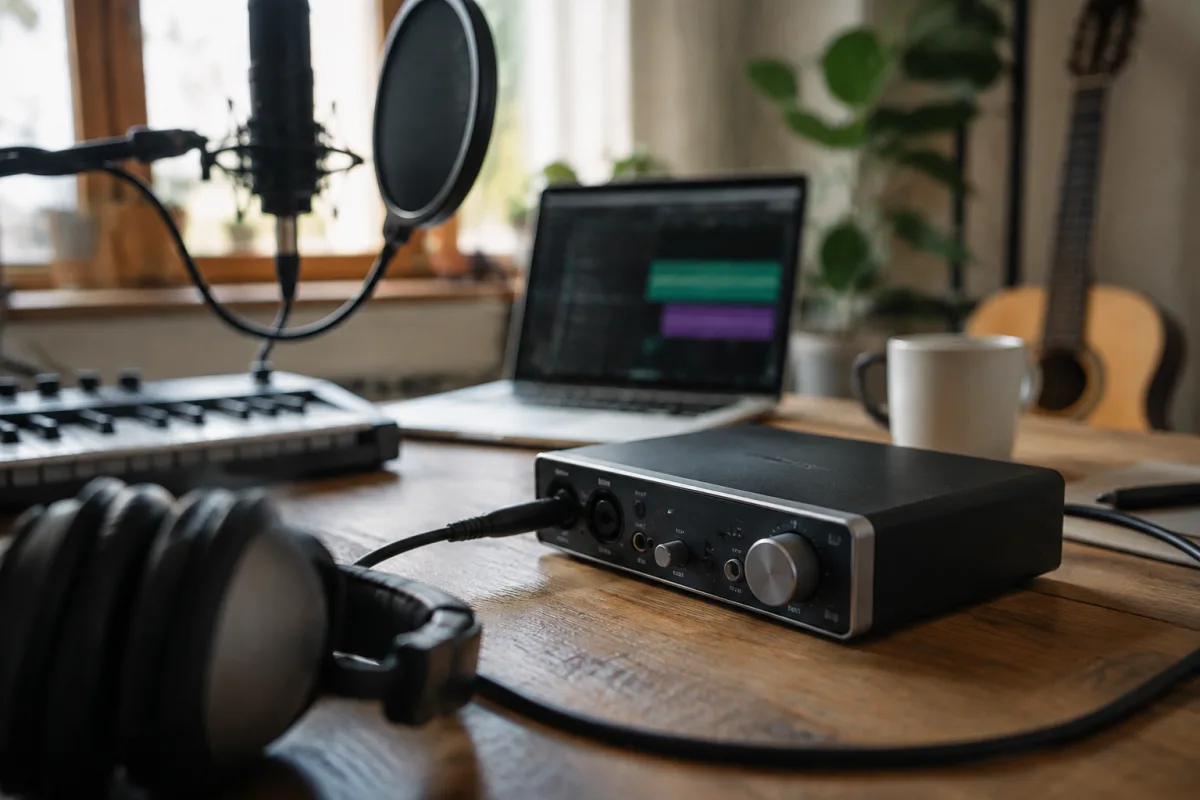
Choosing a Native Instruments audio interface is one of the most important decisions you'll make for your home studio. Get it right, and your workflow opens up—you'll record with confidence, integrate with your DAW seamlessly, and have the I/O you actually need. Get it wrong, and you're stuck with latency issues, driver headaches, and the creeping frustration of a bottleneck you'll regret. This guide cuts through the marketing noise and shows you exactly what matters when you're choosing a Native Instruments audio interface.
Why Native Instruments Audio Interfaces Matter
Native Instruments doesn't make audio interfaces their primary business—that honour belongs to Komplete, their software suite. But over the years, they've released several audio interfaces designed specifically to integrate with their ecosystem. A Native Instruments audio interface often comes with bundled software, tight integration with Maschine or Komplete, and usually solid build quality. If you're already deep in the NI ecosystem, a Native Instruments audio interface makes a lot of sense. If you're not, consider whether the software bundle justifies the choice over alternatives from RME, Focusrite, or Universal Audio.
What to Check Before Buying: The Critical Specs
Before you buy any Native Instruments audio interface, nail down exactly what you need. Different specs suit different workflows.
Input and Output Count
How many simultaneous recordings do you need? A simple 2-in/2-out is fine for one mic and one guitar. If you're tracking drums, layering vocals, or recording a band, you need more channels. Count your worst-case scenario—add one, then double it. A Native Instruments audio interface with 4 inputs and 6 outputs is a sweet spot for most home studios. Desktop producers might not need more than 2 in/2 out; studios doing live recording or live performance need 8+ ins with monitor mixing capabilities.
Latency and Buffer Size
This is non-negotiable. When you play an instrument or sing into a Native Instruments audio interface, you want to hear yourself with minimal delay. Anything under 5ms roundtrip is excellent; 10ms is acceptable for most work. Above 20ms and you'll feel the lag—your playing will feel disconnected. Lower latency demands a faster interface and often a beefier computer. Check the driver stability at your target buffer size; some Native Instruments audio interfaces shine at 64 samples, others need 128 samples to be stable.
Sample Rate and Bit Depth Support
Most Native Instruments audio interface models support 44.1, 48, 96, and 192 kHz. For professional music production and mastering, 192 kHz support is important. Most commercial music is mastered at 96 kHz, so supporting it is sensible. You don't need 192 kHz for recording, but it's nice to have. Bit depth is usually 24-bit standard—that's plenty.
Connectivity: USB vs Thunderbolt
Thunderbolt is faster and generally more stable than USB, but USB is universal and simpler. Most Native Instruments audio interface models come in USB versions; some higher-end options add Thunderbolt. If you're on an older Mac without Thunderbolt 3 or later, USB is safer. USB 3.0 or 3.1 handles latency beautifully. USB 2.0 still works but demands careful buffer management.
Common Pitfalls to Avoid
New producers stumble over the same mistakes when buying a Native Instruments audio interface.
- Assuming more is always better. A 16-in/16-out interface sounds impressive but costs more, takes up desk space, and introduces complexity you probably don't need. Start lean; upgrade when you genuinely need more channels.
- Neglecting driver support. A Native Instruments audio interface is only as good as its drivers. Check that the model you're considering works with your operating system version. Old interfaces on newer operating systems can become dead weight.
- Confusing peak output with sustained volume. A Native Instruments audio interface might claim +20 dBu output, but that's peak. Sustained headphone output matters more for comfort during long sessions.
- Overlooking monitoring options. Can you mix between input and playback levels? Can you switch between headphones and speakers? These workflow details matter more than raw specs.
- Buying used without checking the cable. A secondhand Native Instruments audio interface might have a damaged USB or Thunderbolt cable. Budget for a replacement if you're buying pre-owned.
Price Tiers Explained
Native Instruments audio interface prices cluster into three bands.
Entry-Level (£100–250)
Simple 2-in/2-out or 4-in/4-out interfaces with straightforward controls. You get basic monitoring, reasonable latency, and solid drivers. Ideal for solo producers, home studio beginners, or anyone learning the ropes. The Native Instruments Komplete Audio 2 fits here.
Mid-Range (£250–600)
8-in/8-out configurations, better preamps, more robust build, superior monitoring flexibility. This is where most professional home studios live. A Native Instruments audio interface at this price point offers genuine depth—enough I/O for complex sessions, monitor mixing, and cue sends without overspending. The Komplete Audio 6 and Native Instruments Komplete S88 systems sit here.
Professional (£600+)
High-end interfaces with 16+ inputs, premium converters, advanced monitoring, often with integrated mixing surfaces. If you're running a commercial studio or doing mastering work, this is your tier. Otherwise, you're paying for features you won't use.
Native Instruments Audio Interface Models: What's Out There
Native Instruments' actual audio interface range is smaller than you might think. They focus on controllers and software more than standalone interfaces. However, several options exist.
The Komplete Audio series includes the Audio 1, Audio 2, and Audio 6—clean, compact interfaces with excellent integration and good preamps. These are what most Native Instruments users actually buy. The Audio 6 is a brilliant middle ground: four mic inputs, four line outputs, stereo headphone out, and solid monitoring controls.
The Komplete Kontrol keyboards (S49/S61/S88) include built-in audio interfaces. If you're buying a controller anyway, the integrated interface is a genuine convenience—you're not adding another USB device to your desk.
If you need more channels, consider a Native Instruments audio interface as your monitor controller and add an outboard preamp or mixer for more inputs.
Drivers and Operating System Compatibility
A Native Instruments audio interface is only useful if it speaks to your system. Before buying, verify driver support for your exact operating system version. Windows 10, Windows 11, macOS 12, and later are safe. Older systems might not have current drivers, and that's a deal-breaker. Native Instruments updates drivers regularly, but they're not the fastest at supporting brand-new OS releases.
Hands-On Considerations Before You Buy
If possible, test the Native Instruments audio interface at a shop or borrow one from a friend for a day. Listen for electrical noise. Play through at your target buffer size. Does the monitoring feel responsive? Does the headphone output get loud enough? These tactile details matter more than reading specifications.
Check online forums for the specific model you're considering. Long-term user feedback reveals issues that press reviews miss. Look for patterns—if dozens of people report driver crashes or noise floor issues, take it seriously.
Integration With Native Instruments Software
This is where a Native Instruments audio interface shines. If you're using Maschine or Komplete, the integration is seamless. Hardware controls map naturally to software parameters. The bundled plugins are decent quality, not industry-leading, but perfectly usable. If you're not already using NI software, this advantage evaporates.
Making Your Final Decision
Write down your actual requirements. How many simultaneous inputs do you need? What's your budget? Is Native Instruments software integration important, or could you save money with a different brand? Most home studios find a Native Instruments audio interface in the mid-range sweet spot—it's reliable, offers enough I/O for growth, and integrates beautifully if you're in the NI ecosystem.
Don't buy based on someone else's setup. Buy based on what you'll actually record and what your computer can handle. A Native Instruments audio interface is an investment that sticks around for years. Get it right the first time, and it becomes invisible—just part of how you make music. Get it wrong, and you'll regret it every single session.
For more on the topic, check out our complete guide to Native Instruments audio interfaces, which covers the technology and history in detail.


Comments