


Mixing Consoles article
A Guide to Behringer X32 Mixing Console
A mixing console organises and blends multiple audio sources into a final mix. Discover the fundamentals of mixing consoles and how to use one effectively.
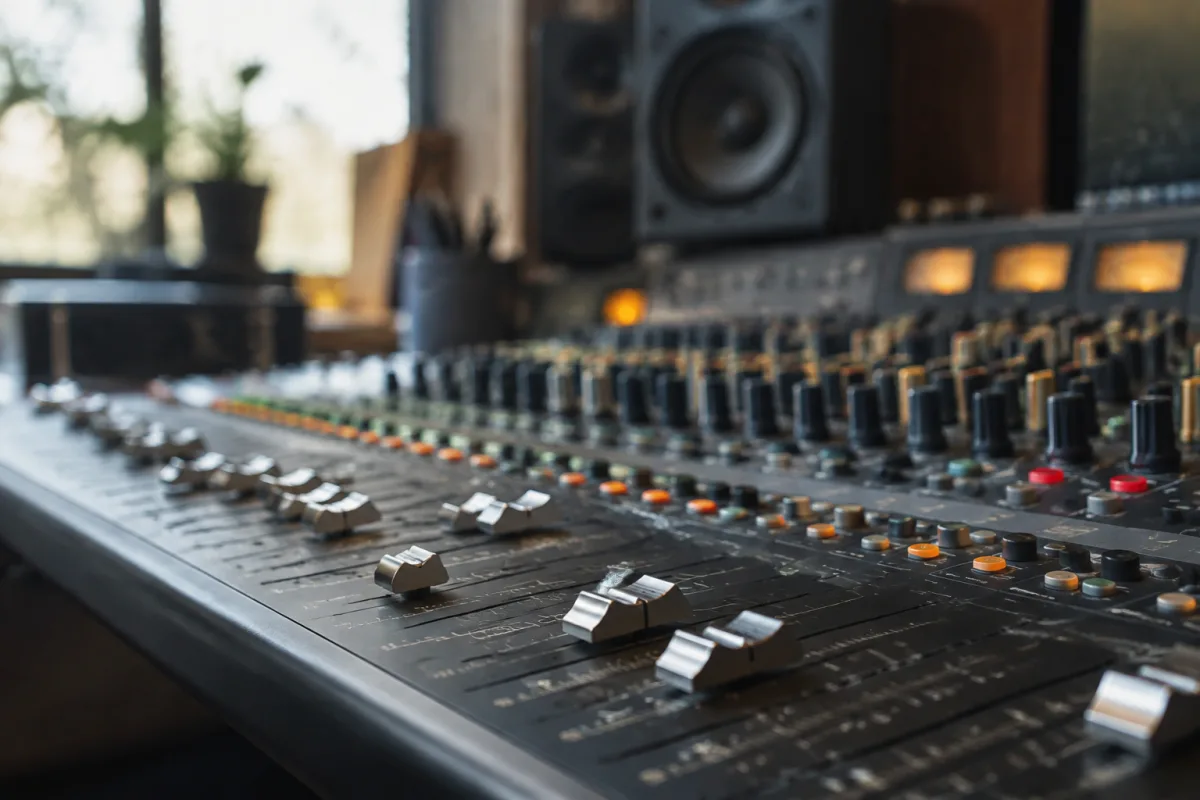
What Are Mixing Consoles?
A mixing console is the central hub of any recording studio, live sound system or post-production facility. It accepts multiple audio inputs, allows you to control level, EQ and effects on each channel, and combines them into a final stereo output. Whether recording music, mixing podcasts or running a live event, a mixing console is essential for controlling and shaping audio.
Modern mixing consoles range from compact 8-channel units suitable for home studios to massive digital consoles with hundreds of channels and complex routing. Despite their variety, all mixing consoles serve the same fundamental purpose: organise, control and blend multiple audio sources into a cohesive stereo mix.
Analogue vs. Digital Mixing Consoles
Analogue mixing consoles use hardware faders, knobs and switches to directly control audio signal. Each channel has a physical fader; turning it changes level immediately. Many engineers prefer this tactile experience and the sonic character that analogue circuitry imparts.
Digital mixing consoles process audio through computer chips and software. They offer advantages—recall (save and retrieve complete mix settings), extensive effects, compact size, remote control. Many digital consoles also function as audio interfaces, connecting directly to computers.
Both approaches remain viable. Large studios often maintain both analogue and digital options. Some engineers insist analogue sounds better; others prefer digital flexibility. The choice depends on workflow, budget and personal preference.
Key Components of a Mixing Console
Each channel has input (mic or line level), a fader for level control, pan (left-right positioning), mute and solo buttons, and often EQ and effects sends. The main output section has faders for left and right channels and a master fader controlling overall output level.
Auxiliary channels (aux sends) allow you to create separate mixes—for example, a headphone mix for performers or an effects send that processes audio through reverb or compression. This flexibility is essential for complex mixing tasks.
Monitoring section lets you listen to different things—main mix, individual channels, or effects returns. Proper monitoring is critical; you can't mix well if you can't hear what you're doing.
Choosing a Mixing Console
Home recording studios often start with small digital consoles or audio interfaces with mixing software. These cost £200–800 and provide all necessary functionality without taking up physical space.
Small to medium live venues typically use 16–32 channel mixing consoles. These might be analogue or digital. Analogue offers immediate hands-on control; digital offers recall and flexibility. Budget determines choice—comparable feature set costs more in analogue than digital.
Large recording studios and touring operations invest in expensive mixing consoles (£10,000+). At this level, the choice reflects sonic preference, workflow requirements and client expectations. A high-end SSL or Neve console is a significant investment but justifies cost through enhanced sonic quality and efficient workflow.
Mixing Console Setup and Workflow
Proper setup is essential. Input gain should be set carefully—too hot and you clip; too low and noise becomes obvious. Each channel should be organised logically: drums together, guitars together, vocals separate. This logical layout speeds mixing.
Routing is crucial. Drums might be routed to an auxiliary bus for overall compression; guitars to another bus for blending; vocals to a third for individual processing. Main stereo output receives the final mix. Proper routing prevents confusion and enables efficient processing.
Mixing console operation is learned best through hands-on experience. Understanding signal flow, gain structure and routing concepts matters more than memorising every button. Once you grasp the fundamentals, specific consoles become intuitive.
Mixing Consoles for Recording
Recording studios use mixing consoles primarily for monitoring and mix-down. During recording, audio flows from microphones through preamps into the console, then to a recorder. The console provides monitoring, level control and effects.
For mixing, you recall previously recorded tracks from your recording system and route them through the console. This is where mixing consoles' real power emerges—blending multiple tracks, applying EQ and effects, creating the final stereo mix.
Many modern studios have shifted toward in-the-box mixing (using mixing software and an audio interface) rather than hardware consoles. However, some engineers still prefer hardware consoles for their tactile feel and sonic character.
Mixing Consoles for Live Sound
Live sound mixing consoles must handle multiple microphones, instruments and playback sources in real time. A live console needs responsive metering, intuitive controls and reliable routing. Analogue consoles were traditionally preferred for live sound; digital consoles have become increasingly popular for their recall and built-in effects.
A typical small venue mixing console has 16–32 channels. Larger venues might have 48+ channels with expansions for effects and subgroups. Live mixing demands quick thinking and intuitive control—you can't spend time navigating menus while a live event happens.
Touring acts often bring their own mixing consoles to ensure consistency across venues. This eliminates variables and ensures the mix sounds similar regardless of location.
Essential Skills for Mixing Console Operation
Understanding gain structure—setting input levels properly so signal is strong but doesn't clip—is foundational. Many mixing problems stem from improper gain staging upstream.
Ear training matters. You learn to listen critically and identify problems: phase issues, frequency masking, improper balance. A mixing console is just a tool; your ears are the real mixing instrument.
Problem-solving skills matter. When something sounds wrong, you need to diagnose the cause quickly. Is it a level issue? Phase? EQ? Routing? Experience teaches you to narrow down possibilities and find solutions efficiently.
Conclusion: Mixing Consoles Remain Essential Tools
Despite the shift toward computer-based mixing, physical mixing consoles remain essential for recording studios and live sound. They provide tactile control, visual feedback and immediate responsiveness that software can't fully replicate. Whether you're mixing a live event or tracking an album, understanding mixing console fundamentals is essential for anyone working with audio.
Start with the mixing console or software available to you, master its basics, and gradually expand your capabilities. A mixing console is simply the tool through which your ears and musical judgment find expression—master the tool and you master the craft of mixing.





Comments