


Mackie Mixing Console Buying guide
Mackie Mixing Console: A Complete Buyer's Guide
Expert guidance on selecting a Mackie mixing console. Learn which specifications matter, evaluate models by price tier, and avoid common purchasing mistakes.
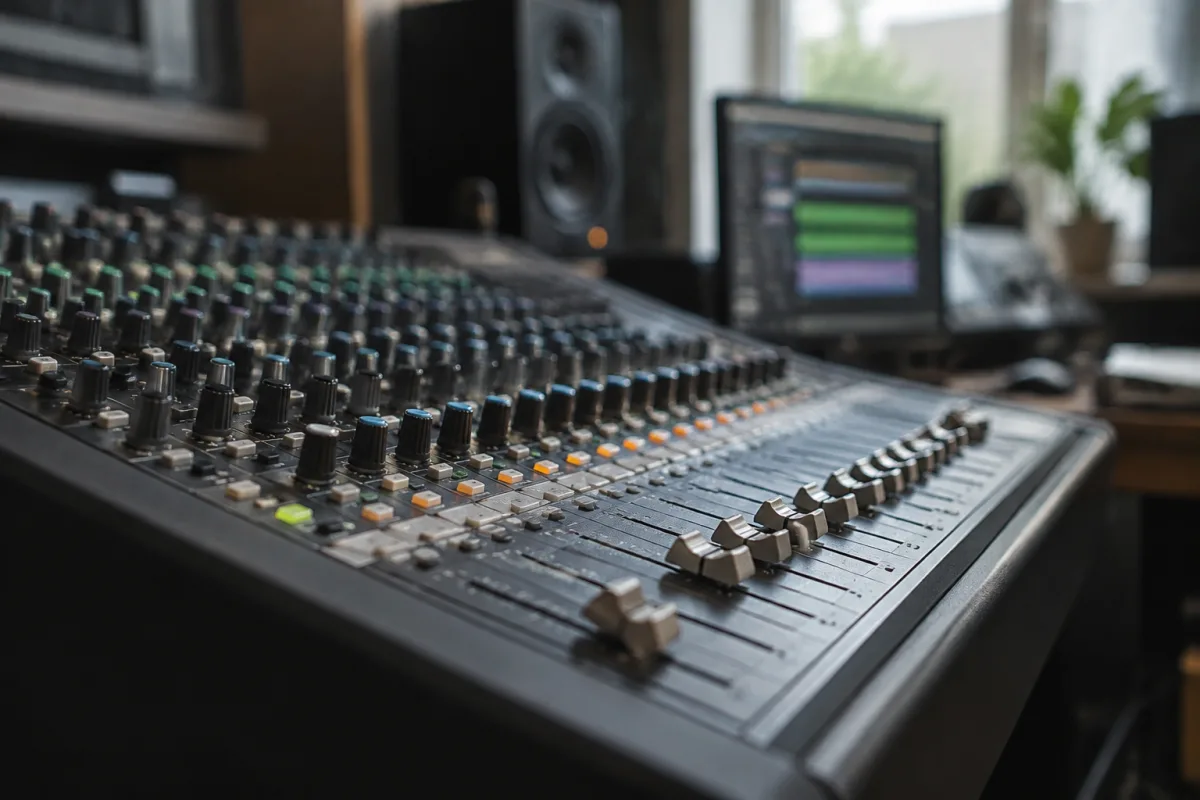
Selecting a Mackie Mixing Console for your recording studio, podcast setup, or live sound reinforcement requires understanding the specifications that genuinely affect your workflow and sound quality. Mackie manufactures consoles across a broad price range and complexity spectrum, from compact portable models to sophisticated studio-grade units, and choosing incorrectly can leave you either overpaying for features you'll never use or struggling with limitations that frustrate daily operation. This buying guide focuses on practical decision-making: which specifications matter, what to evaluate before purchase, common pitfalls to avoid, and how to align your budget with realistic capabilities. For detailed technical information about how Mackie consoles work, our complete guide to Mackie Mixing Console provides comprehensive context. Here, we concentrate on making smart purchasing decisions.
Channel Count: The Foundation of Your Decision
The number of input channels represents the most fundamental specification affecting your purchase. This number determines how many audio sources you can simultaneously connect and mix. A four-channel console accommodates four microphones or instruments; an eight-channel model handles eight sources; sixteen-channel units expand your capabilities significantly. Consider not your immediate needs but your realistic growth trajectory. Many buyers purchase a four-channel console, discover within six months that they need more flexibility, and regret not selecting an eight-channel model initially.
Examine your typical mixing scenarios honestly. If you record podcasts solo with a single microphone and occasional music beds, four channels suffices. If you record bands with multiple microphones on drums, separate bass and guitar channels, and at least one microphone for vocals, you'll need a minimum of eight channels, realistically twelve to sixteen. Studio sessions with multi-track recording and complex live reinforcement absolutely require sixteen channels or more. Adding channels to your setup later typically involves purchasing an entirely new console rather than upgrading, making this decision consequential.
Understanding Input and Output Architecture
Mackie consoles typically offer different input configurations—some channels feature full-range XLR connections for microphones, whilst others provide line-level inputs on RCA or quarter-inch connectors for instruments and other gear. Before purchasing, verify that your candidate console provides the specific connection types matching your equipment. Many buyers select a console with the correct channel count only to discover that the input types don't align with their microphones or instruments, requiring expensive adapter purchases or additional equipment.
Output architecture similarly requires attention. Most Mackie consoles feature a stereo main output (where your mixed audio leaves the console to your recording device or amplifier) plus auxiliary outputs for monitor sends, effects returns, or routing to separate recording channels. Count how many output destinations you require. Basic podcasting and streaming scenarios function adequately with a stereo main output. Complex live sound or multi-track recording benefits from auxiliary sends and subgroup outputs, capabilities found on higher-end models.
Digital connectivity increasingly matters. Modern Mackie consoles often include USB audio interfaces, allowing direct connection to your computer for recording software whilst simultaneously functioning as a standalone mixer. Evaluate whether you require this capability; if you work primarily within a digital audio workstation on your computer, a console with integrated USB audio interface streamlines your workflow considerably. Conversely, if you operate in primarily analog environments, this feature holds less relevance.
Evaluating Built-In Effects and Processing
Many Mackie consoles include onboard effects—reverb, delay, and compression—that add production value without requiring external effects processors. However, these built-in effects vary dramatically in quality and flexibility across the Mackie range. Entry-level consoles often offer basic, somewhat dated-sounding effects; mid-range and professional models provide more contemporary and versatile processing. If you rely heavily on effects to shape your sound, allocate additional budget for a console with higher-quality onboard processing, or budget for external effects units if the console's built-in capabilities disappoint you.
Examine whether your candidate console includes parametric equalisation on individual channels. This allows sculpting each channel's tone independently, a crucial feature for detailed mixing. Budget models sometimes limit EQ capabilities to simple three-band adjustments; professional consoles offer full parametric control. For podcast recording or simple streaming, basic EQ suffices. For complex music mixing or live sound reinforcement, parametric EQ becomes essential.
Common Purchasing Pitfalls
One frequent error involves selecting based on panel appearance or brand reputation without considering your specific application. A console designed primarily for live sound reinforcement might poorly serve a podcast producer requiring extensive mixing flexibility, despite being an excellent console within its intended purpose. Research actual user reviews from people working in scenarios matching your own, not generic praise for the brand.
Many buyers underestimate noise floor and signal-to-noise ratio—technical specifications indicating how much electronic hum or hiss the console adds to your audio. Entry-level consoles sometimes introduce noticeable background noise, particularly problematic for podcast recording where audio quality directly affects listener experience. Request audio samples from people using your candidate model; if background hiss audibly persists, consider investing in a higher-tier console prioritising cleaner signal paths.
Another pitfall involves purchasing used consoles without properly evaluating their condition. Unlike instruments, mixing consoles deteriorate significantly with age and usage. Faders can develop scratchy behaviour, potentiometers may fail, and capacitors degrade, causing audio quality issues. When considering used Mackie consoles, test every single fader, knob, and switch in person if possible. Purchase only from reputable dealers offering return periods, or budget for professional servicing after purchase.
Beginners frequently overspend on features they'll never utilise. A sixteen-channel console with extensive digital routing capabilities and advanced processing appeals to experienced engineers but frustrates newcomers who simply want basic mixing functionality. Honestly assess your technical comfort level and anticipated use cases. Starting with a moderately featured eight-channel console teaches fundamental mixing skills more effectively than operating a complex professional console with capabilities you don't yet understand.
Mackie Mixing Console Price Tiers
Mackie's product range spans significant price variation, with each tier offering distinct advantages and limitations:
| Price Range | Typical Models | Best Suited For |
|---|---|---|
| £150–350 | Compact 4-8 channel portables | Podcasting, small streaming setups, basic live reinforcement |
| £350–700 | 8-12 channel mid-range consoles | Music recording, intermediate live sound, podcast production with effects |
| £700–1,500 | 12-16 channel professional consoles | Complex recording sessions, extensive live reinforcement, broadcast applications |
| £1,500+ | Large-format digital/analog hybrids | Large live venues, complex broadcast productions, professional studios |
Budget-conscious buyers often discover that spending an additional £200–300 at purchase eliminates frustrations later. A console priced £500 versus £700 might seem like substantial savings until you discover the cheaper model lacks parametric EQ or exhibits noise floor issues requiring external gear purchases that eliminate any savings. Evaluate total cost of ownership—the console price plus any additional equipment required to achieve your quality and functionality targets.
Physical Considerations and Portability
Where and how you'll use your Mackie console affects which model serves you best. Compact four-channel portable consoles weigh under two kilograms and fit into small bags, ideal for travelling podcasters or musicians playing venues without permanent infrastructure. Eight and twelve-channel models become progressively heavier and require dedicated cases or racks, suitable for semi-permanent installations but less practical for frequent travel. Sixteen-channel consoles generally remain stationary in dedicated studio spaces or mounted in permanent live sound installations.
Consider your setup and teardown frequency. If you transport your console between venues weekly, weight and ruggedness matter significantly. If your console remains in one location permanently, physical portability becomes irrelevant; prioritise features and sound quality instead. Examine the build quality of your candidate model—professional-grade consoles feature metal chassis and robust faders; budget models sometimes utilise plastic components that deteriorate under frequent adjustment.
Making Your Purchase Decision
Before finalising your purchase, create a checklist of non-negotiable requirements and nice-to-have features. Non-negotiable items might include channel count, USB audio interface capability, or parametric EQ. Nice-to-have features include advanced effects, additional auxiliary sends, or specific input connector types. Score your candidate models against this checklist, weighting non-negotiable items heavily and nice-to-have features lightly. The highest-scoring option aligns best with your actual needs rather than marketing appeal.
Test your candidate console directly if possible, running your actual microphones and instruments through it before committing to purchase. Evaluate the overall feel of the faders and knobs, the clarity of metering and labelling, and most importantly, whether the audio quality and signal path characteristics match your quality expectations. A console that sounds great through someone else's equipment might disappoint through your specific setup.
Prioritise purchasing from authorised retailers offering return periods, even if it means paying slightly more than grey market alternatives. Authorised retailers provide warranty coverage and support; if your console develops problems, you have recourse. Budget grey market consoles occasionally prove problematic, with no warranty or support available and expensive repair requirements. The peace of mind justifies modest price premiums.


Comments