


Behringer Headphone Amplifier article
Behringer Headphone Amplifier for Beginners: A Complete Guide
A Behringer headphone amplifier might sound like an unnecessary gadget, but it's one of the most affordable and useful tools you can add to your setup. This guide explains why.
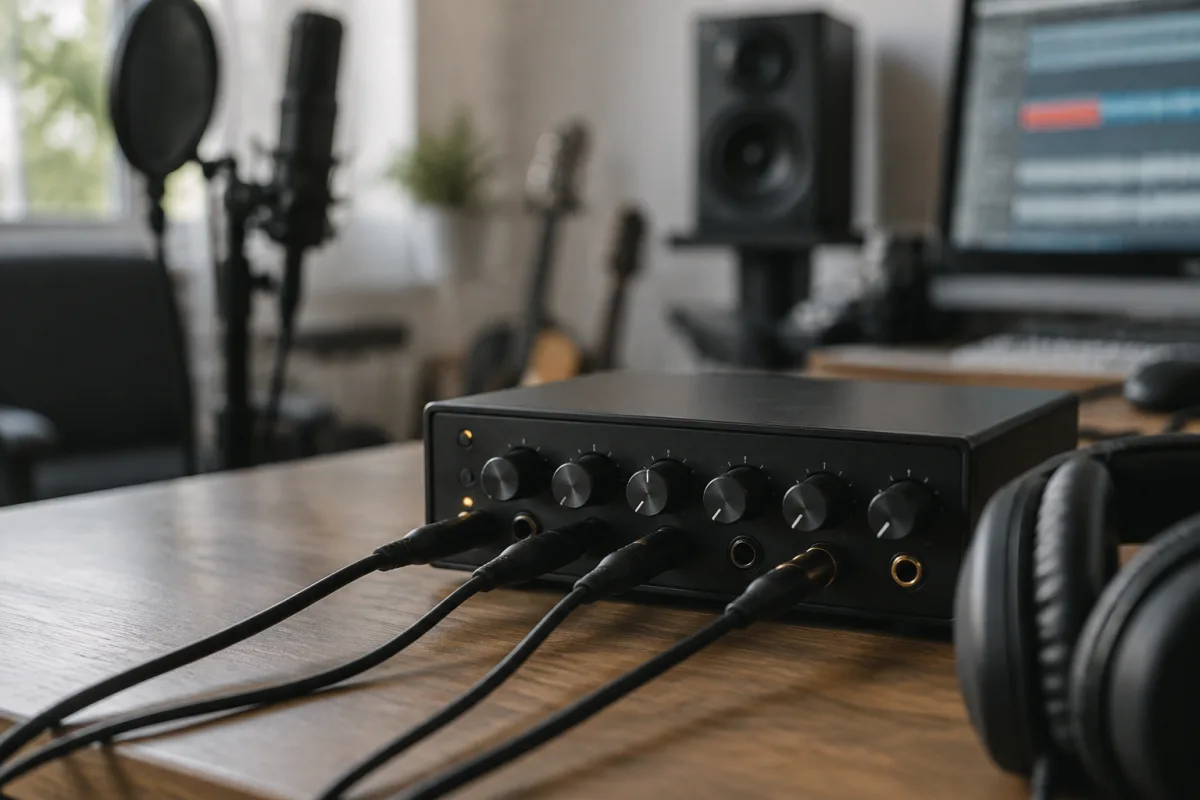
If you're new to home recording or live sound mixing, a Behringer headphone amplifier might sound like an unnecessary gadget. In reality, it's one of the most affordable and useful tools you can add to your setup. This guide explains why you need one, what it does, and how to get the most out of it as a beginner.
What Is a Behringer Headphone Amplifier?
A Behringer headphone amplifier is a small device that takes an audio signal—from your mixing desk, audio interface, or portable device—and amplifies it so that multiple people can listen on headphones simultaneously. Think of it as a headphone splitter with built-in amplification, volume control and individual level adjustments for each pair of headphones.
If you've ever tried plugging headphones directly into an audio interface and found them too quiet, or if you've tried daisy-chaining multiple headphones and lost all control, you've discovered the exact problem a Behringer headphone amplifier solves. It's purpose-built for the job, affordable, and robust enough to survive years of studio or rehearsal-room use.
Why Start with a Behringer Headphone Amplifier?
Behringer is famous for offering professional-grade equipment at bargain prices. A Behringer headphone amplifier is no exception. You're looking at around £20–40 for a unit that does exactly what it's supposed to do, with clean sound and reliable performance.
More importantly, Behringer headphone amplifier models are deliberately simple. There's no confusing menu system or buried features. You plug it in, adjust the levels, and it works. This makes it ideal for beginners who want to add monitoring capability to their setup without learning new technical skills.
Understanding the Core Controls
A typical Behringer headphone amplifier has remarkably few controls, which is a strength, not a limitation. Here's what you'll find:
| Control | Purpose | How to Use It |
|---|---|---|
| Main input level | Controls the overall signal strength coming into the unit | Set this once so the LED meter stays in the green (not red, which indicates clipping). |
| Individual channel volume | Lets each headphone listener adjust their own volume independently | Each person gets a knob to control their own listening level. No one has to sit in uncomfortable silence. |
| Stereo/mono switch | Changes the audio output format | Usually left on Stereo. Switch to Mono only if you need to combine left and right channels into one signal. |
That's genuinely it. The beauty of a Behringer headphone amplifier is its simplicity.
Setting Up Your Behringer Headphone Amplifier: A Beginner's Walkthrough
Setup takes less than five minutes. Follow this simple process:
- Find the right spot: Place the Behringer headphone amplifier near your audio source (your mixing desk, audio interface or portable player) so cables can reach comfortably. It doesn't need to be hidden; it's a tool, not a decorative object.
- Connect the input: Use an audio cable (usually 3.5 mm or RCA, depending on your model) to connect the audio output from your main device to the "input" on the Behringer headphone amplifier.
- Connect the headphones: Plug headphones into the headphone jacks. Most Behringer headphone amplifier models have 4–6 outputs, so multiple people can listen at once.
- Power it on: Most Behringer headphone amplifier units run on batteries or USB power. Plug in or install batteries and switch on.
- Set the main level: Play some audio through your source device and watch the LED meter on the Behringer headphone amplifier. Adjust the main input level so the meter sits in the green. If it goes red, turn the main level down slightly. Red means the signal is clipping (distorting).
- Hand out the headphones: Each listener can now use their individual volume knob to set their own comfortable listening level.
That's all there is to it.
Why Beginners Love the Behringer Headphone Amplifier
Once you've set one up, you'll wonder how you managed without it. Here's what makes it so useful:
- Everyone hears the same thing: If you're recording a band, your guitarist and drummer can both hear the click track or the rough mix through headphones at the same time, all perfectly in sync.
- No tangled cable mess: Instead of trying to split one headphone output into multiple jack adaptors (which degrades sound), a Behringer headphone amplifier handles multiple listeners cleanly.
- Individual control: Each person adjusts their own volume on their own knob. No one has to shout "louder!" or "quieter!" halfway through a take.
- Quality amplification: Unlike a simple passive splitter, the Behringer headphone amplifier actually amplifies the signal, so even weak or quiet sources still sound clear through headphones.
- Battery or USB power: You're not limited to mains electricity. Batteries or USB charging mean you can set one up almost anywhere—rehearsal rooms, outdoor recording, portable setups.
Common Beginner Mistakes with the Behringer Headphone Amplifier
In my experience, beginners make a few predictable mistakes. Watch out for these:
- Setting the main level too high: The first instinct is to crank it. But a Behringer headphone amplifier sounds best when the main input sits in the middle range, with individual listeners using their knobs to adjust. Clipping at the input stage ruins the sound.
- Ignoring the LED meter: The meter is your friend. If it goes red consistently, turn down the main input. Red means distortion.
- Using damaged or low-quality cables: A bad input cable introduces hum or noise. Spend a few pounds on a decent audio cable and you'll notice immediately.
- Forgetting about phantom power: Most Behringer headphone amplifier models don't provide phantom power (which some microphones need). Don't assume you can connect a condenser microphone; check the manual first.
- Overloading it with devices: A Behringer headphone amplifier is designed for a specific job. Don't expect it to do the job of a full mixing desk. It's an amplifier, not a mixer.
- Not labelling the outputs: With multiple headphones plugged in, it's easy to forget which output is which. A quick label with masking tape saves confusion in a live or recording session.
Where to Use a Behringer Headphone Amplifier
Once you have one, you'll find uses everywhere. Here are the most common scenarios where a Behringer headphone amplifier shines:
- Home recording: Your guitarist needs to hear the click track and rough mix while recording a take. Plug the audio interface into the Behringer headphone amplifier and everyone's happy.
- Band rehearsals: Instead of gathering around one monitor speaker, each band member can hear their own mix through headphones via the Behringer headphone amplifier.
- Live sound: At a small venue or outdoor gig, the engineer can distribute a mix to performers on stage so they can hear the click, vocals, or backing track.
- DJ or live electronic performance: Multiple people backstage can hear what's happening without cluttering the performance space.
- Podcasting or streaming: Guests or remote participants can hear the show clearly through headphones connected to the Behringer headphone amplifier.
Expanding from Here
Your Behringer headphone amplifier is a foundation tool. As your skills grow, you might eventually invest in a more advanced mixing desk with built-in headphone monitoring, but you'll keep the Behringer as a backup or for specific use cases. It's that useful.
If you want more details on headphone monitoring setups, mixing techniques, and how to choose the right equipment for your specific needs, see our complete guide to Behringer headphone amplifiers for advanced topics.
FAQ
Q: Do I really need a Behringer headphone amplifier, or can I just use a headphone splitter?
A: A passive splitter will work in a pinch, but it weakens the signal and doesn't let each listener control their own volume. A Behringer headphone amplifier amplifies the signal and gives everyone independent control. It's worth the small investment.
Q: Can I use a Behringer headphone amplifier with my laptop or portable device?
A: Absolutely. Use a 3.5 mm cable from your laptop's headphone output to the input on the Behringer headphone amplifier. The audio will split cleanly to all connected headphones.
Q: What if some headphones are louder than others?
A: That's normal and not a problem. Each listener has their own volume knob on the Behringer headphone amplifier. They adjust to their preference. Different headphones have different sensitivities anyway.
Q: Will a Behringer headphone amplifier add noise or degradation to my audio?
A: No. A quality Behringer headphone amplifier is transparent—it doesn't colour or degrade the sound. What you get out sounds like what you put in, just louder and split to multiple listeners.
Q: Can I daisy-chain multiple Behringer headphone amplifiers if I need even more outputs?
A: Technically yes, but it's not ideal. The second unit would amplify an already-amplified signal, which can introduce issues. If you need more than 6 outputs, consider a small mixing desk instead.
Q: Is phantom power available on a Behringer headphone amplifier?
A: Most standard models don't include phantom power. Check your specific model's manual. If you need phantom power, you'll need a mixing desk or a separate phantom power supply before the Behringer headphone amplifier.


Comments