


Coaxial Studio Monitors article
Coaxial Studio Monitors for Beginners: A Complete Guide
A beginner's guide to understanding and using coaxial studio monitors. Learn how they work, why they're great for starting out, and how to set them up properly.
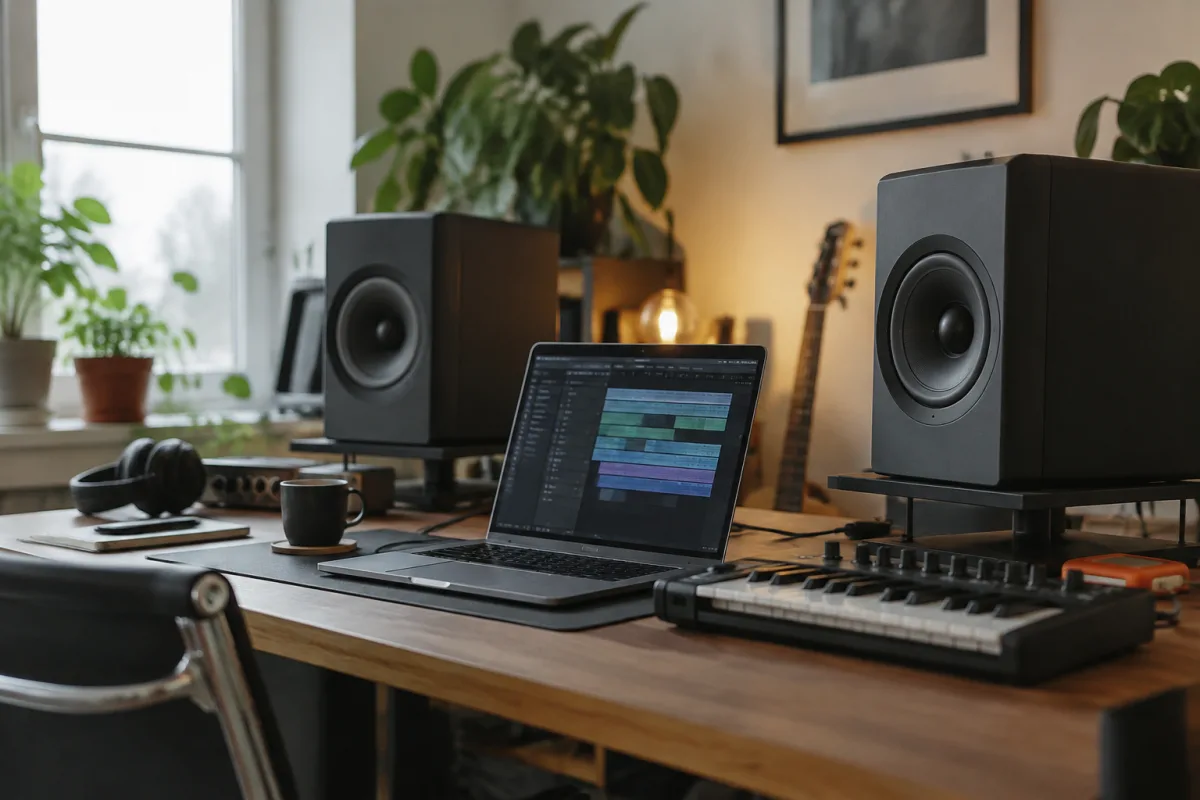
You've heard the term "coaxial" thrown around in studio monitor discussions, and you might be wondering what makes coaxial studio monitors different and whether they're the right choice for you. If you're just starting your audio journey, don't worry—coaxial studio monitors are actually simpler to understand than you might think, and they offer some genuine advantages for beginners. This guide strips away the complexity and helps you understand what coaxial studio monitors do, whether they suit your needs, and how to get started with confidence.
Understanding the Coaxial Design (Without the Jargon)
A "coaxial" studio monitor simply means the tweeter (high-frequency speaker) and the woofer (low-frequency speaker) share the same acoustic axis—they're mounted together so sound waves from both drivers reach your ears at the same time. Think of it like having two speakers pointing at you from exactly the same spot, rather than having them spread apart.
Why does this matter? When drivers are separated, sound waves from the tweeter and woofer arrive at your ears at slightly different times, creating phase issues. Coaxial studio monitors align these drivers, so you hear a more cohesive, unified sound. For beginners, this means what you hear is more accurate to reality, without confusing phase distortions that make mixing decisions harder.
The Beginner's Question: Are Coaxial Studio Monitors Right for Me?
Coaxial studio monitors work well for many applications, but they're not the only choice. Understanding when coaxial studio monitors make sense helps you avoid unnecessary confusion or expense.
Coaxial studio monitors work best if: You're recording and monitoring in nearfield (close to the speakers, typically within 2 metres). You have limited space or a small room. You care about accurate phase response and cohesive sound. You mix music in multiple genres and want versatility.
Skip coaxial studio monitors if: Your mixing environment is very large (over 30 square metres). You need to monitor at significant distances (more than 3–4 metres). You're working in a treated professional facility where non-coaxial, multi-way designs are standard.
Most home recording beginners find coaxial studio monitors perfectly suitable. Their compact design, simplified internals, and reliable performance make them ideal for learning and developing your mixing skills.
Why Beginners Love Coaxial Studio Monitors
Simplicity: Coaxial studio monitors are mechanically simpler than multi-way speakers with separate tweeters and woofers. Fewer components means fewer things to break and simpler repair if problems arise. This reliability appeals to beginners who want equipment that just works.
Compact Size: The unified driver design allows coaxial studio monitors to be physically smaller than comparable multi-way systems. This matters in small bedrooms, home offices, and compact studios where space is precious.
Affordable: Simpler design means lower manufacturing costs. Entry-level and mid-range coaxial studio monitors are often more affordable than comparable multi-way alternatives, making them accessible to budget-conscious beginners.
Phase Coherent: This is the technical advantage that matters most: coaxial studio monitors reproduce a more accurate, phase-coherent sound because drivers are aligned. For beginners learning to mix, this means fewer confusing acoustic illusions to misinterpret.
First Steps: Setting Up Your Coaxial Studio Monitors
Once you've purchased coaxial studio monitors, the setup is straightforward:
Positioning: Place your coaxial studio monitors at ear level when you're sitting at your mixing position. They should form an equilateral triangle with your listening spot—roughly 30 degrees off-centre for each speaker. This positioning optimises the phase coherence that makes coaxial studio monitors effective.
Distance from Walls: Keep coaxial studio monitors at least 0.5 metres away from walls and corners. Proximity to hard surfaces causes bass buildup that makes your mixes sound muddy. Let your monitors breathe a bit.
Mounting: Use proper monitor stands designed for your monitor size. Never place coaxial studio monitors directly on your desk or shelf without isolation—vibration transfer degrades sound quality and muddles your monitoring.
Cable Management: Connect XLR or RCA cables from your audio interface to your coaxial studio monitors. Make cable runs neat and keep them away from power cables to minimise electrical interference.
Understanding Coaxial Studio Monitor Specifications
When comparing coaxial studio monitors, these specifications matter most:
Woofer Size: Typical coaxial studio monitors use 5-inch or 6-inch woofers. Larger woofers (8-inch) are less common in coaxial designs because the physical constraints of mounting both drivers coaxially become challenging. For beginners, 5-inch or 6-inch coaxial studio monitors offer an excellent balance of bass response and manageable size.
Frequency Response: Coaxial studio monitors typically extend from 50 Hz (low end) to 20 kHz (high end) or better. This range covers the entire spectrum of human hearing and handles virtually all mixing applications. Don't stress about exact numbers—any modern coaxial studio monitor covers the frequency range you need.
Amplifier Power: Look for coaxial studio monitors with 50–100 watts of internal amplification. This provides ample clean output for home studios. Higher wattage isn't necessary and adds unnecessary cost.
Common Beginner Mistakes to Avoid
Expecting Coaxial Studio Monitors to Solve Room Acoustics: No monitor—coaxial or otherwise—can overcome untreated room acoustics. If your space is bare and reflective, even excellent coaxial studio monitors will sound muddy and unreliable. Budget for acoustic treatment: bass traps in corners and absorption panels on walls. This investment matters more than the monitor cost.
Placing Monitors Too Close Together: Some beginners pair their coaxial studio monitors too close, thinking closer proximity improves stereo imaging. This actually creates a narrow, unrealistic stereo image. Keep them at least 1 metre apart, further if your room allows.
Setting Input Levels Too High: Beginners often push input gain too hard, thinking more volume means better monitoring. This causes distortion and muddy sound. Set levels so peaks register at -12 to -6 dB on your interface—clean, not hot.
Skipping Proper Monitor Stands: Placing coaxial studio monitors on bookshelves or desks without isolation is a common beginner mistake. Vibration transfer ruins the precise sound those monitors are designed to deliver. Proper stands isolate monitors and improve performance significantly.
Ignoring Bass Problems in Small Rooms: Coaxial studio monitors in small rooms can produce exaggerated bass response due to room modes. If bass sounds boomy, move your monitors or your listening position. Bass traps help. Don't assume the coaxial studio monitors are wrong—your room is probably the culprit.
Monitoring Techniques for Beginners Using Coaxial Studio Monitors
Once your coaxial studio monitors are properly set up, use these techniques to develop your mixing skills:
Reference Monitoring: Listen to professional mixes on your coaxial studio monitors to understand how good music should sound. This trains your ear and helps you recognise when your own mixes are off. Spend time just listening to reference tracks.
Critical Listening Sessions: Dedicate focused time to monitoring without distraction. Turn off notifications, close unnecessary windows, and really listen. Short, concentrated listening sessions teach you more than hours of casual monitoring.
Cross-Check on Multiple Devices: Always verify your coaxial studio monitor mixes on headphones, earbuds, and car speakers. Monitoring decisions that sound good on your studio monitors should work elsewhere too. If they don't, adjust your mix.
When to Upgrade Beyond Coaxial Studio Monitors
As your skills develop, you might wonder about upgrading to different monitor designs. You can confidently use coaxial studio monitors indefinitely—they're not a "stepping stone" you outgrow. Many professional studios use coaxial designs because they work reliably. Upgrade only when you genuinely need features coaxial studio monitors don't provide: significantly larger rooms, mastering-grade precision, or specific sonic characteristics suited to your evolving work.
Learning More About Your Equipment
For deeper technical information about coaxial studio monitors and how they compare to other monitor types, read our comprehensive guide on coaxial studio monitors explained with features and technology details. That resource covers the engineering and specifications—this guide focuses on getting you started and confident with your equipment.
Your Coaxial Studio Monitor Journey
Coaxial studio monitors are an excellent choice for beginners because they're reliable, affordable, and deliver honest sound for learning. By understanding their design, setting them up correctly, and investing in room acoustics, you're building a professional foundation for your audio work. Don't overthink the technology—focus on learning to use your coaxial studio monitors well, and you'll create better mixes than you ever imagined. The journey from beginner to confident recording artist starts right here.


Comments