


Budget Studio Monitors Buying guide
Budget Studio Monitors: A Complete Buyer's Guide
Choosing the wrong budget studio monitors leads to mixes that sound great at home but awful everywhere else. This buying guide covers essential specs, common pitfalls, and what to expect at each price point.
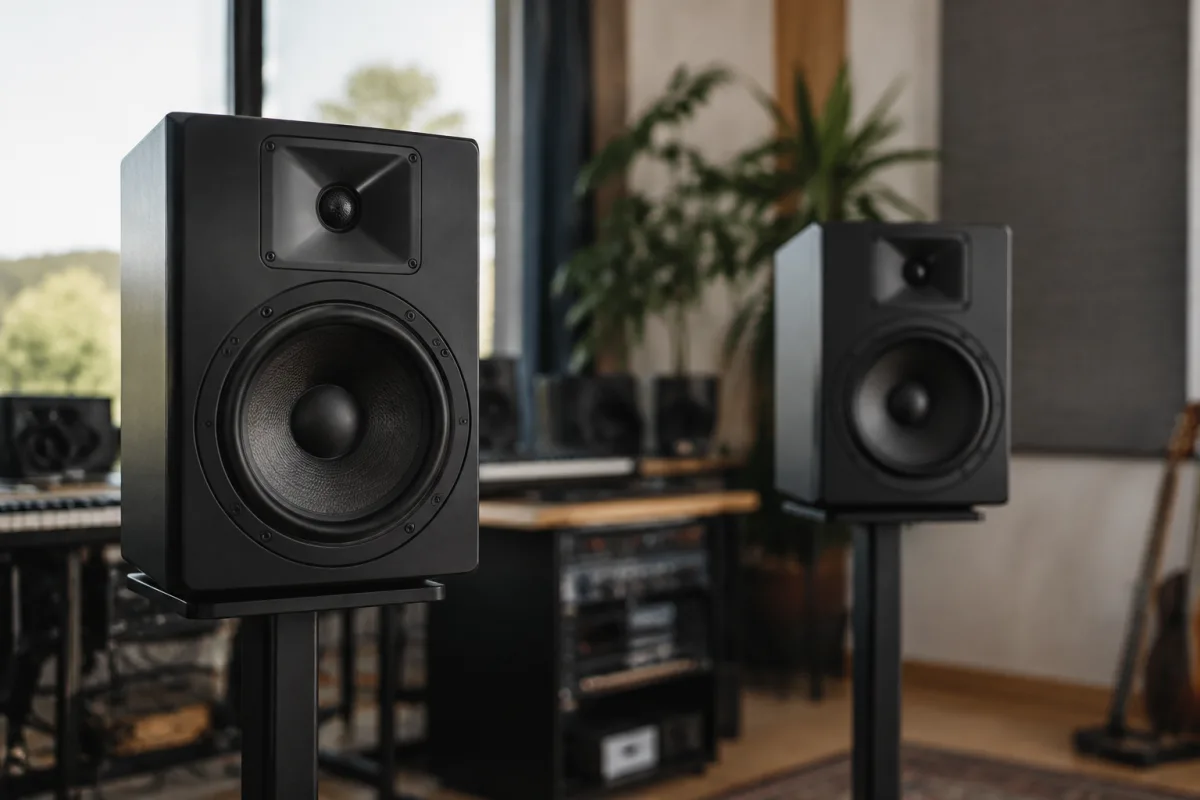
Budget studio monitors represent one of the most important and frequently misunderstood purchases in home recording. Spend £150 on a bad pair, and you'll spend months making records that sound perfect in your room but terrible everywhere else. Spend £300 on good ones, and every mix decision you make will translate reliably to other playback systems. The difference comes down to knowing what you're actually buying and avoiding the pitfalls that catch every beginner. This guide cuts through the marketing and shows you exactly what specs matter, which corners are worth cutting, and where spending more genuinely gets you better sound. For a comprehensive overview of everything monitors can offer, see our complete guide to budget studio monitors.
The One Spec That Actually Matters: Flat Frequency Response
Every monitor spec sheet lists frequency response, usually something like "50 Hz – 24 kHz." This doesn't mean much by itself. What matters is flatness—meaning the speaker produces all frequencies at similar volumes. A non-flat response means the speaker boosts bass or treble to sound nice, which is great for listening to commercial music but catastrophic for mixing. You'll add EQ to counteract the speaker's boosting, then when you play your mix elsewhere, it sounds thin or harsh. Buy monitors specifically designed to be flat. Avoid anything marketed as "enhanced bass" or "bright treble" for mixing work. Those are listening speakers, not monitoring speakers, and they'll sabotage your mixes.
Essential Specs to Evaluate When Buying
Once you've confirmed a pair has genuinely flat response (check independent reviews; manufacturer claims are useless), examine these specs:
- Power rating (watts): Budget monitors range from 20W to 150W per speaker. For a bedroom or small room, 40-80W is sufficient. More watts mean louder maximum volume and better bass response, but they also cost more. Match the wattage to your room size, not just price.
- Woofer size (inches): The woofer is the cone that produces bass. Budget monitors typically use 4-inch to 8-inch woofers. Smaller rooms (under 20 square metres) work with 4-5 inch woofers. Larger rooms need 6-8 inch woofers for accurate low-frequency monitoring. Undersizing means you'll miss bass problems in your mixes.
- Tweeter material: The tweeter produces treble. Silk tweeters sound smoother (some prefer this), whilst hard tweeters (aluminium, ceramic) sound brighter (better for detailed work). Neither is objectively better; it's personal preference, but know what you're getting.
- Input options: Check whether the monitors accept XLR (balanced, preferred), RCA, and/or USB inputs. Budget monitors might lack XLR connections; if your interface only has XLR outputs, make sure your monitors accept them.
- Nearfield vs midfield design: Budget monitors are almost always nearfield (designed for listening 1-2 metres away). Midfield monitors are pricier. If your room is small, nearfield is fine—actually preferable, since it reduces room reflections.
The Pitfalls That Trap Every Buyer
Mistake 1: Judging on first listen. When you hear budget studio monitors for the first time, they sound flat and dull compared to commercial speakers. That's correct. That dullness is what you need for mixing. Don't judge them in the shop against a consumer Bluetooth speaker. Judge them over a week of mixing, listening to your mixes on other systems, and seeing whether your mixes translate well. One session isn't enough information.
Mistake 2: Assuming bigger always means better. A pair of 8-inch monitors isn't automatically superior to a 5-inch pair. If you're working in a small bedroom, the 8-inch pair will probably sound boomy and uncontrolled because low frequencies will bounce around the room. Start with monitors matched to your room size. Upgrade later if you move to a larger space.
Mistake 3: Placing monitors in corners or against walls. This is how you ruin monitor sound immediately. Bass frequencies boom dramatically in corners. Place monitors at least 30 centimetres from walls, ideally on proper stands at ear level when you're sitting. This is non-negotiable for accurate monitoring.
Mistake 4: Buying a mismatched pair or buying cheap for one speaker.** Always buy a matching stereo pair. Never replace one speaker whilst keeping the other. Mismatched monitors will mislead you about stereo balance. This is as important as buying a flat-response monitor.
Mistake 5: Ignoring room treatment. Even excellent monitors in an untreated room provide misleading information. Reflections from hard walls distort what you hear. Budget room treatment (DIY bass traps, soft furnishings) matters more than expensive monitors in a bad room. Budget for both.
Budget Tiers: What You Actually Get at Different Price Points
| Price Range | Woofer Size | Key Characteristics | Best For |
|---|---|---|---|
| £100–200 | 4–4.5 inch | Very compact, thin bass, limited maximum volume, acceptable flatness in budget ranges | Tiny rooms, bedroom studios, learners testing the concept |
| £200–400 | 5–6 inch | Better bass extension, reasonable flatness, reliable builds, usable for serious mixing | Small-to-medium bedrooms, project studios, serious hobbyists |
| £400–800 | 6–8 inch | Good bass control, flatter response across spectrum, professional build quality, detailed sound | Medium rooms, semi-professional studios, mixing for release |
| £800+ | 8 inch+ | Approaching professional territory, excellent flatness, impressive bass detail, expensive | Professional studios, engineers mixing commercially, large rooms |
Key Questions Before You Buy
Ask yourself these questions to narrow your choice:
What's your room size? Measure it. Small room (under 15 square metres)? Look at 4-5 inch woofers. Medium room (15-30 square metres)? Target 5-6 inch. Larger? Go 7-8 inch. Don't assume bigger sounds better; match your room.
How far will you sit from the monitors? Nearfield monitors are designed for 1-2 metres distance. If you sit 3+ metres away, you might need midfield monitors or larger woofers to maintain accuracy at distance.
What connections does your audio interface have? Check your interface's outputs (usually XLR or RCA). Your monitors must match these connections. Adapters work, but matched connections are cleaner.
Can you treat your room?** Budget room treatment (bass traps, curtains) makes cheaper monitors work well. Without room treatment, even expensive monitors underperform. Budget for both before deciding on monitor price.
Where to Buy and What to Avoid
Buy from retailers with good return policies. You genuinely need to listen in your room for a week before committing. Some retailers offer 30-day returns; that's ideal. Avoid:
- Retailers with no return policy
- Suspiciously cheap pairs (too good to be true usually means defective or previous returns)
- Very new brands with no review history (stick with established manufacturers)
- Unbalanced pairs (one monitor much cheaper than the other)
Trusted budget monitor manufacturers include Yamaha, KRK, Mackie, PreSonus, JBL, and ADAM—though there are others. Do read independent reviews; YouTube channels dedicated to monitor reviews are invaluable.
Final Buying Thoughts
Budget studio monitors are one of the best investments you can make in mixing quality. The difference between £200 and £400 monitors is noticeable and worth budgeting for. The difference between £400 and £4,000 is subtle and irrelevant unless you're mixing professionally. Buy once at the right budget level, place them correctly, treat your room, and you'll have genuine confidence in your mixes. That confidence is what separates mixes that translate from mixes that don't.



Comments