
Audio Jack for Headphones article
The Complete Guide to Audio Jack For Headphones
Discover how audio jacks for headphones work, the different types available, and how to maintain them for reliable sound quality. From 3.5mm standards to professional studio connectors.
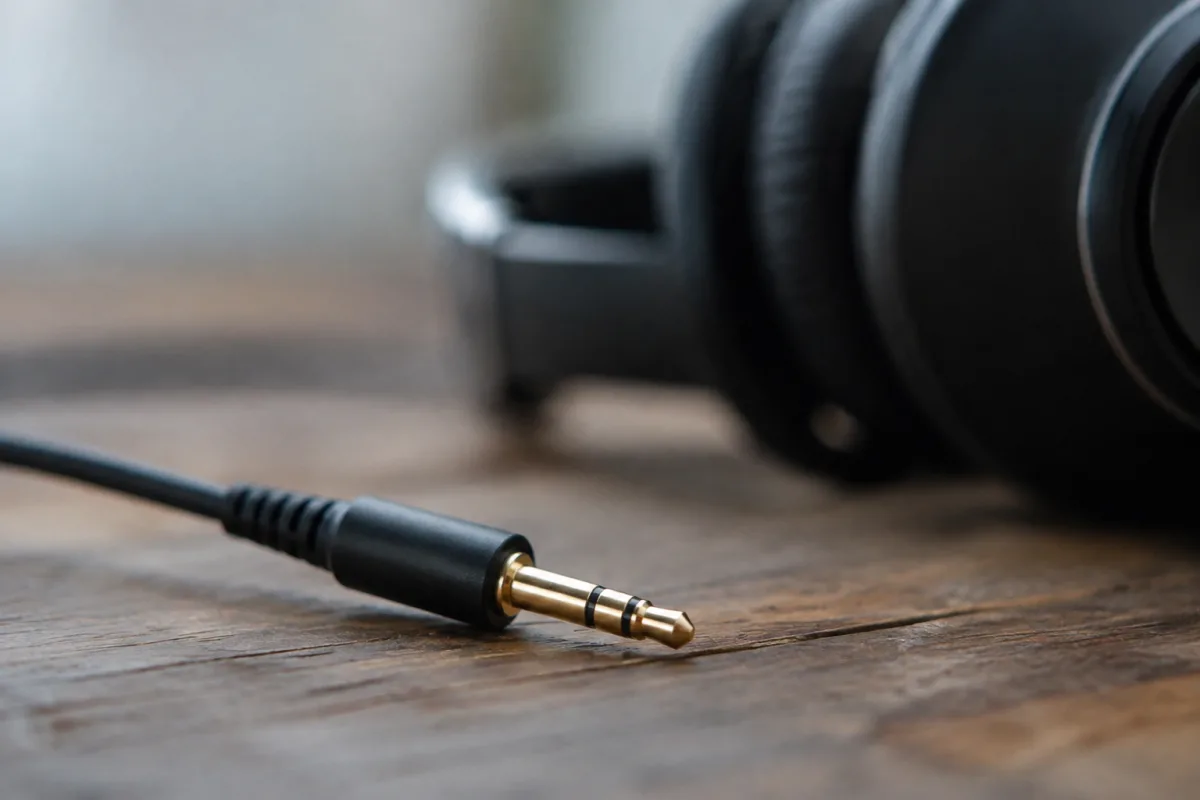
The 3.5mm connector for headphones has been a staple of personal audio for decades, evolving quietly from a simple connection point into a surprisingly nuanced piece of technology. Whether you're connecting professional studio monitors or your everyday earphones, understanding this fundamental connector is essential to getting reliable sound.
What is an Audio Jack?
An audio jack for headphones is a small cylindrical connector designed to transmit electrical signals from a device to headphones or speakers. The most common type is the 3.5mm jack, also known as a mini jack, which has become the standard for consumer audio devices worldwide.
The term "jack" originally referred to the socket itself, though it's now used to describe both the plug and the receiving port on your device. Think of it as a genderless connector—the cable end and the device port are complementary parts of the same system.
Common Connector Sizes and Standards
Several audio jack sizes have emerged over the years, each serving different purposes:
- 3.5mm jack: The industry standard for consumer devices. Found on smartphones, laptops, and portable audio players.
- 6.35mm jack: A larger format common in professional studio equipment, amplifiers, and high-end audio gear. Also called a quarter-inch jack.
- 2.5mm jack: A smaller format used in some older mobile phones and hearing aids.
- RCA connectors: Rarely called jacks, these red and white or colour-coded connectors are used for line-level audio between audio components.
When selecting headphones or audio equipment, matching the connector with your device's port is crucial. Fortunately, adapters are widely available if you need to connect different sizes.
How a Headphone Connector Works
The audio jack for headphones operates through a remarkably straightforward principle. The connector establishes electrical contact between the audio source and the headphone drivers, allowing current to flow through the signal chain.
Inside a standard 3.5mm model, you'll find metal sleeves arranged in a specific pattern. A mono jack has two contacts: tip and sleeve (T/S). A stereo version adds a ring between them, creating three contacts: tip, ring, and sleeve (TRS). The stereo configuration allows left and right audio channels to travel independently, delivering proper separation.
The sleeve always serves as ground, whilst the tip and ring carry the left and right channel signals respectively. When you insert the plug, the metal contact points slide along the socket's internal contacts, creating a secure electrical connection.
Types of Headphone Connectors
Beyond size, jacks come in different configurations based on their intended use:
| Jack Type | Contacts | Use Case | Example |
|---|---|---|---|
| Mono (TS) | 2 (tip, sleeve) | Instrument cables, older applications | Guitar cables |
| Stereo (TRS) | 3 (tip, ring, sleeve) | Headphones and consumer audio | 3.5mm headphones |
| TRRS | 4 (tip, ring, ring, sleeve) | Headsets with microphone | Mobile phone headsets |
| Balanced XLR | 3 pins | Professional studio audio | Studio microphones |
The connectors you'll encounter most often are the stereo TRS variety. However, if you're purchasing a gaming headset or earphones with a built-in microphone, you're likely dealing with a TRRS (tip, ring, ring, sleeve) configuration, which accommodates the additional microphone signal.
Materials and Build Quality
The quality of your audio jack directly affects durability and sound reliability. Premium connectors typically use gold-plated contacts that resist oxidation and maintain consistent electrical conductivity over time.
Cheaper models may use nickel plating or bare copper, which can corrode or tarnish, leading to crackling sounds or intermittent connectivity. If you're purchasing professional-grade headphones or studio equipment, gold-plated connectors are worth the investment.
The surrounding plastic or metal housing also matters. Flexible strain reliefs—the reinforced section where the cable enters the socket—prevent stress fractures from repeated bending. This is why expensive headphone cables seem to last so much longer than budget alternatives.
Common Issues and Troubleshooting
Even well-made audio jacks can develop problems. Common issues include:
- Loose connections: The connector becomes unreliable, causing intermittent sound.
- Oxidation: Tarnish on the contacts causes crackling or muffled audio.
- Bent contacts: Frequent insertion and removal can damage the socket pins.
- Broken strain relief: The cable connection weakens, sometimes breaking entirely.
For a headphone connector that's become loose, gently insert a small cotton swab lightly dampened with electrical cleaner into the port to remove debris. If the cable's strain relief is damaged, carefully wrapping a bit of electrical tape can extend its lifespan, though replacement is ultimately the safer solution.
The Future of Audio Jacks
Many modern smartphones and laptops have abandoned the 3.5mm connector for headphones in favour of wireless technology or proprietary solutions. However, the traditional audio jack for headphones remains deeply embedded in professional audio studios and portable music devices.
Wireless solutions like Bluetooth offer convenience, but audiophiles and professionals still prefer wired connections for their reliability and zero-latency audio transmission. The traditional jack isn't going anywhere in professional contexts.
For anyone working with audio equipment, understanding these connectors—their types, how they function, and how to maintain them—is fundamental knowledge. Whether you're setting up a home studio or simply wanting reliable personal audio, the humble jack remains an elegant solution to signal transmission.
FAQ
What's the difference between a 3.5mm and 6.35mm audio jack? The 3.5mm (mini) jack is standard for portable devices and consumer audio. The 6.35mm (quarter-inch) jack is larger and commonly used in professional studio equipment and amplifiers. They serve the same function but different markets.
Can I use an adapter to connect different audio jack sizes? Yes, passive adapters are widely available and work reliably. They simply bridge the size difference without affecting audio quality, assuming both connectors are in good condition.
Why does my headphone jack crackle? Crackling usually indicates oxidation or dirt on the contacts. Try gently cleaning the jack with a cotton swab and electrical cleaner. If the problem persists, the socket may need replacement.
What does TRRS mean on a headphone connector? TRRS stands for Tip, Ring, Ring, Sleeve—four separate contact points. It's used for headsets that include a microphone, with the extra ring contact carrying the mic signal.
Are gold-plated audio jacks really better? Gold plating resists oxidation and maintains better electrical contact over time, making gold-plated connectors more durable and reliable than bare metal alternatives, especially for frequently used equipment.
Will the audio jack for headphones become obsolete? In consumer devices, wireless connections are increasingly common, but wired jacks remain standard in professional studios and are preferred by those who value zero-latency audio transmission.


Comments