


Adam Monitors Buying guide
Adam Monitors: A Complete Buyer's Guide
Adam monitors are premium studio speakers trusted by professionals. But the range is broad and prices are significant. This buying guide cuts through the jargon to help you pick the right pair for your room, workflow and budget.
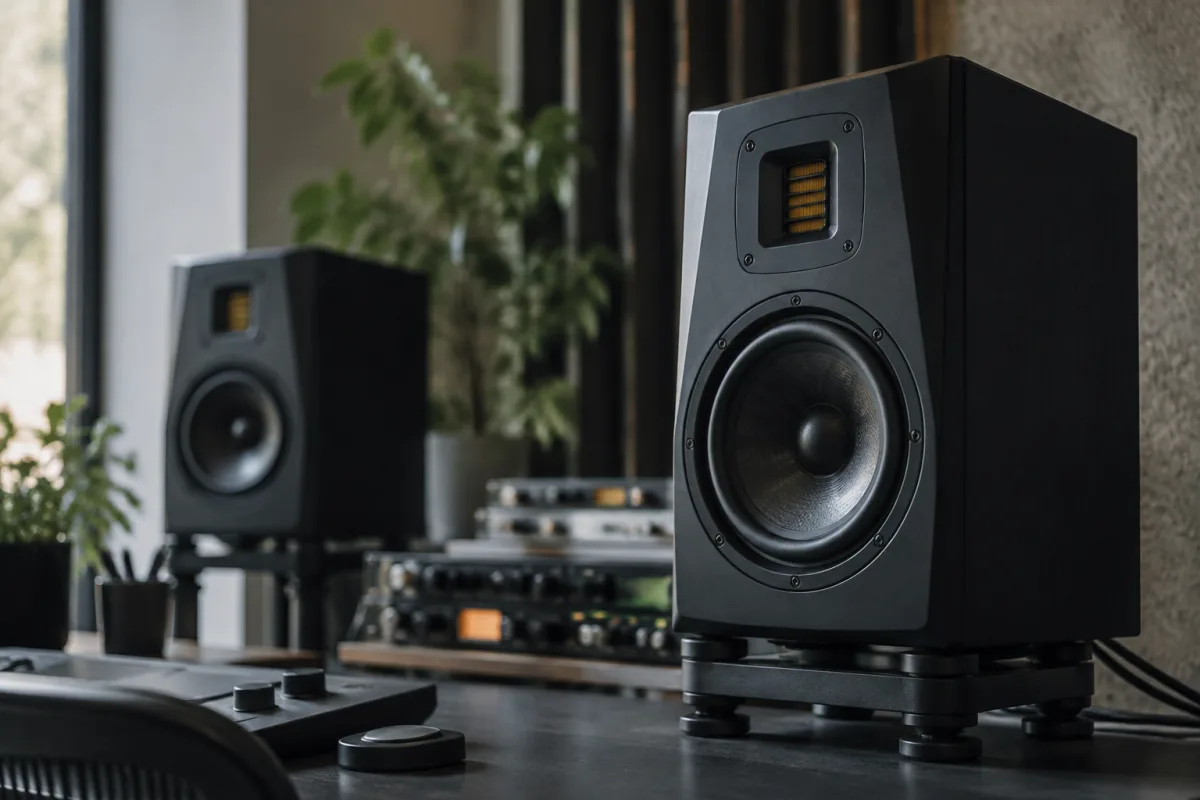
Adam monitors are a premium choice for studio professionals, from mixing engineers to producers and post-production specialists. But the range is broad, prices are significant, and "the best Adam monitors" depends entirely on your room, budget and workflow. This buying guide walks you through the key specs, price tiers and real-world tradeoffs, so you pick the right pair the first time.
What to Know About Adam Monitor Types
Adam builds several monitor lines, each aimed at different spaces and budgets. The compact series suits small rooms and portable setups. Mid-range options balance size, power and cost for typical control rooms. The professional cinema range offers extreme headroom and precision for critical mastering and post-production. Understanding which line fits your actual setup matters far more than chasing the flagship model. A £2,000 Adam monitor in a cramped bedroom doesn't sound better than a well-matched £600 pair; it sounds worse because the room can't accommodate it.
Room Size & Speaker Placement
Your room dictates Adam monitor choice more than any other factor. Small rooms (under 20 m²) suit 4–5 inch woofers; medium rooms (20–50 m²) need 6–7 inches; large, treated rooms handle 8 inches and up. Monitor distance matters too. Adam monitors are optimised for specific listening positions — usually 1–2 metres away. If your desk forces you closer or farther, choose a model designed for that distance. Untreated rooms are the real killer; expensive Adam monitors in a reflective space sound worse than modest speakers in a treated room. Budget for acoustic treatment alongside your monitors.
Frequency Response & Bass Management
Check the Adam monitors' frequency response curve and how low they reach. Standard nearfield Adam monitors handle 50 Hz or higher; some professional models go down to 30 Hz or lower. Sounds great on paper until your room can't actually reproduce those frequencies without boom. Most bedrooms and small studios benefit from Adam monitors with an in-room bass roll-off switch or adjustable bass response. Pairing Adam monitors with a subwoofer extends low-end capability without room-mode issues, but adds cost and complexity. Decide first whether you'll add a sub later; many Adam monitor specs assume you will.
Amplification & Power Handling
Adam monitors use built-in Class D or conventional amplification, typically between 30 and 150 watts per channel depending on model and woofer size. More power lets Adam monitors handle peaks without distortion, crucial for critical mixing. Check whether the power specs are RMS (continuous) or peak (brief transients) — manufacturers love inflating the latter. For small rooms, 50–75 watts is plenty. Larger rooms or louder monitoring needs 100+ watts. Cheap Adam monitors often skimp on amp quality; the same wattage from a trusted brand will handle transients and dynamics more cleanly than knockoffs.
Audio Interfaces & Connectivity
Modern Adam monitors feature both XLR and RCA inputs (some add USB or AES-EBU for professional setups). Check whether your audio interface outputs match. Most use balanced XLR, which is ideal — it rejects interference over long cable runs. Adam monitors also include input gain controls; a switch to trim input level is essential if you're feeding hot signals from your interface. Some models add digital connectivity or high-resolution audio support; assess whether your workflow actually uses these before paying premium prices.
Tweeter Technology & Clarity
Adam is famous for its X-Art tweeter, found on most Adam monitors. This ribbon design excels at high-frequency detail and off-axis smoothness. Alternatives exist — some rivals use conventional dome tweeters — but if you're considering Adam monitors, you're likely attracted to that tweeter character. For mixing purposes, this high-frequency clarity is genuinely useful for catching harsh sibilants and cymbal sizzle. Be aware that the X-Art tweeter's strength (lots of detail) can also reveal problems in poorly treated rooms or aggressive mixes. That's not a flaw; it's honesty.
Price Tiers & Real-World Performance
Entry-level Adam monitors (4–5 inch, £400–£800 per pair) suit learning and bedroom setups. Mid-range pairs (6–7 inch, £800–£1,600 per pair) deliver serious mixing capability and are the sweet spot for most professionals. Professional Adam monitors (8 inch and up, £1,600–£3,500+ per pair) are aimed at mastering suites and large commercial studios. Above that sits cinema-grade equipment. Higher price tags usually mean better amplification, flatter response curves, and build quality — all worthwhile. But the price-to-performance curve plateaus; beyond mid-range, you're paying for treatment of edge cases and marginal refinements, not transformative quality.
Listening Tests & Burn-In
Always listen to potential Adam monitors before buying. Most dealers offer demo pairs. Ask to take them home if possible (many allow 14-day trial periods). Your ears matter far more than specs. A pair that sounds slightly different but utterly transparent in your treated room is the right choice, even if rival monitors measure "better" on a test bench. New Adam monitors need 50–100 hours of normal use to fully settle; drivers loosen and frequency response stabilises slightly. Don't form final opinions on Day One. Also listen to familiar music — albums you know intimately in multiple environments — to hear how the Adam monitors render detail, dynamics and depth.
Common Pitfalls
Avoid buying Adam monitors without treating your room first — it's like buying a high-end lens for a scratched camera. Don't choose size based on power or prestige; choose it based on your room and listening distance. Never place Adam monitors on an untreated desk or table; use proper monitor stands to isolate them from vibration and reflections. Beware of buying a stereo pair and skipping calibration; even modest Adam monitors need a measurement microphone pass to dial in room response. Finally, don't judge Adam monitors in an untreated dealer showroom and expect those results at home. Context transforms everything.
Final Advice
Start by measuring and treating your room. Choose Adam monitors sized for that space, not your budget. Ask your trusted engineer or studio owner which models they've lived with for years. Then listen for yourself. If you're new to Adam monitors and comparing them to other professional options, our complete guide to Adam monitors covers the technical background and product range in detail.
Conclusion
Adam monitors earn their reputation through clarity and reliability. Buying the right pair means matching size to room, listening critically before committing, and treating your space properly. Invest in the monitoring setup that will earn your trust for years of mixing and mastering — that's worth the careful selection.



Comments