
Wireless Lavalier Lapel Microphone article
The Complete Guide to Wireless Lavalier Lapel Microphone
Wireless lavalier lapel microphones provide hands-free, mobile audio capture for performers, presenters, and recording professionals seeking freedom of movement.
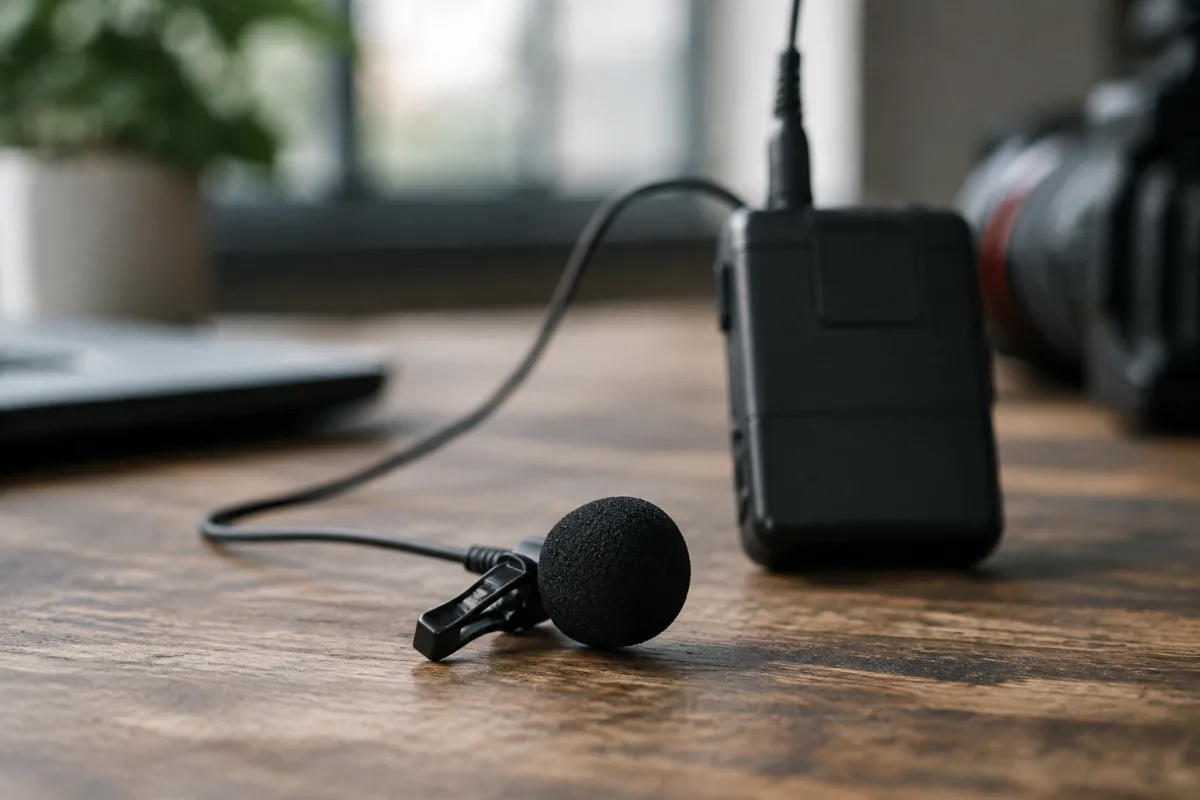
Wireless lavalier lapel microphones are essential tools for performers, presenters, and recording professionals who need unobstructed mobility and hands-free audio capture. Whether you're performing on stage, conducting a presentation, recording interviews, or capturing video dialogue, a wireless lavalier lapel microphone offers convenience and reliability that hardwired alternatives cannot match. This guide explains how wireless lavalier lapel microphones work, which types suit different situations, and how to select and use one effectively.
Understanding Wireless Lavalier Lapel Microphones
A wireless lavalier lapel microphone is a small, lightweight microphone clipped to the user's lapel, collar, or shirt, transmitting audio wirelessly to a receiver unit. The term lavalier (or lavalière) refers to the garment-mounting style; "lapel" is the specific location on a jacket or shirt front. A wireless lavalier lapel microphone system consists of three components: the microphone capsule, a bodypack transmitter (worn on the waist or in a pocket), and a receiver unit connected to a mixer, camera, or recorder.
The primary advantage of a wireless lavalier lapel microphone is freedom of movement. Unlike a handheld microphone, which requires hand control, a wireless lavalier lapel microphone remains fixed at chest level, capturing consistent audio as the wearer moves, gestures, or performs. This makes a wireless lavalier lapel microphone ideal for theatre actors, singers moving across a stage, conference speakers, or field reporters who need both hands free.
A modern wireless lavalier lapel microphone operates on either analogue VHF, UHF, or digital 2.4 GHz frequencies. Analogue systems are affordable but susceptible to interference; UHF systems offer better range and interference resistance; digital 2.4 GHz wireless lavalier lapel microphones provide the most secure transmission and are increasingly popular for professional use.
Key Features of Wireless Lavalier Lapel Microphones
When selecting a wireless lavalier lapel microphone, these specifications determine performance and suitability:
- Frequency range: VHF (older, narrower range), UHF (standard professional choice), or digital 2.4 GHz (modern, most interference-free). A wireless lavalier lapel microphone operating in the UHF band or 2.4 GHz is preferred for reliability.
- Frequency stability: Crystal-locked or frequency-agile transmission. A wireless lavalier lapel microphone with frequency-agile tuning can switch channels to avoid interference from other wireless systems.
- Microphone capsule polar pattern: Omnidirectional (picks up sound from all directions, good for capturing voice regardless of head position) or cardioid (focuses forward, reducing side/rear noise). Most wireless lavalier lapel microphones use omnidirectional capsules.
- Battery life: A wireless lavalier lapel microphone bodypack typically runs 4–8 hours on AA batteries. Check whether the system supports rechargeable batteries or supplies disposables.
- Receiver range: A wireless lavalier lapel microphone typically operates effectively within 50–100 metres line-of-sight, though obstacles reduce this. Confirm the specified range meets your venue or staging requirements.
- Durability and weatherproofing: Professional-grade wireless lavalier lapel microphones include splash or sweat resistance, important for outdoor use or rigorous stage performance.
- Compatibility: A wireless lavalier lapel microphone receiver must match your mixer input (XLR or 3.5mm), and different manufacturers' systems are generally incompatible.
Wireless Lavalier Lapel Microphone Types and Applications
Different situations call for different wireless lavalier lapel microphone systems:
| Type | Frequency | Price Range | Best For | Typical Range |
|---|---|---|---|---|
| Entry-level wireless lavalier lapel microphone | VHF or budget UHF | £100–300 | School presentations, small venues, hobby recording | 30–50 metres |
| Professional UHF wireless lavalier lapel microphone | UHF (470–952 MHz) | £400–1200 | Theatre, live events, broadcast, professional recording | 60–100 metres |
| Digital 2.4 GHz wireless lavalier lapel microphone | 2.4 GHz ISM band | £300–800 | Modern venues, corporate events, video production | 50–100 metres |
| Multi-channel wireless lavalier lapel microphone | UHF or 2.4 GHz | £1500–5000 | Large events, multiple performers, broadcast production | 50–150 metres |
Proper Placement and Wearing of a Wireless Lavalier Lapel Microphone
Correct placement of a wireless lavalier lapel microphone is crucial for optimal audio capture. Mount the microphone capsule 15–20 centimetres below the chin, on the lapel, tie, or shirt front, angled slightly downward toward the mouth. A wireless lavalier lapel microphone positioned too high picks up chin and jaw movement noise; positioned too low captures more chest resonance. Keep the microphone away from fabric that might rustle; use lavalier clips with foam windscreens to reduce clothing noise.
The bodypack transmitter of a wireless lavalier lapel microphone should clip to the waistband, inside a jacket pocket, or on a belt. Hide the cable running from the capsule to the transmitter by routing it inside the shirt or jacket. A wireless lavalier lapel microphone cable left dangling or visible looks unprofessional on camera or on stage.
Test the wireless lavalier lapel microphone placement before recording or performing. Ask the wearer to move their head, gesture, and speak at normal volume. A well-placed wireless lavalier lapel microphone captures consistent, intelligible audio regardless of head position or movement.
Troubleshooting Common Wireless Lavalier Lapel Microphone Issues
Wireless lavalier lapel microphones are generally reliable, but problems occasionally occur. If your wireless lavalier lapel microphone cuts out intermittently, check battery level and move closer to the receiver. If the audio sounds muffled, reposition the capsule away from fabric or adjust microphone gain on the receiver. If you hear interference or dropouts with a wireless lavalier lapel microphone, switch to an unused frequency or channel if your system is frequency-agile. Interference from WiFi, mobile networks, or other wireless devices can affect a 2.4 GHz wireless lavalier lapel microphone; relocating away from these sources or switching to a UHF system may help.
Keep the battery contacts on a wireless lavalier lapel microphone transmitter clean and check batteries before every use. A dying battery in a wireless lavalier lapel microphone causes inconsistent signal and audio dropout.
Choosing Between Single and Multiple Wireless Lavalier Lapel Microphones
For solo performers, presenters, or interviews, a single wireless lavalier lapel microphone is sufficient. For theatrical productions with multiple actors, panel discussions, or events with several speakers, multiple wireless lavalier lapel microphones allow simultaneous capture. Most venues and production companies keep several wireless lavalier lapel microphones of the same model on hand to maintain compatible systems and simplify frequency coordination.
Conclusion
A wireless lavalier lapel microphone is an indispensable tool for anyone needing hands-free, mobile audio capture. Whether you're performing on stage, presenting to an audience, recording dialogue, or conducting interviews, a wireless lavalier lapel microphone provides freedom of movement and consistent audio quality. Choose a wireless lavalier lapel microphone based on your venue size, frequency requirements (prefer UHF or digital 2.4 GHz for modern reliability), and budget. Proper placement, battery management, and testing before use ensure that a wireless lavalier lapel microphone performs flawlessly when you need it most.



Comments