


Microphone and Arm Buying guide
Microphone And Arm: A Complete Buyer's Guide
A quality microphone and arm keeps your mic stable and comfortable during long recording sessions. Learn what features matter and how to avoid drooping.
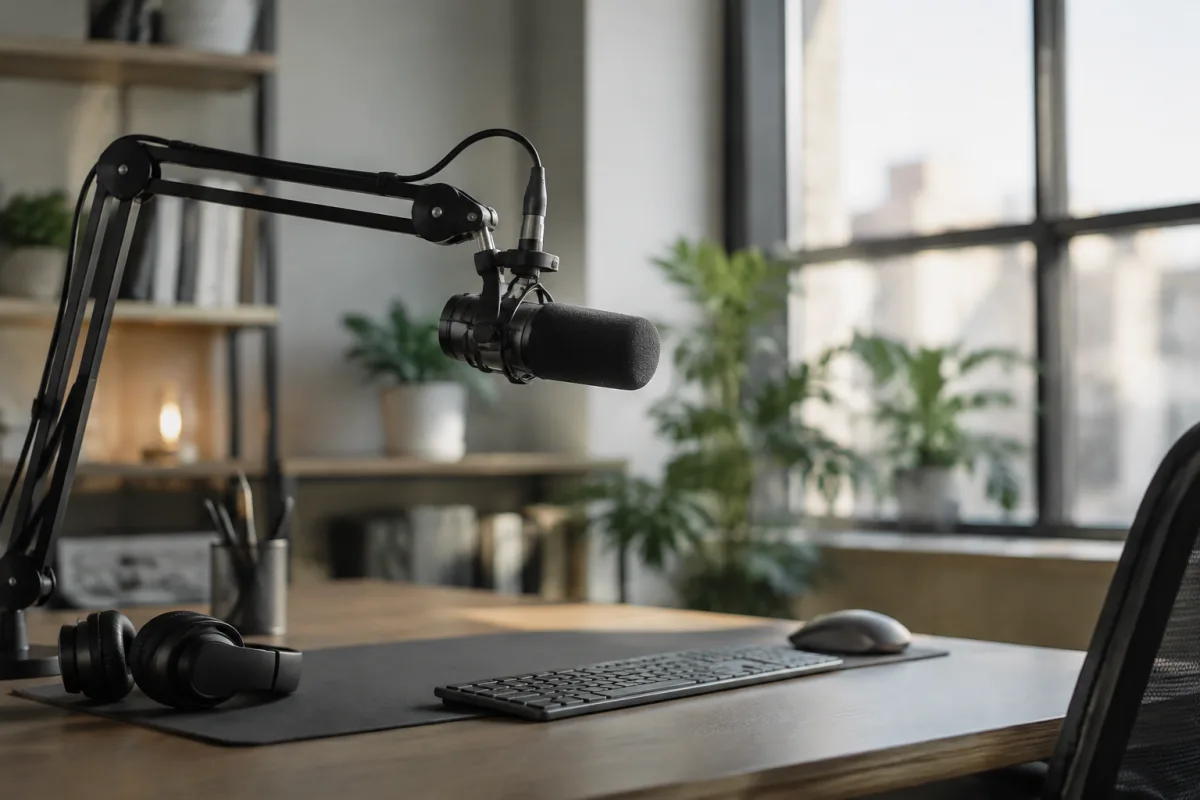
A microphone and arm seem simple to choose—just pick one that fits your desk and works with your microphone. But poor choices lead to wobbly recordings, neck strain from awkward arm angles, and clamps that damage your desk. This buying guide shows you what matters when choosing a microphone and arm, how to avoid false economy, and which options deliver genuine value for bedroom studios, streamers, and podcasters.
Why a Quality Arm Matters
A cheap microphone and arm lets your mic sag, drift, or move during recording sessions, ruining takes and forcing re-records. A solid arm stays where you place it, responds smoothly to adjustments, and maintains stability for hours. The difference between a wobbling mic and a stable one changes your entire recording experience.
Arm Types
Two main types suit different needs:
- Boom arms clamp to your desk and swing outward on a cantilever. The mic hangs over your setup, keeping desk space clear. Perfect for streaming, podcasting, and gaming. Budget £30–£150.
- Desk stands sit directly on the desk with a base for stability. Heavier, larger footprint, but require no clamping. Ideal when you can't or won't clamp to furniture. Budget £40–£120.
- Wall-mounted arms bolt to wall studs for maximum stability. Professional option for permanent setups. Budget £80–£250.
Most streamers and podcasters use boom arms. They're convenient, stable, and save desk space.
Critical Features
- Arm stiffness and hold strength — The arm must resist gravity without drooping. Test by supporting a microphone's weight and holding position for 30 seconds. Smooth yet stable is the goal. Cheap arms collapse under microphone weight.
- Clamp quality and desk compatibility — Check maximum clamping force and minimum/maximum desk thickness. An incompatible clamp won't grip your desk properly. Look for metal components; plastic clamps fail quickly.
- Cable management — A good microphone and arm routes cables neatly along the arm, preventing tangled messes. Some arms include clip holders for cables.
- Isolation shockmount mount point — Does the arm's top accept standard 5/8"-27 threads (universal for shockmounts)? This matters if you plan to upgrade isolation.
- Adjustment smoothness — You should be able to move and position the mic with one hand, without it drifting after release. Damped arms are smoother but more expensive.
- Build materials — Aluminium or steel are durable. Plastic arms wear out quickly. Multi-joint arms offer flexibility but have more failure points.
Budget Tiers
Budget boom arms (£30–£50) work but often droop and have flimsy clamps. Adequate for light use; frustrating for daily streaming.
Mid-range arms (£60–£100) balance durability and cost. This tier is where you'll find reliable, smooth-adjusting arms that hold position all day. Most streamers and podcasters don't need to spend more.
Premium arms (£100–£250) are boutique—adjustable tension, premium materials, flawless mechanics. Worth it if you're recording 8+ hours daily and your arm is your workspace anchor.
Microphone Weight Compatibility
Every arm has a maximum load capacity. Check yours:
- Light mics (£50–£100 condenser mics): 200–400g. Budget arms handle this fine.
- Medium mics (£100–£300 studio mics): 400–700g. Mid-range arms recommended.
- Heavy mics (£300+ broadcast mics): 700g+. Premium arms or specialist rigs required.
An arm overloaded by mic weight will sag and lose stability over time. Respect the load limits.
Installation and Desk Safety
Clamping to a desk requires the clamp to grip the desk edge firmly without damaging finish. Most clamps include rubber pads to protect the desk.
Check desk thickness: standard desks are 18–25mm. Confirm your arm's clamp accepts this range. Thin desks (under 16mm) or thick desks (over 30mm) may need alternative mounting.
Avoid wall mounting unless you're willing to drill into studs and make permanent holes. Wrong wall mounting can damage drywall and won't support the weight.
Common Mistakes
Don't buy the cheapest microphone and arm thinking you'll upgrade later. Cheap arms deteriorate quickly; upgrading just the mic while stuck with a drooping arm is frustrating.
Don't ignore cable management. A tangled rat's nest of cables behind your rig looks unprofessional on camera and invites cable noise into recordings.
Don't assume a "universal" mount works with all mics. Verify your mic's mounting thread (usually 5/8"-27) matches the arm's mount point.
Making Your Choice
For bedroom recording and streaming, a mid-range boom arm (£60–£100) is the sweet spot. Reliable, stable, affordable. If budget is tight, save up for this tier rather than buying a cheap arm and suffering drooping all day. For comprehensive information on microphone placement, isolation, and recording technique, read our complete guide to microphone and arm combinations. A good arm is invisible—it just works.


Comments