


8 Channel Audio Interface Buying guide
8 Channel Audio Interface: A Complete Buyer's Guide
Selecting an 8 channel audio interface requires understanding technical specifications, connectivity options, and workflow requirements. This guide cuts through marketing and focuses on practical considerations.
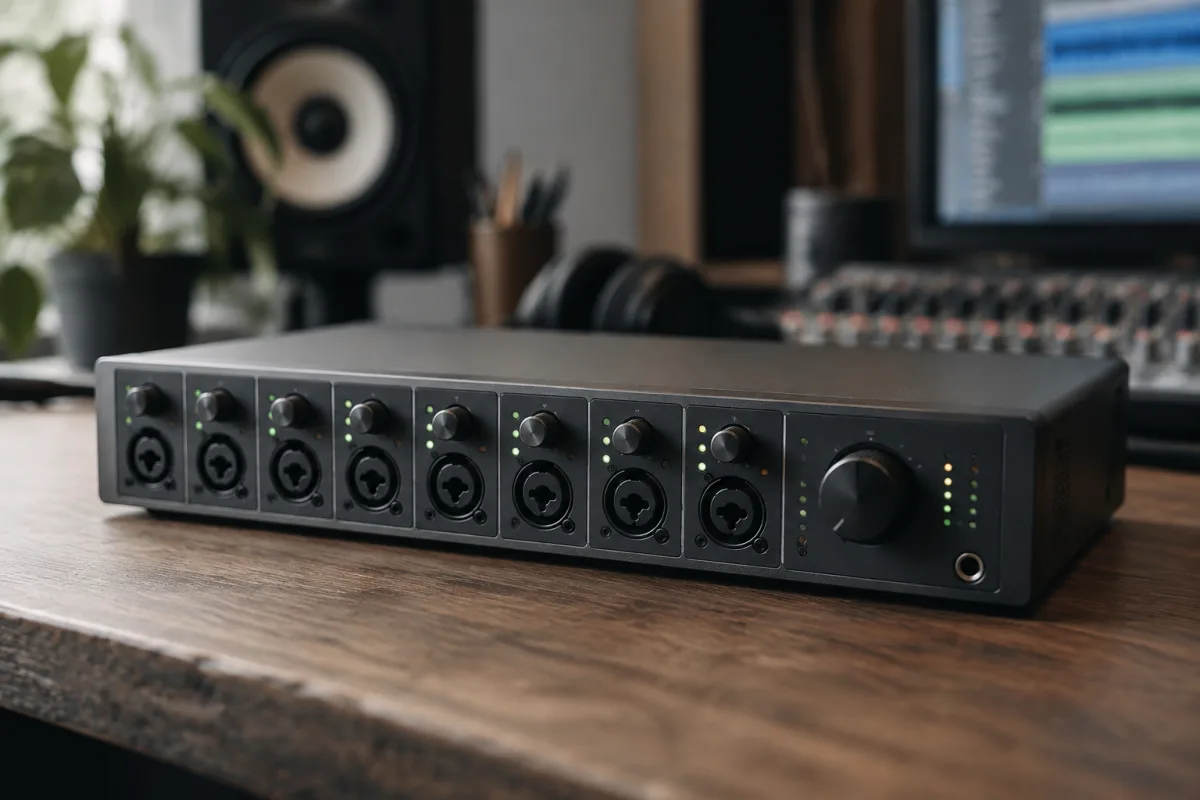
Selecting an 8 channel audio interface requires understanding the technical specifications, connectivity options, and workflow requirements that will determine whether your purchase enhances your studio or becomes an expensive bottleneck. This buying guide cuts through the marketing claims and focuses on the practical considerations that separate a wise investment from a costly mistake.
Understanding Your Recording Requirements
Before comparing 8 channel audio interface specifications, establish exactly what you'll be recording. A small home studio recording overdubs needs different capabilities than a professional facility tracking a live band. Eight channels give you flexibility, but you need to understand how you'll actually use them. Consider whether you're recording one source at a time, multiple instruments simultaneously, or require redundancy through paired microphone inputs. The number of simultaneous channels you'll genuinely need is the foundation of your buying decision.
Connectivity: Choosing Your Interface Type
An 8 channel audio interface connects via USB, Thunderbolt, PCI Express, or Dante networking. USB interfaces are affordable and portable but share bandwidth with other devices. Thunderbolt delivers higher bandwidth on Mac systems with minimal latency, making it excellent for large channel counts. PCI Express interfaces, increasingly rare, provided dedicated bandwidth but require permanent installation. Dante networking interfaces enable channel expansion and remote I/O but demand network infrastructure investment. For most home and small commercial studios, USB or Thunderbolt represent the practical choices. USB 3.0 easily supports 8 channels of audio without bottlenecks if properly implemented.
Input Types: Microphone Preamps Matter
The quality of your microphone preamps defines the foundation of your recordings. Not all 8 channel audio interface designs dedicate quality microphone preamps to every channel. Some interfaces combine professional XLR preamps on four channels with combination connectors or line-level inputs on the remaining channels. If you're recording multiple vocal takes, acoustic instruments, or drums simultaneously, verify that your interface has eight high-quality preamps with adequate gain staging and low noise floor. Preamps rated below 128dB EIN (equivalent input noise) will introduce noticeable hiss in quiet recordings. Premium interfaces spec their preamps around 130-135dB EIN.
Preamp Specifications to Check
Beyond noise figures, examine headroom and gain range. A preamp offering 80dB of gain handles both quiet microphones and hot line-level sources efficiently. Look for phantom power switches on each channel, enabling separate configuration for condensers and dynamics. Some budget 8 channel audio interfaces share phantom power across multiple channels, which limits your flexibility. Investigate whether the preamps include high-pass filters, pad switches, or tone shaping—these aren't essential but reveal designer intent to provide studio-quality tools. Premium preamps include impedance matching and transformer options for tonal colouration.
Outputs: Monitoring and Mixing
Eight channels of input demands adequate monitoring capabilities. Your interface should provide stereo main outputs for studio monitors plus multiple headphone outputs for tracking musicians. If you're overdubbing, separate headphone mixes for performer and engineer prove invaluable. Check whether headphone outputs are independent, allowing different mixes to different performers, or if they mirror the main mix. An 8 channel audio interface might include four balanced stereo outputs (eight channels total) for recording interfaces in larger studios. Unbalanced outputs on budget models introduce hum vulnerability over long cable runs.
Latency and Driver Performance
Recording latency—the delay between input and output—becomes critical when monitoring through software. Interfaces combining poor drivers with USB designs often exhibit 30-50ms latency, making overdubbing painful. Professional interfaces maintain latency below 10ms at low buffer settings. Test reported latency figures against real-world reviews; manufacturer claims sometimes reflect optimal settings rather than normal operation. Investigate driver stability before purchase. Interfaces with solid driver support from manufacturers like Focusrite, PreSonus, and RME typically deliver consistent low-latency performance. Obscure brands often struggle with OS updates, rendering your investment obsolete within two years.
Internal Mixing and Routing
An 8 channel audio interface worth serious money includes internal mixing capabilities. This allows creating independent headphone mixes without loading your computer's CPU. Interfaces with DSP (digital signal processing) chips provide zero-latency monitoring and built-in effects. Budget models force all mixing through your DAW, creating latency issues and increasing computer load. If you're tracking musicians regularly, DSP-based mixing isn't a luxury—it's essential. Examine whether your interface includes dedicated control software with full mixing capabilities or relies on limited hardware knobs.
Expandability and Future-Proofing
Technology moves quickly, and your 8 channel audio interface purchase should accommodate growth. Interfaces with Dante networking or expansion slots allow scaling beyond eight channels as your studio develops. Some manufacturers design surfaces with breakout cable systems, enabling configuration changes without replacing hardware. USB-based interfaces limit expansion, so consider whether eight channels truly represents your maximum requirement or whether you'll outgrow your system within five years.
Software and Integration
The ancillary software included with your interface affects long-term value. Premium manufacturers bundle professional DAW licenses, virtual instruments, and audio software worth hundreds. Budget interfaces include bare-bones drivers, forcing you to purchase recording software separately. Consider your existing setup—if you already own a DAW and software, factor that into your decision. However, free included software from reputable manufacturers like PreSonus (with Studio One) or Focusrite (with Air plugins) genuinely adds value.
Price Tiers and Value Assessment
Entry-level 8 channel audio interface options range from £300-£500. These typically include fewer preamps, modest drivers, and plastic construction. Solid mid-range interfaces cost £700-£1200, offering professional preamps, reliable drivers, and internal mixing. Premium interfaces exceed £2000, adding DSP capabilities, exceptional preamps, and build quality. A £900 interface delivers dramatically better value than a £400 model, but jumping to £2500 requires genuine studio needs. For home and small commercial use, spending £800-£1000 on a quality interface from established manufacturers represents excellent value.
Common Pitfalls in Selection
Avoid focusing exclusively on channel count. Eight channels mean nothing if four are line-level inputs unsuitable for microphones. Don't trust marketing terms like "studio-grade preamps" without specification verification. Reject interfaces requiring external power supplies in favour of bus-powered models for stability. Avoid brands with poor driver support or limited reviews. Never purchase an 8 channel audio interface based solely on price without evaluating actual specifications and user reports.
Making Your Selection
Research your specific 8 channel audio interface contenders thoroughly before deciding. Examine detailed specifications, read professional reviews and user forums, and verify driver stability across your operating system. Consider your budget realistically—a £900 interface from Focusrite, PreSonus, or RME will serve your studio far better than a £3000 budget model from unknown manufacturers. Once you've narrowed your choices to three finalists, check whether local rental houses carry them, allowing test-drive opportunities. Most importantly, ensure the interface's connectivity matches your studio's infrastructure and that its connectivity type will genuinely integrate with your existing equipment.
The right 8 channel audio interface becomes invisible, delivering clean recordings with minimal latency and reliability through years of studio work. The ultimate guide to 8 channel audio interface options emphasises fundamentals, and buying decisions rooted in understanding your requirements produce far better results than chasing specifications or features you'll never use.
Practical Next Steps
Once you've selected your interface, plan for the purchase cost plus necessary accessories—quality XLR cables, appropriate stands, and perhaps external preamps if your interface's microphone inputs disappoint. Budget 10% of your interface cost for supporting equipment. Research your chosen interface's specific driver requirements, ensuring compatibility with your computer's operating system version before purchase. Many shops offer return periods allowing genuine testing; take advantage of these policies to verify latency, noise performance, and integration stability before committing long-term.


Comments