


4 Channel Audio Interface article
The Ultimate Guide to 4 Channel Audio Interface
A 4 channel audio interface is the practical middle ground for home studios. This guide explains what four channels really means, essential specifications to check, and how to choose between budget and professional models.
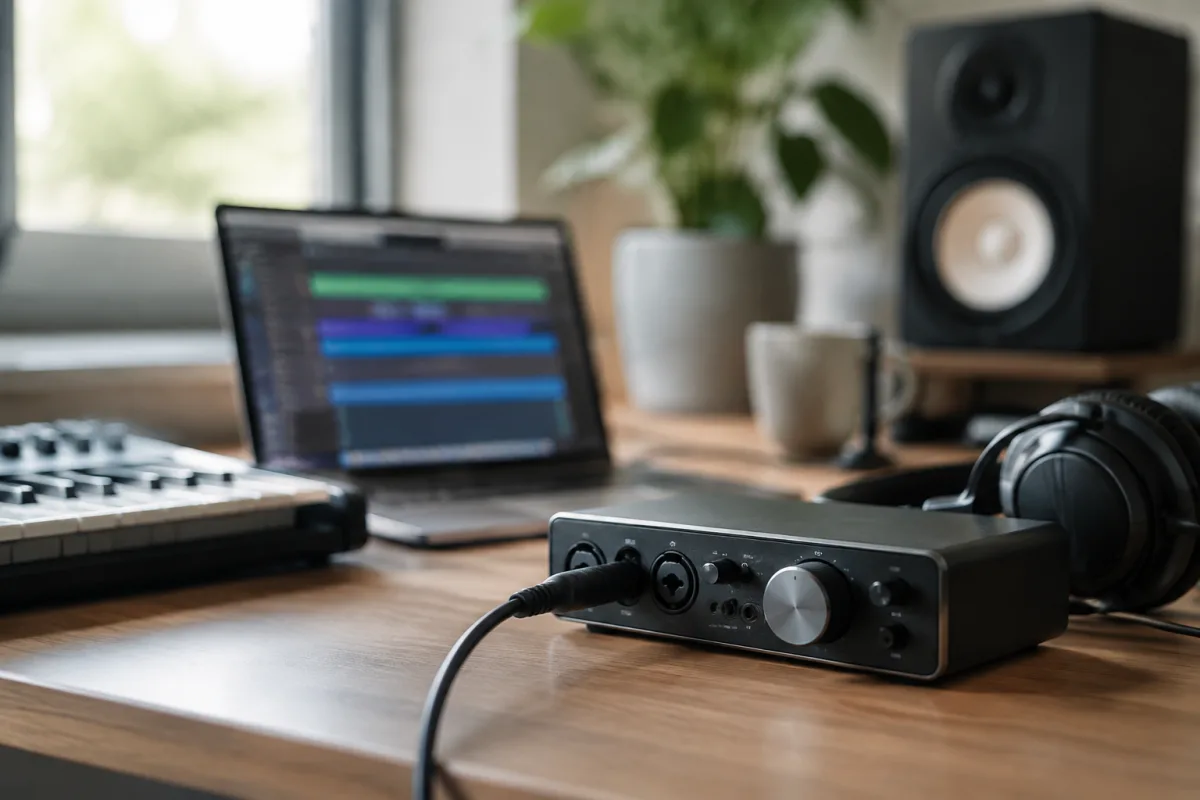
When you're looking to record multiple sources simultaneously in a home studio, a four-input interface makes sense. Whether you're capturing a vocal with a guitarist, recording a small ensemble, or setting up a live podcast, this level of I/O sits at a sweet spot between compact simplicity and serious flexibility. However, "four channels" is deceptively simple language. A 4 channel audio interface might mean four microphone preamps, or it might mean four total analog inputs with fewer microphone preamplifiers, or something more complex still. Understanding what you're actually buying—and what the interface can genuinely do for your recording setup—changes everything. This guide walks through the specifications that matter, how to compare products, and which interfaces deliver real value.
What "Four Channels" Actually Means
The term "four channels" is ambiguous in the audio interface market. A channel is an independently routable audio path, meaning one source can be recorded separately to its own track. But manufacturers use the phrase differently:
- Four microphone preamps: Four microphones can connect directly. This is the most practical definition for vocal, instrument and podcast recording.
- Four analog inputs with mixed preamp types: Perhaps two microphone preamps and two line inputs, useful for vocals plus external gear.
- Four simultaneous inputs with digital expansion: The interface records four channels but gains additional capacity through ADAT or S/PDIF digital I/O.
- Four outputs (not inputs): Some listings emphasise playback channels rather than recording capability.
- Four total channels including loopback: Streaming interfaces might count computer-return channels alongside physical inputs.
Before buying, confirm exactly what the specification means for your specific application. "Four channels" is marketing language; the real question is how many microphones or instruments you can connect and record simultaneously.
When Four Inputs Make Sense
Four independent recording channels cover numerous realistic home-studio scenarios. A singer-songwriter can record vocals, acoustic guitar, and two additional mics for room tone or percussion. Stereo recording—piano, acoustic guitar, drum overheads—uses two channels per source, leaving flexibility. A small ensemble, podcast with multiple contributors, or drum setup with kick, snare and overhead mics all benefit from this capacity. Live performance recording, a band rehearsal capture, or synth-plus-microphone setup all work with four simultaneous inputs.
Where four channels start to strain is a fully miked rock drum kit, which ideally uses eight or more channels. For that scenario, you'd either need digital I/O expansion, an external mixer feeding a stereo pair to the interface, or a step up to a larger format interface.
Microphone Preamps Versus Line Inputs
This distinction is crucial. A true four-microphone-input interface has four dedicated microphone preamps. A four-input model might offer only two microphone preamps, with the remaining inputs handling line-level signals (instruments, keyboards, external preamps) that don't need a microphone preamplifier stage.
If your plan is recording four microphones, you need four microphone preamps. If you're recording two microphones plus two line-level sources, an interface with two preamps and two line inputs works perfectly. The Focusrite Clarett+ 4Pre, for instance, includes four mic/line combination inputs plus four additional rear-panel line inputs, giving you four microphones or a mix of microphone and line-level gear.
Essential Specifications to Check
Beyond the channel count, evaluate these technical details before purchase:
Phantom Power
Condenser microphones need 48-volt phantom power. Dynamic microphones typically do not, though some active ribbon microphones require it. If you're planning to use condenser mics, verify that phantom power is available and can be switched independently per channel if you need that flexibility. Grouped phantom power is simpler but less flexible if you're mixing condenser and dynamic microphones.
Sample Rate and Bit Depth
Most current interfaces support 24-bit recording at sample rates up to 96 or 192 kHz. For practical music production, podcasting and home recording, 24-bit at 44.1 or 48 kHz is entirely adequate. Higher sample rates increase computer load and storage requirements without necessarily improving results. Choose based on your actual workflow, not marketing claims about higher numbers being automatically better.
Dynamic Range and Noise Performance
Manufacturers quote dynamic range (the difference between noise floor and maximum signal) and equivalent input noise. Higher specifications suggest cleaner conversion, though real-world results depend on microphone self-noise, gain staging, room acoustics and the source itself. A clean front end matters, but it's only one part of achieving good recordings.
Monitoring and Latency
Latency is the delay between input and the monitored output. Direct monitoring through the interface hardware can provide near-zero-latency monitoring for monitoring your own vocals or instruments while recording. Software monitoring through your DAW allows effects processing but introduces system latency. Buffer size, driver quality, USB implementation and computer performance all affect latency. For podcasting or live streaming, loopback channels allow computer playback to be recorded or broadcast alongside live inputs.
Output Configuration
Inputs determine how many sources you can record; outputs determine how you monitor and route those sources. Basic interfaces offer one stereo output pair. More professional models provide individual line outputs, separate headphone mixes, and flexible routing. For many home studios, simple stereo outputs are sufficient; for mixing or multitrack editing, separate output pairs are valuable.
Popular Four-Channel Models and Approaches
The Focusrite Scarlett 4i4 4th Gen is the standard recommendation for home recording. It includes practical features like Air mode, Auto Gain, Clip Safe and MIDI I/O, making it genuinely useful for vocal tracking, streaming and general multitrack work. Confirm its exact preamp configuration before assuming it suits your microphone count.
The Behringer U-PHORIA UMC404HD is a budget-friendly option with four MIDAS microphone preamps, 24-bit/192 kHz capability, a solid metal chassis and broad DAW compatibility. It won't win awards for sonic character, but it delivers reliable capture at a fraction of premium pricing.
The MOTU M4 emphasises low-latency operation and monitoring flexibility, making it popular for live streaming and real-time performance. The Focusrite Clarett+ 4Pre serves studios needing expandability; its ADAT input can add up to eight channels at standard sample rates, transforming it from a basic four-input box into a genuine expansion centre.
Higher-end options like the Universal Audio Volt 476P market "analog character" and integrated processing—claims that are partly marketing and partly subjective. Measured specifications and actual user results matter more than brand reputation alone.
Gain Staging and Practical Use
Regardless of which interface you choose, proper gain staging—setting input levels correctly—matters enormously. The process is straightforward: connect your source, select the correct input type (microphone, line or instrument), set gain while playing at the loudest expected level, and leave headroom rather than recording at the very top of the meter. With 24-bit recording, conservative peak levels are preferable to risking digital clipping. Avoid pushing a microphone preamp into distortion; it's rarely the desired sound.
Choosing the Right Interface for Your Needs
Start by listing exactly how many microphones or instruments you need to record simultaneously. Next, identify whether each is a microphone (needing a preamp) or line-level source. Then evaluate the monitoring setup you need—do you require zero-latency direct monitoring, separate headphone mixes, or simple stereo monitoring? Finally, consider future expansion—do you see yourself needing more inputs later, or is four channels your final target?
Your budget determines the final choice. A budget four-channel interface captures quality audio; a more expensive model offers greater flexibility, better monitoring options and additional outputs. Neither is objectively superior—it depends on what you're actually recording.
Conclusion
A four-channel recording interface is a genuinely practical tool for home studios, podcasting, small ensembles and vocal-plus-instrument recording. The key is understanding what "four channels" means for your specific needs: Do you need four microphone preamps, or will a mix of microphone and line inputs work? Do you need expandability, or is four channels your final requirement? Armed with that clarity, choosing the right interface—whether budget-friendly or professional-grade—becomes straightforward. The best interface is the one that actually matches what you're recording.




Comments