


Workstation Keyboard article
The Ultimate Guide to Music Workstation Keyboard
A workstation keyboard combines weighted keys with powerful synthesiser capabilities and built-in sequencing, making it essential for composers and producers.
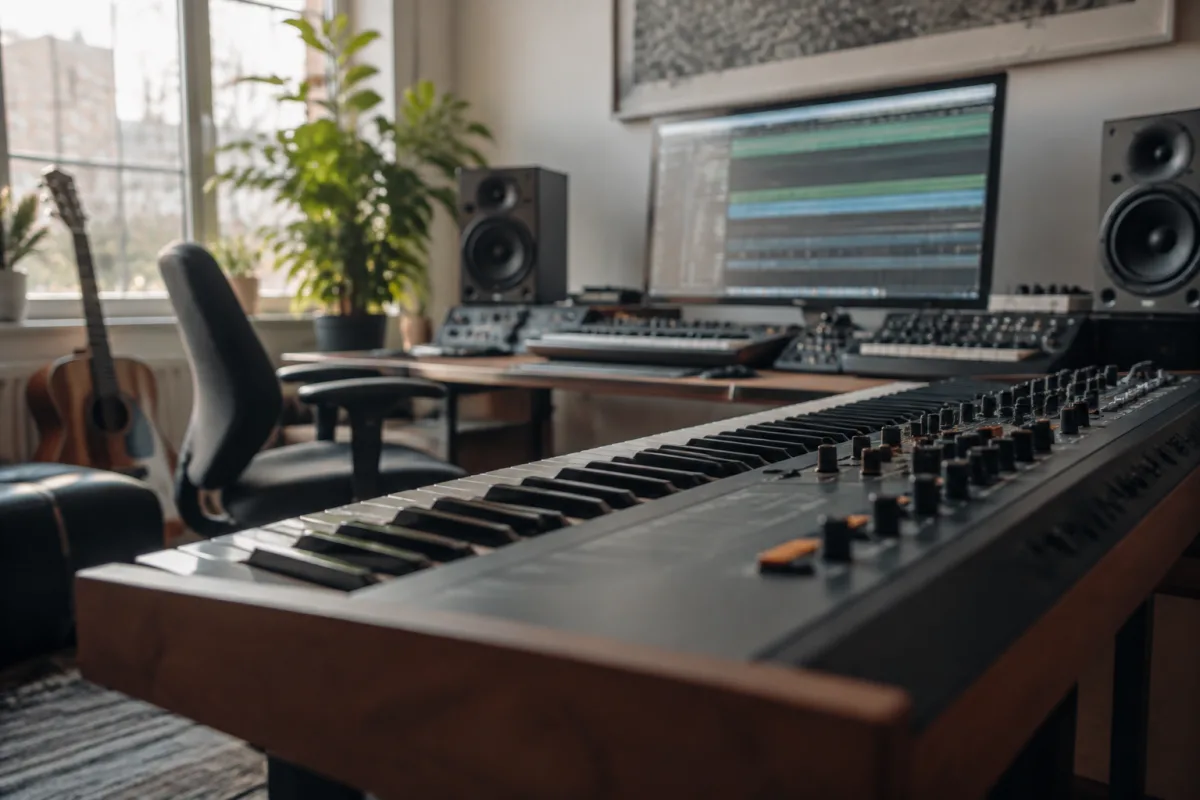
A workstation keyboard is a professional music production tool that combines weighted keys with synthesiser capabilities, built for composers, producers and session musicians who need playable expression alongside computing power. If you spend your time crafting orchestral arrangements, programming electronic music or designing film scores, a quality workstation keyboard sits at the heart of your creative workflow. This guide explores what makes a workstation keyboard different, how to choose one that matches your workflow, and what features matter most.
What is a Workstation Keyboard?
A workstation keyboard differs from a stage keyboard or digital piano in its purpose and design. Whilst a digital piano focuses on authentic acoustic piano tone and a stage keyboard emphasises portability and real-time performance, a workstation keyboard is engineered for music production. It combines a weighted or semi-weighted keyboard action with built-in synthesiser engines, extensive sound libraries, sequencing capabilities and often comprehensive MIDI controllers.
The term "workstation" comes from its role as a complete music production workstation — a single instrument where you can compose, arrange, edit and perform music. Most workstation keyboards ship with thousands of sounds (synthesiser patches, sampled instruments, effects presets) and sequencing software that lets you arrange multiple tracks without needing a separate computer. That said, modern workstation keyboards typically integrate seamlessly with DAWs (Digital Audio Workstations) on Mac or Windows via USB or MIDI, making them the central performance controller in a larger studio setup.
Key Features of a Workstation Keyboard
When evaluating a workstation keyboard, focus on these core specifications:
- Keyboard action: Weighted, semi-weighted or unweighted keys. Weighted keys (with wooden or synthetic hammer action) respond like an acoustic piano and suit players transitioning from classical training. Semi-weighted is lighter and faster, popular in jazz and contemporary music. Unweighted is best for pure synth work and speed.
- Number of keys: 61, 76 or 88. An 88-key workstation keyboard gives a full piano range; 76 keys cover most performance needs; 61 keys are compact but limit the highest notes.
- Sound engine and sampling: Look for polyphony (how many notes play simultaneously — typically 64 to 256), multiple synthesis types (subtractive, FM, wavetable), and sample-based instruments (pianos, strings, brass). Premium units like Yamaha or Korg offer sophisticated engines; budget models may limit complexity.
- Sequencer and production tools: An integrated sequencer lets you record and arrange patterns without a DAW. Check for recording length, track count, quantisation and basic editing.
- Connectivity: USB, MIDI in/out, audio inputs/outputs and possibly Ethernet. Confirm compatibility with your DAW and studio gear.
- Display: A large, clear screen makes editing easier. Touch screens are increasingly common and allow faster workflow.
- Physical design: Build quality, knob and fader count, assignable controls, and foot pedal inputs all matter for daily use.
Weighted vs. Semi-Weighted: Which Matters?
The workstation keyboard market splits into weighted and semi-weighted camps, and the choice depends on your background and playing style. Weighted keys simulate piano hammer action using springs and moving weights. They demand more finger strength and control, which is ideal if you come from a classical piano background or want to develop expressive dynamics. Semi-weighted keys are lighter and respond faster, preferred by synthesiser players, electronic musicians and anyone who values rapid finger movement over acoustic piano feel.
Some performers find weighted action tiring during long sessions; others say it builds muscle memory and expressiveness. If you already play acoustic piano, a weighted workstation keyboard will feel natural. If you're primarily a synth or electronic musician, semi-weighted often suits faster, rhythmic playing. The best approach is to try both in person, or rent before buying.
Popular Workstation Keyboard Models
Several manufacturers dominate the workstation keyboard market. Yamaha's Montage series (61, 76, 88 keys) is renowned for its sound engine, touch screen and intuitive interface. Korg Kronos combines powerful synthesis with extensive sampling and sequencing. Roland Fantom offers sophisticated sound design and workflow-focused features. Nord Lead A1 and Nord Clavia Stage 3 bring the legendary Nord philosophy to workstation format. Novation Launchkey combines performance controls with DAW integration, particularly for Ableton Live. Moog Moogerfooger is prized for analogue warmth and tactile control.
Entry-level workstation keyboards from Casio, Korg and Yamaha (sub-£800) include basic sequencing and useful sounds but simpler engines. Mid-range models (£800–£2,500) like the Yamaha PSR-SX700 or Korg Kross 2 offer better sound quality, more controls and faster processors. Premium units (£2,500+) from Montage, Kronos and Roland Fantom deliver professional-grade synthesis, sampling and build quality.
Workflow Considerations
The best workstation keyboard for you depends on your actual workflow. If you primarily compose in a DAW on a computer, you need a workstation keyboard that plays well as a MIDI controller — good keyboard feel, responsive pads, assignable knobs and seamless USB integration matter most. The onboard sounds and sequencer become secondary. Conversely, if you work on-the-road, perform live or prefer standalone operation, a workstation keyboard with powerful onboard sequencing, sounds and effects is essential.
Studio-based film and TV composers often favour weighted 88-key models from Yamaha or Korg because piano samples, strings and orchestral sounds are central to their work. Electronic dance music producers might prefer 61-key semi-weighted models with extensive synth engines and performance pads. Session musicians and gigging keyboardists prioritise portability, so 61-key semi-weighted models or stage keyboards often outweigh the versatility of a full workstation.
Connecting to Your DAW
Modern workstation keyboards integrate with DAWs through USB or traditional MIDI. USB connection simplifies setup and often includes class-compliant support, meaning you plug in and your computer recognises the keyboard immediately. MIDI in/out ports (5-pin DIN or USB) let you connect to external synthesisers, drum machines and control interfaces. If your primary workflow is DAW-based, confirm that your chosen workstation keyboard has good driver support and works smoothly with your preferred software (Logic, Cubase, Ableton, etc.).
Budget and Value
A workstation keyboard is a substantial investment, typically ranging from £400 for entry-level models to £4,000+ for professional units. Before spending, ask yourself: do you actually need onboard sequencing and sounds, or are you mainly looking for a good keyboard controller? If the latter, you may find better value in a dedicated keyboard controller with superior action and connectivity. Conversely, if you value the independence of standalone operation and the creative inspiration of immediate access to thousands of sounds, a workstation keyboard's all-in-one nature justifies the cost.
Rental or used purchases are sensible first steps if you're unsure. Renting a workstation keyboard for a week lets you test workflow integration and keyboard feel before committing. Used models from reputable sellers often offer excellent value, though inspect for mechanical wear on keys and faders.
Conclusion
A workstation keyboard remains a powerful tool for modern music production, whether you use it as a standalone composition environment or as the central performance controller in a DAW-based studio. The right model depends on your key action preference, budget, workflow (DAW or standalone), and the sounds and features you actually use. Evaluate your priorities — piano samples, synth synthesis, sequencing, portability, build quality — and listen critically before investing. A quality workstation keyboard will serve you for years, inspiring creativity every time you sit down to play.




Comments