


Sequencer Module article
Sequencer Module for Beginners: A Complete Guide
Sequencer modules look complex, but they're intuitive once you understand the basics. Here's how to create and play your first musical pattern today.
Sequencer Module Basics: Start Here
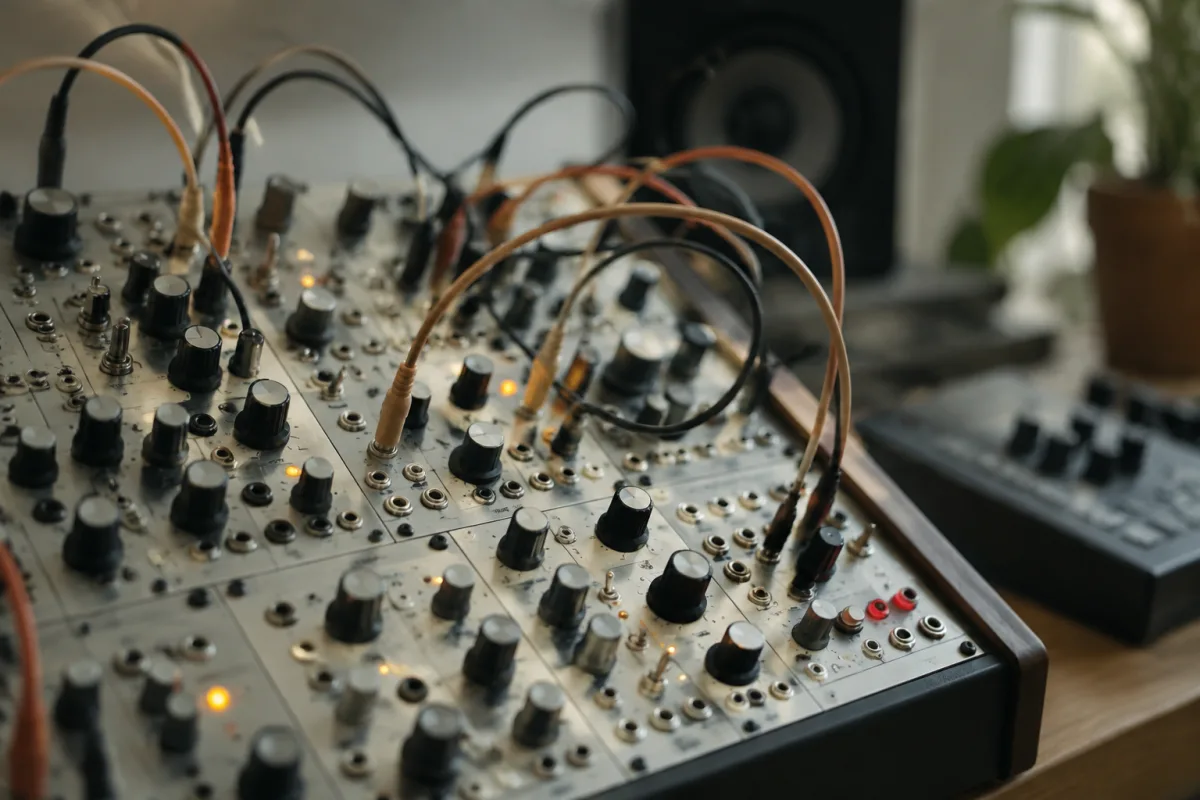
A sequencer module can feel mysterious if you've never used one. You see blinking lights, rows of buttons and displays, and it looks like you need a degree in electrical engineering just to power it on. The truth is simpler: a sequencer module is essentially a machine that remembers and repeats musical patterns you create. Think of it as musical graph paper — you draw notes on a grid, press play, and the sequencer module performs them back to you, over and over. It's powerful, but getting started is easier than you'd think.
What a Sequencer Module Actually Does
At its core, a sequencer module records a series of notes or steps and plays them back in sequence. Unlike a synthesizer (which makes sounds directly), a sequencer module is a controller — it sends instructions to your synth or drum machine, telling them which notes to play and when. This separation of sequencing from sound generation gives you tremendous flexibility.
The Basic Workflow
The typical workflow is straightforward: create a sequence (a pattern of notes or drum hits), set the tempo (speed), and press play. The sequencer module cycles through your sequence repeatedly, allowing you to hear it back and make adjustments. This is how modern electronic music is made — one sequencer module orchestrating synthesizers and drum machines.
Getting Oriented with the Interface
Sequencer modules vary widely, but they share common elements. Learning to recognize these will demystify any module you encounter.
The Grid or Step Display
The central feature of most sequencer modules is a grid of buttons or a display showing steps. Each step represents a musical beat or subdivision. You activate steps to create your pattern — activated steps play a note, silent steps create rests. This is the heart of sequencing and it's genuinely intuitive once you understand it.
Tempo and Speed Controls
These determine how fast your sequencer module plays back your pattern. Set a comfortable tempo (try 100–120 BPM to start), and press play. You'll hear your pattern cycling repeatedly. Adjusting tempo whilst the sequence plays teaches you how it responds — this is valuable learning.
Scale and Key Functions
Most modern sequencer modules let you set a musical scale (major, minor, pentatonic) and a key. This constrains the notes available to you — press any button and you'll play a note that fits the scale and key you've chosen. This is beginner-friendly because you can't play "wrong" notes.
Your First Sequence: Step by Step
Here's exactly how to create and play your first pattern.
Step 1: Connect Everything
Connect your sequencer module to a synthesizer or drum machine using MIDI cables (or USB if supported). Turn everything on and set moderate volumes. You should hear sound when the synthesizer responds to the sequencer module.
Step 2: Set the Tempo
Set a comfortable tempo, around 100 BPM. This is slow enough to hear and adjust each note clearly, yet fast enough to feel musical.
Step 3: Set the Scale and Key
Select a musical scale (major is safest for beginners) and a key (C is conventional). This ensures every note you enter will be musically coherent.
Step 4: Enter Your First Notes
Most sequencer modules have a dedicated "Step Edit" or "Enter" mode. Press it and enter a simple pattern — try four notes on steps 1, 2, 3 and 4. Nothing complex; just a basic ascending pattern like C, D, E, F.
Step 5: Play It Back
Press play and listen. Your sequencer module should cycle through your four-note pattern repeatedly. This is astonishingly satisfying the first time you hear it — you've just composed a musical loop.
Step 6: Edit and Refine
Adjust the notes you've entered. Delete a note (create a rest), change a note's pitch, or adjust its timing. Each adjustment teaches you how the sequencer module responds. Play after each change to hear the result immediately.
Common First-Timer Mistakes
New sequencer module users make predictable errors. Knowing about them saves frustration.
- Assuming the sequencer module is broken when it doesn't respond: Most sequencer modules have an "active" button or mode toggle. If nothing happens when you press buttons, you're probably in the wrong mode. Check the manual or look for a mode indicator light.
- Creating patterns that are too long: Start with 4 or 8 steps (one or two bars of music). A 64-step pattern is overwhelming when you're learning. Short patterns let you iterate quickly.
- Setting the tempo too fast: If your first pattern feels chaotic, you've probably set the tempo too high. Slow it down to 80–100 BPM and try again. Fast tempos come naturally once you're comfortable with basic sequencing.
- Forgetting to connect MIDI cables: A sequencer module sends data through MIDI; without the cables connected to your synthesizer, you'll see activity on the sequencer module but hear nothing. Check your connections if there's no sound.
- Ignoring the scale setting: The scale constraint might feel limiting at first, but it's your safety net. Every note you enter fits musically. Only disable the scale once you're confident navigating chromatic entry.
- Over-editing and losing the original idea: It's easy to tweak a sequence until it's unrecognizable. Save your pattern before radically editing, or mentally note the original idea so you can return to it.
Building Confidence: Small Wins
The best way to learn a sequencer module is through repeated, small successes. Create a four-step pattern. Hear it loop. Edit one note. Hear the difference. Create a second pattern. Combine them. Each step builds understanding and confidence.
Progressive Skill Building
Master four-step patterns before moving to eight steps. Master note entry before adjusting note duration or velocity. Master single sequences before chaining patterns into a song. This graduated approach prevents overwhelm.
Key Mental Model
Think of a sequencer module as an assistant that remembers and plays your ideas endlessly. You write the pattern, and the sequencer module executes it exactly as you've specified. This removes the burden of live performance — you can create complex, layered patterns that would be impossible to play in real time. That's the magic of sequencers.
The Bottom Line
A sequencer module is a powerful tool that becomes intuitive within hours of hands-on play. Don't be intimidated by blinking lights and buttons — start with the basics, create simple patterns, and hear them loop back to you. The moment you hear your four-note pattern cycling repeatedly, you'll understand the sequencer module's appeal. From that moment forward, learning becomes natural and playful rather than frightening. You're not studying a complex instrument; you're making music.


Comments