


Roland MIDI Keyboard Buying guide
Roland Midi Keyboard: A Complete Buyer's Guide
Roland MIDI keyboards range from portable 25-key controllers to weighted 88-key models. Our guide covers models, connectivity and choosing the right keyboard for producers and performers.
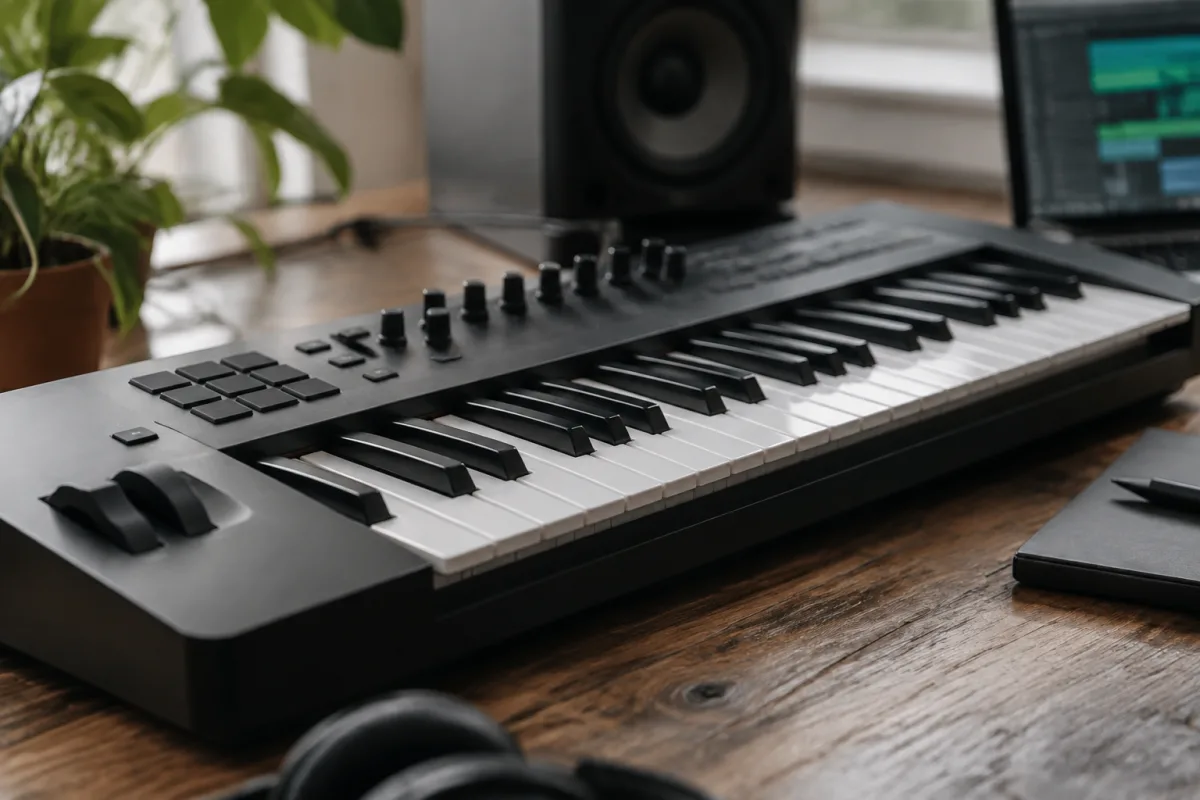
Roland MIDI keyboards have become the de facto standard for music producers, composers and live performers seeking reliable, feature-rich keyboard controllers. Whether you're transitioning from acoustic piano to digital production, building a home studio or upgrading your performance rig, a Roland MIDI keyboard offers exceptional value and functionality. This guide covers the key specifications, model range and considerations that matter when choosing the right Roland MIDI keyboard for your workflow.
Understanding MIDI Keyboards and Roland's Position
A MIDI keyboard is a controller that sends musical data—not audio—to software, hardware synthesisers or drum machines. Unlike a stage piano or weighted keyboard designed to mimic acoustic piano feel, most MIDI keyboards prioritise durability, connectivity and portability over keyboard weighting. Roland dominates this category through decades of production, reliability and integration with industry-standard software.
Roland's MIDI controllers range from compact 25-key models designed for travel to 88-key weighted keyboards mimicking piano action. The brand's reputation for solid construction and straightforward integration makes them particularly attractive for beginners and professionals alike. However, before committing, understand whether you need a MIDI controller (sends data to software) or a standalone keyboard with built-in sounds.
Keyboard Size and Action Type
MIDI keyboard size divides into five categories. Compact 25-key models are portable and affordable but restrict range for bass and melody work. 37-key keyboards offer more range whilst remaining portable. 49-key models suit producers balancing range with space constraints. 61-key keyboards provide good range for most playing styles and remain reasonably portable. Finally, 88-key weighted keyboards deliver full piano range with hammer action mimicking acoustic piano feel—ideal for pianists or serious composition work.
Equally important is keyboard action—the resistance and feel when pressing keys. Unweighted keyboards with light, springy action suit fast playing and are portable and affordable. Semi-weighted action provides moderate resistance, feeling closer to piano without the weight or cost. Fully weighted hammer action best mimics acoustic piano but adds weight and expense.
Choose based on your primary use. Producer focused on beat-making? A 49-key unweighted keyboard is efficient and affordable. Pianist transitioning to MIDI? An 88-key weighted model preserves playing technique. Live performer? A 61-key semi-weighted keyboard balances range, portability and feel.
Connectivity and Software Integration
Modern Roland MIDI keyboards connect via USB and MIDI 5-pin DIN connectors, with some newer models adding Bluetooth. USB connectivity is essential—it powers the keyboard and transmits MIDI data to your computer or audio interface. Ensure your model supports the USB standard your computer uses (USB-C, USB 3.0 or older standards).
Roland keyboards ship with driver software ensuring compatibility with major DAWs (Ableton Live, Logic, Pro Tools, Reaper, etc.). Check that drivers are available for your specific operating system and DAW combination. Older model keyboards may lack current drivers, creating compatibility headaches.
Many Roland controllers include bundled software—often a lite version of popular DAWs or sample packs. These bundles vary significantly in value; research what's included before purchase.
Velocity Sensitivity and Expression Controls
Velocity sensitivity—how the keyboard responds to how hard you strike keys—affects playback realism in software instruments. Quality MIDI keyboards capture 127 different velocity levels, translating finger pressure into nuanced volume control. Cheap keyboards capture fewer levels, producing less expressive results.
Beyond keys, expression controls enhance playability. Pitch bend and modulation wheels allow dynamic tone shaping. Faders and knobs let you control DAW parameters in real time. Aftertouch—pressure applied after striking a key—enables vibrato and dynamic effects on sustaining notes. Roland's higher-end models include these controls; budget models often omit them.
For serious producers and performers, these controls are invaluable. For beginners, they're nice-to-have but not essential.
Roland's Key Model Categories
Roland's MIDI keyboard line divides into several tiers. The Fantom series are all-in-one production stations—not pure MIDI controllers but comprehensive instruments combining keyboard, sequencer, sound engine and effects. Fantoms suit producers wanting everything integrated without a computer.
The Juno-Di series offers portable, feature-rich keyboard controllers ideal for live performance and studio use. The A-series (A49, A61, A88) provides affordable, no-frills MIDI controllers perfect for beginners and budget-conscious producers. The Pro series delivers premium build quality and extensive controls for professional touring and recording.
For most buyers, the A-series or Juno-Di series strike the best balance between cost, features and reliability.
Polyphony and Processing Power
Polyphony—how many notes the keyboard can play simultaneously—matters only if your Roland includes built-in sounds. Pure MIDI controllers have unlimited polyphony since your computer handles sound generation. Check the specification if you're considering a model with on-board sounds.
Processing power becomes relevant when using on-board effects or sequencing. Entry-level models handle basic tasks; professional models like the Fantom offer sophisticated production capabilities. Again, if you're purely using the keyboard as a MIDI controller feeding software, this matters little.
Build Quality, Durability and Warranty
Roland keyboards are built to professional touring standards, featuring reinforced cases and sealed switches designed for reliability. Plastic construction on budget models feels less substantial than metal-reinforced professional versions, but Roland's plastics are robust and weather extensive touring better than some competitors.
Warranty coverage typically spans 1–3 years. Professional models sometimes offer extended warranties; used equipment warranties depend on the seller. Roland's support and repair services are reliable, important if your keyboard needs servicing.
Price Tiers and Value Proposition
Budget MIDI keyboards (£150–£300) like the A25 or A49 offer solid entry-level functionality: velocity-sensitive keys, MIDI connectivity and basic controls. Mid-range models (£300–£800) add better keyboard action, more controls and enhanced build quality. Professional keyboards (£800–£2,500+) deliver premium construction, advanced controls and seamless integration with professional workflows.
Most bedroom producers find mid-range models (£300–£600) represent the best value. Entry-level models work but feel cramped and cheap; professional models cost significantly more without proportional gains for most users.
Common Mistakes When Buying Roland MIDI Keyboards
Many beginners assume larger keyboards are always better. In reality, a 49-key keyboard is often more practical than an 88-key model—it takes up less space, costs less and still covers most composition needs when played skillfully. Don't over-spec keyboard size unless you genuinely need it.
Another mistake: assuming on-board sounds justify a higher price. If you're using software instruments exclusively, pure MIDI controllers offer better value. Conversely, if you want on-board sounds and sequencing, make that the priority rather than hunting for a pure controller cheaper than an all-in-one.
Some buyers neglect DAW compatibility, discovering after purchase that drivers are obsolete or unavailable. Always confirm driver availability for your specific operating system and software before buying used equipment.
Finally, don't mistake keyboard reputation for the exact model you're buying. Roland's brand is excellent, but budget A-series models and premium Fantom series differ substantially in build, features and feel. Research your specific model thoroughly.
Buying Checklist for Roland MIDI Keyboards
Before purchase, confirm the following:
- Keyboard size suits your primary use (25–88 keys depending on your playing style and space).
- Action type matches your needs (unweighted for producers, weighted for pianists).
- USB connectivity compatible with your computer (USB-C, USB 3.0, etc.).
- MIDI driver availability for your operating system and DAW combination.
- Expression controls (wheels, faders, knobs) present if needed for your workflow.
- Build quality and warranty coverage align with your budget and touring/heavy-use requirements.
- On-board sounds and sequencing only if you genuinely want them (don't pay for unused features).
- Aftertouch support if dynamic expression matters to your production.
- Professional support and repair availability if you plan long-term ownership.
Conclusion
A Roland MIDI keyboard transforms music production by providing reliable, tactile control over your software instruments and hardware synthesisers. The right model depends on your specific workflow, space constraints and budget. Entry-level A-series keyboards offer exceptional value for beginners and bedroom producers. Mid-range Juno-Di or professional A88 models suit serious musicians and touring performers. Ensure you choose keyboard size and action type matching your playing style and primary use rather than defaulting to the largest or most expensive option. Roland's reputation for durability and compatibility means your investment will serve you reliably for years, making a well-chosen Roland MIDI keyboard an excellent addition to any modern music setup.



Comments