


Mixer for Turntables article
Mixer For Turntables for Beginners: A Complete Guide
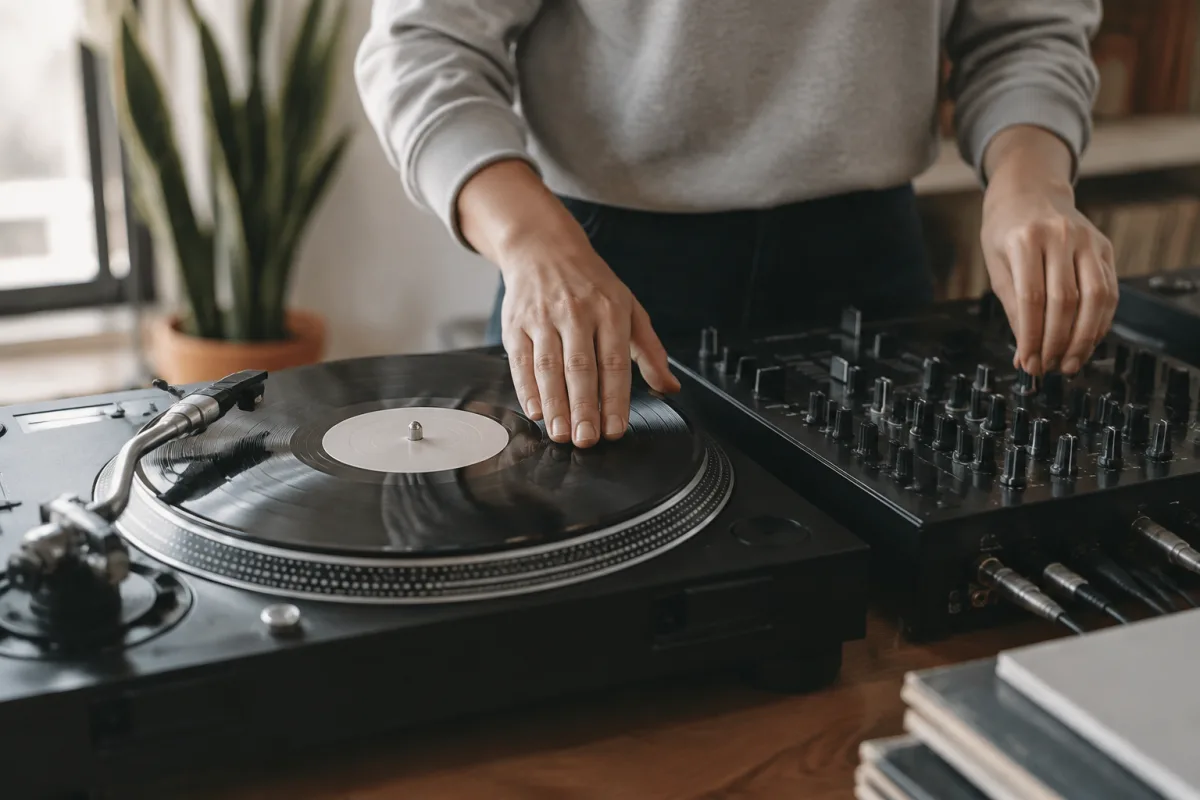
If you're interested in DJing or turntablism, you'll eventually face the mixer for turntables—and it might look intimidating at first. Rows of knobs, multiple buttons, channels, crossfaders, and effects suddenly make the simple act of playing music feel like operating a spaceship. Here's the truth that experienced DJs wish someone had told them when they started: a turntable mixer is actually far simpler than it looks. Once you understand what each section does, you'll realise most of those controls do one of just a few things: control volume, blend between deck, adjust tone, or add effects. This guide will demystify the mixer and set you up to start your turntable journey confidently.
Understanding What a Turntable Mixer Actually Does
A mixer for turntables is the nerve centre of your DJ setup. It takes audio signals from your turntables (and sometimes other sources like a microphone or CD player) and lets you blend them together, control their volume, adjust their tone, and add effects. The core function is simple: combine multiple audio sources into one smooth output that listeners hear through your speakers.
As a beginner, you don't need to use every feature. Many professional DJs work with just basic controls and never touch advanced features. You can start mixing with just volume faders and the crossfader. Everything else is optional until you're ready to explore it.
The Essential Controls You Need to Know
Channel faders (gain/volume for each deck): These vertical sliders control how loud each turntable channel is. Set them too loud and you'll distort. Set them too quiet and the music disappears. As a beginner, this is your most important tool. Start with both faders down, bring in your first track smoothly, and blend in the second track as the first one ends.
The crossfader: This horizontal slider lets you blend between left and right channels. Move it completely left and you hear only the left turntable. Move it right and you hear only the right turntable. In the middle, you hear both equally. This is what real DJs use to make smooth transitions between songs, and it's the skill that separates casual playlist-players from actual DJs.
EQ knobs (treble, mid, bass): Every mixer has EQ controls for each channel. These let you adjust the tone of the music before it goes out. This is useful for matching the tone of two tracks before mixing them, or for creative effects. As a beginner, don't get caught up in EQ—focus on basic mixing first.
Master volume fader: This controls the overall output level of everything. Don't use this for mixing—it's your safety control. Set it to an appropriate level once and leave it. If you need to make volume changes during your set, use the channel faders instead.
Your First Steps with a Turntable Mixer
1. Gain stage correctly. Before you start mixing, set the input levels properly. Each channel should hit the meters around -6dB to -3dB during the loudest parts. This prevents clipping and gives you clean audio. Many beginners skip this and regret it.
2. Start simple: just channel faders. Load a song on your left turntable and a different song on your right. Slowly fade out the left channel and fade in the right channel. That's a basic mix. Perfect this before touching anything else. Smooth, even fader movements are more important than fancy button-pushing.
3. Learn the crossfader as your second skill. Once you're comfortable with channel faders, try using only the crossfader to transition between songs. This sounds more professional and feels more like actual DJing. Practice crossfader movements until they feel natural.
4. Time your transitions musically. Don't just mix songs randomly. Listen to the beats. Count bars. Bring in the new track at a natural point—usually right at the start of a new section. Mixing in time with the music sounds professional; mixing off-beat sounds chaotic.
5. Use EQ to match tracks before blending. When two songs have different tonal qualities, adjusting EQ before mixing them together sounds smoother. Try cutting the bass slightly on the outgoing track while bringing in the new track. This subtle technique makes your mixes sound polished.
Common Beginner Mistakes with Turntable Mixers
Ignoring gain staging: Setting your input levels properly is unsexy and easy to overlook. It's also the foundation of everything. Spend time on this, and your mixes will sound clean. Skip it and you'll spend hours wondering why everything sounds distorted or thin.
Moving too many controls at once: Beginners often grab multiple faders and effects buttons simultaneously, hoping something will sound good. Real DJs adjust one or two things at a time, deliberately. Simplicity sounds better.
Using effects as a crutch: Many beginner mixers are tempted by effects—reverb, echo, filters. These are fun, but they don't replace good basic mixing technique. Learn to mix smoothly with just faders first. Effects are seasoning, not the main course.
Not listening closely to what you're mixing: Use headphones while mixing. Listen to both tracks and understand when it's right to blend them. Mute everything else and focus. Most beginner mistakes come from not actually hearing what's happening.
Trying advanced techniques before mastering basics: Scratching, juggling, and complex effects are incredibly fun, but they require solid foundation skills first. Spend weeks (or months) perfecting simple crossfades and channel fader transitions. That foundation will make advanced techniques accessible later.
Reading Your Mixer: Visual Feedback
Most turntable mixers have VU meters or LED meters showing signal levels. Learn to read these. If they're constantly in the red (too loud), you're clipping and distorting. If they're barely moving, your signal is too quiet. The sweet spot is usually in the middle ranges. Some beginners find this intimidating. It's actually simple: watch the meters, adjust your faders until the levels look right, and you're there.
Building Your Mixing Vocabulary
As you practice, you'll hear mixes that sound good to you. Start developing language for what makes them sound good. Is it smooth volume transitions? Good EQ matching? Tight timing? By understanding what works, you'll develop your own style faster.
For comprehensive information about turntable mixers, features, and how to choose one for your needs, read the complete guide to mixer for turntables.
Your Journey to Confident Mixing
The turntable mixer isn't complicated once you understand its logic. Most of what you see is variation on a few core functions: volume control, blending, and tone shaping. Ignore everything else for now. Start with clean gain staging. Practice smooth channel fader transitions. Learn the crossfader as your main mixing tool. Listen carefully to what you're doing. Within weeks, you'll be making transitions that sound genuinely professional.
The beautiful thing about learning to mix is that every practice session makes you better. Your hands develop muscle memory. Your ears learn to hear what works. Your timing improves naturally. There's no substitute for hours at the mixer, learning what each control does and how your choices affect the sound. But here's the secret every experienced DJ knows: the mixer isn't complicated. You're going to get this. Trust the process, listen carefully, and enjoy discovering what you can create with even just a couple of turntables and a mixer.


Comments