


SSL Console article
Ssl Console for Beginners: A Complete Guide
Curious about SSL consoles? This beginner's guide explains what they are, why professional studios love them, and how you can experience SSL sound without the massive price tag.
Understanding SSL Consoles: A Beginner's Introduction
If you've read about professional recording studios or watched videos about music production, you've probably seen the term "SSL console" mentioned with reverence. An SSL console can sound like impossibly expensive, complicated professional equipment that has nothing to do with beginners. But here's the truth: understanding what an SSL console does and why they're famous will help you appreciate professional recording, and you might even use one someday. This guide explains SSL consoles in plain language, so you can understand what the fuss is about.
What Is an SSL Console?
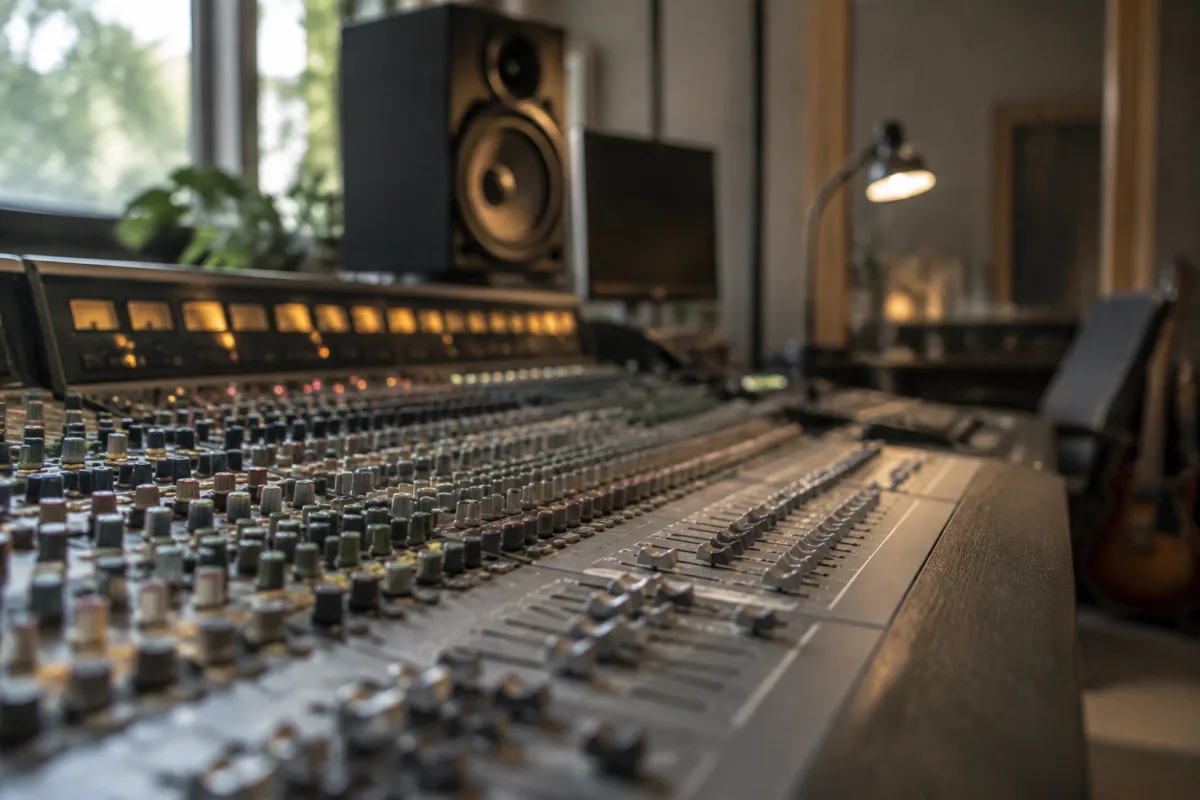
An SSL console is a large mixing desk used in professional recording studios. It has hundreds of buttons, knobs, and sliders, and the main job of an SSL console is to take audio from multiple sources (guitars, bass, drums, vocals), balance them together, and create the final stereo mix that you hear on a recording.
SSL stands for Solid State Logic, a British company that designs and manufactures these consoles. They've been making mixing consoles since the 1970s, and SSL consoles have become legendary—the mixing desk that major hit records are mixed on.
Why Are SSL Consoles Famous?
SSL consoles are famous because they sound exceptional. The circuitry inside an SSL console is legendary for clarity, punch, and a subtle characteristic sound that engineers and producers love. When you hear a professionally mixed modern record, there's a decent chance it was mixed on an SSL console or a digital mixing system that emulates their sound.
Beyond sound quality, SSL consoles are famous because major studios have them. Abbey Road, Electric Lady, Sunset Sound, and other legendary studios use SSL consoles. When you read that a famous album was "mixed at Abbey Road," there's a high probability an SSL console was involved. That heritage creates mystique and reputation.
How an SSL Console Works (Simplified)
Imagine you're recording a band with six musicians. Each musician's instrument is recorded on a separate audio track. An SSL console takes each track's audio and gives you control: volume, tone (bass and treble), effects (reverb, delay), and panning (left to right). Using an SSL console, a mixing engineer balances all six tracks so they sound cohesive, then creates the final stereo mix.
Every button, knob, and slider controls some aspect of an audio source. The sheer number of controls on an SSL console means you can shape sound with extraordinary precision. That's why professionals love them—total control.
Digital vs. Analog SSL Consoles
Older SSL consoles (from the 1970s and 1980s) are analog—they use electronic circuits to process audio. Modern SSL consoles are digital, using software to provide the same sound with more flexibility and fewer physical components. Both sound exceptional.
Analog SSL consoles are incredibly expensive—£500,000+ for a large format model. Digital SSL consoles are cheaper but still professional-grade investments. For beginners and home studios, neither is practical. You'd use SSL console emulation software on your computer instead (discussed below).
Why Beginners Don't Need to Own an SSL Console
An SSL console costs far more than most beginners would spend on their entire home studio setup. A large-format SSL 9000 can cost £1 million+. A smaller SSL Duality or newer SSL System T runs £200,000–£500,000. No reasonable beginner is buying one.
But here's the good news: you don't need to own one to experience the sound of an SSL console. Countless software emulations exist—plugins that recreate the sound and controls of famous SSL consoles at a fraction of the price. Many home recording software packages include these emulations for free or cheaply.
SSL Console Emulation Software for Home Studios
If you're interested in recording music at home, you can get SSL console sound without the massive price tag. Waves, Universal Audio, and other companies make SSL console emulations that run on your computer. These plugins provide the sound characteristics that make SSL consoles legendary without requiring expensive hardware.
Popular home recording software (Ableton, Logic Pro, Studio One) often includes basic SSL-style mixing tools built in. Beginners can achieve professional-sounding mixes using emulation software, which is genuinely impressive when you consider the cost difference.
When Might You Encounter an SSL Console?
If you work in a professional recording studio or attend a session at a well-equipped facility, you might see an SSL console. Major studios often have at least one in their mixing suite. If you're recording a professional album with a big budget, you might rent time at a studio with an SSL console for final mixing.
Many home-studio recording musicians never touch a physical SSL console. They make excellent recordings using home equipment and software emulations. Whether you encounter an actual SSL console depends on your career path in music, but it's no longer essential for creating professional-sounding recordings.
Learning to Mix on an SSL Console
Mixing on an SSL console (or emulation software) requires learning. Understanding how to use the channels, buses, effects sends, automation, and routing is complex. Most engineers spend years learning their way around mixing consoles. As a beginner, you start with simpler mixing software and gradually progress to more complex tools like SSL emulation plugins.
The principles of mixing—balancing volume, adding effects, using EQ—are the same whether you're using a £30 home mixing application or a £500,000 SSL console. Start simple, learn the fundamentals, and you'll understand professional consoles when you eventually encounter them.
The Sound of SSL: What People Mean
When professionals talk about "SSL sound," they're referring to certain characteristics: clarity and brightness (compared to darker-sounding consoles), a certain punch and definition, and smooth, musical effects processing. If you listen to a professionally mixed modern pop or rock record, you're probably hearing an SSL console's influence.
Is an SSL console essential to create that sound? No. Skilled engineers can emulate SSL character using smaller consoles, software, and careful technique. But SSL consoles make achieving that sound easier and more consistent, which is why they're so valued.
The Reality of SSL Consoles Today
Professional recording has shifted toward hybrid workflows: large mixing consoles (SSL or comparable) connected to computer systems running software mixing tools. Few studios use only hardware anymore. Most use hardware mixing consoles for their sound and workflow advantages, connected to digital recording systems that provide flexibility and storage.
For beginners, this means you'll likely work entirely in software initially. You'll use computer recording and digital mixing. If your career advances and you start working in professional studios, you'll encounter SSL consoles and understand them in context.
For more detailed information about SSL consoles, how they compare to other mixing systems, and professional recording workflows, read our complete guide to SSL consoles.
Conclusion
An SSL console is a legendary professional mixing desk known for exceptional sound and complete control over complex recordings. You probably won't own one as a beginner, and you don't need one to create great music. But understanding what they are, why they're famous, and where to find their sound in software means you're thinking like a recording professional. When you eventually work in studios or encounter SSL consoles, you'll understand their importance and respect their reputation. For now, start learning mixing with simpler tools and software emulations. That foundation will serve you well no matter what equipment you encounter later.


Comments