


Kids Keyboard article
Kids Keyboard for Beginners: A Complete Guide
Choosing your child's first keyboard is simpler than you think. This guide helps parents avoid common mistakes and select an instrument that encourages practice.
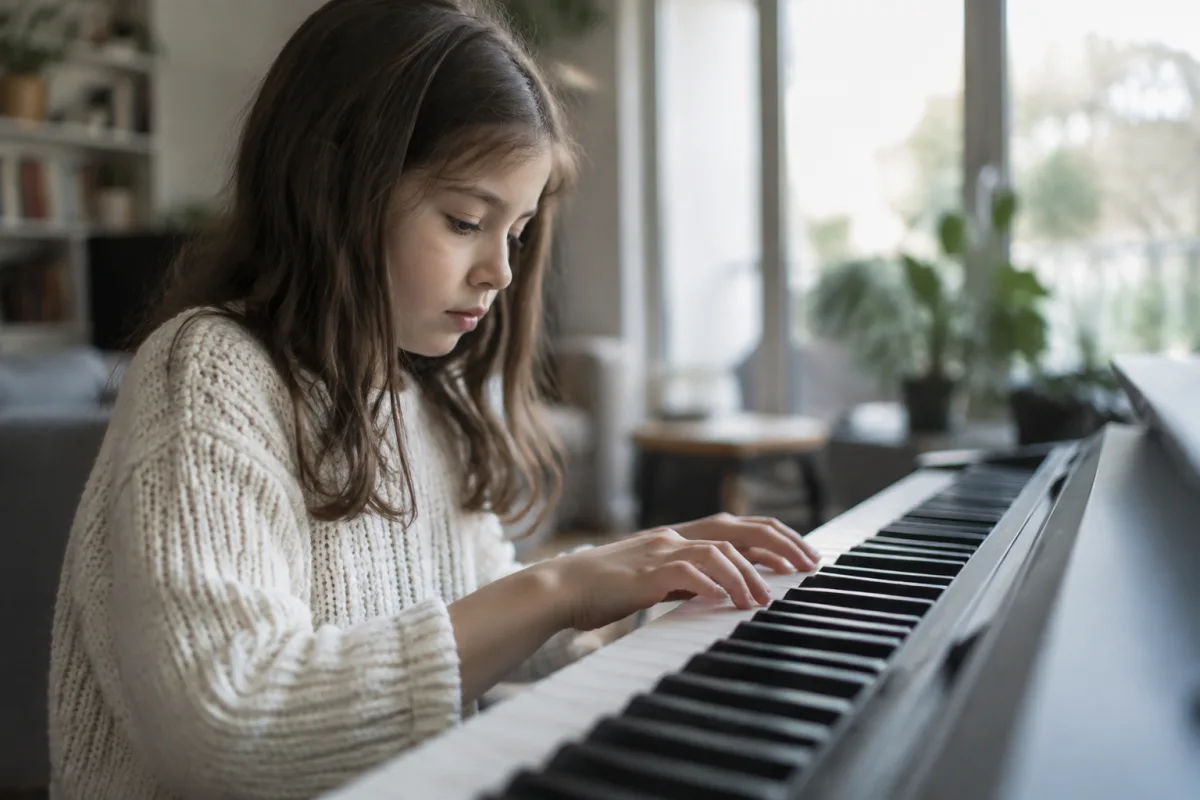
Getting Your Child Started on a Keyboard: A Parent's Guide
You want your child to learn music, and a kids keyboard seems like the perfect first step. But if you have never bought a musical instrument before, the choices can feel overwhelming. This guide is written for parents—no musical background needed—to help you choose a keyboard that will actually encourage your child to practise and learn, rather than gathering dust in the corner.
Why Start with a Kids Keyboard?
A kids keyboard is a brilliant first instrument because it is affordable, portable and requires no maintenance. Unlike a piano, which is expensive and needs tuning, a keyboard plugs in and works instantly. Your child gets instant gratification—they can play recognisable melodies within minutes, which keeps them motivated. It also takes up minimal space, so squeezing it into a bedroom or lounge is easy.
First Steps Before You Buy
Assess Your Child's Interest
Be honest: is your child genuinely keen on music, or is this a gift idea that sounds nice? Children who have tapped out tunes on the piano at a friend's house or shown enthusiasm for singing are more likely to stick with lessons. If your child seems lukewarm, a smaller, cheaper model is a safer bet than a full-size keyboard.
Talk to a Music Teacher
If your child will be taking lessons, ask the teacher which keyboards they recommend and which to avoid. Some teachers have preferences based on key action and size. Starting with their endorsement often makes the difference between a keyboard that feels like a toy and one that supports real learning.
Try Before You Buy
Visit a music shop with your child and let them play a few models. Notice which one they gravitate toward. Some kids prefer smaller keyboards; others are drawn to full-size. This preference matters because a keyboard that feels right encourages practice.
Key Features to Look For
Size and Key Count
Kids keyboards come in three main sizes:
- Mini keyboards (32–37 keys): Compact and affordable (£50–200). Perfect for absolute beginners and very young children. Limitations: cannot play all melodies, and the small keys might feel cramped as your child's hands grow.
- Portable keyboards (61 keys): The sweet spot for most learners (£150–400). Full range for most popular songs, keys are realistic size, still portable. Many come with stands and headphones included.
- Full-size keyboards (88 keys): Matches a piano's full range (£400+). Best if your child is serious about piano lessons. Heavier and less portable, but no limitations once they advance.
For a beginner, 61-key keyboards are ideal. They offer genuine playability without the bulk or cost of full-size.
Touch and Key Response
Budget keyboards have unweighted, springy keys that feel nothing like a piano. This is fine for fun and learning basics. However, if piano lessons are planned, a keyboard with semi-weighted or weighted keys will help your child transfer skills correctly to a piano later. The cost difference is modest (maybe £50–100 more) and well worth it if serious learning is the goal.
Built-in Sounds and Rhythms
Kids keyboards include drum rhythms, backing tracks and dozens of instrument sounds. These features are fun and motivating—your child will love playing along to a drum beat. Look for a model with at least 100 sounds and 50+ rhythm styles. More than that is usually overkill.
Built-in Learning Features
Many kids keyboards include light-up keys that show your child which notes to play. Some have games that teach rhythm or pitch. These are genuinely helpful for keeping young learners engaged. If your child is five to eight years old, a keyboard with light-up keys and simple games can make practise feel less like a chore.
Recording and Headphone Jack
A recording button lets your child hear themselves play back, which is motivating. A headphone jack is essential if your child will practise at night or if you need to keep noise levels down. Ensure the volume control is safe for young ears (some keyboards limit maximum headphone volume to 85 dB, which is good).
Price Tiers and Value
Budget: £50–150
Basic mini or small keyboards. Adequate for testing interest, but keys are small and touch is stiff. Good as a starter toy, but may discourage a child serious about learning.
Mid-range: £150–350
The sensible choice. 61-key keyboards with semi-weighted action, good sounds, rhythms and maybe light-up keys or recording. Brands like Yamaha PSR and Casio CTK are reliable here. Your child will not outgrow this quickly.
Premium: £350+
Full-size 88-key keyboards or keyboards with professional features. Only necessary if your child is already taking piano lessons and showing real commitment. Otherwise, this is money wasted on features they will not use.
Common Beginner Mistakes to Avoid
- Buying a mini keyboard and expecting it to last years. Mini keyboards feel like toys because they are. Your child's hands will grow, and the limitations become frustrating. Start at 61 keys if you want longevity.
- Skipping the weighted or semi-weighted option. If piano lessons are coming, unweighted keys teach bad habits. The £50 upgrade is worth it.
- Getting distracted by novelty features. A keyboard shaped like a spaceship or covered in flashing lights is fun for a day. Solid build quality and good sounds matter far more.
- Buying second-hand without trying it first. Used keyboards can have dodgy keys or audio issues. Test before you commit.
- Assuming your child needs 1,000 sounds. More sounds do not encourage practice. A keyboard with 100 quality sounds and good rhythms is plenty.
- Forgetting that practice space matters. A keyboard tucked away in a cupboard will not get used. Keep it in a visible, accessible spot where your child can easily sit down to play.
- Overdoing the investment before motivation is proven. Start with a mid-range model. If your child practises consistently for six months, then invest in something better.
Setup and Encouragement
Once you have your keyboard, set it up in a comfortable spot where your child can play without disturbing family routines. Position the stand or table at a comfortable height—many keyboards come with adjustable stands. A stool with good back support helps with posture.
Make practise routine but not punitive. Fifteen minutes daily is better than an hour once a week. Let your child play songs they love alongside whatever their teacher assigns. A child playing "Let It Go" is more motivated than one grinding through scales.
The Bottom Line
A quality mid-range 61-key keyboard with semi-weighted action is the right choice for most children learning music. It feels authentic enough to support real learning, is affordable enough not to panic about investment, and is portable enough to live in your home without taking over. Avoid both the toy keyboards and the expensive full-size investment until you know your child is serious. Start sensibly, encourage practice, and let their enthusiasm guide whether you upgrade later. That is all a beginner needs.



Comments