
Keyboard Controllers article
The Complete Guide to Keyboard Controllers
Keyboard controllers transmit MIDI data to your DAW or synthesizer, letting you play any digital instrument. Discover controller types, features, and workflow integration.
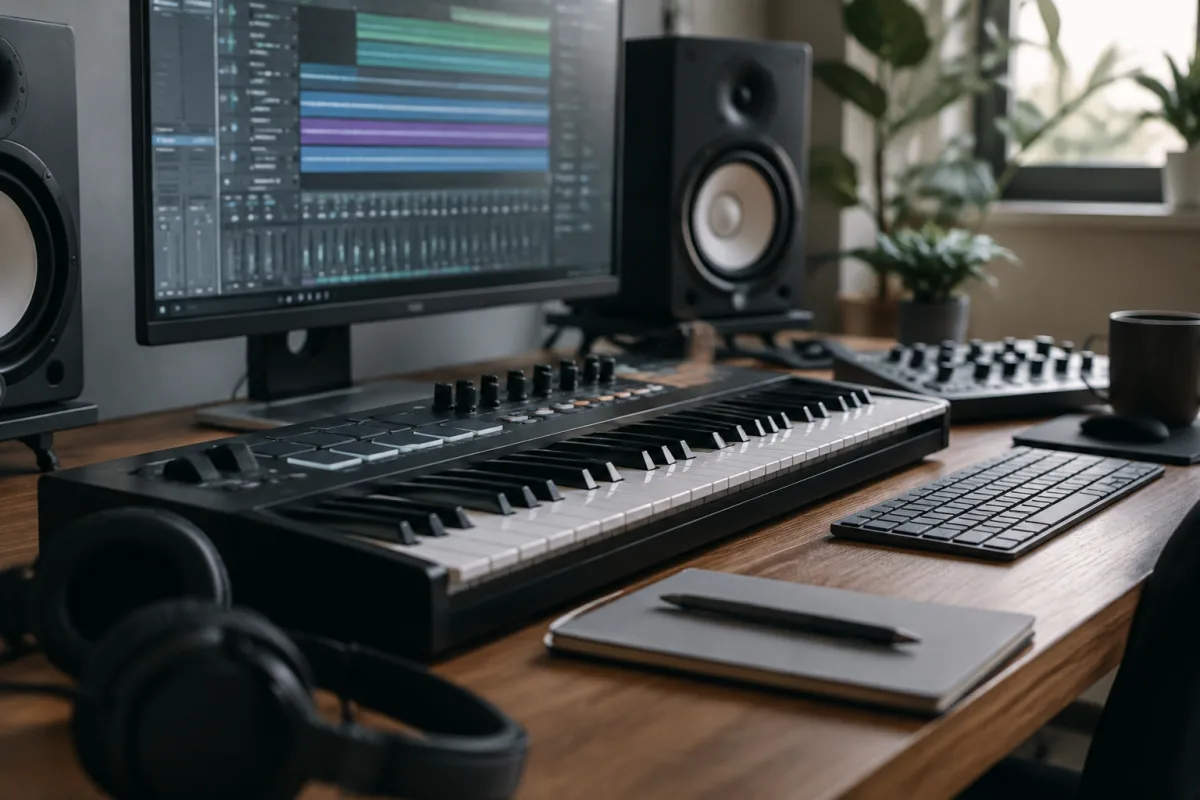
Keyboard controllers transform how musicians interact with digital instruments and music production software. A keyboard controller is fundamentally an input device—it has keys that transmit MIDI data to your computer or synthesizer, telling your software or hardware what note to play and with what velocity. Unlike a synthesizer or stage keyboard, a controller produces no sound of its own; its job is purely to communicate your musical intentions to external sound sources. This separation of interface from sound engine is liberating. You can play with the exact keyboard action and feel you prefer while accessing any sound, instrument, or effect your computer and software can produce. Whether you're a composer sketching ideas into your DAW, a producer building beats, or a performing musician controlling complex arrangements, keyboard controllers are essential modern music infrastructure.
Understanding MIDI and Keyboard Controllers
MIDI—Musical Instrument Digital Interface—is the language keyboard controllers speak. When you press a key, the controller sends MIDI data: which note was pressed, how hard (velocity), how long it's held, and various controller data (mod wheel, pitchbend wheel, knobs). Your DAW or synthesizer receives that MIDI information and triggers sounds accordingly. This fundamental separation—interface layer from sound generation—is what makes keyboard controllers so flexible. Any MIDI controller works with any MIDI-compatible software or hardware.
Keyboard controllers connect to your computer or synthesizer via USB (most common), MIDI DIN connectors (five-pin connectors on larger or older controllers), or Bluetooth wireless connection. USB connection is typically simplest; when you plug in, your computer recognises the controller automatically and begins receiving MIDI data. No drivers or complex setup required.
Keyboard Action and Feel
The feel of a keyboard controller's keys is critical. Unweighted keys respond quickly and lightly; they're suitable for producers more interested in programming than playing live. Semi-weighted keys provide moderate resistance, mimicking piano action partially. Fully weighted keys with graded hammer action feel nearly identical to an acoustic piano—the lower keys feel heavier than upper keys, exactly like real pianos. This distinction matters profoundly for keyboardists; the feel influences how you play and what's musically possible.
Aftertouch—the ability to generate MIDI data by pressing keys harder after striking them—is less common on controllers than on synthesizers but tremendously expressive when available. Mod wheels and pitch bend wheels add modulation and tonal variation without requiring hand movement across the keyboard. These performance controls transform controllers from input devices into genuine expressive instruments.
Controller Sizes and Portability
Mini keyboard controllers (25 keys) are ultra-portable, fitting easily in backpacks and studio spaces. They're ideal for producing and sketching ideas, less suited to performance. Standard 49-key controllers offer adequate range for playing most melodies and chords while remaining portable. 61-key controllers are traditional keyboard size, offering full octave range and space for hand movement. 88-key weighted controllers replicate full piano keyboard range—essential for pianists but less portable than smaller options.
Gigging musicians often favour 49–61 key controllers—big enough for playing but portable enough to manage transport alongside other gear. Home producers might prefer larger formats for ergonomic playing comfort. The right size depends on your primary use and transportation constraints.
Connectivity and Integration
Most keyboard controllers connect via USB to computers, appearing as MIDI input devices to your DAW software. Setup is typically automatic; DAW software recognises the controller and begins receiving MIDI data immediately. Some larger controllers include traditional MIDI DIN connectors for connecting to hardware synthesizers or interfaces without computer involvement. Bluetooth wireless connectivity is increasingly common on modern controllers, reducing cable clutter and increasing portability.
Controller software mapping—assigning knobs and buttons to specific DAW functions—allows deep integration. You might assign a controller's knobs to filter cutoff, reverb amount, and volume simultaneously, making a small controller feel much larger and more powerful for mixing. Most major DAWs include built-in templates for popular controller models; third-party mapping software offers infinite customisation possibilities.
Performance Controls and Expression
Beyond keys, keyboard controllers include various controls for performance expression. Pitch bend wheels and mod wheels are standard; these transmit continuous controller data allowing real-time tonal and pitch manipulation. Some controllers include sliders, knobs, and buttons assignable to any MIDI CC (continuous controller) parameter. Velocity sensitivity—the controller's ability to distinguish between soft and hard key presses—adds expression to note velocity data, letting you control dynamics with your playing touch.
Arpeggiators built into some controllers let you hold down keys and trigger arpeggiated patterns automatically, doubling the apparent complexity of your playing. Octave transpose buttons let you access higher or lower octaves without constantly moving your hands. These convenience features are nice-to-haves; core functionality doesn't require them, but they can enhance creative possibilities and live performance capabilities.
DAW Integration and Workflow
Keyboard controllers integrate seamlessly into most modern DAW environments. MIDI recording captures everything you play—notes, velocity, controller movements—as editable MIDI data. This lets you perform imperfectly and later quantise to the beat, correct timing, adjust velocities, or completely rewrite your performance. This separation of performance capture from performance playback transforms music production.
Instrument plugins—software synthesizers, drum machines, sampled instruments—respond to MIDI data from keyboard controllers exactly as hardware synthesizers do. You can play soft or hard, bend pitches, modulate sounds, and create expressive, musical performances with software-based sounds. The controller's quality and playability directly affect how musically satisfying and authentic your software-based performances become.
Comparing to Synthesizers and Stage Keyboards
A keyboard controller is purely an input device; it produces no sound without software or external hardware. A synthesizer or stage keyboard includes both the controller (keys) and sound engine (synthesis, samples, effects). Stage keyboards typically include weighted keys, authentic sounds, and built-in effects for stand-alone performance. Keyboard controllers require a computer or external sound source but offer infinite flexibility and access to any software or hardware sound available.
For composers and producers, controllers are often superior—you get exactly the key feel you prefer and access to any sound your software collection includes. For gigging musicians, stage keyboards offer reliability without computer dependence. Many professional musicians use both—controllers in the studio, stage keyboards for performance.
Budget Considerations
Entry-level 25-key controllers cost £50–150 and deliver functional MIDI input for DAW production. Mid-range 49–61 key controllers run £300–1,000, offering decent key quality and useful performance controls. Professional weighted controllers cost £1,500–4,000+, matching piano action feel and including sophisticated expression controls. The right budget depends on your use case and how much time you spend playing versus producing.
Many producers start with inexpensive controllers, upgrading only if their workflow demands something better. This pragmatic approach makes sense; a £100 controller with excellent DAW integration often outperforms a £2,000 controller with poor software compatibility.
Choosing Your Keyboard Controller
Define your primary use first. Studio production needs differ from live performance needs, which differ from composition sketching. Choose key count and action based on how you actually play—not how you think you should play. A pianist accustomed to weighted action struggles with unweighted keys; a producer sketching ideas plays fine on a 25-key mini. Test controllers before purchasing if possible; the feel of the keys matters profoundly to your satisfaction and playing musicality.


Comments