

Synthesizer Keyboard Stand article
Synthesizer Keyboard Stand for Beginners: A Complete Guide
A good synthesizer keyboard stand makes playing comfortable and keeps your instrument safe. This guide walks you through exactly what you need to know as a beginner, without the jargon.
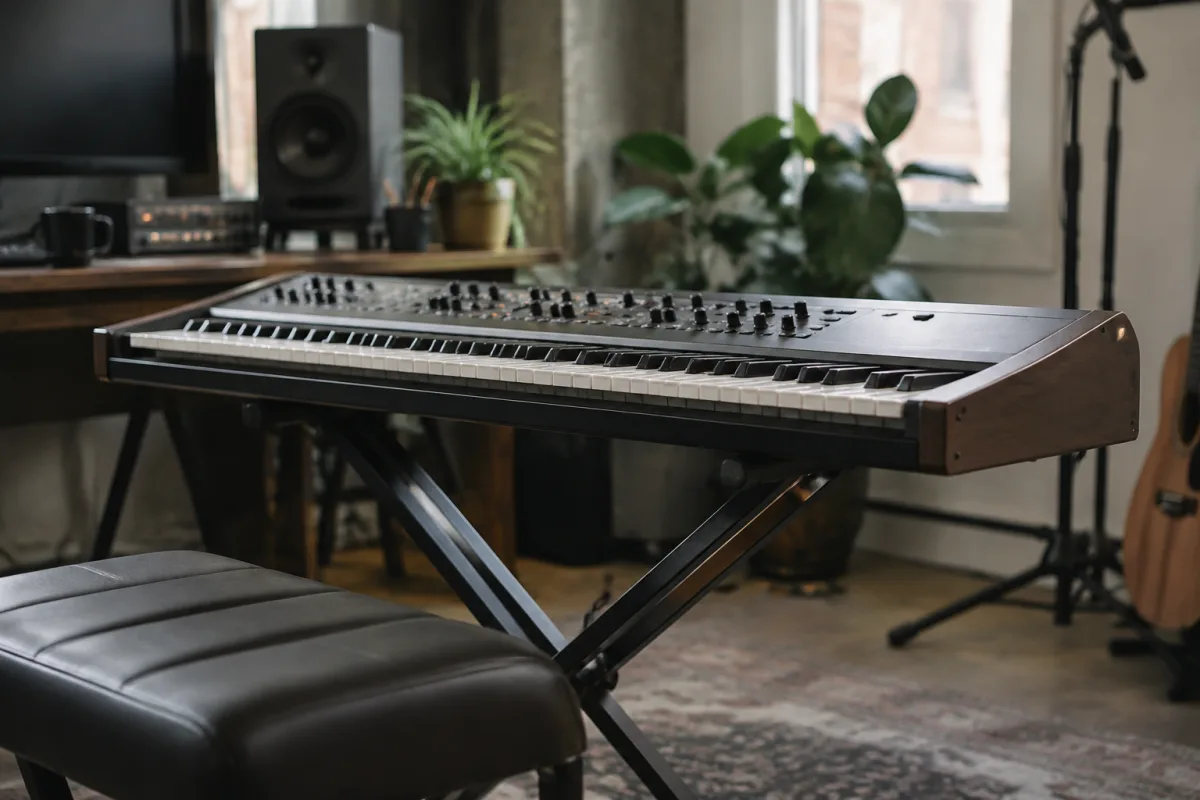
If you've just bought your first synthesizer keyboard or you're thinking about getting one, you might be wondering whether you need a stand. Here's the honest answer: a good keyboard stand makes everything easier, but it doesn't have to be complicated or expensive. This guide walks you through exactly what you need to know as a complete beginner to pick the right synthesizer keyboard stand, without any of the jargon or overwhelming options.
Why a Synthesizer Keyboard Stand Actually Matters
Your synthesizer keyboard stand does more than just hold your instrument. It lifts the keyboard to a comfortable playing height, stabilises it so it doesn't wobble when you play, and keeps it at the right angle for your wrists and posture. When your keyboard sits on a proper stand, you can focus on playing instead of worrying about it tipping over. It also protects your keyboard by keeping it off the floor where it could get kicked or damaged.
If you're using a dining table or a shelf right now, you'll immediately notice the difference once you get a proper stand. Your hands will be in the right position, your back won't hurt, and you can actually enjoy playing instead of fighting with the setup.
Types of Synthesizer Keyboard Stands for Beginners
There are three main types of stands, and as a beginner, you only need to think about two of them.
- Single-tier stands — The simplest option. A basic frame that holds one keyboard at a comfortable height. Perfect for most beginners. They're affordable, stable and take up minimal space.
- Double-tier or stacking stands — Hold two keyboards one above the other. Only choose this if you definitely plan to use two keyboards together. Don't buy this "just in case"—it wastes space and money.
- Z-frame or portable stands — Lightweight, fold up for gigs or travel. Useful later on, but beginners rarely need portability right away.
Start with a single-tier stand. It does everything you need, costs less, and leaves you room to expand later.
Key Things to Check When Choosing a Stand
You don't need to memorise technical specs. Just check these five things and you'll find a stand that works.
- Weight capacity — Check your keyboard's weight (it's in the manual or on the manufacturer's website). Your stand needs to support at least that weight, plus a small safety margin. Most beginner keyboards are 20–30 kg, and most stands support 50 kg or more, so you're usually fine.
- Height adjustment — Can you raise or lower it to your height? You want your elbows roughly at 90 degrees when your hands are on the keys. If the stand is fixed height, it might not suit your body. Adjustable is worth the small extra cost.
- Stability — Wiggle it gently with your hand. A good stand shouldn't rock side to side or feel flimsy. The wider the base, the more stable it is.
- Width of the keys area — Make sure your keyboard actually fits on it. Measure your keyboard and check the stand's specifications. Most stands accommodate keyboards from 61 to 88 keys, but check first.
- Where you'll put it — Does it fit your space? Some stands have a bigger footprint than others. If your room is small, a compact stand matters more than an impressive-looking one.
Budget: What You Actually Need to Spend
A decent synthesizer keyboard stand costs between £40 and £150 for beginners. Here's what you get at different price points.
- £40–£60 — Solid, no-frills single-tier stand. Stable, adjustable, does the job. Perfect for beginners and home use. Brands like On-Stage and Gator make reliable budget options.
- £60–£100 — More premium materials, smoother adjustments, better stability. Worth it if you play regularly or if you're taller or shorter than average and need exact height control.
- Over £100 — Professional-grade stands with features you won't need yet. Save your money for now and spend it on keyboard pedals, headphones or a MIDI controller later.
Don't feel pressured to buy the most expensive stand. An affordable stand from a reputable brand will outlast your first keyboard and still work perfectly when you upgrade.
Common Mistakes Beginners Make (And How to Avoid Them)
Learn from other people's mistakes so you don't waste money or frustration.
- Buying a double-tier stand "just in case" — You'll probably never use the second tier. It takes up space and costs more. Stick with single-tier.
- Ignoring height adjustment — If the stand is stuck at one height and it doesn't suit your body, you'll hate playing on it. Always go for adjustable.
- Skipping the weight check — In rare cases, a light stand can't handle a heavier keyboard. Thirty seconds checking your keyboard's weight saves you a wobbly setup that feels wrong.
- Choosing looks over stability — A stand that looks sleek online might feel shaky in person. Stability matters way more than aesthetics when you're actually playing.
- Not measuring your space — Some stands have feet that stick out further than you'd expect. Measure your desk or floor space first, not after.
- Thinking you need a portable stand immediately — If you're not gigging or travelling, a portable stand is just unnecessarily flimsy. Get a solid stationary stand first and upgrade later if you need portability.
Setting Up Your Stand Properly
Once you've got your stand, setup takes five minutes.
- Place the stand on a flat, level surface. Don't put it on carpet if you can avoid it—it can tip slightly.
- Adjust the height so your elbows are at roughly 90 degrees when you sit and play. You should feel relaxed, not stretched or cramped.
- Place your keyboard on the stand and make sure it sits securely. It shouldn't slide or rock.
- Tighten any adjustment clamps or locks so nothing moves during play.
- Position your bench or chair so you're comfortable. The stand height is just the start—your seating matters too.
After Your First Stand: When to Upgrade
A good beginner stand will work for years. You'll only need to upgrade if one of these things happens.
You buy a second keyboard and want to play them together. You start gigging and need a portable setup. Your first keyboard breaks and you replace it with one that weighs more. You discover you want a height range your current stand doesn't offer. Until one of these things happens, your first stand is still doing its job.
Conclusion
A synthesizer keyboard stand is a simple purchase with a big impact on how much you enjoy playing. You don't need to overthink it. Pick a stable, adjustable single-tier stand from a trusted brand in your budget, make sure it fits your keyboard and your space, and you're done. You'll play more comfortably, your keyboard will be safer, and you'll wonder why you waited so long to get a proper stand. For a complete overview of how synthesizer keyboard stands work and how they compare to other solutions, check out our complete guide to synthesizer keyboard stands.



Comments