


Expression Pedal Keyboard article
Expression Pedal Keyboard for Beginners: A Complete Guide
An expression pedal responds to your foot pressure, letting you control volume and effects in real time. This guide walks you through the basics and how to build confidence quickly.
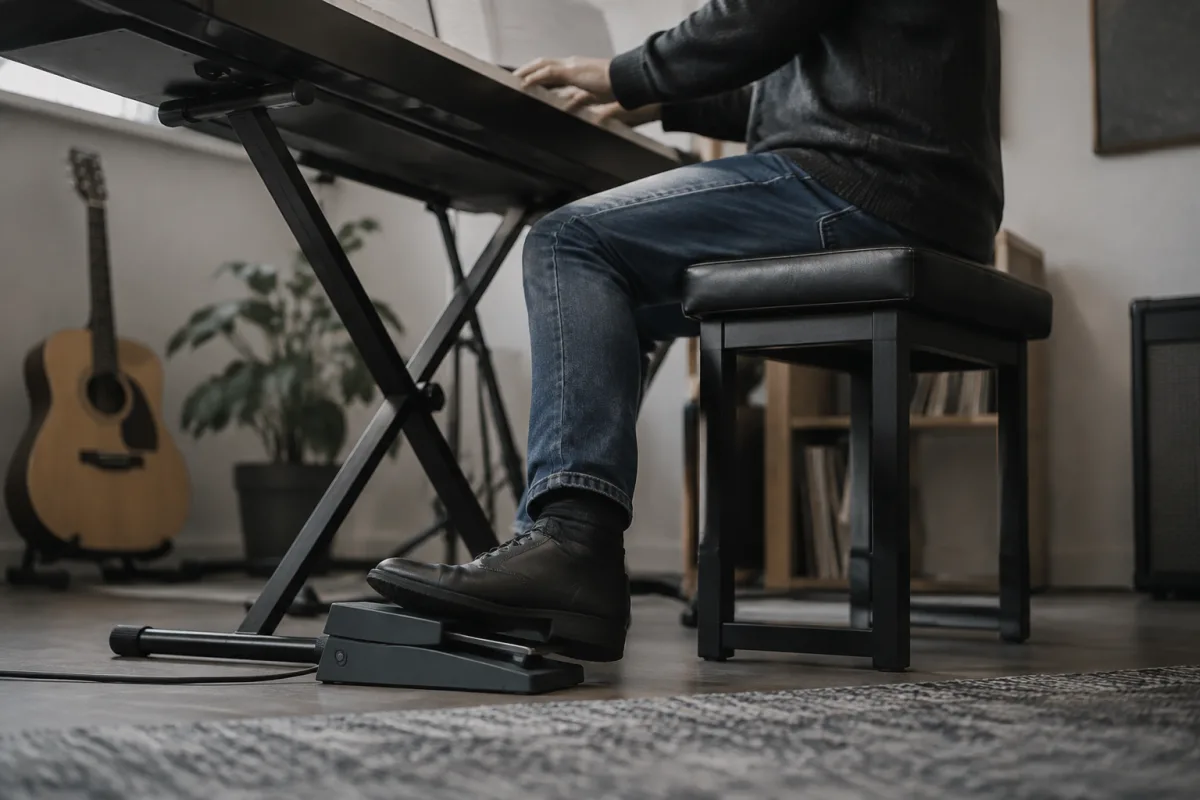
Learning to play an expression pedal keyboard can feel daunting at first, but it's far more intuitive than you might think. An expression pedal responds to the pressure of your foot, letting you control volume, tone, and other effects in real time—just as you'd use a guitar wah pedal. If you've never used one before, this beginner's guide will walk you through the basics, common mistakes, and how to build confidence quickly.
What Is an Expression Pedal on a Keyboard?
An expression pedal is a foot-operated controller that sends a continuous signal to your keyboard. Unlike an on/off switch, it's proportional: press it down halfway, and you get half the effect; press it fully, and you get the maximum. Most commonly, keyboard players use it for volume control—think of it as a sophisticated volume pedal that lets you swell notes, create dynamic phrasing, and manage your stage presence without taking your hands off the keys.
Some keyboard players assign expression pedals to other parameters: filter sweep, effect depth, pitch bend, or even pan (left/right movement in the stereo field). But for a first-timer, volume is the easiest and most musically useful place to start.
First Steps: Connecting and Testing
Before you play a note, you need to physically connect your pedal to your keyboard. Most expression pedals use a standard quarter-inch jack (the same connector as a guitar cable). Check your keyboard's manual to find the expression pedal input—it's often a single jack on the back panel or side, sometimes labelled "Expression" or "Sustain Pedal" or grouped with other pedal inputs.
Plug in the pedal and power on your keyboard. Many keyboards automatically recognize an expression pedal and set it to control volume by default. To test it, press a key on the keyboard and gently rock the pedal forward with your foot. You should hear the volume increase. If nothing happens, check that the pedal is fully seated in the jack and that your keyboard's manual hasn't assigned it to a different parameter.
Basic Playing Technique
The key to using an expression pedal musically is heel-to-toe movement. Rest your heel on the floor in front of the pedal and rock your toe down to control the effect. This gives you the most precise control and uses the least energy.
- For volume control: Start with the pedal at rest (minimum volume). Press a key on the keyboard. Slowly press the pedal down with your toe, listening to the volume swell. Practice smooth, gradual increases. Then release it back to the heel position. Repeat until this motion feels natural.
- Avoid sudden jerks: Beginners often move the pedal in stiff, jerky steps. Instead, aim for smooth, continuous movement. If your keyboard sends volume information via MIDI (or the manual calls it "CC7" or "volume control"), you'll hear the difference immediately: smooth pedal work sounds deliberate and musical; choppy movements sound amateurish.
- Practice swells: Press and hold a chord on the keyboard, then slowly increase the volume with the pedal over 2–3 seconds. This is a fundamental technique in jazz and orchestral keyboard playing. It creates a pro-sounding introduction to a phrase.
Common First-Timer Mistakes
Nearly every beginner stumbles on one or more of these:
- Confusing an expression pedal with a sustain pedal: They look similar, but a sustain pedal is an on/off switch (like a piano pedal) and an expression pedal is continuous. If you plug in a sustain pedal to the expression input, it won't respond smoothly—it'll snap between minimum and maximum. Check your pedal's manual.
- Forgetting to calibrate: Some keyboards let you set the minimum and maximum range for the expression pedal. If you skip this step, the pedal might not reach full volume or might not drop to silence. Read your keyboard manual for "calibrate expression" or "set pedal response".
- Resting weight on the pedal while playing: If your foot stays tense and rests on the pedal, you'll accidentally modulate volume as you shift your weight. Keep your heel lightly on the floor and let only your toe move.
- Moving the pedal during quiet passages: It's easy to fidget. But even tiny pedal movements are audible in soft passages. Discipline yourself to leave it alone unless you're actively using it.
- Assigning too many parameters at once: Early on, stick to volume only. Once you're comfortable, experiment with adding tone or effect depth to the same pedal. Multi-parameter control comes later.
Building Your Confidence
The best way to get comfortable with an expression pedal is to use it in context. Pick a song or passage you know well and practise adding volume swells at musically logical moments: the start of a phrase, the build-up to a chorus, or a solo break. Listen to recordings of artists in your genre—jazz keyboardists, progressive rock players, and classical organists all use expression pedals extensively. Notice where they swell and why.
Start slow. If you're learning a new piece, get the notes right first, then add pedal work once your hands are secure. There's no shame in practising with just your left hand and the pedal, or vice versa.
Beyond Volume Control
Once volume control feels natural—usually after a few hours of focused practise—you can explore other parameters. Many keyboards let you assign the expression pedal to filter frequency, creating a wah effect, or to reverb depth, or to effect intensity. Consult your keyboard's manual or an online tutorial specific to your model. The technique remains the same: smooth, deliberate, heel-to-toe movement.
Remember that expression pedal work is an *expressive* tool, not a gimmick. Use it to serve the music, not to draw attention to the gadget. The best pedal work is often invisible to the listener—they just notice that your playing sounds more dynamic and thoughtful.
Choosing the Right Pedal Physically
If you're shopping for your first expression pedal, look for one with a smooth, responsive mechanism and a sturdy footplate. You'll be standing and applying pressure with your foot for hours at a time, so durability matters. Popular entry-level options are designed to last through years of gigging. Avoid very cheap pedals with loose or unresponsive mechanisms—they teach bad habits. Spend £30–60 on a solid, reputable brand and you'll have a tool that grows with you.


Comments