


Akai Samples Buying guide
Akai Samples: A Complete Buyer's Guide
Choosing the right Akai samples depends on your device's compatibility, sound character, and storage. This buyer's guide explains formats, specs, and how to avoid wasting money.
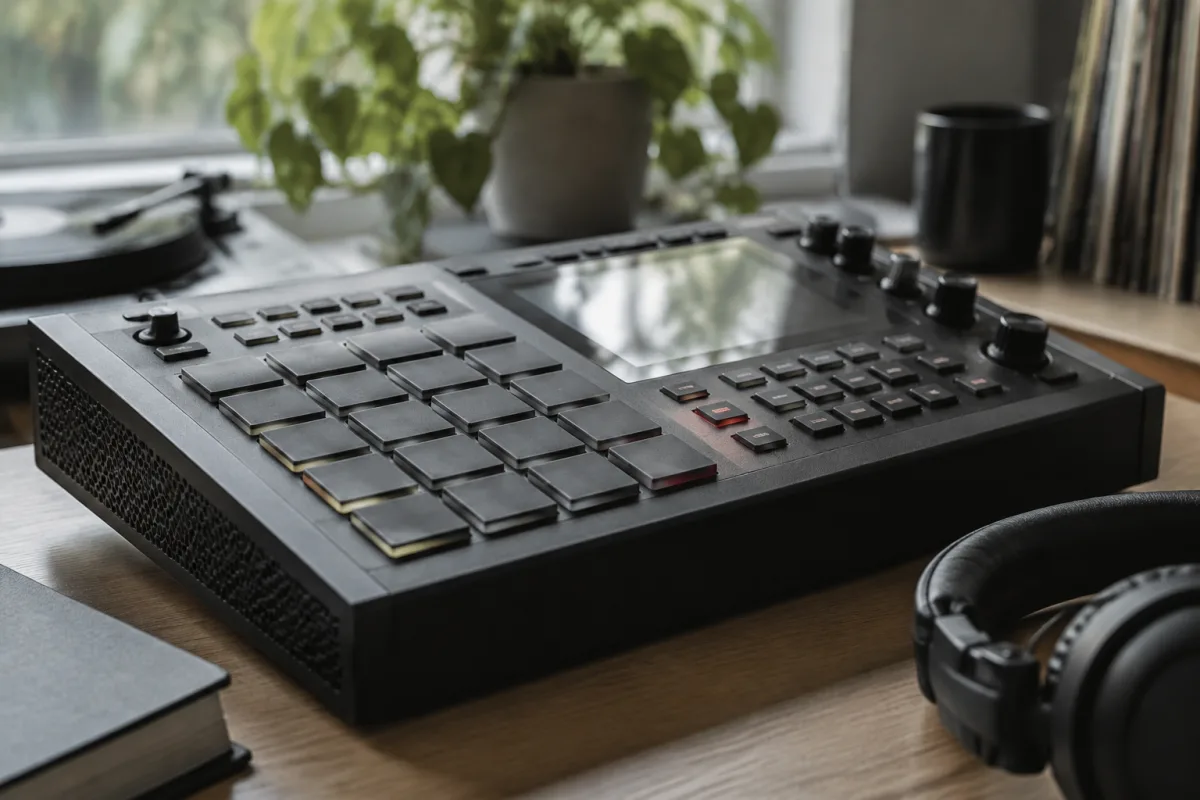
If you own an Akai sampler or beat-making device, samples are your raw material. But with thousands of Akai samples and packs available—from vintage drum breaks to modern melodic loops—knowing how to choose quality Akai samples can feel overwhelming. This buying guide focuses on what matters: compatibility, sound quality, and value for your specific device and workflow.
Understand Your Akai Device's Sample Compatibility
Before buying any Akai samples or packs, confirm what formats your gear actually accepts. An MPC1000 handles 16-bit WAV files differently from a newer MPC Live II. Older Akai samplers like the Z8 may have limited storage and specific file size restrictions. Newer devices support broader formats including MP3 and FLAC, but compatibility is never guaranteed across the range. Check your manual or the manufacturer's website for supported file types and maximum sample length. Buying Akai samples incompatible with your device is the most common beginner mistake.
File Formats for Akai Samples: What Works
WAV Files
Standard 16-bit or 24-bit WAV files are universally compatible with Akai samplers and beat machines. WAV is the safe choice—nearly every Akai samples pack uses it. Look for packs clearly labelled WAV format. Quality varies, but all WAV files play on your Akai gear without conversion.
AIFF (Audio Interchange File Format)
Some professional sample libraries offer AIFF alongside WAV. Older Akai hardware sometimes prefers AIFF. If your device manual mentions AIFF support, great—but start with WAV if you're unsure.
MP3 and FLAC
Modern Akai devices like the MPC Live II and Force accept MP3 and FLAC files directly. If you own an older Akai sampler (pre-2015), skip these. They won't work. For newer devices, MP3 and FLAC packs are perfectly fine and often cheaper because file sizes are smaller.
Choosing Samples by Sound Character
Sample packs come in distinct flavours. Pick ones that match your workflow, not generic "best" options. Consider:
- Drum kits and percussion: Vintage breaks, 808 drums, live percussion, or synthesised percussion. Know whether you want warm, crushed drum breaks (classic Akai workflow) or clean, punchy modern drums.
- Bass and low-end: Synth bass, 808 bass, acoustic bass, or filtered bass. Different genres need different character.
- Melodic loops and chords: Jazz piano, pad drones, string textures, or chord progressions. These set the mood for your track.
- One-shot samples: Discrete drum hits, kicks, snares, and single instruments let you build grooves from scratch rather than using pre-built loops.
The "best" packs are the ones that match your sound. A vintage funk drum kit is worthless if you produce techno. Start with collections matching your actual production style.
Key Specs to Check When Shopping
| Spec | What It Means | Why It Matters |
|---|---|---|
| Sample Rate | 44.1 kHz, 48 kHz, or 96 kHz | Most Akai gear uses 44.1 kHz. Buying 96 kHz samples for a device that doesn't support it wastes storage space with no benefit. |
| Bit Depth | 16-bit, 24-bit, or 32-bit | 16-bit is standard. 24-bit offers more detail and headroom but uses more storage. Older Akai devices may not support 24-bit; check first. |
| File Size | Typically 100 MB–2 GB per pack | Older Akai hardware has limited storage. A 2 GB pack won't fit on a device with 512 MB of available space. Check your Akai's storage before buying. |
| Number of Samples | Typically 50–500 samples per pack | More samples doesn't mean better. A focused 100-sample drum kit can be more useful than a bloated 1000-sample collection. |
| Loop-Ability | Are samples loopable? | If you want seamless loops, check the pack description. Not all samples are designed to loop cleanly. |
Price Tiers and Value
- Free packs (£0): Great for exploring, but quality is highly variable. Many are poorly labelled or include useless filler. Use these to experiment, not as your main library.
- Budget packs (£5–£15): Decent value. Often from independent producers or bundled collections. Quality is mixed. Read reviews before buying.
- Mid-range packs (£15–£50): Professional producers, curated collections, good sound design. Most working producers buy here. You get what you pay for.
- Premium/legacy packs (£50–£200+): Vintage drum breaks, professionally remastered libraries, or bespoke collections. Worth it if you need something specific.
Where to Buy Quality Akai Samples
The source matters as much as the pack itself.
- Splice: Massive library with quality filters. Pay per download or subscription. Good for trying before committing.
- Loopmasters: Professional sample packs, often on sale. Curated by actual producers.
- Samplephonics: High-quality, genre-specific packs. Pricey but reliable.
- Akai's official packs: Often bundled with hardware. Solid baseline but limited variety.
- Independent Bandcamp producers: Unique sounds, often cheaper. Quality varies—check demos and reviews.
- Free platforms (Freesound, Zapsplat): Good for individual one-shot samples, less useful for full packs.
Common Pitfalls to Avoid
- Buying without checking format compatibility. "Professional" doesn't mean compatible with your device. Download a preview or check the spec sheet first.
- Assuming more = better. A 2000-sample pack is useless if 1900 are garbage you'll never touch. Quality over quantity, always.
- Ignoring file size against your storage. Your device has limited space. A 5 GB pack sounds amazing until you realise it won't fit.
- Buying the wrong sound character for your genre. Choose packs that fit your workflow. A lush pad pack is wasted money if you produce trap.
- Forgetting about sample rate and bit depth limits. Older devices don't handle 96 kHz or 32-bit files. Wasted money and storage.
- Relying on pack names and hype. "The Ultimate Hip-Hop Kit" might be useless for your production. Listen to demos and read reviews from users of your device.
Preview Before You Commit
Most platforms let you preview samples before buying. Listen to the raw files, not just the demo mix. Ask yourself: "Will I actually use this?" A pack with three perfect samples and 97 filler samples wastes your time and storage space. If you're uncertain, start with budget packs or single downloads rather than committing to a full subscription.
For deeper information on sample workflows, recording, and production techniques, read our complete guide to Akai samples.


Comments