


Tab Software Buying guide
Tab Software: A Complete Buyer's Guide
Tab software ranges from free tools to professional suites, but choosing the right option means matching features to your actual needs rather than chasing complexity.
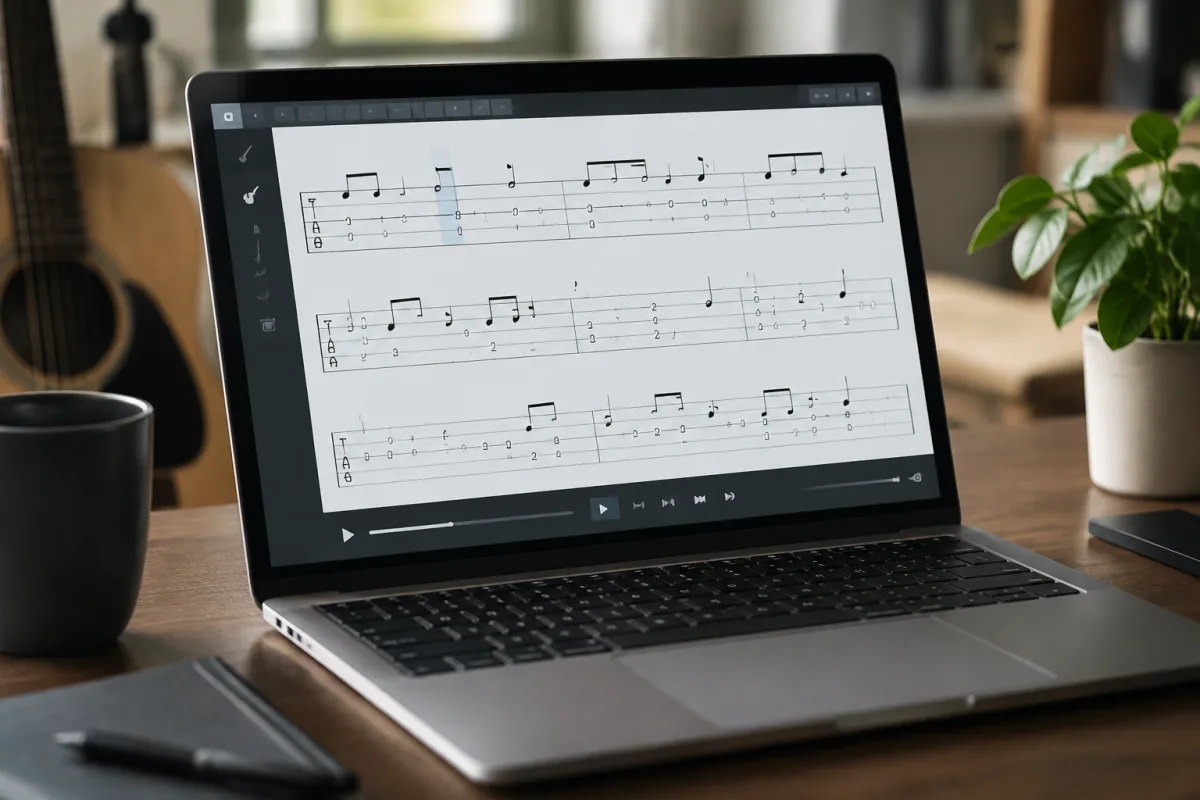
Tab software sits at the intersection of music notation and performance tools, serving guitarists, bassists, and fretted-instrument players who need to read, write, and share tablature. But with dozens of options ranging from free programs to professional suites costing hundreds of pounds, how do you choose software that actually matches your needs rather than just overwhelming you with features you'll never use? This buying guide cuts through the confusion to show you exactly what to prioritise when selecting tab software.
Understanding Tab Software Categories
Tab software falls into distinct categories, each serving different purposes. Notation-focused software (GarageBand, Musescore) prioritises sheet music and standard notation, with tab as secondary. Performance-focused software (Guitar Pro) combines notation with playback and powerful editing. Transcription software (Transcribe!) specializes in slowing down and annotating existing recordings. Jamming software (Amplitube, Bias FX) integrates tab interpretation with effects and amp simulation. Before shopping, identify which category matches your primary use. A transcriber needs different features than someone writing original music for a band, and both differ from someone learning to play covers. Choosing software mismatched to your purpose creates frustration and abandoned projects.
Notation Accuracy and Playback Quality
If you're choosing tab software primarily to write music, notation accuracy matters tremendously. Look for software that handles tablature precisely: correct fret numbers, accurate string representations, and proper notation symbols (bends, slides, harmonics, palm mute, etc.). Playback quality—how the software sounds when you press play—varies dramatically between options. Budget tab software often has tinny, unconvincing sounds that make your compositions sound worse than they actually are. Professional-grade tab software includes higher-quality audio samples that capture different playing techniques convincingly. Listen to demo audio before buying; poor playback quality won't damage your writing, but it makes the software genuinely painful to use.
Editing Capabilities and User Interface
Tab software you'll use regularly needs an intuitive editing interface. Some options use mouse-based clicking, others support MIDI controllers or guitar input. Try before buying if possible; what feels intuitive to one person frustrates another. Complex editing features are only valuable if the interface lets you access them without hunting through menus. Check whether the software supports common editing tasks you'll perform: copying sections, transposing, changing tempo without changing pitch. Also verify whether it exports in formats you need: PDF for printed tabs, MusicXML for compatibility with other notation software, MIDI for audio production work. Inflexible export options create frustrating dead-ends.
Format Compatibility and File Exchange
Tab software varies wildly in file format support. Some programs use proprietary formats that only that software can open, locking you into a single ecosystem. Others embrace standard formats like MusicXML or MIDI, allowing you to share files with collaborators regardless of what software they use. Check specifically whether your chosen tab software can import and export files in formats used by musicians in your genre or community. If you're in a collaborative environment or learning from online resources, format compatibility isn't optional—it's essential. Software with poor format support creates isolation and frustration when you need to share your work.
Learning Curve and Documentation
Tab software ranges from immediately intuitive to genuinely complex. Your tolerance for complexity depends on how much time you want to invest learning versus actually using the software. Beginners often prefer simpler options like Musescore or basic Guitar Pro features. Professionals working on complex arrangements need the advanced capabilities of professional-grade software but accept a steeper learning curve. Evaluate tutorial resources and documentation before buying. Software with sparse documentation becomes a nightmare when you encounter problems. Video tutorials, community forums, and responsive support make the learning process dramatically smoother.
Price Tiers and Feature Reality
Free Tab Software (£0): Options like Musescore and TuxGuitar cover basic needs adequately. Notation accuracy is decent, playback is acceptable, and no financial commitment means you can experiment risk-free. Limited features compared to paid options, but sufficient for learning and basic composition.
Mid-Range Tab Software (£30–£100): Guitar Pro, Soundslice, and similar options offer professional-grade notation accuracy, decent playback, reasonable feature set, and good community support. Most working musicians operate at this tier. Value is typically excellent in this price range.
Professional Tab Software (£100+): Notation-focused options like Finale and Sibelius provide exceptional notation capabilities and professional-grade presentation. Tab-specific premium options offer advanced features for professional transcription and composition work. Cost is justified if notation quality directly impacts your professional output.
Avoiding Common Buying Mistakes
Don't assume more features equal better software. Complex tab software with 200 features you'll never use is worse than simpler software that handles your specific needs perfectly. Also resist buying the premium tier because you think you'll "grow into" features. You probably won't; you'll just maintain expensive software you don't actually use. Start with mid-range options that cover immediate needs. Upgrade if you hit genuine limitations, not hypothetical future ones. Another mistake: ignoring community when choosing. Tab software used by active communities means better tutorials, more shared resources, and quicker support when you encounter problems. Niche software with tiny communities can be isolating when you hit issues.
Many beginners also underestimate the importance of playback quality. You'll spend hours listening to your tabs played back; poor playback quality makes this genuinely miserable. Never skip this aspect when evaluating options. Also, don't assume "intuitive" is universal. What feels obvious to one person confuses another. Always test tab software hands-on before committing to a purchase, especially for anything over £50.
Tab Software for Specific Use Cases
Learning Guitar: Free or budget options (Musescore, TuxGuitar) provide adequate notation and playback without financial pressure. Interface simplicity matters more than feature richness.
Transcribing Songs: Specialized transcription software (Transcribe!, Capo) and performance-focused options (Guitar Pro) with strong playback control are essential. You need to slow down audio and manipulate tempo without pitch changes.
Composing Original Music: Mid-range professional tab software (Guitar Pro) or notation-focused (Musescore) provides notation accuracy and export flexibility that free options lack.
Professional Publication: High-end notation software (Finale, Sibelius) offers presentation quality and professional typography that signals professional-grade work. If your tabs are publication materials, invest appropriately.
Trial Versions and Money-Back Guarantees
Reputable tab software developers offer trial versions or money-back guarantees because they're confident their products suit actual needs. Use trial periods extensively before buying. Install the software, work on an actual project you care about, hit whatever real-world scenarios you'll encounter. Trial periods feel generous at the moment but are invaluable when making decisions. If a developer doesn't offer trials, that's a warning sign about their confidence in their product.
Cross-Platform Considerations
Verify that your chosen tab software works on your actual computer (Windows, Mac, Linux). Some options are platform-specific or require emulation that reduces performance. Also check whether web-based versions exist if you want to access tabs from different devices. Platform flexibility prevents frustrating dead-ends when your primary computer isn't available. Learn more about notation approaches and advanced tab techniques by exploring the ultimate guide to tab software.
Conclusion
Choosing tab software means identifying your primary use case, evaluating notation accuracy and playback quality through hands-on trial, checking format compatibility with your workflow, and selecting the price tier that matches your actual needs. Avoid feature overload and resist premium tiers for hypothetical future use. Start with mid-range options like Guitar Pro or notation-focused software like Musescore, test extensively before committing to purchase, and prioritise software with active communities and good documentation. The right tab software becomes transparent in your creative workflow, handling notation and transcription seamlessly so you can focus entirely on the music itself.


Comments