


Reason Software article
Reason Software for Beginners: A Complete Guide
Reason looks intimidating but is actually one of the gentlest introductions to music production. This beginner's guide walks you through your first steps, common pitfalls, and builds confidence from day one.
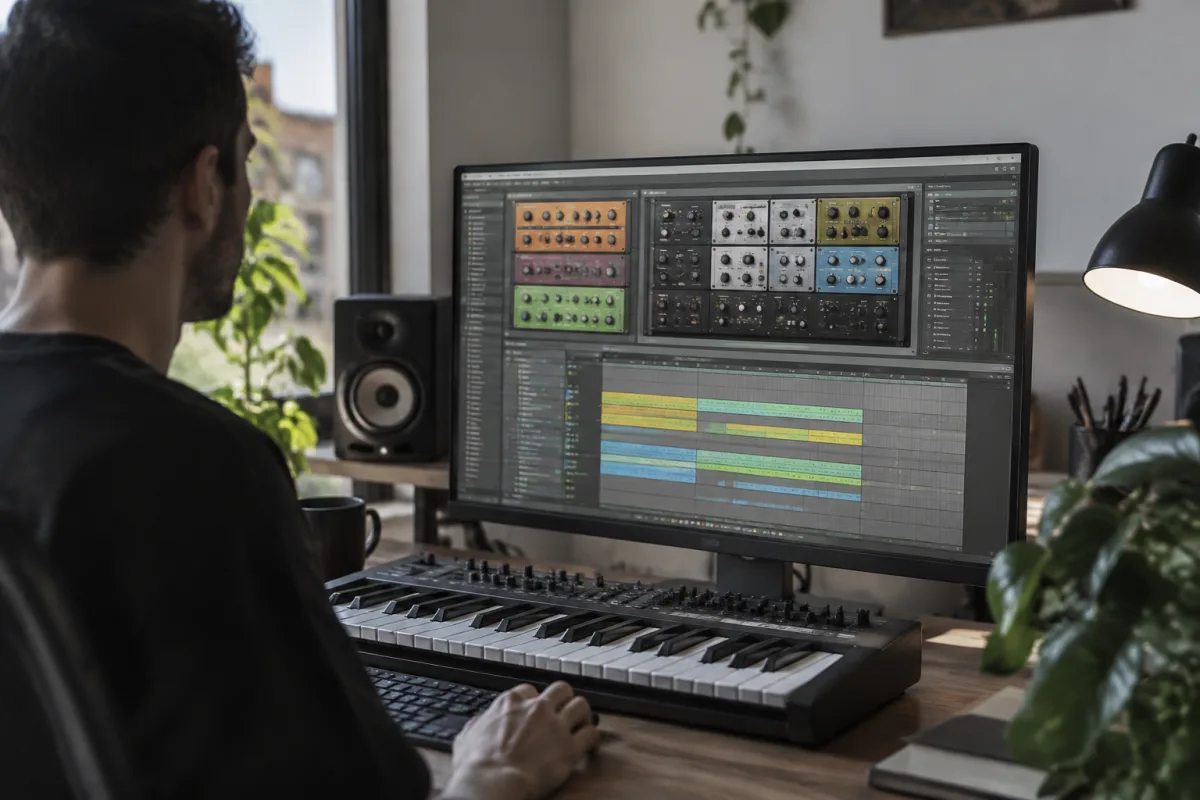
Learning music production feels daunting if you've never opened a DAW before. Reason can seem intimidating with its virtual rack, cables, and deep sound-design possibilities. But here's the truth: Reason is actually one of the gentlest introductions to music production available. Starting with the right mindset and approach transforms what feels overwhelming into genuinely fun creative exploration. This guide walks you through your first steps and sets you up for success.
Don't Panic About the Complexity
When you first launch Reason, the virtual rack—all those colourful modules and patch cables—might feel like you've wandered into someone's studio without an instruction manual. That's normal. Every producer felt exactly that way on day one. The beautiful secret is you don't need to understand the rack to start making music. You can make perfectly good songs using just the simpler instruments and ignoring the deep stuff entirely.
Many beginners assume they need to master everything immediately. You don't. Give yourself permission to know 10% of Reason's features and still make great music. That's the reality of successful producers too. They use a small fraction of what's available and use it brilliantly.
Start with Audio First, Cables Later
Your first session should focus on playing with sounds and recording audio, not understanding patch routing. Open Reason, create a new song, add a drum track, add a synth track, and start playing. Press buttons. Change sliders. Hear what happens. This playful exploration builds intuition far faster than reading manuals.
The virtual cables connecting modules together are powerful but confusing initially. Ignore them completely for the first month. Use the pre-loaded patches, tweak them with sliders, and enjoy making sounds. Once you've developed some confidence, then you'll be curious about how the cables work—and that curiosity makes learning stick.
Use Patterns Instead of Arranging Full Songs
A common beginner mistake is trying to write complete songs immediately. Instead, spend weeks just writing patterns—8-bar loops with drums, bass, and melody. Patterns are Reason's superpower for beginners. You focus on creating one small musical idea, repeat it, and hear it loop. This builds creative muscle without the overwhelm of arranging full structures.
Once you've filled a folder with patterns you love, stringing them into full songs feels natural. You're not staring at a blank canvas; you're arranging your existing best ideas. This approach works brilliantly for beginners and remains efficient even as professionals.
Find Pre-Made Patches and Tweak Them
Reason ships with thousands of sounds. Don't immediately reach for sound design—browse existing patches and just use them. You'll stumble upon sounds that inspire songs. Change the filter cutoff, adjust the attack time, modify the reverb. These tweaks teach you how sounds work far more effectively than sound-design theory.
When you find a patch you like but want slightly different, modify it instead of starting from scratch. This workflow accelerates learning. You're reverse-engineering other people's design choices through exploration, which is exactly how professionals started too.
Common First-Timer Mistakes to Avoid
Mistake 1: Recording Audio Instead of MIDI. Beginners often assume they need a microphone and external recording gear. You don't. Reason is built for MIDI and virtual instruments. Your first songs will be entirely digital audio you can endlessly edit and revise.
Mistake 2: Ignoring the Mixer. The mixer lives on the right side of your screen. It looks boring compared to the colourful synths, but mastering basic mixing improves every song you make. Learn to adjust volume levels and add simple reverb early. This habit compounds into professional-sounding music.
Mistake 3: Working Too Loudly. High volume feels good but damages your ears and deceives your judgment. Professional producers work at conversation volume or quieter. Your mixes will improve and your hearing will thank you. Use headphones if you need to hear detail.
Mistake 4: Skipping Backup Routines. Reason projects sometimes crash or become corrupted. Immediately develop the habit of saving versions with dates—Song_2025_01_15.reason or similar. Spend 10 seconds on this and avoid gut-wrenching data loss later.
Build Yourself a Tiny Workflow
Establish a simple, repeatable process. Open Reason. Browse drum kits. Find one you like. Load it. Play with some drums. Add a bass synth. Jam for 15 minutes. If something cool happens, save it as a pattern. If nothing clicks, delete it and start fresh. This cycle should take 20-30 minutes maximum.
Repeat this simple ritual frequently. You're building creative confidence and discovering your taste. Over weeks, these short sessions accumulate into genuine musical skill. Professionals follow similar patterns—the cycle of exploration, iteration, and refinement—just with more experience and fewer surprises.
Learn One New Feature Per Week
After you're comfortable with basic pattern creation, dedicate one session per week to learning a single new feature. Week one: the mixer. Week two: recording your own audio. Week three: the Thor synthesizer's basics. Week four: creating a longer arrangement. This graduated approach prevents overwhelm whilst building genuine competence.
Watch one YouTube tutorial per feature. The Reason community creates excellent learning content. Thirty minutes of focused learning plus hands-on experimentation equals solid understanding. Skip the temptation toward learning a hundred things scattered; mastering one thing deeply compounds.
Connect with the Community
Reason has an active, welcoming community of producers. Share your patterns on Reddit, Discord, or the official Reason forums. People will give encouraging feedback and practical tips. Beginners often fear judgment but discover that experienced producers remember being nervous too and freely offer help.
Listen to what others have made. You'll find beginner-level songs posted alongside professional work. This perspective—seeing the full range of skill levels—is immensely motivating. Your early efforts won't be commercial masterpieces, but they're legitimate stepping stones toward that becoming possible.
Accept the Early Awkwardness
Your first 50 songs will sound rough. That's expected and fine. Every producer has made awful work. The magic is that continuing despite this awkward early phase leads to better results. Professionals aren't better because they were born talented; they're better because they persisted through the phase you're currently experiencing.
Treat your first month as play, not production. You're not trying to make commercial music; you're learning how Reason works and discovering whether you enjoy music production. If you enjoy the exploration, continue. If it doesn't click, no harm—you've learned something about your interests.
Build Upon Your First Song
Once you've created something you like, even a simple 8-bar pattern, duplicate it. Add variation to the duplicate. Build a full arrangement from your single good idea. This approach feels more achievable than starting afresh, and suddenly you have a complete song—a huge confidence boost.
For more comprehensive information about Reason's features and capabilities, explore our complete guide to Reason software, which covers the full spectrum of instruments, effects, and production techniques available.
Your Path Forward
Start making patterns today. Tweak sounds. Play with drums. Record some melodies. Avoid the temptation toward immediate mastery. Music production is a lifelong journey, and you're at the beginning of a genuinely rewarding path. In three months of casual experimentation, you'll be amazed at what you've created. Trust the process.


Comments