


DAW Pro Tools article
The Complete Guide to Daw Pro Tools
Pro Tools is the industry-standard DAW for professional recording and mixing. Learn its capabilities, professional applications, cost and alternatives.
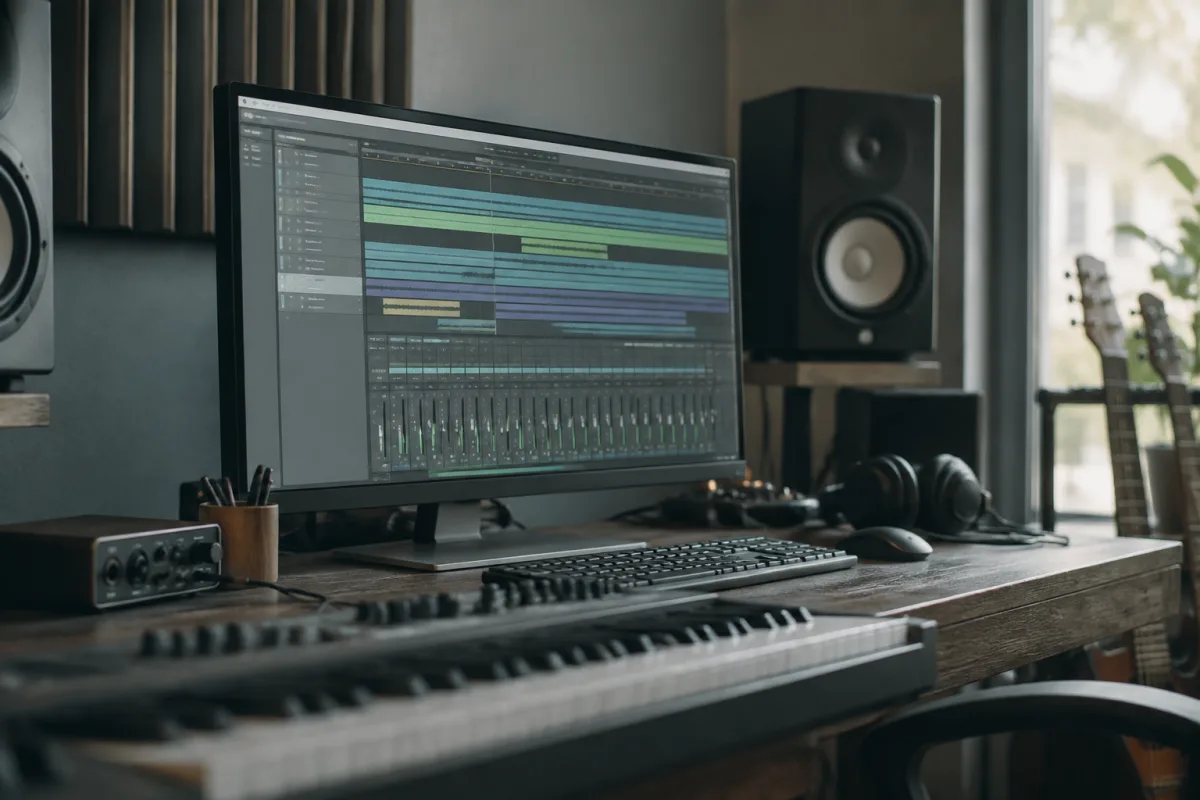
Pro Tools is the most widely used digital audio workstation in professional recording studios worldwide. Its dominance in the music production industry is rooted in decades of development, industry-standard features and institutional adoption by studios, film score composers and professional musicians. If you're serious about music production and recording, understanding Pro Tools—its capabilities, workflow, strengths and limitations—is essential, whether you choose to work with it or opt for alternatives that have risen to compete with it.
What Is Pro Tools?
Pro Tools is a digital audio workstation (DAW) developed by Avid, designed for multitrack audio recording, editing, mixing and mastering. It combines a powerful audio engine with an intuitive editing interface, professional-grade mixing tools and extensive third-party plugin support. Unlike some DAWs designed for composition or live performance, Pro Tools is optimised for the core functions of professional recording and mixing: capturing performances, editing audio precisely, balancing tracks, adding effects and producing polished final mixes.
Pro Tools exists in multiple versions: Pro Tools Intro (free, limited), Pro Tools Standard (subscription-based, full features), and Pro Tools Ultimate (premium subscription, unlimited features including advanced mixing and mastering tools). This tiered approach means entry-level musicians can access core Pro Tools functionality for free, whilst professional studios subscribe to full versions supporting hundreds of audio and MIDI tracks.
Why Pro Tools Dominates Professional Studios
Pro Tools' industry dominance stems from several factors. First, it was the first widely adopted DAW in professional studios; decades of standardisation mean most recording engineers trained on Pro Tools and expect its workflow. Second, industry inertia is powerful; if your collaborators, mixing engineer and mastering engineer all use Pro Tools, using an alternative creates workflow friction and incompatibilities. Third, Pro Tools has genuinely excellent audio quality, editing capabilities and plugin ecosystem. These practical reasons, combined with institutional adoption, explain why you'll find Pro Tools in the vast majority of professional recording studios globally.
However, this dominance has begun shifting. Modern alternatives like Ableton Live, Logic Pro and Studio One offer comparable features and superior workflow in many contexts. The rise of home recording and remote collaboration has reduced professional studio centralisation, increasing adoption of alternative DAWs. Nevertheless, Pro Tools remains the industry standard, particularly for mixing and mastering in commercial studios.
Pro Tools Workflow and Interface
Pro Tools uses a traditional linear recording interface: a scrollable timeline with tracks displayed vertically. Audio appears as waveforms; MIDI appears as notes on a piano roll. The mixing console (Mix window) provides faders, pan controls, effects sends and automation similar to a physical mixing desk. This familiar paradigm has remained largely unchanged for decades, which is both a strength (professional users understand it immediately) and a limitation (it can feel dated compared to more modern interfaces).
Editing in Pro Tools is powerful and precise. The editing tools allow slip-editing (moving a section of audio within a track), comping (assembling a final vocal or instrument from multiple takes), time-stretching, pitch-shifting and detailed automation. These capabilities are essential for professional recording, where vocals are typically recorded in multiple takes and comp'd together, and where precise timing and automation are expected.
Audio Quality and Professional Features
Pro Tools operates at up to 192 kHz sample rate and 32-bit floating-point depth, meeting the highest professional audio standards. The audio engine is clean and transparent, with high-quality summing and metering. The software includes industry-standard tools: parametric EQ, dynamic compression, reverb and delay. It supports an enormous ecosystem of third-party plugins (virtual instruments and effects), allowing customisation of the mixing environment.
Importantly, Pro Tools integrates tightly with professional hardware. Control surfaces (physical controllers with faders and buttons) allow tactile mixing rather than mouse-based fader movements. Console emulations—virtual recreations of legendary mixing desks—bring sonic character to mixes. These professional-grade capabilities justify the subscription cost for commercial studios where revenue depends on production quality.
Collaboration and File Sharing
Pro Tools projects (called "sessions") are native files that require Pro Tools to open. This contrasts with some DAWs that export to standard formats more easily. However, Pro Tools supports AAF (Advanced Authoring Format) and OMF (Open Media Framework) export, allowing limited file exchange with other DAWs. For true collaboration, Pro Tools' Splice integration allows cloud storage and version management. Avid Cloud Collaboration enables multiple engineers to work on the same session remotely, though this requires appropriate subscriptions.
In practice, many professional studios remain Pro Tools-only environments, so compatibility with other DAWs is less critical than it would be for home producers collaborating across software platforms. Nonetheless, the lack of seamless cross-platform compatibility is increasingly seen as a limitation in modern music production.
Pro Tools Versus Modern Alternatives
Modern DAWs—Logic Pro, Studio One, Reaper, Cubase—offer comparable recording and mixing capabilities, often with more intuitive interfaces and better workflow for composition and arrangement. Logic Pro integrates tightly with Apple's ecosystem and includes excellent virtual instruments. Studio One emphasises workflow and has gained professional studio adoption. Reaper is affordable and infinitely customisable. Ableton Live dominates electronic music production and live performance. Each has strengths; none is objectively superior to Pro Tools across all domains.
The choice between Pro Tools and alternatives often comes down to professional context: if you're mixing commercial albums, Pro Tools is the sensible choice due to industry standardisation. If you're producing electronic music, Ableton Live is arguably superior. If you're composing orchestral scores, Logic or Cubase excel. For home producers, the choice is largely personal preference and budget.
Learning Pro Tools
Pro Tools has a significant learning curve compared to some modern DAWs. The interface is densely packed with functions; the workflow assumes professional studio experience. However, excellent training resources exist: Avid's official documentation, YouTube tutorials, courses on platforms like Udemy and books dedicated to Pro Tools workflow. Professional recording schools extensively teach Pro Tools, reflecting industry demand for Pro Tools-fluent engineers.
Cost Considerations
Pro Tools pricing has evolved. The perpetual license model (buy once, own forever) was replaced with subscription-based licensing. Pro Tools Standard costs approximately £14–20 per month; Pro Tools Ultimate approximately £60+ per month. For comparison, Ableton Live costs £50–700 depending on version; Logic Pro costs £199 once; Studio One £250–400. For professional studios generating revenue, subscription costs are justified; for hobbyists, the ongoing expense can be prohibitive.
Conclusion
Pro Tools remains the industry standard for professional recording, mixing and mastering, backed by decades of institutional adoption and genuinely excellent audio quality and editing capabilities. Its dominance is real; professional collaboration often necessitates Pro Tools fluency. However, modern alternatives offer comparable features with potentially superior workflow depending on your musical priorities. For commercial studios, mixing engineers and recording professionals, Pro Tools is still the most sensible choice. For home producers and composers, alternatives merit serious consideration based on your specific needs and budget. The DAW landscape is more competitive than ever, and excellence exists across multiple platforms.


Comments