


Guitar Amp Sim article
Free Guitar Amp Sims: A Complete Guide
Guitar amp simulators have become the industry standard for home recording and touring, offering professional tones without expensive hardware or space constraints.
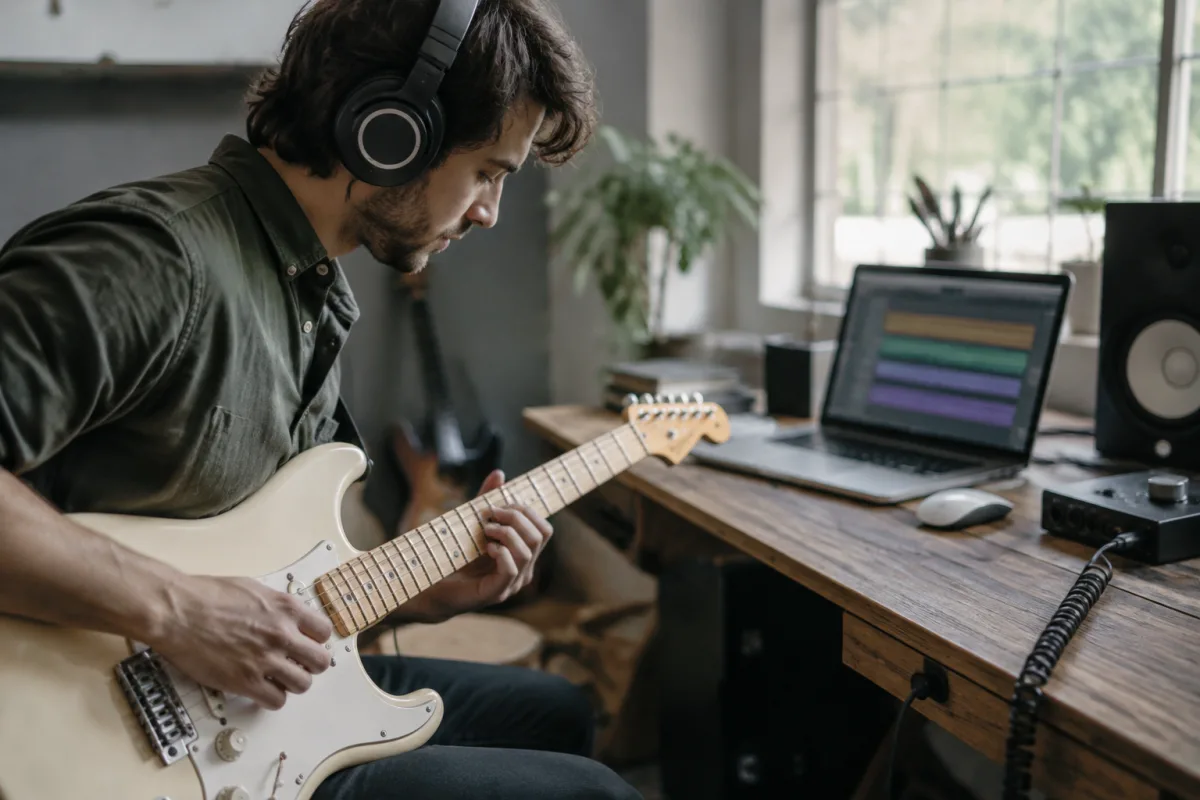
Guitar amp sims have revolutionised how guitarists record at home and perform live. This technology uses digital algorithms to model the tone and response of classic tube and solid-state amplifiers. Whether you're on a tight budget or a professional engineer, understanding this technology helps you make the best choice for your workflow.
What Is a Guitar Amp Sim?
This technology is software or hardware that emulates the sound of real amplifiers. It captures the frequency response, harmonic character, and dynamic behaviour of iconic amps. Most include simulated speaker cabinets, microphone positioning, and effects, delivering a complete recording solution from input to output.
The advantage is obvious: record studio-quality tones without owning expensive gear, without disturbing neighbours, and with perfect repeatability across sessions.
How Guitar Amp Sims Work
Modern software employ convolution reverb and sophisticated digital filtering to recreate amplifier behaviour. They sample real amps under controlled conditions, then model the circuitry mathematically. They analyse gain staging, saturation curves, frequency response, and transformer saturation to produce remarkably authentic tones.
Accuracy depends on modelling depth. Basic algorithms capture the general character; premium software models every component, from input impedance to power amp bias curve. Real-time processing requires minimal CPU on modern systems.
Free vs. Paid Options
Free Guitar Amp Sims
Freeware plugins exist from manufacturers wanting to establish userbase or as loss leaders. Amplitube Free, LePou Plugins, and Blue Cat's PB-1 are respected options. Free versions typically model 2–4 classic amps and include basic effects, excellent for learning and casual recording.
Budget Options
Software costing £30–£100 offers dramatically better quality. Mid-budget versions include 20+ amp models, speaker cabinet selections, microphone options, and effects chains. Bias Lite and AmpHub are popular choices striking a balance between cost and capability.
Professional Software
Premium software (£200+) delivers the most detailed modelling. Helix Native, Neural DSP Archetype, and Waves GTR-4 are professional-standard tools used in studios and live rigs worldwide. Top-tier options offer hundreds of amp/cabinet combinations and infinite customisation.
Key Features to Look For
Amp Selection
Quality matters more than quantity. This technology featuring 10 carefully modelled amps beats one with 100 poorly rendered versions. Seek models of classic Fender, Marshall, and Mesa designs. Premium options include boutique and modern amps too.
Speaker Cabinet Simulation
The speaker cabinet dramatically affects tone. Look for diverse cabinet options—vintage 1×12, modern 4×12, bass-heavy, bright, etc. Impulse response (IR) support lets you load custom cabinets for maximum flexibility.
Effects and Routing
Integrated effects (reverb, delay, modulation) are standard. Advanced routing (parallel chains, sidechain options) separates professional versions from basic ones.
User Interface
A good guitar amp sim should be intuitive. Drag-and-drop amp/cabinet selection, visual knobs, and integrated recording are essentials. Check DAW compatibility (VST, AU, AAX).
Recording with Guitar Amp Sims
Setup
Run your guitar into your audio interface, then load it on the track. Set input levels conservatively; it responds best to moderate input levels. Use separate tracks for layering different amp tones.
Tone Shaping
Start by selecting your amp model and cabinet, then dial in drive and EQ. This technology responds to playing dynamics just like hardware. Layer complementary tones: crunch rhythm plus cleaner definition.
Mixing
Guitar amp sim outputs print direct to your DAW. Adjust tone until mixdown, then commit to stems. Some engineers prefer re-amping: record clean guitar, then layer multiple tones during mixing for maximum flexibility.
Live Performance
Touring guitarists use it in a laptop or dedicated device (Helix, Quad Cortex). These rigs require minimal space, weigh nothing, and offer tone consistency. Connect your guitar to an audio interface, load presets, and send output to a power amp or PA system.
Latency is crucial; ensure your interface has low-latency drivers for monitoring.
Accuracy vs. Musicality
High-fidelity modelling is important, but musicality matters most. Some players prefer it that sounds close enough but sounds great—over one that measures accurately but sounds thin. Test potential options with your gear before buying.
This technology sometimes imparts subtle characteristics that make recordings sonically interesting. Many engineers intentionally layer it over recorded hardware amps for hybrid tone.
Headphone Monitoring
Silent recording is a defining advantage. Plug headphones into your interface, load your guitar amp sim, and record at any hour without disturbing anyone. Dedicated headphone mix control lets you blend amp tone with recorded tracks.
This silent setup has become standard for bedroom and home studio recording.
Hardware vs. Software
Hardware devices (Helix, Neural Quad Cortex) are dedicated platforms with knob controls and no computer required. Software plugins run in your DAW for maximum flexibility and frequent updates. Choose hardware if you gig regularly; choose software if you prioritise depth and collection size.
CPU Demands
Modern computers easily handle 4–8 instances per project. For CPU-intensive sessions, freeze tracks or export to audio. Multi-core processing in professional DAWs minimises impact.
Customisation and Presets
Most software ships with hundreds of presets. Learn to tweak: adjust drive, EQ, and cabinet selection. Save custom presets for quick recall. Advanced users edit modelling parameters directly for signature tones.
The Rise of Modelling
Five years ago, tone-conscious players doubted it could deliver believable results. Today, professional recordings and major labels use them routinely, often blended with hardware. Neural DSP, Waves, and Line 6 have brought digital modelling to a level where amp choice is purely preference.
Conclusion
This technology removes barriers to recording professional guitar tones at home. Free options suffice for learning; mid-range software serves ambitious home recording. Professionals gravitate toward specialist tools offering uncompromising detail. Invest time testing it before committing; the best choice is one that sounds inspiring to your ears and fits your workflow. Combined with quality technique, a modern guitar amp sim will produce recordings competitive with any professional studio.





Comments