


Ezdrummer article
Ezdrummer for Beginners: A Complete Guide
EZdrummer makes convincing drum programming accessible to beginners. Learn how to get started, create patterns, and build your first drum tracks.
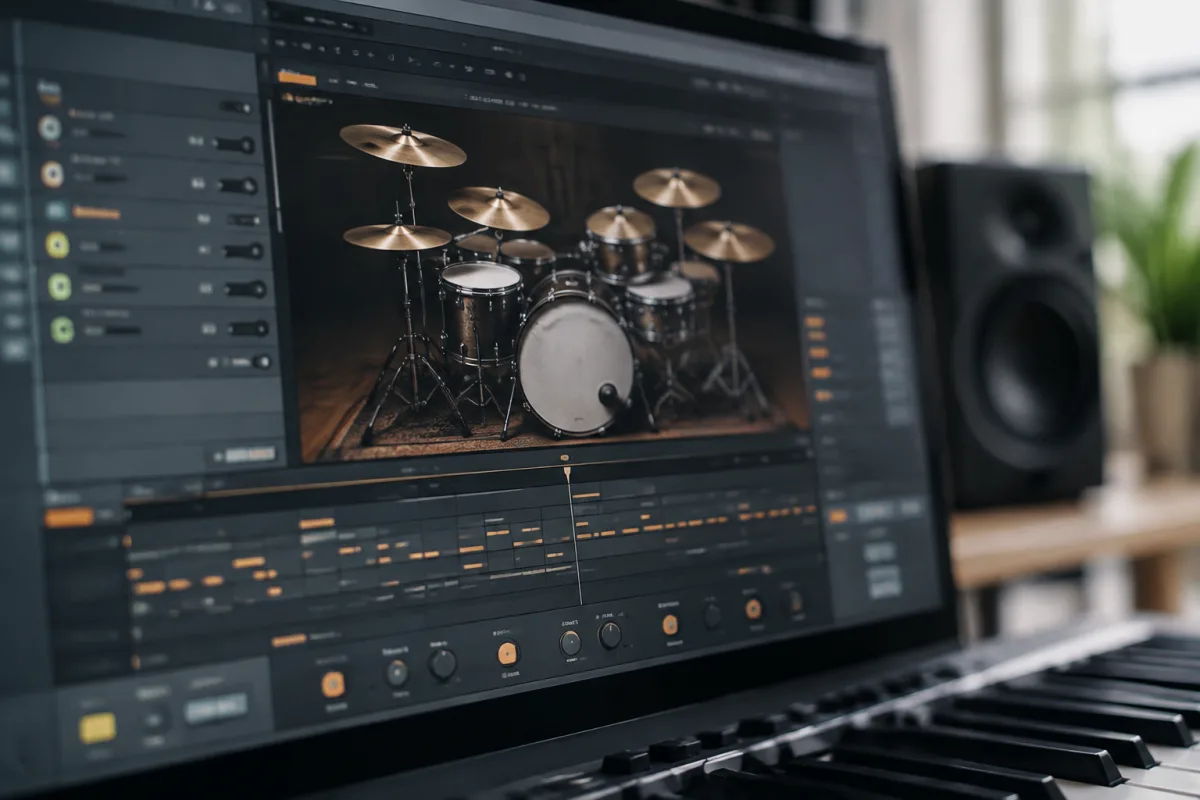
EZdrummer is one of the most beginner-friendly drum plugin options available, and for good reason. It removes complexity by handling the technical heavy lifting whilst letting you focus on creating convincing drum patterns. If you're nervous about drum programming or intimidated by complex DAW interfaces, EZdrummer offers a gentler entry point. This guide walks you through what EZdrummer is, why it's brilliant for learners, and how to build your first convincing drum tracks.
What Is EZdrummer and Why Beginners Love It
EZdrummer is a virtual drum instrument—software that sounds like real drum kits. Unlike constructing drum patterns note-by-note in a DAW, EZdrummer simplifies the process by giving you preset drum kits and an intuitive interface to trigger sounds. You select a kit, choose a style or pattern, and the software handles the complexity of scheduling drum hits across a bar.
The reason beginners gravitate toward it: it sounds professional immediately. You don't need years of recording experience or engineering knowledge to make convincing drums. A beginner can load a drum kit and create something that sounds like a real drummer within minutes. This immediate gratification is incredibly motivating and removes the frustration that often stalls new producers.
EZdrummer comes with a library of realistic drum sounds and pre-programmed grooves and patterns. Most beginners start by using these patterns rather than programming their own, which is completely fine. As you get comfortable, you'll gradually learn to build custom patterns and tweak sounds.
Getting Started: Installation and First Steps
EZdrummer is available as a plugin (VST, AU, or AAX format depending on your DAW) or as a standalone application. Most producers use the plugin version within their DAW, but the standalone version is helpful if you just want to explore without opening your full production software.
Installation is straightforward—download from Toon Track's website (the maker), run the installer, and follow the prompts. The software activates with a registration code, so keep your purchase receipt or email handy. Most updates are free, which is brilliant for long-term value.
First time opening EZdrummer, you'll see the main interface: a drum kit selector on the left, a pattern/groove library in the middle, and an arrangement area at the bottom. The interface is deliberately simple compared to a full DAW. This simplicity is a feature, not a limitation—it means you can focus on musical decisions rather than technical wrestling.
Choosing Your First Drum Kit
EZdrummer comes with multiple drum kits—rock, pop, funk, jazz, metal, acoustic, electronic. Each sounds distinctly different and suits different genres. For absolute beginners, start with the "Rock" or "Studio" kit. These are neutral, polished, and work with most musical styles. Metal and electronic kits are excellent once you understand how the software works, but they're stylistically narrow for learning.
Don't obsess over kit choice. Every kit in EZdrummer sounds professional and will teach you the same lessons. Pick one, explore it for a week, then experiment with others. The software is designed so you can switch kits without breaking anything—your drum patterns transfer seamlessly.
As you gain confidence, you can explore drum expansion packs (additional kits not included with the base software). These cost £20–50 each and offer niche sounds—vintage 1970s kits, extreme metal kits, jazz standards. Skip these for now; the base kits are more than sufficient.
Building Your First Drum Pattern
The simplest starting point: use a preset groove. EZdrummer's groove library is vast—hundreds of pre-programmed patterns organised by style, tempo, and feel. Load a groove that matches your song's vibe, and you've got drums instantly. This isn't cheating; this is how most professional productions start.
Spend your first week just listening to grooves. Load different patterns, listen to how they sit in your song, and develop an ear for what works. This is education—you're learning what grooves sound like and how they function musically.
After a week of listening, try tweaking a groove slightly. Most patterns have multiple variations (Intro, Verse, Chorus, Fill, Outro). Experiment with switching between them. Does the chorus version sound more driving? Does the fill add energy? This is how you'll understand groove construction.
Moving to Pattern Creation
Once grooves feel familiar, try creating a simple pattern from scratch. The drum programming interface lets you click or drag drums onto a grid—snare on the 2nd and 4th beat, bass drum on the 1st beat, hi-hats creating a rhythmic pulse. This is the fundamental language of drum programming.
Start absurdly simple: just kick drum on beat 1, snare on beat 2. That's a basic four-on-the-floor pattern. Play it back. It should sound like a beat, even if primitive. Build from there: add the kick on the 3rd beat. Now you've got a fundamental rock pattern. Add snare hits on the offbeats. Keep building incrementally.
Every pattern in popular music is just variations on simple building blocks. Once you understand the basic kick-snare foundation, everything else is elaboration. EZdrummer makes this explicit and visual.
Common Beginner Mistakes With EZdrummer
Mistake one: overcomplicating patterns immediately. Beginners often try to create busy, complex patterns because they sound impressive. A simple, locked-in groove beats a chaotic mess every time. Less is almost always more with drums.
Mistake two: never adjusting dynamics. EZdrummer patterns can sound mechanical if every hit has identical velocity (volume). Real drummers vary their dynamics—soft ghost notes on the snare, harder hits on the main beat. Spend time learning to program subtle dynamics into patterns. It transforms the sound from robotic to musical.
Mistake three: ignoring hi-hat variation. A closed hi-hat on the offbeats is the heartbeat of most grooves. But if every hi-hat is identical, the pattern feels stiff. Learn to vary hi-hat openness and velocity—open hats on certain hits, closed hats on others. This one detail makes enormous difference.
Mistake four: using the same kit in every song. EZdrummer includes many kits for a reason—different genres need different sounds. A funk groove demands a tight, crisp kit. A rock song might need a boomy, resonant kit. Matching kit to genre makes your music sound more cohesive.
Mistake five: never exploring fills and intros. Most producers assume EZdrummer is just "verse pattern, chorus pattern." But fills (breaks that transition between sections), intros, outros, and build-ups transform a song from flat to exciting. Spend time programming these.
EZdrummer vs. Programming Drums in Your DAW Directly
You could program drums by manually placing samples or notes in your DAW without EZdrummer. Why not just do that? Three reasons: EZdrummer sounds professional with minimal effort, its interface is far more intuitive for beginners than most DAWs' piano rolls, and it includes groove libraries and humanisation features (slight timing variations that make patterns sound more natural).
As you advance, you might integrate both—using EZdrummer for quick ideas, then manually refining drums in your DAW for maximum control. But for beginners, EZdrummer is faster and more encouraging.
When to Upgrade or Explore Alternatives
EZdrummer remains useful long after you master it. Professional producers regularly use it for demos, quick ideas, and final productions. You'll outgrow its ease-of-use at some point—perhaps wanting more control, more customisation, or niche drum sounds. At that point, you might explore:
- Superior Drummer (same company, more advanced, pricier)
- Addictive Drums (different sound library, different interface)
- Native Instruments Maschine (hardware-software hybrid, learning curve steeper but more powerful)
- Manual drum programming in your DAW (maximum control, steepest learning curve)
But this is months or years away. Start with EZdrummer and explore these only when the base software feels limiting.
Budget and Pricing
EZdrummer is surprisingly affordable for what it delivers. Pricing varies—sometimes on sale for £60–80, regular price around £130–160. This is a one-time purchase; there's no subscription. Expansion packs cost £20–50 each, but you'll never need to buy them. The base library is genuinely complete.
For comprehensive context on EZdrummer's features, workflow, and how it fits into broader drum programming, read our complete guide to EZdrummer.
Your First Month With EZdrummer
Week one: load different drum kits and groove patterns. Listen to how grooves sit in your existing songs. No programming yet—just exploration.
Week two: use preset grooves to drum entire songs. Switch between variations and fills. Learn which patterns work best for different sections.
Week three: start tweaking preset patterns—removing a snare hit here, adding a bass drum variation there. Keep the complexity low; focus on understanding the grid.
Week four: program a simple original pattern from scratch. Keep it basic—four-on-the-floor kick with snare on 2 and 4. Play it back and feel the satisfaction of a pattern you created.
By the end of month one, drum programming will feel far less mysterious. You'll have convinced yourself (and listeners) that your demos have real drums. That's the whole point.


Comments