


Traktor Controllers article
Traktor Controllers for Beginners: A Complete Guide
Starting your DJ journey with a Traktor controller doesn't have to be intimidating. This beginner's guide walks you through choosing your first controller, essential first steps, and proven practice routines to build real skill in weeks.
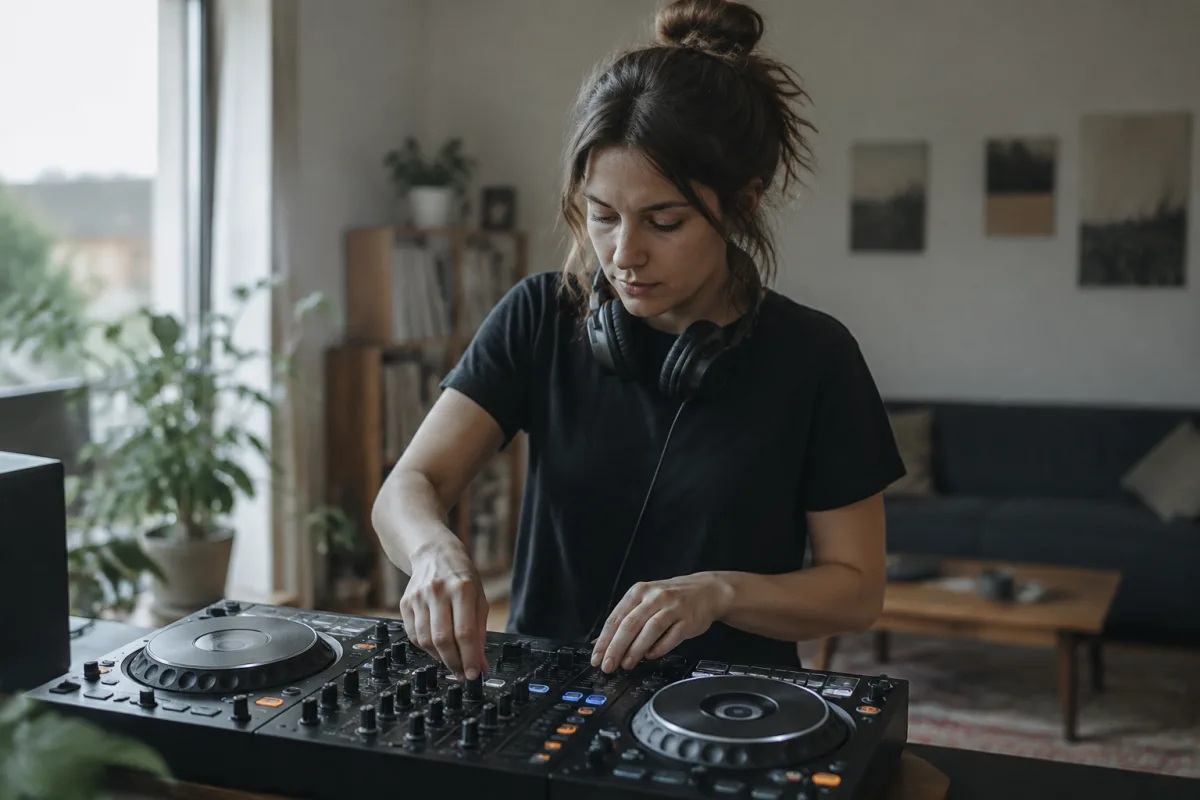
Starting your DJ journey can feel intimidating, but with the right controller and a clear approach, you'll be mixing music confidently within weeks. Traktor controllers have become the go-to choice for beginners worldwide because Native Instruments makes them genuinely approachable without sacrificing functionality. This guide walks you through everything a nervous first-timer needs to know.
What Makes Traktor Controllers Perfect for Beginners
Traktor controllers aren't just for professionals—they're designed with beginners in mind. Unlike some complicated setups, Traktor hardware comes bundled with intuitive software that teaches as you go. The layout feels logical: decks on the sides, mixer in the middle, everything where your hands naturally expect it. You won't get lost searching for buttons.
The biggest advantage? Traktor controllers integrate seamlessly with Traktor Pro software, which means you're learning industry-standard tools used in clubs worldwide. When you eventually step up to bigger gigs, you'll already know the workflow.
Choosing Your First Traktor Controller
The complete guide to traktor controllers covers all models, but beginners have three practical tiers to consider:
- Entry-Level (Traktor Nano): Compact, affordable, perfect for learning basics. The smaller jog wheels take adjustment, but they're brilliant for travel. Expect around £150–200.
- Mid-Range (Traktor Pro Controllers): Better jog wheels, more buttons, more comfortable layouts. These models around £300–500 bridge the gap between hobby and serious practice.
- Premium (Traktor Kontrol S4/S5): If budget allows, these offer everything you'll need for years. Full-size jog wheels, exceptional build quality. Investment around £800+, but you won't outgrow them.
As a beginner, resist the urge to buy the most expensive option. A Traktor Nano or budget Kontrol will teach you everything you need. Upgrade later when you know exactly what features matter to you.
Your First Steps: Getting Comfortable
Once your controller arrives, follow this simple progression:
- Install Traktor Pro software and spend an evening just exploring. Load some tracks you love. Don't worry about mixing—just learn where everything lives.
- Learn the decks. Play a track on the left deck, another on the right. Practice cueing with headphones. This muscle memory is everything.
- Master the crossfader. Slowly move between left and right deck. Get comfortable with smooth blends before worrying about advanced mixing.
- Practice beatmatching. This is where most beginners struggle. Use the tempo slider to match your tracks' BPM. Traktor's sync button helps, but learn to do it manually—you'll understand music structure better.
- Add simple transitions. Once beatmatching feels natural, layer in basic EQ filters. Reduce highs on the outgoing track while bringing in the next one. Boom—you're mixing.
Common First-Timer Mistakes to Avoid
Learning from others' missteps accelerates your progress. Watch out for these:
- Using Sync too much: Traktor's sync button is helpful, but relying on it means you'll never develop the ear to beatmatch by hand. You'll be lost without it in live situations.
- Buying more than you need: Beginners often overspend on gear they don't understand yet. A modest controller plus time invested beats expensive equipment gathering dust.
- Neglecting headphone cue: Many newbies skip this step and wonder why their mixes sound disjointed. Always cue your next track in headphones before bringing it to the main mix.
- Forgetting about gain staging: Too much volume on input tracks ruins your mix. Keep levels around –6dB on each channel. This one trick fixes half of beginner mixing problems.
- Not organizing your music library: Ten hours into mixing, your music folder becomes chaos. Spend time tagging tracks by genre, BPM, and key from the start. You'll thank yourself.
Building Your Music Library
Great mixes start with great tracks. As a beginner, focus on cohesive genres within a narrow BPM range. A collection of 100 well-chosen deep house tracks teaches you more than 10,000 random songs. Traktor's crate system lets you organize by vibe—Funky, Energetic, Smooth—which trains your ear and workflow simultaneously.
Use Traktor's key detection to analyze tracks. Once you see which keys work together, you'll understand harmonic mixing naturally. Don't overthink this at first; just notice patterns.
Practice Routines That Build Real Skill
The gap between owning a controller and being able to DJ lies in practice structure. Dedicate 30-minute sessions to specific skills:
- Week 1–2: Beatmatching only. Load two tracks of similar tempo and nail smooth transitions.
- Week 3–4: Add EQ filtering. Learn to isolate highs and lows to create space between tracks.
- Week 5–6: Short mixes (10–15 minutes). Mix three tracks together without stopping.
- Week 7+: Long sets. Mix for 30–60 minutes. This builds stamina and creative flow.
Record yourself. Listen back ruthlessly. You'll hear mistakes you missed while playing, and you'll spot your improving rhythm.
Essential Software Settings to Know
Traktor has many options that confuse beginners. Focus on these essentials first:
- Crossfader curve: Set to "Sharp" initially. This gives you more control during transitions.
- Sync mode: Turn it off until you're comfortable. Force yourself to beatmatch manually.
- Cue level: Set headphone volume distinct from deck volume. You need clear separation to judge your mix.
- Key detection: Run it on your entire library. Traktor's algorithm works well and guides harmonic mixing.
When You're Ready to Move Forward
After 2–3 months of regular practice, you'll feel confident with your Traktor controller. At that point, consider adding a microphone for radio-style mixing, or explore Traktor's sampler and effects. Many beginners skip these advanced tools early, which is wise—master the basics first.
Remember: every professional DJ started exactly where you are. The difference between them and casual players isn't talent; it's consistent practice on solid equipment. Your Traktor controller is all you need to reach that level.
Start today, stay patient, and enjoy the journey. Within months, you'll be creating sets that move people. That feeling never gets old.



Comments