
Live Ableton Suite article
The Complete Guide to Live Ableton Suite
Live Ableton Suite is the complete professional digital audio workstation, combining powerful synthesis and sampling with purpose-built live performance capabilities.
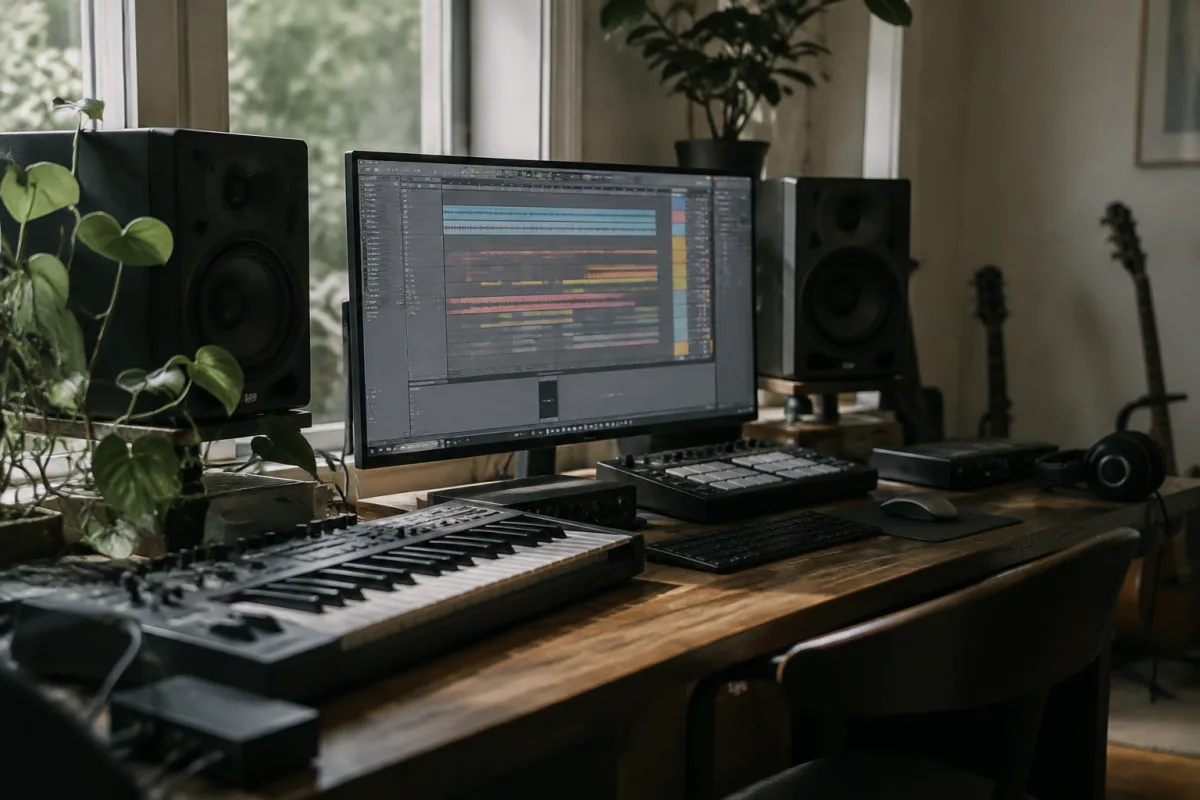
Ableton Live Suite represents the pinnacle of modern music production software, offering an integrated environment that seamlessly blends composition, arrangement, mixing and live performance. Whether you're producing electronic music, composing orchestral arrangements or performing live electronic sets, this professional package provides the tools and workflow that has made it the choice of thousands of producers, DJs and musicians worldwide.
What Is Live Ableton Suite?
The Suite version is the complete edition of Ableton's flagship digital audio workstation (DAW). Unlike the standard Live offering, this package includes the full Max for Live integration—a powerful tool that lets you create custom instruments and effects using visual programming. This combination transforms the software into an infinitely expandable music production ecosystem.
The core philosophy emphasises immediacy and creativity. Rather than forcing you through menus and dialogue boxes, the interface presents all essential parameters at a glance. This direct approach resonates with both studio producers working on carefully crafted arrangements and live performers who need to make split-second creative decisions during sets.
Core Features and Capabilities
At its heart, the software combines a linear arrangement view with a unique clip-based session view. The arrangement view works like traditional DAWs—you see your entire song displayed horizontally across time. The session view, however, is distinctly Ableton: clips sit in a matrix where you launch them independently, making it perfect for live performance, jamming and non-linear composition.
Live Ableton Suite includes a comprehensive library of sounds, loops and instruments. The Wavetable synthesizer offers sophisticated sound design capabilities with an intuitive interface. Sampler provides powerful sample manipulation, allowing you to chop, pitch and process audio in real time. Operator, the FM synthesizer, and Collision, an advanced synthesis tool, expand your sonic possibilities considerably.
Suite vs Standard: Key Differences
The most significant advantage of the Suite edition over the standard Live version is Max for Live integration. This visual programming environment lets advanced users create custom instruments, effects and MIDI/audio processors without writing traditional code. Countless third-party Max for Live packs expand functionality—from generative music tools to mastering effects to performance controllers.
The Suite package also includes additional instruments and effects beyond the standard edition. You gain Wavetable synthesizer, CV Tools for modulation synthesis and the comprehensive Sampler instrument. These additions collectively expand creative possibilities and give Suite users access to more professional sound-design options.
Production Workflow
The workflow encourages experimentation. You might start in the session view, looping different drum patterns and bass lines until something sparks inspiration. Once you've found the core idea, you move into the arrangement view to build the full composition. This flexibility—moving fluidly between linear and non-linear working methods—sets this software apart from traditional DAWs.
MIDI editing is straightforward and visual. The piano roll shows notes clearly; velocity editing happens directly on each note. Automation appears as red lines overlaid on clips, making it simple to see and adjust parameter changes throughout your arrangement. This visual-first approach reduces cognitive load and keeps you focused on creative decisions.
Sound Design and Synthesis Capabilities
Live Ableton Suite ships with powerful synthesis tools. Wavetable provides endless sound-design possibilities through its elegant modulation system. The visual wavetable editor lets you sculpt timbres by drawing waveforms or morphing between saved shapes. For subtractive synthesis, the included instruments offer everything from classic to experimental textures.
The Sampler instrument excels at manipulating recorded audio. Timestretch algorithms let you change tempo without affecting pitch; granular processing creates atmospheric textures from short samples. For hip-hop and electronic music producers, these capabilities are invaluable.
Live Performance Strengths
Where this system truly shines is live performance. The session view is purpose-built for DJs and electronic performers. You launch clips in any order, creating spontaneous arrangements in real time. Parameter knobs can be mapped to MIDI controllers with a single click, letting you manipulate sounds without touching the mouse during a set.
Many professional electronic musicians use Live Ableton Suite exclusively for both production and performance. The same file transitions from studio creation to live venue—no separate mastering or re-rendering necessary. This workflow efficiency appeals to artists who want their productions to sound identical on stage as they do in the studio.
Integration with External Equipment
This DAW integrates seamlessly with external hardware through MIDI and audio interfaces. You can control it from keyboards, drum pads and custom controllers. Conversely, you can sequence external synthesisers and drum machines from within the software, unifying your entire setup under one interface.
Third-party plugin support is comprehensive. Live Ableton Suite works with VST, AU and AAX plugins on their respective platforms, letting you extend the sound palette with additional instruments and effects from other developers. However, many producers find the included sounds sufficient and rarely need external plugins.
Learning Curve and Accessibility
The software has a gentler learning curve than many professional DAWs. The interface feels logical and uncluttered; comprehensive built-in tutorials and Ableton's online learning resources get beginners productive quickly. The browser panel for navigating sounds and samples encourages exploration and happy accidents—essential for maintaining creative momentum.
That said, mastering advanced features—particularly Max for Live programming—requires time investment. Beginners can produce high-quality music immediately; experienced users can spend years discovering deeper capabilities.
Pricing and Value
This package carries a premium price compared to the standard edition or competing DAWs. However, the cost reflects years of development, regular free updates and the included professional tools. Ableton frequently offers discounts for upgrade paths from the standard version, making it more accessible for existing users.
Who Should Choose This Package?
This system suits producers who want a single integrated environment for both studio production and live performance. Electronic musicians, DJs, film composers and sound designers particularly benefit from the creative workflow and synthesis capabilities. If you plan to invest in Max for Live customisation or need advanced sound-design features, this edition is the logical choice.
For casual hobbyists with limited budgets, the standard edition provides excellent functionality at lower cost. However, the professional producer or performing artist benefits immensely from the expanded toolset and creative possibilities offered here, making it a worthwhile investment for serious music makers who want maximum creative control and flexibility.


Comments