
Music Interface article
The Complete Guide to Music Interface
A music interface bridges your instruments and your production setup, whether you're recording, performing live, or making beats. Discover the types, specifications and how to choose the right one for your needs.
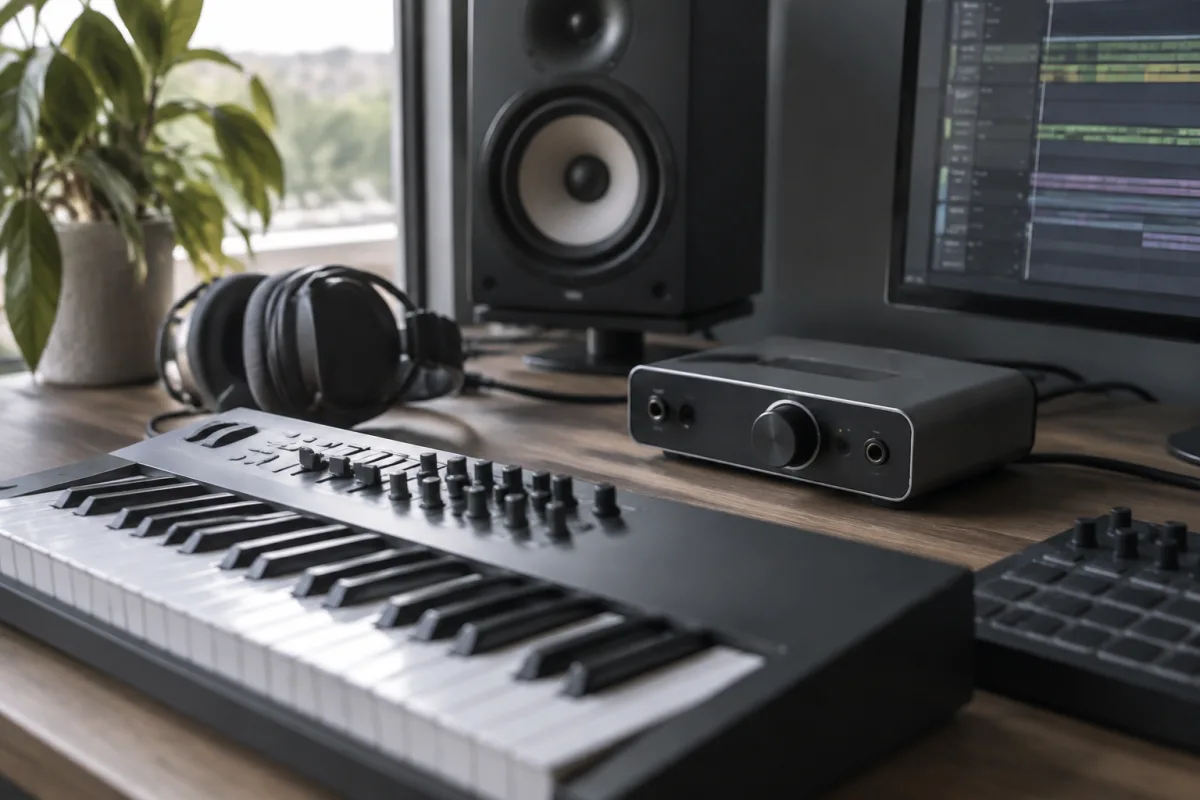
A music interface bridges your musical ideas and your production or performance setup. Whether you're recording, performing live, or making beats, an interface connects your instruments, microphones and controllers to your computer, amplifier or mixing system. Understanding different types and their capabilities helps you choose the right tool for your workflow and budget.
What Is a Music Interface?
In the broadest sense, an interface is any device that translates between different musical systems or formats. In modern music production and performance, this most commonly refers to audio interfaces—hardware units that convert analogue signals from microphones and instruments into digital audio your computer can process, and convert digital audio back to analogue signals for speakers or headphones. MIDI interfaces perform a similar function for control data, translating physical gestures (button presses, fader movements, pad strikes) into digital information that software can understand and act upon.
It sits at the centre of your studio or live rig, handling all the signal routing and format conversion that makes music production and performance possible in the modern era.
Types of Music Interfaces
Audio Interfaces
An audio interface converts analogue sound into digital data. This is essential for recording instruments and vocals, or for hearing digital audio through speakers. A quality audio interface features low-latency conversion (the time delay between input and output), which is crucial for comfortable real-time recording and monitoring. Audio interfaces range from simple USB devices with two channels (one input, one output) to professional rack-mounted units with dozens of channels.
MIDI Interfaces
MIDI interfaces transmit MIDI data—not sound, but note information and control commands. A MIDI keyboard connected via a MIDI interface sends note numbers and velocity data to your DAW, which then triggers samples or synthesised sounds. MIDI interfaces let you control software from physical hardware, and vice versa. Many modern controllers combine MIDI and audio over a single USB connection.
Control Surfaces
A control surface (or hardware controller) is a MIDI interface dedicated to mixing, transport control and parameter editing. Faders, knobs, buttons and motorised sliders send MIDI data to your DAW, giving you tactile control over levels, panning, effects and virtual instrument parameters. Control surfaces range from simple pad controllers to full mixing consoles.
Combination Interfaces
Most modern interfaces combine audio input/output with MIDI connectivity in a single unit. A typical setup includes audio inputs (XLR for microphones, jack for line-level signals), audio outputs (for monitor speakers), headphone outputs, MIDI input/output via USB or 5-pin DIN, and sometimes built-in microphone preamps.
Key Specifications to Understand
| Specification | What It Means | Why It Matters |
|---|---|---|
| Sample Rate | 44.1 kHz, 48 kHz, 96 kHz or higher | Higher sample rates capture more detail but use more storage and processing power. 44.1 kHz is CD standard; 48 kHz is professional audio/video standard. |
| Bit Depth | 16-bit, 24-bit, 32-bit | Higher bit depth means finer dynamic range and less quantisation noise. 24-bit is professional standard. |
| Latency | Measured in milliseconds (ms) | Lower latency (under 10 ms) lets you monitor yourself comfortably while recording. High latency makes overdubbing feel awkward. |
| Channels | Number of simultaneous inputs/outputs | Two channels (stereo) is minimum; more channels let you record multiple sources simultaneously. |
| Connectivity | USB, Thunderbolt, FireWire or PCIe | USB is most common and portable; Thunderbolt offers higher bandwidth for more channels or lower latency. |
Audio Interfaces for Recording
When recording, your music interface handles the conversion from analogue sound to digital audio. A microphone produces analogue voltage; your interface's preamp boosts that signal, then an analogue-to-digital converter transforms it into the binary data your DAW stores. The quality of this conversion directly affects your recording's fidelity. Professional interfaces use higher-grade components and offer lower noise floors, which is why a quality interface is one of the best investments for a home studio.
Monitor outputs let you hear the audio being recorded. Many interfaces include zero-latency direct monitoring, which lets you listen to your microphone or instrument with no perceptible delay—essential for comfortable recording and overdubbing.
MIDI Control and Performance
In live performance and production, MIDI interfaces give you expressive control. Pressing a key on a MIDI keyboard sends note-on and note-off messages plus velocity data (how hard you struck the key) to your DAW or hardware synthesiser. Turning a knob or moving a fader sends continuous controller (CC) data that can modulate volume, filter cutoff, effects parameters or any assignable parameter.
For live performance, a music interface might be a complex setup: a keyboard MIDI controller triggering samples and synth layers, a drum pad controller adding percussion, and an expression pedal controlling filter sweeps—all feeding into a laptop running Ableton or a hardware sequencer.
Choosing the Right Music Interface
Your choice depends on your workflow. A bedroom producer recording vocals and guitar might need a simple stereo audio interface with a quality preamp. A live electronic musician might prioritize low-latency MIDI control and multiple audio outputs for monitors and front-of-house. A mixing engineer needs many input/output channels and professional connectivity.
Consider your budget, your number of simultaneous recording sources, whether you need portability, and your computer's connectivity options. Entry-level interfaces (£50–£200) are fine for basic recording; mid-range units (£200–£800) add more channels and better components; professional interfaces (£800+) prioritise reliability, low noise and extensive connectivity for critical tracking and mixing.
Integration Into Your Setup
A music interface requires drivers (software that lets your computer communicate with the hardware). Most modern interfaces work plug-and-play with macOS and Windows, though you may need to adjust latency settings and monitor mixing in your DAW's preferences. Proper gain staging—setting levels so your input isn't too hot (distorted) or too quiet (noisy)—is crucial for clean recordings.
USB bus power is convenient for portable setups, though some interfaces draw more power than a computer can provide; they may require an external power supply. Professional setups use dedicated audio interfaces connected via Thunderbolt or optical connections for reliability and lower latency.
Conclusion
A music interface is the gateway between the physical world of sound and performance and the digital realm of recording, production and control. Whether you're a solo bedroom producer, a live performer or a professional engineer, the right interface makes your workflow smoother, your recordings cleaner and your performances more expressive. Investing in a quality interface appropriate to your needs is one of the most practical steps toward improving your music.


Comments