
USB Mixer Audio article
The Complete Guide to Usb Mixer Audio
A USB mixer bridges your instruments to your computer, handling mixing, effects, and USB audio conversion. Discover what features matter and how to choose wisely.
What Is a USB Mixer and Why Does It Matter?
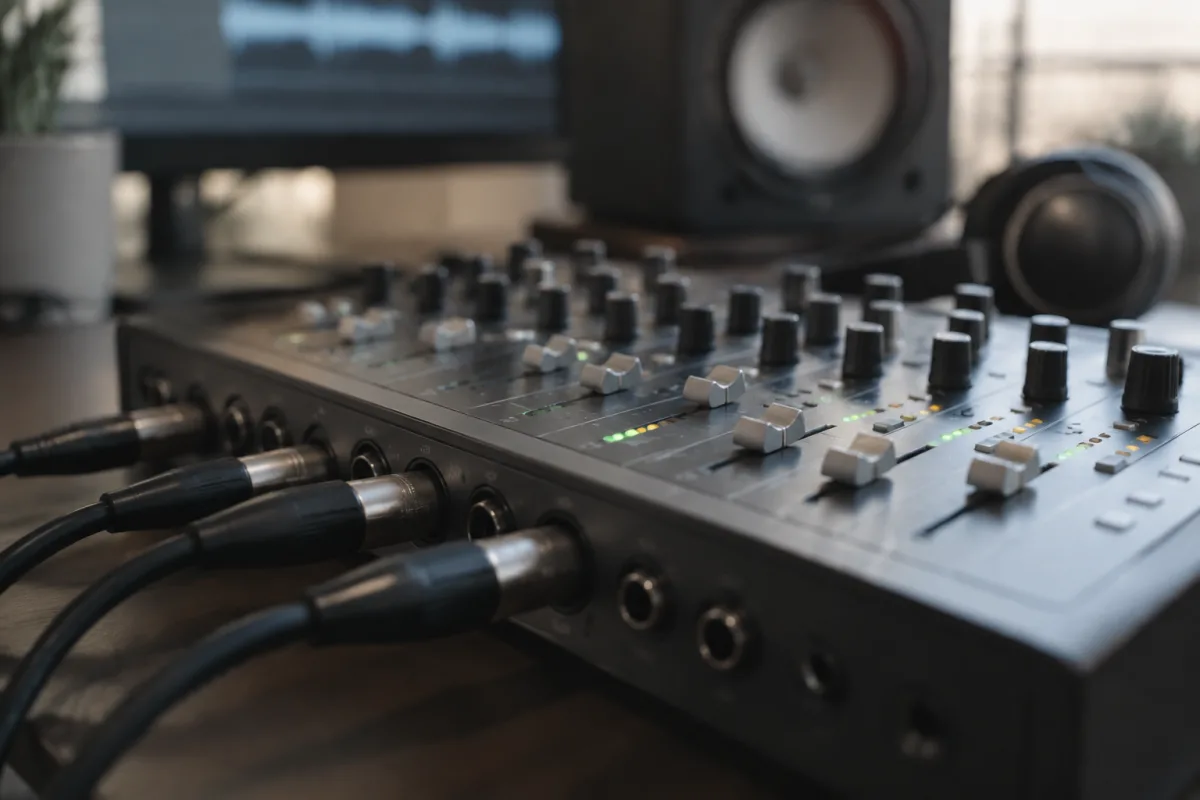
A USB mixer audio interface bridges the gap between your instruments and your computer, handling the journey from analogue to digital with precision and care. Whether you're recording a podcast, streaming live music, or producing a full album from your bedroom, a quality mixer serves as the central nervous system of your setup—the place where all your audio sources converge, get balanced, and make their way into your recording software or online audience.
The appeal of a USB mixer lies in its all-in-one approach. You get multiple input channels (for microphones, instruments, and other audio sources), built-in effects, mixing controls, and direct integration with your computer via a single USB cable. No need for separate interfaces, external preamps, or mysterious routing diagrams. A good mixer just works, letting you focus on making music rather than wrestling with technology.
Understanding Audio Channels and Inputs
Every mixer defines itself by how many input channels it offers. A small 4-channel mixer handles a microphone, two instruments, and perhaps a backing track. A larger 16-channel mixer accommodates a full band with multiple microphones, keyboards, and effects sends. For most home producers and podcasters, a 4-to-8 channel mixer represents the sweet spot—enough flexibility without overwhelming complexity.
Input types matter as much as input count. XLR connectors accommodate professional microphones with balanced audio. Quarter-inch jacks suit guitars and keyboards. RCA connectors work for consumer audio equipment. USB inputs on some mixers let you route audio from your computer back through the mixer—useful for blending pre-recorded backing tracks with live performance. The best mixers offer a mix of connector types, letting you integrate whatever gear you already own.
Preamps and Gain Structure
A crucial but often overlooked component of any mixer is the preamp—the electronics that take a microphone's tiny signal and amplify it to workable levels. A good preamp captures detail and warmth without adding noise. Budget mixers sometimes skimp on preamp quality, resulting in hiss or muddy low-frequency response. Professional-grade preamps maintain clarity across a wide range of input levels, whether you're recording a whisper or a shouting vocalist.
Gain structure—how you set the levels from input to output—affects everything downstream. A mixer with good gain staging controls makes this process intuitive. Input trim knobs let you set the incoming signal level without affecting the faders. Meters show you exactly what's happening in real time, preventing clipping and distortion. Some mixers add metering to channels and the main output; others offer just a simple LED indicator. Better metering means better results.
Effects and Processing Built-In
Many modern mixers include built-in effects—reverb, delay, compression, EQ—letting you shape your sound without external plugins or hardware. A 3-band EQ on each channel (low, mid, high) handles basic tone shaping. Reverb and delay typically sit in a shared effects loop, letting you send multiple channels to the same effect for cohesion. Some mixers add more advanced processing like dynamics (compression and gating) or pitch effects.
The quality of built-in effects varies widely. In budget mixers, reverb and delay can sound cheap and thin. Professional models offer genuinely musical algorithms that sound comparable to software plugins. If effects processing is important to your workflow, test the specific mixer—listening to its reverb algorithm might be as important as checking the physical build quality.
Fader Types and Tactile Controls
The faders—the long sliding controls that adjust channel levels—define how a mixer feels to use. Budget mixers often use small, plastic faders that feel cheap and don't inspire confidence. Professional mixers feature longer, more substantial faders with smooth motion and reliable detents (the little notches that help you set and hold positions). Rotary knobs for EQ, effects sends, and other parameters should have good resistance and clear labelling.
A quality mixer should feel responsive and stable. When you move a fader, it should move smoothly, not jerkily. When you release it, it should hold position without creeping. This isn't about luxury—it's about control. In a live streaming session or recording, the last thing you want is unreliable physical controls causing level shifts or accidental parameter changes.
USB Audio and Computer Integration
The USB connection is where your mixer talks to your computer. Low-latency USB audio means minimal delay between playing an instrument and hearing it in your headphones—crucial for comfortable recording. Some mixers achieve near-zero latency through direct monitoring (sending input signals directly to headphones via the mixer's analogue circuitry, bypassing the computer entirely).
USB audio quality depends on the audio interface design inside the mixer. Professional mixers use better converters and clock circuits, resulting in cleaner, more detailed audio. Budget models sometimes skimp on converter quality, leading to subtly muddy or grainy recordings. For professional-quality recordings, investing in a mixer with high-quality audio converters pays dividends over the life of the instrument.
Headphone Mixing and Monitoring
Every mixer should offer dedicated headphone outputs with level control. When you're recording vocals or instruments, you need to hear yourself clearly through headphones without that signal reaching your recording (preventing feedback loops). A quality headphone output pushes enough level to accommodate any headphones comfortably, whether you're using IEM (in-ear monitor) systems or studio headphones.
Cue and auxiliary sends let performers monitor different mixes. A drummer might want to hear more click track and bass drum; a vocalist might want more reverb and compression. A mixer with flexible monitoring lets each performer get the mix they need, resulting in tighter, more confident performances.
Choosing the Right Mixer for Your Needs
Start by identifying your actual requirements. How many simultaneous audio sources do you need to handle? Do you need effects, or will you add them in your DAW? What's your budget? A podcaster might need just two microphone inputs and USB output. A bedroom producer might want eight channels with built-in effects. A small venue might need a 16-channel mixer with more robust build quality.
Research specific models, read user reviews from people doing what you want to do, and if possible, try one in person before buying. A mixer is an investment in your workflow—choosing wisely means years of reliable service and creative satisfaction. Whether you're just starting out or upgrading an existing setup, the right mixer becomes invisible in your workflow, letting you focus entirely on the music.


Comments