


Analog Mixing Desk Buying guide
Analog Mixing Desk: A Complete Buyer's Guide
Buying an analog mixing desk doesn't have to be overwhelming. This guide focuses on the specs that actually matter, the price tiers that make sense, and the pitfalls to avoid when choosing the right desk for your needs.
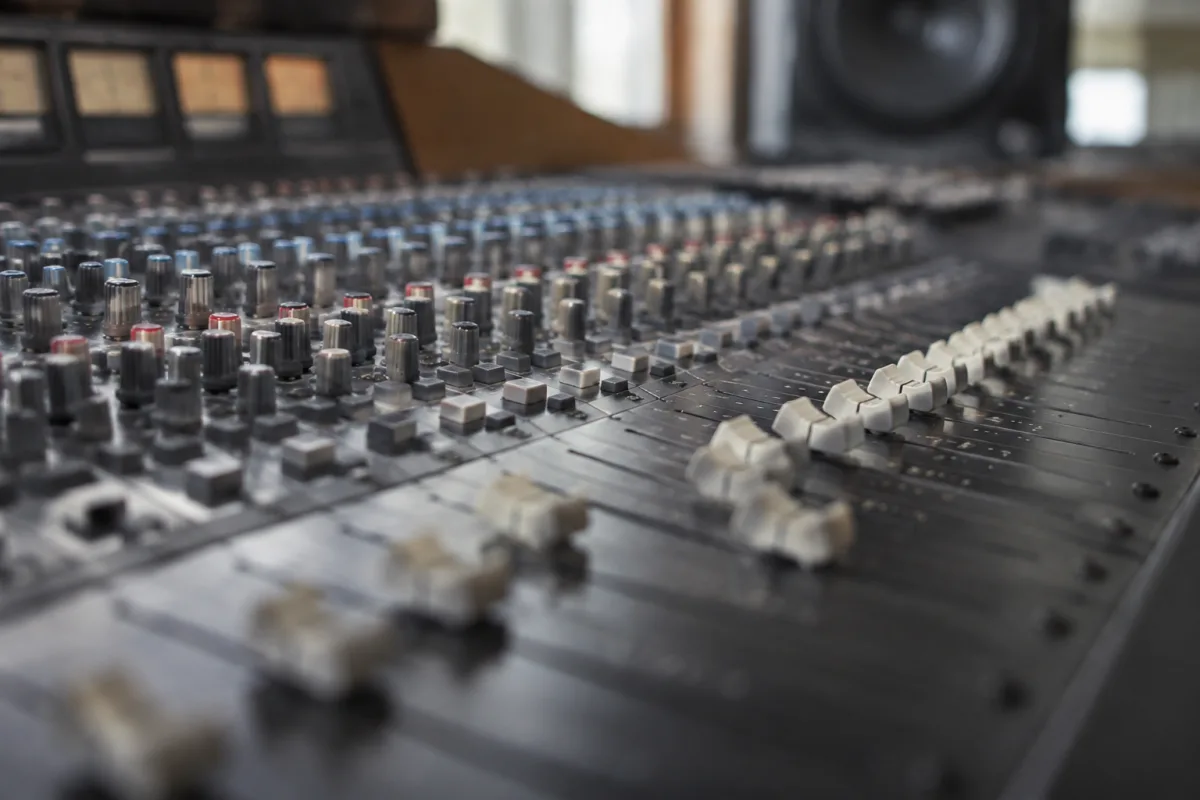
Buying an analog mixing desk can feel overwhelming—there are countless models, features and price points to consider. This guide cuts through the confusion by focusing on what actually matters when you're shopping for a mixing desk. You'll learn the specs to check, the pitfalls to avoid, and how to match the right desk to your budget and needs.
What You're Really Buying: The Core Decision
Before you look at any specific model, understand that you're making two parallel choices: format and workflow. Format means the number of channels and the desk's physical size. Workflow means how you'll use the desk—live sound, studio recording, rehearsal space, or a fixed installation.
An analog mixing desk suitable for a small venue's live mixing is not the same as one designed for a studio recording setup, even if they have similar channel counts. The same desk that's perfect for a 50-person room will feel cramped for a 500-person event. Knowing your primary use before shopping eliminates a lot of wasted time.
Channel Count: How Many Do You Actually Need?
Channel count is the first spec you'll see, and it's genuinely important. But most buyers misjudge how many channels they actually need.
For a small live setup (rehearsal room, small venue, worship space), 8 to 16 channels is usually enough. You'll run a drum kit (5-6 channels), bass, guitars, vocals and maybe a keyboard. Add a stereo input pair, and you're covered with a 16-channel desk.
For medium venues or recording studios, 16 to 24 channels gives you breathing room. You can track a full drum kit in stereo, handle multiple vocal takes, and still have channels for overdubs or unexpected inputs.
For large events or complex studio work, 24 to 32 channels or larger is standard. You have room for every instrument, effects returns and monitoring channels without cramping.
Here's the thing: more channels mean a bigger desk, more weight, more cost, and a steeper learning curve. Many buyers buy more than they need because they worry about "running out." In reality, a 16-channel desk with good routing and subgroup capabilities will often feel more flexible than a cheap 32-channel model. Don't overshoot. A desk you actually use is better than a desk that's too complicated to set up quickly.
Faders and Control Layout: Comfort and Speed
Fader quality and layout directly affect how fast you can mix and how many mistakes you'll make. This is not a luxury—it matters practically.
Fader throw (how far they move) should be at least 60mm. Shorter faders are fiddly and hard to control precisely. Longer faders (100mm+) give you more travel and smoother level changes, especially for fine adjustments during a live show.
Fader type comes in two flavours: standard linear pots and motorised faders. Standard faders are simpler, cheaper, and fine for most work. Motorised faders are heavier and pricier but useful in studios where you're recalling presets. For live sound, standard faders are usually better—they respond instantly and never jam.
Channel strip layout matters more than it sounds. If all the channels look identical and controls are tightly packed, you'll waste time during setup hunting for the right knob. Desks with well-spaced channels, clear labelling, and colour-coded sections (drums, vocals, effects) let you work faster and make fewer mistakes.
Before buying, sit at the desk if you can. Move the faders, twist the pans and EQ knobs. Does it feel natural? Can you reach everything comfortably? A cheap desk that feels awkward will slow you down every time you use it.
EQ Options: Fixed vs. Parametric
Every channel needs EQ, but the type varies hugely. This choice affects what you can fix and how quickly.
Fixed three-band EQ (bass, mid, treble) is standard on small desks. It's simple, fast, and handles 80% of mixing tasks. You don't need anything fancy for live sound or basic recording.
Parametric EQ (on mid and high channels) gives you more control. You can choose the exact frequency to boost or cut, which is essential in studios where you're shaping individual tracks carefully. Parametric EQ is overkill for simple live mixing but vital for detailed recording work.
Swept mid (a tone control that shifts across the midrange) is a middle ground. Useful for live mixing when you need to quickly reduce feedback or brighten a dull vocal without full parametric control.
For live sound, fixed three-band is usually enough. For studio or complex mixing, swept or parametric midrange is worth the extra cost.
Auxiliary Sends and Effects Routing
Auxiliary sends let you send signals to effects units or monitor mixes. This is critical for live sound and essential for studio work.
At minimum, you need two auxiliary sends: one for effects (reverb, delay) and one for a monitor mix or secondary output. A desk with only one auxiliary send will feel limiting after your first few gigs.
Four auxiliary sends is ideal for versatile mixing. You can run separate monitor mixes for different band members, run effects sends, and still have flexibility.
Check whether the auxiliaries are pre-fader (the level you send doesn't change when you move the channel fader) or post-fader (it does). For live monitors, pre-fader is usually better. For effects, either works, but post-fader is more intuitive.
A desk with poor auxiliary routing or limited sends will frustrate you in live situations. This is not a luxury feature—it's practical infrastructure.
Built-In Effects and Processing: Nice to Have vs. Necessary
Some desks include reverb, delay or compression built in. Some have none. Understand what you're really getting.
Built-in reverb is handy for adding space to vocals in live mixing, but it's a luxury. If the desk doesn't have it, you can add an external reverb unit cheaply. Don't let it drive your decision.
Compression on channels is more useful. It helps control dynamic sources like vocals and bass, especially in live sound. If you're mixing live, compression on at least the vocal channels is valuable. Check what type—simple threshold/ratio compressors are fine; advanced controls like attack and release are nice but optional for live mixing.
Phantom power (for condenser microphones) should be on any desk you're considering. It's standard and vital if you use any condensers. Make sure it's switchable per channel or a global switch, not permanently on (which can damage ribbon mics).
Price Tiers and What You Get at Each Level
Analog desks vary wildly in price. Understanding where your money goes helps you make smart choices.
| Price Range | Typical Specs | Best For | Common Pitfalls |
|---|---|---|---|
| £200–£600 | 8–12 channels, fixed three-band EQ, basic faders, 2 aux | Small rehearsal rooms, home recording, beginners | Cheap faders feel mushy; limited routing; plasticky build |
| £600–£1,500 | 12–16 channels, better faders, fixed/swept mid EQ, 4 aux, some processing | Small venues, semi-professional studios, working bands | Balanced choice; rarely disappoints if specs match your needs |
| £1,500–£4,000 | 16–24 channels, good faders, parametric EQ, 4–6 aux, built-in effects, routing flexibility | Medium venues, professional studios, touring operations | Good value; buy here if you can afford it |
| £4,000+ | 24+ channels, motorised faders, full parametric EQ, 6+ aux, advanced processing, custom layouts | Large venues, broadcast, high-end studios, permanent installations | Overkill for most uses; you pay for professional durability and features you won't use |
Most buyers get the best value in the £600–£1,500 range. Below that, corners get cut on fader quality and routing. Above £4,000, you're paying for durability and features that matter mainly in professional touring or broadcast. For your first mixing desk, aim for the middle tier if your budget allows.
Build Quality and Durability: What Matters
Faders. Quality faders are the single most important durability factor. Cheap faders get scratchy or stuck after a few months of heavy use. If a desk feels flimsy when you test the faders, walk away. Good faders should glide smoothly and feel responsive every time.
Connectors. XLR inputs should be metal, not plastic. Banana jacks and RCA connectors show cost-cutting. Check that the power cable is captive (permanently attached) or replaceable—never trapped in a way that invites damage.
Chassis weight and rigidity. Pick up the desk (or ask to). A lightweight plastic chassis flexes and can develop problems when moved. A heavier, rigid chassis indicates better build quality and suggests it will last years of use.
Age and parts availability. If you're buying a used analog desk, check whether spare parts (faders, potentiometers, internal connectors) are still available. Older desks from defunct manufacturers can become expensive to repair. Established brands hold their value and have ready parts support.
Common Buying Mistakes to Avoid
Buying too large. A 32-channel desk is impressive but unnecessary if you only ever need 12 channels. You'll waste money on channels you don't use, pay more to ship it, and struggle to set it up in tight spaces. Honest assessment of your actual needs saves money and hassle.
Ignoring the faders. Sellers often highlight specs like channel count and EQ type, but they downplay fader quality. A desk with 16 channels and mushy, worn faders will frustrate you daily. Faders are the primary tool—prioritise them.
Assuming more aux sends = better. A desk with eight auxiliary sends but confusing routing will waste your time. Four well-labelled auxiliaries on a clear desk beats eight on a confusing one. Prioritise clarity and workflow over raw numbers.
Forgetting about impedance and gain staging. Some cheap desks have poor input sensitivity, requiring you to crank the gains to get usable levels. This introduces noise. Check the specs for input impedance and maximum input level. Your desk should handle microphone and line-level sources without distortion at reasonable gain settings.
Overlooking the manual. Before buying, find the manual online. Read it. Does it make sense? Are the routing options clear? If the manual is confusing or unavailable, consider another desk. A manual that's hard to understand suggests the desk's design is confusing.
New vs. Used: Making the Right Call
New desks cost more but come with warranty and support. They're ideal if you need reliability immediately and budget allows.
Used desks are often excellent value, especially if they're from a respected brand and well maintained. Before buying used, test every fader, every switch, every input. A discount desk with a fried channel costs more in repair than a new model. Verify the desk's history and whether the seller can demonstrate all features working.
A 10-year-old Soundcraft or Allen & Heath desk, maintained properly, is often a smarter buy than a new budget model. Know the brand's reputation before committing to used gear.
Your Buying Checklist
- Determine your channel needs honestly (don't overbuy).
- Test the faders—they should feel smooth and responsive.
- Check auxiliary sends and routing options for your workflow.
- Confirm EQ type matches your mixing demands (three-band is fine for live; parametric better for studio).
- Verify phantom power is available and switchable.
- Read the manual online—does it make sense?
- Compare price tiers and understand what you're paying for.
- If used, test every channel and control before committing.
- Prioritise build quality and established brands over trendy features.
Buying an analog mixing desk is simpler when you know what matters: honest channel count, responsive faders, clear routing, and build quality you can trust. Match these to your budget and workflow, and you'll get a desk that serves you for years. The best desk isn't the biggest or most expensive—it's the one that lets you focus on mixing, not fighting with the equipment.


Comments