


JBL Powered Speakers article
Jbl Powered Speakers for Beginners: A Complete Guide
JBL powered speakers are ideal for beginners entering live sound. Discover setup, operation, level management, and how to avoid common PA mistakes.
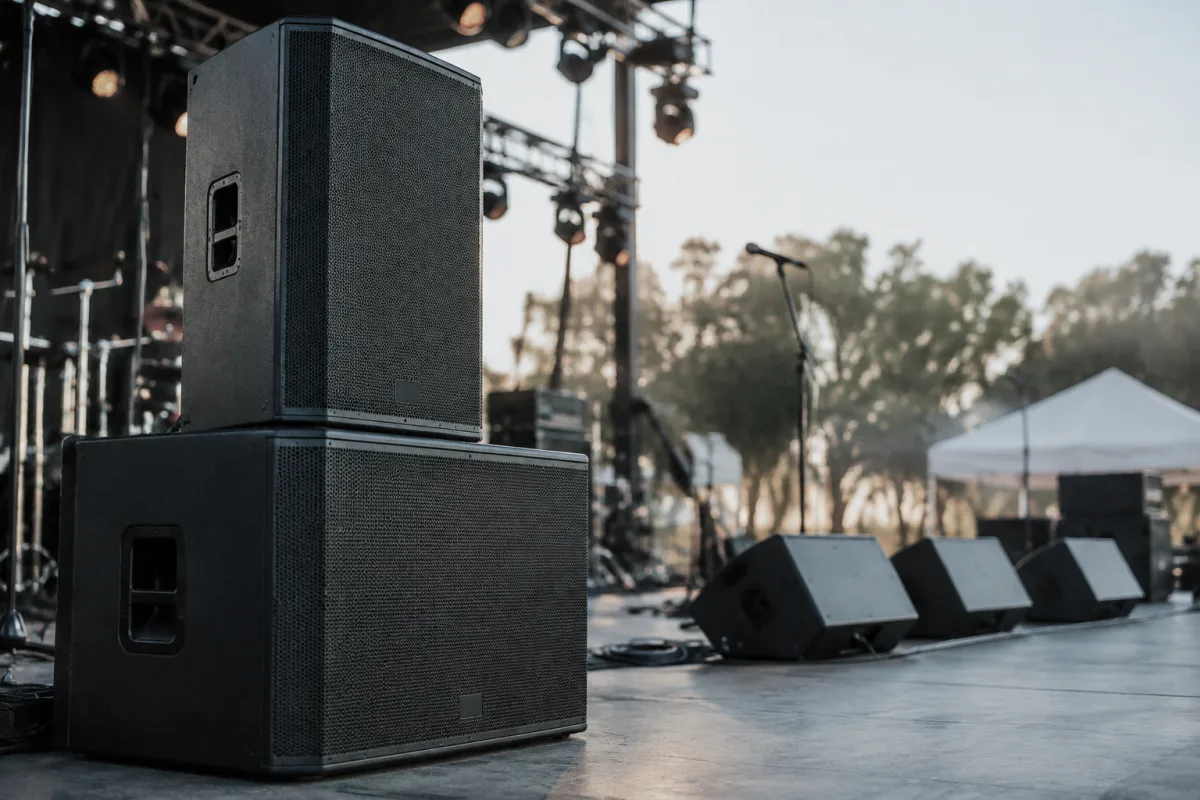
You're stepping into live sound, band rehearsals, or small events, and you need speakers. The prospect of choosing and setting up a PA system feels intimidating. JBL powered speakers exist to make this easier. They're designed for beginners who need professional sound without overwhelming complexity. This guide walks you through your first powered speaker setup, basic operation, and building confidence in live sound.
Why JBL Powered Speakers Are Perfect for Beginners
Live sound can feel like black magic when you're starting. JBL powers speakers to the beginner market because they understand this. Here's what makes them ideal:
- All-in-one solution—Powered speakers contain the amplifier, speaker, and crossover in one unit. No separate equipment to understand or connect. Plug power in, connect audio, and you're running.
- Built for portability—JBL powered speakers are designed to travel. They're lighter than traditional PA stacks, fit in vehicles, and require minimal setup.
- Reliable performance—JBL has decades of professional audio experience. Their speakers deliver consistent, professional-quality sound without failure surprises.
- Reasonable pricing—You get professional performance without professional pricing. Entry-level JBL powered speakers cost far less than equivalent traditional PA setups.
- Intuitive controls—Most JBL powered speakers have straightforward input options, volume controls, and basic tone adjustments. You don't need an audio engineering degree to operate them.
Understanding Powered Speakers: What You're Actually Getting
Before operating your JBL speakers, understanding what's inside helps you use them properly.
- The amplifier—Built into the speaker cabinet, the amp powers the speaker. This means you plug audio input directly into the speaker; no separate amplifier needed.
- The speaker driver—JBL powers speakers use high-quality woofers (for bass) and tweeters (for treble). This two-way design reproduces the full frequency range.
- The crossover—This electronic component sends low frequencies to the woofer and high frequencies to the tweeter. It's transparent to you but critical for sound quality.
- Wattage rating—Your JBL speaker has a power rating (typically 100-300W for beginner models). More watts means louder capability. For small to medium rooms and rehearsals, 150-200W is usually plenty.
Your First Setup: Unpacking and Connecting
When your JBL powered speakers arrive, here's the proper sequence:
- Inspect for shipping damage—Check the speaker cabinet for dents or damage. Verify all connectors are present.
- Place the speaker safely—Position it on a stable stand or place it on the ground elevated slightly. Make sure it won't tip over. Keep it away from edge drops or obstacles.
- Position for sound distribution—JBL powered speakers are designed for forward-facing sound. Point them toward where your audience or band will be. Avoid pointing directly at walls (which creates reflections and feedback).
- Connect the audio source—Use the appropriate cable (1/4-inch, XLR, or RCA depending on your JBL model) to connect your mixer, microphone, or audio device to the speaker's input.
- Plug in power—Connect the power cable and switch on. Let the speaker power up for 10-15 seconds. You'll hear a subtle startup sound (normal).
- Turn up volume slowly—Start with the volume knob at minimum. Gradually increase it while generating audio. You'll feel the speaker wake up and the sound fill the space.
Understanding Input Options and Connections
Your JBL powered speaker has input options you need to understand.
- XLR input (professional standard)—Three-pin connectors used in professional audio. Most balanced audio uses XLR. This is what you'll use for mixing consoles.
- 1/4-inch input—Two-ring connectors (or three-ring for balanced). Commonly used for instruments and smaller devices. Many beginner setups use this.
- RCA input (consumer standard)—Two red/white connectors. Less common on professional PA speakers but sometimes available on entry-level JBL models.
- Aux input—Some JBL speakers have auxiliary inputs for connecting phones or tablets wirelessly or via cable.
Match your audio source to the appropriate input. Most beginner setups use XLR or 1/4-inch. Quality cables matter; cheap cables introduce noise and hum.
Volume and Levels: Getting Sound Right
Beginners often struggle with levels. Here's the practical approach:
- Set source level first—If you're using a mixing console, set the channel level so it peaks around 0dB (not overdriving). This gives you headroom.
- Set speaker volume moderately—Once your audio source is set properly, adjust the JBL speaker's volume control to where you need it. Moderate is usually 50-70% for rehearsals; lower for bedrooms, higher for large rooms.
- Avoid maxing volume constantly—Running at full volume all the time wears equipment and stresses your ears. You need headroom for dynamic moments.
- Test with actual audio—Set levels with real program material (music, vocals, instruments), not test tones. Real audio gives you accurate feedback.
Tone Controls: EQ and Filters
Many JBL powered speakers have basic EQ controls. Understanding them helps you shape sound.
- Treble control—Adjusts brightness. Boost it slightly if your system sounds dull; reduce it if it's harsh.
- Bass control—Adjusts low-frequency response. Boost carefully in larger rooms (low frequencies accumulate). Reduce if the system sounds boomy.
- High-pass filter—Removes low frequencies below a certain point. Useful for cutting rumble and room noise if your JBL speaker has this feature.
- The golden rule—Start flat (all controls at 0 or middle position) and adjust minimally. Most good-sounding PA setups use nearly flat EQ.
Feedback: What It Is and How to Prevent It
Feedback—that awful howling sound—scares beginners. Understanding it prevents most problems.
Feedback happens when sound from the speaker re-enters a microphone, gets amplified again, and creates a loop. The frequency builds into a howl.
Prevention:
- Position mics correctly—Never point mics toward speakers. Mics should face away from speakers or to the side.
- Keep mic levels reasonable—Don't over-amplify microphone inputs. If it's feeding back, lower the mic channel level.
- Use microphone stands—Handheld mics held too close to speakers cause feedback. Stands position mics optimally.
- Watch your volume—Excessive speaker volume makes feedback more likely. If you're getting feedback, the speaker is probably too loud.
Feedback is actually your friend once you understand it. It tells you when something is wrong with your setup. Address it, and it rarely happens again.
Maintenance: Keeping Your JBL Speakers Running
JBL powered speakers are built to last with basic care.
- Keep them clean—Dust occasionally with a soft cloth. Don't use harsh cleaners on the cabinet.
- Protect from moisture—Powered speakers contain electronics. Keep them away from wet environments. If they get wet, let them dry completely before powering on.
- Check cables regularly—Examine audio cables and power cables for damage. Replace any showing wear.
- Transport carefully—When moving your JBL speaker, support it properly. Don't drag it across floors; use handles or carry cases.
- Ventilation matters—Ensure speaker vents aren't blocked. The built-in amplifier generates heat; it needs airflow.
Common Beginner Mistakes (And How to Avoid Them)
Learn from what traps new PA users:
- Maxing volume for no reason—Loud isn't better. Moderate volume with good level management sounds professional. Maximum volume sounds strained and distorted.
- Using cheap cables—Poor cables introduce noise, hum, and dropouts. Invest in quality audio cables. You'll hear the difference immediately.
- Pointing speakers at walls—This creates reflections and dead zones. Position speakers to fill the space you're trying to cover.
- Ignoring input impedance matching—Most JBL speakers handle various input types fine, but matching impedances prevents problems. Use the correct cable type for your source.
- Turning up gain instead of volume—If your source has gain and volume controls, set gain to a nominal level and use volume to control output. Excessive gain introduces noise.
Moving Forward: Growing Your PA Setup
As you gain confidence with your first JBL powered speaker, you might consider:
- Adding a second speaker—Pair speakers for stereo or to cover larger areas. JBL powered speakers stack or pair easily.
- Investing in a mixing console—Once you need multiple audio sources (mics, instruments), a small mixer lets you control them individually.
- Adding subwoofers—If you're handling bass-heavy music or need deeper lows, dedicated subwoofers pair with JBL powered speakers beautifully.
- Learning about acoustic treatment—As your PA grows, understanding how room acoustics affect sound becomes important.
You're Ready for Live Sound
Choosing JBL powered speakers is a smart first step into live sound. You're not settling; you're starting professionally. Your speakers will serve well for years, handling rehearsals, small events, and gigs confidently.
For detailed specifications, model comparisons, and advanced PA techniques for JBL powered speakers, explore the complete guide to JBL powered speakers. For now, power them on, set your levels, and start using live sound. Your JBL speakers are ready whenever you need them.


Comments