
Mixer Console article
The Complete Guide to Mixer Console
A mixer console is the heart of any live sound system. Discover how channels, faders, EQ and effects work together to create balanced mixes.
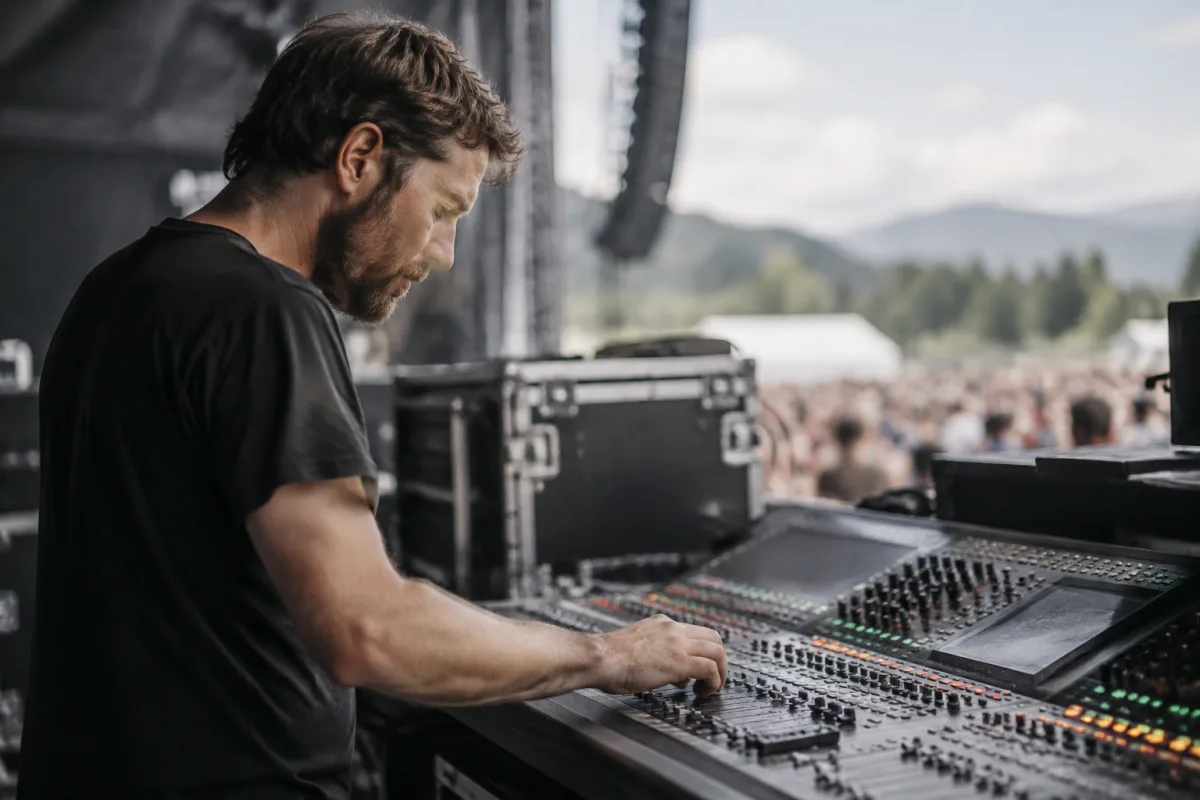
A mixer console is the central hub of any live sound reinforcement or recording setup. Whether you're managing sound for a band at a small venue, running a live broadcast, or recording vocals in a studio, a mixer console lets you balance multiple audio sources, shape their tone, and deliver a cohesive final mix to your audience or recording device. Understanding how a mixer console works and what features matter is essential for anyone working with audio in professional contexts.
The core function of a mixer console is deceptively simple: take multiple audio inputs, adjust their levels and tone independently, combine them into a balanced mix, and send that mix somewhere – to speakers, a recording device, a monitor system. But within that simple concept lies a universe of possibilities for creative mixing, problem-solving and sonic enhancement.
Basic Mixer Console Structure
Most mixer consoles share a common layout. Input channels line the left side – each channel accepts one audio source (microphone, instrument, playback device). Each channel has level controls (faders), tone controls (equalisers), and routing options. A master section controls overall mix level and sends. Output buses combine channels and route to destinations like main speakers or recording devices.
Understanding this basic architecture helps you navigate any mixer, regardless of specific model or complexity level. Larger consoles add more channels and more sophisticated processing. Smaller mixer consoles simplify the controls but use the same fundamental principles.
Channels and Input Types
Mixer console channels accept different input types. Microphone inputs require preamplifiers to boost the tiny microphone signal to usable levels. Line-level inputs accept signals from keyboards, mixing boards, or audio interfaces. High-impedance instrument inputs work directly with guitars or basses. Most modern mixer consoles include all three input types across their channel slate.
Phantom power – a feature on most mixer consoles – supplies power to condenser microphones through the audio cable. Learning to switch phantom power on and off safely prevents damage to equipment and feedback surprises.
Faders, Equalisers and Tone Control
Each channel on a mixer console features a fader – a sliding control that adjusts input level. Moving the fader up increases volume, down decreases it. All channels feed to a master fader which controls overall mix level. Graphic or parametric equalisers on each channel let you shape frequency response – boost bass or presence, cut harshness, shape tone to match the venue or song.
Auxiliary sends on mixer consoles route portions of each channel to separate destinations – monitor speakers for the band, effects processors, or recording devices. The key insight is that each channel can be mixed independently with different levels going to different destinations, allowing front-of-house and monitor engineers to work simultaneously on separate mixes.
Types of Mixer Consoles
Small portable mixer consoles (4-8 channels) suit intimate venues, podcasting, or home recording. Mid-size mixer consoles (16-32 channels) handle typical band setups, small theatres and venue sound. Large format mixer consoles (48+ channels) manage complex events, festivals or concert venues with multiple performers and instruments.
Digital mixer consoles increasingly replace analogue models due to their flexibility, recall capability and compact footprints. A digital mixer console can store snapshots of your entire mix – all settings, EQ, effects – and recall them instantly, invaluable when multiple bands use the same equipment in one evening.
Effects and Signal Processing
Most mixer consoles include built-in effects like reverb or delay. Higher-end units offer parametric EQ on each channel, compression, multiband processing and creative effects. External effects processors can be integrated via auxiliary sends and returns, extending the mixer's sonic palette without needing built-in processing.
Learning to use reverb and delay effectively transforms a mix. A touch of reverb adds space and depth. Too much creates an unfocused, distant-sounding mix. Delay effects can thicken vocals or create interesting rhythmic textures when synced to song tempo.
Monitoring and Headphone Mixes
A mixer console typically includes a monitor or headphone output for the engineer or performers to hear the mix. Monitor engineers use a separate mixer console or a dedicated monitor section to build a custom mix for each band member – the lead singer might want more of themselves and less drums, the drummer needs steady click track and bass.
Building good monitor mixes is a skill as important as front-of-house mixing. Performers who can hear themselves properly play better, stay more in time, and deliver more confident performances.
Setting Up a Mixer Console
Proper setup is crucial. Route instruments and microphones to appropriate channels. Set input levels so they register around -12 to -6 dB on the meter – loud enough to avoid noise, quiet enough to avoid clipping. Set your master fader to unity (marked as 0 dB), so adjustments to channel faders directly control final level.
Take time to understand your mixer console's routing options. Most channel output routes to the main mix bus by default, but you can reroute channels to subgroups (which allow you to control multiple channels with a single fader) or direct outputs (which feed signals to recording devices independently).
Learning Your Mixer Console
Every mixer console is unique, and learning your specific model is essential. Manufacturer documentation is your friend – understand the signal flow, what each button does, how to troubleshoot common problems. Many mixer consoles include master section metering that shows overall level – this visual feedback is invaluable for preventing distortion and maintaining headroom.
A mixer console is only as good as the person operating it. Invest time in understanding your equipment, practise building clean mixes, and you'll develop the skills to handle any audio situation with confidence.


Comments