


Floor Monitor Buying guide
Floor Monitor: A Complete Buyer's Guide
Choosing your first floor monitor? Discover what makes a good one, how to evaluate build quality, and whether mid-range is worth the investment over budget options.
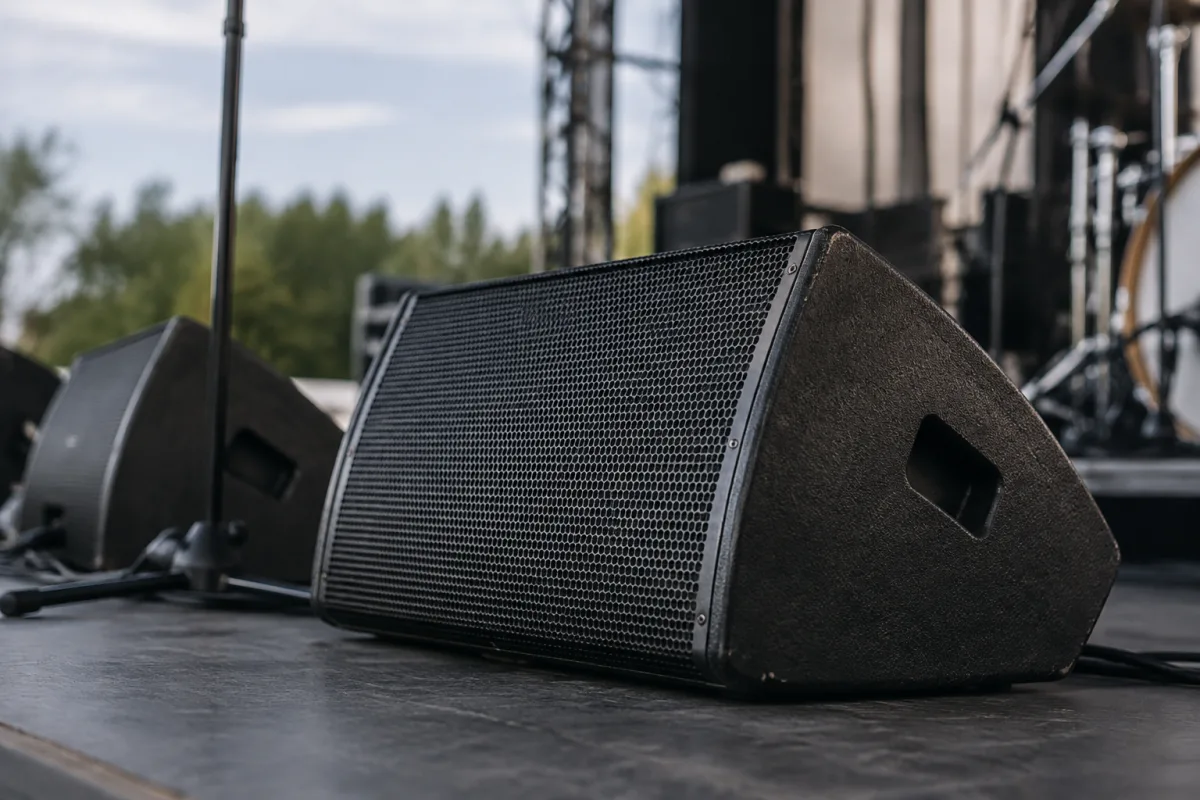
If you're buying your first stage monitor, you're making a crucial investment in live performance quality. Floor monitors are genuinely different from main speakers—they're designed to let performers hear themselves and the band, often in challenging environments with terrible acoustics and background noise. The good news: you don't need to spend a fortune. The bad news: cheap monitors sound terrible and will frustrate everyone. Here's what matters when you're choosing.
Understanding What a Floor Monitor Needs to Do
A floor monitor sits at stage level, pointed at performers so they can hear themselves and locked-in cues from the band. Unlike main speakers pumping to an audience, monitors must cut through stage noise and direct sound specifically. They need good midrange clarity—that's where vocals and instrument definition live. Bass response matters less; you're not reproducing the full spectrum, just ensuring performers stay locked in.
Durability is crucial. Monitors get kicked, stepped on, rained on in outdoor gigs, and abused during setup. You need something that survives the road. A cheap monitor might sound passable initially, but after 6 months of touring, it'll be rattling and unreliable. Invest in build quality or you'll replace it constantly.
Key Specs That Actually Matter
Speaker size tells you a lot. A 10-inch driver is typical for floor monitors and handles most midrange-heavy content. 12-inch models go deeper, better for bass-heavy material or larger venues. 8-inch monitors exist but feel underpowered for most situations. For general-purpose touring, 10-inch is the sweet spot.
Frequency response matters more than raw wattage. Look for something covering 60Hz to 16kHz minimum. You want clear midrange (1-4kHz) where vocals and most instruments sit. Power handling (watts) is less critical—you're not blasting the audience. 150-300 watts is plenty for most performers; more than that is overkill.
Impedance and connector compatibility are non-negotiable. Ensure your monitor works with your mixing desk or amplifier. Standard monitor impedance is 8 or 4 ohms. Check that your amp can handle what you're buying, and verify XLR connectors match your wiring setup.
Budget vs Mid-Range vs Premium Floor Monitors
Budget floor monitors (£150-300) work for small clubs and rehearsals. They're loud enough and functional, but tone quality is compromised. Plastic cabinets resonate, drivers distort when pushed, and reliability suffers. Skip budget if you're touring or performing regularly.
Mid-range floor monitors (£400-800) are where professionals start. You get solid build quality, decent driver performance, and cabinets that don't rattle. These will survive touring and sound clean whether running loud or soft. Most touring bands use mid-range floor monitors—they balance cost against reliability and tone.
Premium floor monitors (£1000+) offer refined tone, premium drivers, and flight-case protection. Premium is overkill for most scenarios—the diminishing returns kick in hard. Spend here if you're running a massive touring rig, need exceptional tone, or want equipment that'll last 20 years.
Avoiding Common Mistakes With Floor Monitors
Mistake one: buying oversized units. Beginners think "bigger = better." In reality, a 15-inch floor monitor is harder to position, eats stage real estate, and usually has unnecessary bass. Stick with 10-inch unless you have specific reasons otherwise.
Mistake two: ignoring cabinet construction. Wood construction lasts; plastic doesn't. A wooden floor monitor cabinet with quality internal bracing survives years of abuse. Plastic cabinets crack, resonate, and fail. Pay attention to build quality—it directly impacts longevity.
Mistake three: choosing based on looks. Aesthetics don't matter on stage. What matters: does it sound clear, does it handle the SPL you need, does it fit your setup? Some gorgeous-looking monitors are terrible performers. Some boxy industrial designs sound fantastic.
Connectivity and Integration
Your monitor must integrate with your existing infrastructure. Do you have an analogue mixing desk? You need 1/4-inch or XLR inputs. Digital mixing console? Check for digital monitor send capabilities and connector compatibility. Wireless monitoring systems need specific receiver compatibility. Sort these logistics before buying.
Think about cable runs and power. How far will your monitor sit from the amp or mixer? Long cable runs need quality cables and possibly boosters. Power availability matters too—you need reliable mains electricity backstage or near the stage.
Testing Before Committing
Borrow a monitor and run it through a full rehearsal. Does the performer's mix engineer dial in the tone easily? Does it handle the style of music? Does it cut through stage noise? These subjective factors matter more than specs. A technically superior monitor that doesn't suit your workflow is the wrong choice.
Listen for honky, cheap-sounding midrange. That's usually the first sign of budget hardware. Clean, clear vocal reproduction is what you want. Kick clarity in the low end matters too—the drummer needs to lock in.
Making Your Choice
Start with one or two mid-range 10-inch monitors from a reputable brand. Understand your venue size and performance style. For more detailed specifications and advanced techniques, see our complete guide to floor monitors. A solid mid-range monitor serves professionals beautifully—don't get tempted by bargain basement or premium-only thinking. Pick quality at a reasonable price and invest in acoustic treatment at the venue instead.
The Bottom Line
A floor monitor is essential live sound equipment. Your choice directly affects performance quality and musician confidence. Invest in build quality and tone, skip unnecessary wattage, and think about your specific setup. A good monitor is genuinely invisible—performers never think about it because they hear themselves perfectly. That's what you're paying for.



Comments