
Dmx Controller Lighting article
The Complete Guide to Dmx Controller Lighting
A DMX controller is the command centre of any professional stage lighting rig. Master setup, fixture control, and advanced techniques to create dynamic light shows.
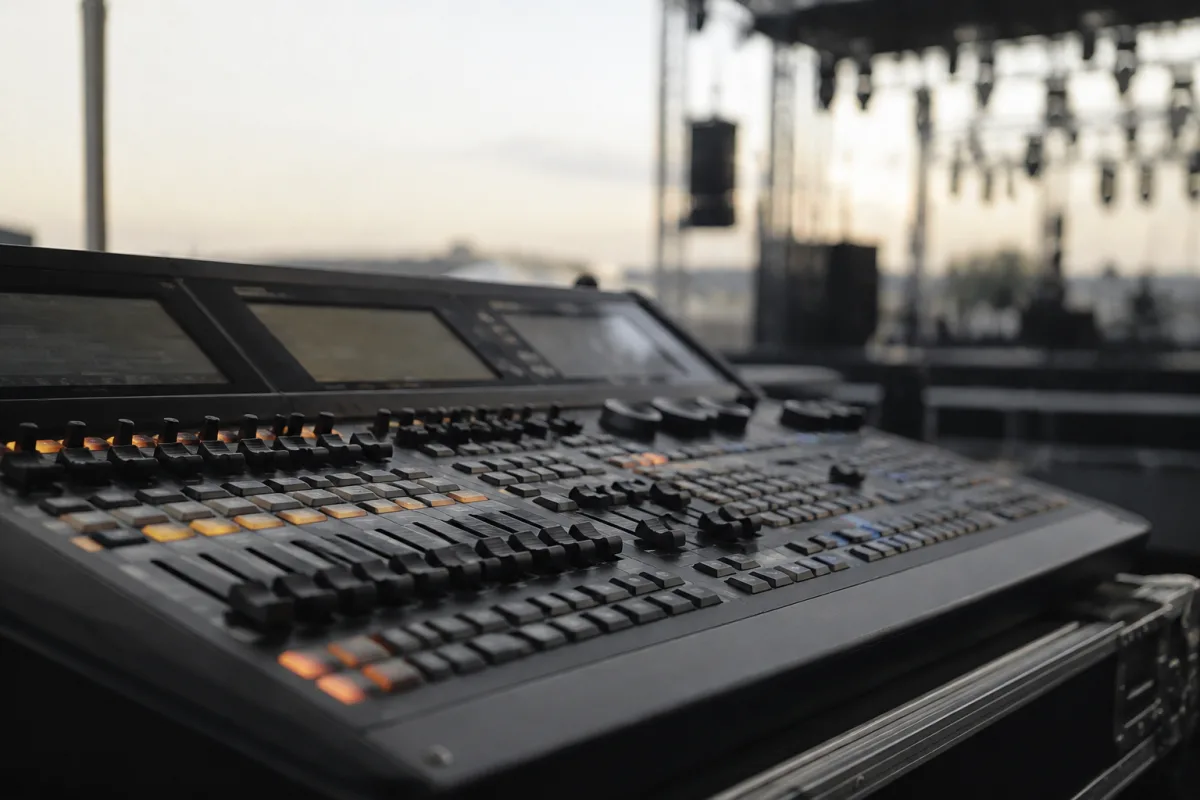
A DMX controller is the nerve centre of any professional stage lighting rig. If you've ever marvelled at the perfectly synchronised lights at a live concert, theatrical production, or DJ set, you've been watching a DMX controller at work. Whether you're running a small venue, managing a touring production, or working with club lighting, understanding how to choose and operate a DMX controller is essential to creating dynamic, responsive light shows that enhance your performance.
What is a DMX Controller?
DMX stands for Digital Multiplex, a standardised protocol for controlling lighting and effects equipment over a single digital cable. A DMX controller is the device that sends these digital commands to your lights, dimmers, moving heads, fog machines, and other stage equipment. It's essentially the command centre where you programme and trigger lighting cues, manage intensity levels, and synchronise effects to music or live action.
Rather than running individual cables to each light, DMX uses a serial data format that allows you to control up to 512 individual channels across multiple fixtures on a single cable. Each piece of equipment receives its own set of channels, which might control parameters like colour, intensity, position, zoom, or effects.
Types of DMX Controllers
DMX controllers come in several formats, each suited to different applications and budgets:
- Console-style controllers — full mixing desks with dedicated faders, buttons, and display screens. These are professional-grade machines for touring and large installations. They offer maximum control and flexibility, ideal for complex productions with numerous cues and real-time adjustments.
- Compact controllers — smaller units with fewer channels and controls, designed for mid-sized venues, small theatres, and portable setups. They balance functionality with portability.
- Wing controllers — supplementary control surfaces that expand the capabilities of a main console, offering additional faders and buttons without replacing the primary controller.
- Software-based controllers — running on a laptop or tablet via USB or network connection, these are highly flexible and cost-effective. Popular options include programmes like Eos, Chamsys, and Onyx.
- Basic wireless controllers — handheld remotes for simple on/off and level control, useful for small installations or backup control during emergencies.
Key Features to Look For
When selecting a DMX controller, consider these essential features:
| Feature | Why It Matters |
|---|---|
| Channel Count | How many individual parameters you can control simultaneously. Most small systems need 24–96 channels; large touring rigs may use 512 or more via multiple universes. |
| Physical Faders | Dedicated faders give tactile, real-time control. More faders mean smoother cueing without excessive button-pressing. |
| Fixtures Capacity | The number of fixtures the controller can manage. Professional consoles handle hundreds; smaller units may max out at 50–100. |
| Cue Memory | The ability to record and store lighting states for instant recall. Essential for theatrical productions and repeatable live shows. |
| DMX Output (Universes) | Single-universe controllers output 512 channels; multi-universe controllers can handle thousands of channels across multiple ports. |
| Build Quality & Durability | Road-worthy construction for touring, with robust connectors and shock-resistant components. |
DMX Controller Lighting Setup
Setting up a DMX-controlled lighting rig involves several steps. Begin by physically connecting your fixtures in a daisy-chain using DMX cables — the first light connects to the controller's DMX output, the second to the first light's DMX out, and so on. Each fixture needs its own DMX address (starting channel) set via a small digital screen or buttons on the fixture itself.
Once connected, open your controller's fixture library and add each light to the patch — this tells the controller what fixture type you're using and which channels it occupies. You can then assign fixtures to groups, subgroups, or scenes for easier control. For example, grouping all your stage-left lights together lets you adjust them as a unit rather than individually.
Programme your lighting states and cues into the controller's memory. A simple show might have just a handful of cues; a complex theatrical production may run 200+ cues, each precisely timed and sequenced.
Working with Fixture Types
Modern DMX controllers include libraries of fixture definitions — essentially profiles that tell the controller what each type of light can do. A moving head might use 16 channels to control pan, tilt, colour mixing (red, green, blue), intensity, and zoom. A par can light might use just 4 channels (RGB + intensity). The controller's fixture library typically includes thousands of profiles covering every major manufacturer's products.
If your exact fixture model isn't listed, you can often use a generic profile or create a custom one by documenting which channel controls which function. Some controllers also support importing fixture definitions from manufacturers or the community-maintained GDTF (General Device Type Format) library.
Practical Control Techniques
Experienced lighting operators use several techniques to work efficiently:
- Tracking — when a parameter (say, intensity) isn't explicitly changed in a new cue, the fixture retains its previous value. This reduces the amount of information you need to programme for each cue.
- Palettes — save favourite colour combinations, gobos (light-pattern templates), or positioning presets, then reuse them across multiple cues without reprogramming.
- Submasters — control groups of fixtures with a single fader, allowing grand-scale intensity adjustments without touching individual channels.
- Macros — programme multi-step sequences that trigger with a single button press, ideal for fast-changing moments in a show.
- Effects / Chase Sequences — create automated patterns where lights step through colours or positions in a rhythmic sequence, synced to music or a timing system.
Integration with Other Equipment
Modern DMX controllers often connect to timecode systems to synchronise lighting with video playback or music. Many also support MIDI (Musical Instrument Digital Interface) input, allowing you to trigger cues from keyboards, foot pedals, or other instruments. Some systems use network protocols like ArtNet or sACN to extend DMX control over ethernet cables, essential for large installations or when running multiverse (more than 512 channels) systems.
Wireless control via Wi-Fi or proprietary radio links is increasingly common, though wired DMX remains the standard for stability and reliability in professional environments.
Learning and Mastery
Most DMX controllers have a steep initial learning curve, but the fundamentals — addressing fixtures, patching, and basic cue programming — are consistent across most platforms. Invest time in your controller's manual and tutorials. Many manufacturers offer free training resources and community forums where operators share tips and templates.
Start with a simple setup to build confidence, then gradually explore advanced features like conditional triggering, effects engines, and network integration. The payoff is complete creative control over your lighting environment.
Conclusion
A DMX controller lighting system is an investment in flexibility, repeatability, and professional-quality light shows. Whether you're a theatre lighting designer, an events manager, or a touring DJ, mastering your DMX controller unlocks creative possibilities that simple manual switching can never achieve. Choose a controller that matches your venue's scale and your technical ambition, take time to learn its interface, and you'll find yourself creating lighting cues that perfectly complement every production you touch.


Comments