


Amplifier JBL article
Amplifier Jbl for Beginners: A Complete Guide
JBL amplifiers are straightforward to use and sound great. This guide covers first steps, controls, placement, and the mistakes to avoid.
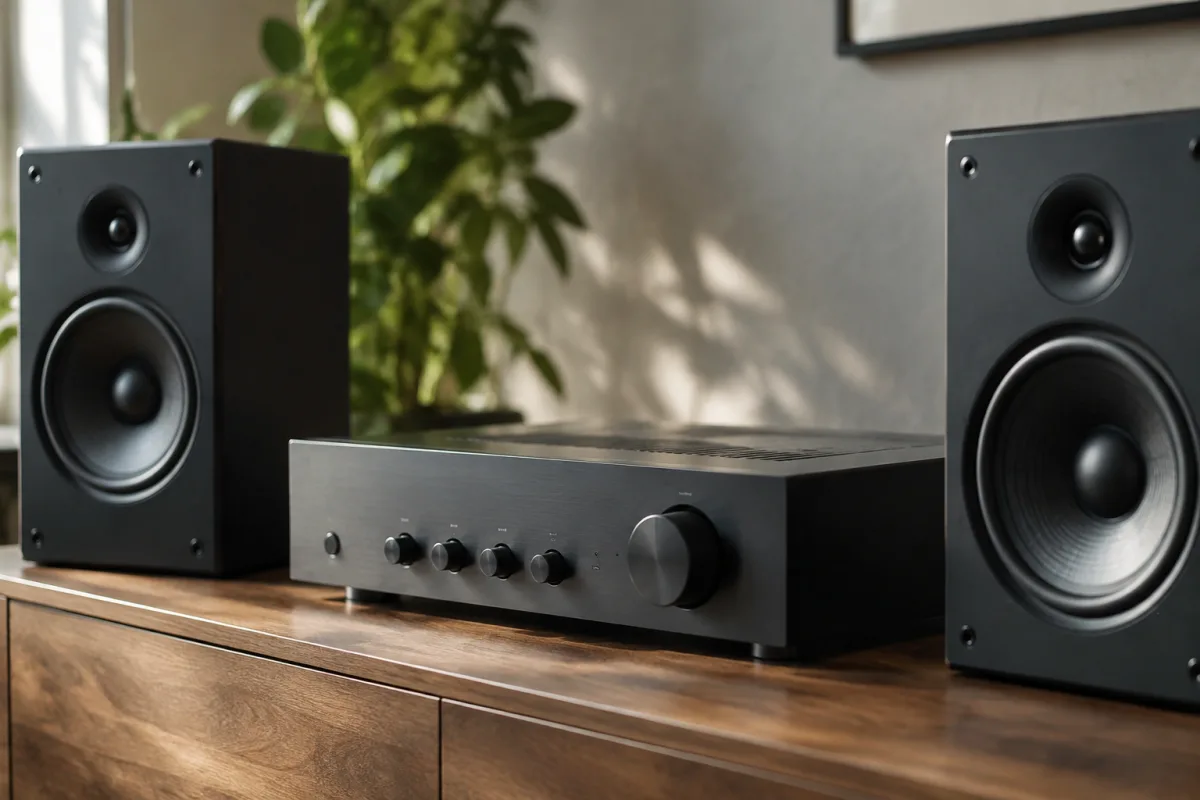
A JBL amplifier sits in your home or studio ready to play, and if you've just bought one or are considering it, you might feel slightly overwhelmed by the controls and setup. Don't. JBL amplifiers are genuinely beginner-friendly—straightforward controls, reliable power, and a sound that's punchy without being fatiguing. This guide walks you through your first session, essential controls, and the mistakes beginners typically make when they start using a JBL amp.
What You Have: A Quick Overview
JBL amplifiers come in various forms—powered speakers for desktop or studio use, standalone amplifiers for Hi-Fi systems, and compact portable amps. Most are designed to get out of your way. Plug in a source, turn the volume knob, and you get clear, powerful sound. There's no mysterious mystique here—JBL prioritises accessibility and reliability.
Your First 15 Minutes: Getting Started
Power On and Check Connections
Turn on the amplifier. Wait for any indicator lights to stabilise (usually takes a few seconds). Check that your audio source (phone, computer, turntable, or other device) is properly connected via RCA, optical, or USB cable. The input should be selected correctly on the amp.
Set the Volume Carefully
Turn the master volume knob to the lowest position. Gradually increase it to a comfortable level (around 10–11 o'clock is usually safe for first use). Never jump to full volume without knowing what to expect—even quality amplifiers can sound harsh at maximum output if you're not ready for it.
Play Something Familiar
Play a song you know well. Listen to how the amp handles bass, midrange, and treble. A good JBL amp should sound neutral and clear—not exaggerated, not boomy, just faithful to the recording. If it sounds off, you might need to adjust the tone controls (see below).
Essential Controls: What Each One Does
Master Volume
Controls overall loudness. Start low, increase gradually. Most listening happens at 12–2 o'clock. Past 3 o'clock, you're getting loud; past 4, you're asking for trouble (and complaints from flatmates).
Bass, Midrange, Treble (Tone Controls)
Some JBL amps have separate bass and treble knobs; others have a single "Tone" control. Leave them in the middle initially. After a few days of listening, if you want more warmth, nudge the Bass up slightly. If the amp sounds harsh or bright, reduce the Treble a touch. Adjust in small increments—a small turn makes a big difference.
Input Selection
If your amp has multiple inputs (RCA, optical, USB, 3.5mm), ensure you've selected the right one. Some amps switch automatically when they detect a signal; others require manual selection. Check your manual.
Balance (Left/Right Channel)
Some amps have a balance knob to adjust volume between left and right speakers. Leave this centred unless you have a reason to adjust it (e.g., a speaker further away).
First-Timer Mistakes and How to Avoid Them
- Jumping to full volume on the first use: Always start quiet and increase gradually. You'll damage the amp and your ears if you crank it immediately.
- Tweaking tone controls constantly: Spend at least a week at neutral settings before adjusting. Your ears need time to acclimate to how the amp sounds. Then adjust minimally.
- Ignoring the input selection: If you're hearing nothing or very quiet sound, check that the correct input is selected. It's the most common beginner issue.
- Using poor-quality cables: A cheap RCA or optical cable can introduce noise or crackling. Invest in decent cables—they're not expensive and make a huge difference.
- Placing the amp against a wall or in a corner: Sound needs space to breathe. Place the amp on a shelf, stand, or open surface at least 15 cm away from walls. Placement affects sound quality dramatically.
- Assuming all sources sound the same: A high-quality recording played through a JBL amp will sound noticeably better than a compressed MP3. The amp doesn't create quality—it reveals (or hides) what's in your source material.
- Not reading the manual: Five minutes with the manual answers 90% of beginner questions. Your JBL has specific features—learn them.
Placement and Environment Matter
Where you put your JBL amplifier affects how it sounds. Keep these in mind:
Avoid corners: Sound reflects off walls and gets boomy in corners. Place the amp at least 30 cm away from corners.
Avoid direct cabinet placement: Don't sit the amp directly on a shelf with books or clutter around it. Give it breathing room.
Keep vents clear: All amplifiers generate heat. Don't cover vents or place items on top of the amp. Poor ventilation shortens the lifespan.
Consider room acoustics: Hard floors and bare walls make sound boomy and echo-y. Soft furnishings (curtains, rugs, cushions) help. If your room sounds harsh, add soft materials gradually and listen for improvement.
When You're Ready: Next Steps
- After a week of daily listening, experiment with tone controls if the sound doesn't feel right.
- Try different audio sources and notice how quality varies (streaming vs. lossless downloads vs. vinyl).
- Explore the amp's settings menu (if it has one). Most features are pre-set perfectly—don't change anything unless you understand it.
- If you have two JBL speakers (rather than one powered speaker), learn about stereo imaging and positioning.
- Enjoy. The amp should fade into the background while the music plays. If you're always fiddling with it, something's off.
The Bottom Line
A JBL amplifier is straightforward to use. Plug it in, play something, and listen. Adjust volume to a comfortable level and leave the tone controls alone initially. Placement and cable quality matter more than you'd expect. After a week, the amp will feel natural, and you'll stop thinking about the equipment and start thinking about the music. That's when you know you've got it right.
For a deeper technical dive into JBL amplifiers, read our guide: The Complete Guide to Amplifier JBL.


Comments